# Get Started with Auth0
Source: https://auth0.com/docs/get-started
Get started with Auth0 by setting up the tenant, applications, and identity connections you need to add authentication to your products.
Auth0 is an identity platform to manage access to your applications.
If you’re new to identity and access management (IAM), learn some of the basics and plan the solution that best fits your technology and needs. If you’re familiar with IAM, you can jump in and start building.
***
## Start Building
To get up and running swiftly, choose your application type for a step-by-step quickstart tutorial.
> **[Native/Mobile App](/docs/quickstart/native)**
>
> Mobile or desktop app that runs natively on a device, like iOS or Android.
> **[Single Page App](/docs/quickstart/spa)**
>
> JavaScript web app that runs in the browser, like AngularJS + Node.js or React.
> **[Regular Web App](/docs/quickstart/webapp)**
>
> Traditional web app that runs on the server, like Express.js or ASP.NET.
> **[Backend/API](/docs/quickstart/backend)**
>
> An API or service protected by Auth0, like Express.js API or ASP.NET API.
> **[AI Agent](https://auth0.com/ai/docs)**
>
> An AI agent to call external APIs on the user’s behalf and use human-in-the-loop controls, like LangChain or LlamaIndex.
## Learn the Basics
Build your knowledge of IAM technology and Auth0.
> **[Identity Fundamentals](/docs/get-started/identity-fundamentals)**
>
> Explore topics related to the fundamentals of identity and access management.
> **[Auth0 Overview](/docs/get-started/auth0-overview)**
>
> Discover different use cases. Create and connect the building blocks of your IAM solution.
## Configure Auth0
Define how Auth0 works with your applications and APIs. Control who can access your Auth0 Dashboard.
> **[Auth0 Teams](/docs/get-started/auth0-teams)**
>
> Learn about Auth0 Teams, including how to enable Teams, view and manage tenants, and manage tenant members.
> **[Dashboard Profile](/docs/get-started/dashboard-profile)**
>
> Configure options in Auth0 Dashboard's profile section.
> **[Tenant Settings](/docs/get-started/tenant-settings)**
>
> Configure the behavior of your Auth0 tenant.
> **[Applications in Auth0](/docs/get-started/applications)**
>
> Control the details of how Auth0 works with your applications.
> **[APIs](/docs/get-started/apis)**
>
> Manage access for resource requests made to your APIs.
> **[Manage Dashboard Access](/docs/get-started/manage-dashboard-access)**
>
> Administer your team members’ access to your Auth0 Dashboard.
## Plan and Design
Learn about Auth0 flows and architecture so you can make informed decisions about your Auth0 implementation.
> **[Authentication and Authorization Flows](/docs/get-started/authentication-and-authorization-flow)**
>
> Explore the different flows of information that drive authentication and authorization.
> **[Architecture Scenarios](/docs/get-started/architecture-scenarios)**
>
> Read about real-world customer implementations of Auth0.
# Architecture Scenarios
Source: https://auth0.com/docs/get-started/architecture-scenarios
Learn about common Auth0 architecture scenarios that you can use to solve your authorization and authentication needs.
Customers using Auth0 typically have a common set of goals and objectives, and we want to share our real-world customer implementation experiences to help you deliver your solution efficiently.
# Business to Employees
Source: https://auth0.com/docs/get-started/architecture-scenarios/b2e
Explains the architecture scenario of B2E with a large organization that wants to extend their existing enterprise directory service.
The B2E (Business to Employees) scenario involves applications that are used by employee users. These are applications that are targeted toward users who are typically acting on behalf of an organization such as an employer, a university, or a group in which they are a member, as opposed to acting on their own behalf.
Such applications that are custom written by the organization may use the OIDC/OAuth (OAuth 2.0: Authorization framework that defines authorization protocols and workflows.) protocol to externalize authentication whereas those that have been purchased will often use the SAML (Security Assertion Markup Language (SAML): Standardized protocol allowing two parties to exchange authentication information without a password.) protocol. In either case, the enterprise will typically want to use some form of Enterprise connection, such as a SAML Identity Provider (Identity Provider (IdP): Service that stores and manages digital identities.), ADFS, Google Workspace, Azure AD or a directory service such as AD or OpenLDAP, and less frequently, a custom DB, for authentication of enterprise users.
For a business that is creating or integrating applications with Auth0 for a B2E environment, there are several requirements that are common for this scenario. This guide will summarize the most common requirements for B2E applications and explain the Auth0 features which help meet each need.
## Enterprise providers
Most businesses already have a corporate identity repository which has information on all the employee users and user profile information. It may also contain information on partners and contractors. A common requirement for the B2E scenario therefore, is to allow such users to log in via [Auth0 Enterprise connections](/docs/authenticate/identity-providers/enterprise-identity-providers) such as SAML2 providers, ADFS, Google Workspace, Azure AD or an on-premise corporate directory service. This is attractive to users because it allows them to avoid creating yet another username and password for each application and instead leverage the same login credential across all their enterprise applications.
This is especially attractive to security interests within the company because user credentials are only exposed to the identity stack instead of to each application. Furthermore, this architecture allows the business to retain control over access to applications because the enterprise identity provider provides a single shutoff point. If a user leaves the organization, administrators can simply disable the user’s account in the corporate identity provider and the user can no longer log in to any of the applications using that identity provider.
Auth0 makes it easy to enable login via a wide variety of enterprise providers with just a few simple configuration steps.
## Groups and roles
With a lot of users, you may set up groups and roles to manage access and privileges. Often, these are stored and administered in a directory service.
Auth0 can get user attributes, like groups and roles, from a directory service or enterprise identity provider during authentication. You can then make the attributes available through tokens returned to the application or with the Auth0 Management API (Management API: A product to allow customers to perform administrative tasks.).
## Profile translation
Sometimes a directory or identity provider returns attributes in one format, but your application uses another format. You can [map and translate user profile attributes](/docs/authenticate/protocols/saml/saml-configuration/saml-attribute-mapping-examples). You can even translate between OIDC/OAuth, SAML, WS-Fed (Web Service Federation (WS-Fed): Protocol for managing user identities across domains.), and LDAP.
For example, you retrieve attributes in SAML assertion format from a SAML Identity Provider. With a rule you can then translate the attributes to custom claims in an ID Token (ID Token: Credential meant for the client itself, rather than for accessing a resource.) for an OIDC/OAuth application.
You can also map SAML attributes to the Auth0 user profile from the dashboard. To do this, go to [Connections > Enterprise > SAMLP Identity Provider](https://manage.auth0.com/#/connections/enterprise), select your SAML connection, and set your attribute mappings in the **Mappings** tab.
## Extensibility with augmented user profiles
You may want to enrich user profiles with attributes or data retrieved from other services. For example, you might receive an address or phone number and wish to translate that into a geographic region. [Auth0 Rules](/docs/customize/rules) enable you to write small snippets of code that execute during the authentication transaction. This lets you execute logic or call other services for user information, then add [user metadata](/docs/manage-users/user-accounts/metadata) to the Auth0 user profile and optionally the resulting tokens sent to your applications.
## Single Sign-on
If you have several internal applications, you can set up [Single Sign-on (SSO)](/docs/authenticate/single-sign-on) across them so users only have to log in once.
Auth0 supports integration with applications that externalize authentication using industry standard identity protocols:
* OIDC/OAuth
* SAML2
* WS-Fed
After some configuration, all your applications can leverage your enterprise identity provider. In this setup, Auth0 is the broker between your applications and enterprise identity providers.
Now when a user signs in to one application, they can access other applications integrated with Auth0 without having to log in again. This will be true until their SSO (Single Sign-On (SSO): Service that, after a user logs into one applicaton, automatically logs that user in to other applications.) session expires. You should configure the SSO session length within Auth0 to meet security policies.
## Single Sign-on integrations
You can also integrate purchased applications with Auth0 for Single Sign-on (SSO). Auth0 provides [pre-built integrations](/docs/customize/integrations/marketplace-partners/sso-integrations-for-partners) for applications such as:
* Salesforce
* Zendesk
* Slack
* New Relic
## Branding
Branding is an important part of any application. Your logo, colors and styles should be consistent in all parts of the application. You can [customize](/docs/libraries/custom-signup) the login, signup, and error pages displayed by Auth0 so it matches your application. Add your own logo, text, and colors. There's also I18N/L10N support for global rollouts. [Emails for verification or password resets](/docs/customize/email/email-templates) are customizable too.
[Login screens](/docs/libraries/lock/lock-ui-customization) should appear to come from your application’s branded domain name. To maintain consistency, you can define a [custom domain name](/docs/customize/custom-domains) for the login screen displayed by Auth0.
## Multi-factor authentication
Internal or employee applications often deal with sensitive content. [Multi-factor authentication (MFA)](/docs/secure/multi-factor-authentication) helps protect your data and applications. Auth0 provides a variety of ways to implement MFA (Multi-factor authentication (MFA): User authentication process that uses a factor in addition to username and password such as a code via SMS.). And for more flexibility, you can use Rules to turn it on only for the applications or user groups that need it.
## Logs export
Need to analyze logs or store them long-term? Auth0 provides extensions to [export logs to external tools](/docs/deploy-monitor/logs) for analysis and retention. You can also retrieve log data with the Management API.
## Audit
Companies have many uses for logs data, one of which is audit reports. Auth0 captures a variety of data in log files, which may be useful for your audit reporting. The logs have information on authenticated users, the identity provider used, and when significant administrative changes are made in the Auth0 dashboard (Auth0 Dashboard: Auth0's main product to configure your services.).
Log events each have an event type. You can use event types as filters when querying log data with the Management API, or when exporting logs to log analysis tools.
## Monitoring
Monitoring the infrastructure and services that your applications depend on is critical. Auth0 provides an [Auth0 Status](https://status.auth0.com/) page you can subscribe to.
Auth0 makes every effort to minimize outages, but if there is any disruption to service, it will appear on the status page. To support requirements for root cause analysis documentation after a disruption, Auth0 conducts internal analysis and publishes the results on the disruption notice when the analysis is completed.
## Attack Protection
An unfortunate part of modern life on the internet is hackers. Hackers are constantly trying to find a way into applications. For example, they may try to log in using common passwords. Or they may use credentials stolen from elsewhere, hoping that users re-used the same passwords at other sites.
Auth0's [Attack Protection](/docs/secure/attack-protection) detects these situations for Auth0 Database connections and provides options for how to respond. Turn on Attack Protection (Attack Protection: Features that Auth0 provides to detect and mitigate attacks, including brute-force protection, suspicious IP throttling, breached password detection, bot detection, and adaptive multi-factor authentication.) and configure the response options so you can respond appropriately if such an event occurs.
## Github Deployment
Do you manage a lot of your application code in Github? You can deploy code for Actions, Rules, Hooks, or custom database access from there with Auth0's [Github Deployment extension](https://marketplace.auth0.com/integrations/github-actions).
If you have a full continuous integration/continuous deployment pipeline, use the [Auth0 Deploy CLI tool](https://github.com/auth0/auth0-deploy-cli) for greater flexibility.
# Business to Business Architecture Scenarios
Source: https://auth0.com/docs/get-started/architecture-scenarios/business-to-business
Plan a B2B SaaS identity solution on Auth0 with this multi-tenant architecture guide, covering everything from setting up your authentication, to application deployment and launch.
This guidance is relevant to **all** project stakeholders. We recommend reading it in its entirety at least once, even if you've already started your journey with Auth0. We provide a [B2B IAM Project Planning Guide](https://assets.ctfassets.net/cdy7uua7fh8z/63F0WOPJdVzsPMxV1Xvp8x/7a329487c5e890d8e820f6a48983b46a/B2B_Project_Planning.pdf) in PDF format, details about how to get started with each phase of the implementation process, and [checklists](/docs/get-started/architecture-scenarios/checklists) to help you manage the tasks in each phase.
There are many different ways Auth0 can be integrated into the B2B IAM project architecture. Auth0's flexibility comprehensively supports many different use cases however your project may not require all of the capabilities provided by Auth0. Knowing what, when, and how best to implement something will help you focus on completing the necessary tasks at the right time.
> [!NOTE]
>
> Many B2B platforms implement some form of isolation and/or branding for their customers' organization, and this can add complexity to any Identity and Access Management (IAM) system. If this applies to you, then we recommend you take some time to read through our guidance and best practice advice for [multiple organization architecture](/docs/get-started/architecture-scenarios/multiple-organization-architecture).
Customers using Auth0 for Business-to-Business (B2B) projects typically share a common set of goals and objectives, and in the sections that follow we'll focus on our real-world customer implementation experiences to help you deliver your solution efficiently.
# Business-to-Business Architecture
Source: https://auth0.com/docs/get-started/architecture-scenarios/business-to-business/architecture
How you configure your Auth0 tenant architecture affects your B2B IAM implementation.
Understanding your application is key to understanding how Auth0 can be leveraged to meet your needs. From experience, our most successful customers start with a visualization of their proposed - or in many cases existing - architecture and use this as a basis for reference as they progress. Understanding where your application fits within your organization is also important; Auth0 [Accounts and Tenants](/docs/get-started/auth0-overview/create-tenants) form the basis for the grouping and structuring of Auth0 assets, and it may be that you’ll need to leverage an existing Auth0 deployment in order to integrate with [Single Sign-on (SSO)](/docs/authenticate/single-sign-on), centralized user [Profile Management](/docs/get-started/architecture-scenarios/business-to-business/profile-management), consolidated billing, or the like.
> [!TIP]
>
> If you do have multiple applications, and you need to leverage SSO, then we recommend you check out our [How to Implement Single Sign-On](https://auth0.com/learn/how-to-implement-single-sign-on/) training guidance before continuing.
The value of investing time on the landscape of the architecture up-front is something that we have found pays dividends in the long run, and there are a number of things you will want to consider when looking at functionality and workflow:
* What should the URL look like when Auth0 needs to present a web page to a user?
* How can Auth0 be structured to support your SDLC (Software Development Lifecycle)?
* How can you ensure that your Auth0 tenants are appropriately associated with your contract?
* What do you need to consider if there are other projects in your organization integrating with Auth0? Particularly projects that target their own, or a different domain of users (for example, applications that only employees will use)?
* How can you align the structure and domain of your customers’ organization with your Auth0 deployment?
Organizations often service more than one domain of user - customers, employees, and affiliates being the most frequently encountered, with typically little to no cross-over: employees, say, don’t use the same applications as customers and vice-versa. In some cases there can also be a need to partition further within a domain - separate groups of customers, say, who use different and unconnected products. Auth0 provides a way to segregate your users and the associated collateral, and [tenant provision](#tenant-provision) covers this in more detail. If you need to provision an independent tenant then you’ll also want to [associate this with your existing Auth0 account](#tenant-association), so that you can take full advantage of the benefits provided at your organization’s contracted subscription level.
> [!TIP]
>
> It’s not uncommon for companies to have identity requirements that address multiple user communities: customers, partners, employees, etc. So be sure to consider other projects or future requirements when designing your architecture.
In addition, you’ll undoubtedly have an established set of processes and procedures as part of your Software Development Lifecycle (SDLC). So you’ll want to check out our [SDLC support](#sdlc-support) guidance regarding Auth0 Tenant provision in support of that too.
For customer-facing applications, we typically see [OpenID Connect (OIDC)](/docs/authenticate/protocols/openid-connect-protocol) as being the most frequently used protocol. OIDC makes use of web based workflows with browser URLs that are presented to the user. Out-of-the-box, client facing URLs as part of Auth0 OIDC support are Auth0 branded, however we recommend using the Auth0 [custom domain](#custom-domains) capability to provide for consistent corporate identity and to also address potential user confidence concerns before they arise.
> [!TIP]
>
> Other groups within your organization may also be working with Auth0; it’s not uncommon for our customers to have disparate departments that serve different user communities. Identifying these will potentially influence your design choices, and doing so early could mitigate decisions that might prove costly later on.
If some or all of your customer organizations each need their own custom URL or they are using social providers that need a custom consent page branded to the organization, then we recommend that you create separate Auth0 tenants for those organizations; see [Tenant provision for complex organizations](#tenant-provision-for-complex-organizations) for further details.
## Tenant provision
Everything starts with an Auth0 tenant. This is where you will be configuring your use of Auth0, and the where Auth0 assets - such as [Applications](/docs/get-started/applications), [Connections](/docs/authenticate/identity-providers) and [user profiles](/docs/get-started/architecture-scenarios/business-to-business/profile-management) are defined, managed and stored. Access to an Auth0 tenant is performed via the Auth0 [Dashboard](/docs/get-started/auth0-overview/dashboard), and via the Dashboard you can also create additional, associated tenants; you’re allowed to create more than one Auth0 tenant so that you can structure your tenants in a way that will isolate different domains of users and also support your [Software Development Life Cycle](#sdlc-support) (SDLC).
> [!WARNING]
>
> Tenant names cannot be changed, nor reused once deleted. So, make sure you're happy with your name(s) before you create your Auth0 tenants.
Determining the level of isolation you require when it comes to your user domains is an important step, and together with your branding requirements will subsequently help you determine the number of Auth0 tenants that will be required in your production environment. As we recommend you create a full suite of [SDLC supporting tenants](#sdlc-support) for every Auth0 tenant you will run in a production environment, the number of Auth0 tenants you will need to manage can quickly grow. Therefore you should consider carefully before creating multiple Auth0 tenants for production, and should consult our guidance on [Branding](/docs/get-started/architecture-scenarios/business-to-business/branding) before making your final decision.
### Tenant provision for complex organizations
In most cases, provisioning separate Auth0 tenants for your customer's organizations is not necessary. This has become even easier with the release of our new [Organizations feature](/docs/manage-users/organizations/organizations-overview). However, in certain circumstances this can be something that is valuable for reducing the complexity of your setup. For instance, we recommend provisioning a separate Auth0 tenant for your customers' organization as a best practice if:
* Your customer organizations need a custom login URL that is unique to the organization. This is generally the case only if you allow your organizations to have their own vanity URL instead of using a common login URL. Auth0 supports one custom domain (Custom Domain: Third-party domain with a specialized, or vanity, name.) per tenant.
* Your customer organizations use social providers for login. In this case, it is often desirable for the organization to have a custom consent page for the social provider that is branded to their organization.
If either of these situations is true, we recommend creating a separate Auth0 tenant for each organization that has one of the above criteria.
> [!WARNING]
>
> Maintaining multiple Auth0 tenants can add complexity to your system and should not be done unless absolutely necessary.
## Tenant association
To ensure that your [tenants are all associated with your Auth0 contractual agreement](/docs/get-started/auth0-overview/create-tenants/child-tenants) and have the same features, ensure all your tenants are associated with your company account. If you have individual developers that want to create their own sandboxes for testing, make sure they get associated with your account so they have the same permissions too. To do this you should contact your Auth0 representative or the [Auth0 Support Center](https://support.auth0.com).
## Custom domains
When you setup your Auth0 tenant, the URL for accessing that tenant will be of the form `https://{yourTenant}.auth0.com`. Providing a [Custom Domain](/docs/customize/custom-domains) (also known as a vanity URL), for your Auth0 tenant is not only an important factor for supporting your Branding requirements, but more importantly will also provide you with security benefits too:
* Some browsers will, by default, make it difficult to communicate in an iFrame if you don't have a shared domain. For example, [Safari's ITP causes Auth0 token renewal issues](https://support.auth0.com/center/s/article/troubleshoot-auth0-token-renewal-issues-in-safari-with-itp-enabled).
* It's [harder to phish your domain if you have a vanity URL](https://auth0.com/blog/introducing-custom-domains-preview-with-auth0/), as the phisher must also create a vanity URL to mimic yours. For example, with a custom domain you can use your own certificate to get an "Extended Validation", making phishing even harder.
You are allowed only one custom domain per Auth0 tenant. This is because a tenant in Auth0 is intended to represent a “domain” of users. If you need more than one vanity URL, then you likely have more than one domain of users and should be using multiple tenants.
Your custom domain name should also give the user confidence that this is the appropriate place to enter their credentials, and we recommend that you create your custom domain in all environments early on to ensure that you are testing consistently between environments. **It's extremely important to train your users to to look for suspicious URLs when entering their credentials!**
> [!TIP]
>
> Create a custom domain (a.k.a. `CNAME`) for your Auth0 tenant, and also create one in development too so you can ensure you have managed the `CNAME` correctly. For example, you could create a `CNAME` which maps `login.mycompany.com` to `mycompany-prod.auth0.com`.
In almost all cases, customers have been most successful when adopting a strategy of a centralised domain for authentication across multiple product or service brands. This strategy provides users with a consistent UX, and also mitigates the complexity of deploying and maintaining multiple Auth0 tenants in a production environment. If you are considering having multiple domains for different brands, please refer to the [Branding](/docs/get-started/architecture-scenarios/business-to-business/branding) guidance before you begin implementing.
## SDLC support
Every company has some form of Software Development Life Cycle (SDLC), and throughout the development process you will want to align with that strategy. For instance, you need to be able to test your integration with Auth0 in a similar fashion as you test the applications themselves. It is therefore important to [structure Auth0 tenants to support your SDLC](/docs/get-started/auth0-overview/create-tenants/set-up-multiple-environments), and there is a consistent pattern which our customers typically follow when it comes to the best practices associated with tenant layout for doing so:
| Environment | Sample Tenant Name | Description |
| - | - | - |
| Development | **company-dev** | A shared environment where most of your development work occurs |
| QA/Testing | **company-qa** or **company-uat** | An environment for formal testing of the changes you've made |
| Production | **company-prod** | The production tenant |
In some cases you may also want to create one or more sandboxes (e.g., **company-sandbox1**, **company-sandbox2**) so that you can test changes without compromising your development environment. This might be where you test deployment scripts and the like.
> [!TIP]
>
> You can also take advantage of our [Implementation Checklists](/docs/get-started/architecture-scenarios/checklists) that you can download and customize to meet your implementation project needs.
Customers with an Enterprise subscription should ensure tenants set up to support their SDLC are properly [linked to their subscription](/docs/get-started/auth0-overview/create-tenants/child-tenants). This will ensure each tenant has a consistent set of features enabled.
## Project Planning Guide
We provide planning guidance in PDF format that you can download and refer to for details about our recommended strategies.
[B2B IAM Project Planning Guide](https://assets.ctfassets.net/cdy7uua7fh8z/63F0WOPJdVzsPMxV1Xvp8x/7a329487c5e890d8e820f6a48983b46a/B2B_Project_Planning.pdf)
## Multiple Organization Architecture (Multitenancy)
Many B2B platforms implement some form of isolation and/or branding for their customers' organization, and this can add complexity to any Identity and Access Management (IAM) system. If this applies to you, then we recommend you take some time to read through our guidance and best practice advice for this type of environment.
[Multiple Organization Architecture](/docs/get-started/architecture-scenarios/multiple-organization-architecture)
# Business-to-Business Authentication
Source: https://auth0.com/docs/get-started/architecture-scenarios/business-to-business/authentication
Design authentication for your Auth0 B2B SaaS application, using Universal Login, home realm discovery across Organizations, enterprise connections, and MFA to securely identify users from multiple customer tenants.
In order to provide services to your users, you must be able to identify who those users are. This process is called User Authentication. There are a number of ways to perform authentication of a user - via social media accounts, username and password, passwordless (Passwordless: Form of authentication that does not rely on a password as the first factor.) - and it's often recommended that you go beyond a first factor for authenticating the user by enabling multi-factor authentication (Passwordless: Form of authentication that does not rely on a password as the first factor.) (MFA).
> [!TIP]
>
> It's important to consider both security and user experience when designing how you will authenticate your users. Providing for multiple primary factors, and/or enforcing more than one factor during authentication, are ways that you can provide both.
There are a number of things you will want to consider when looking at functionality and workflow:
* Where will users enter their credentials?
* How will you keep user credentials safe?
* How will you maintain your authentication system?
* How can you provide password authentication for your users?
* How can you prevent hackers from trying to log in as your users?
* How will you implement authentication in different kinds of applications?
* How can you make login easy for your users when they come from different language backgrounds?
* How will you provide a good user experience as you migrate away from any legacy authentication system?
* What should you consider when integrating applications with Auth0?
* Do you need to provide multi-factor authentication?
* What do you do if you have a service that doesn't have a way for the user to log in ahead of time?
* Can you pass the same user access token (Access Token: Authorization credential, in the form of an opaque string or JWT, used to access an API.) from one API to another?
* What do you do if you need to isolate users by organization?
* How will you handle identifying which organization users belong to?
* What’s the benefit of providing enterprise connections for your organizations?
Auth0 [Universal Login](#universal-login) provides users with a safe and secure experience - no matter whether you choose to provide for user ID/password credentials sign in, or allow the so-called Bring Your Own Identity scenarios provided via [Social Login](https://auth0.com/learn/social-login/). There are also brand recognition benefits to centralizing the login experience with Universal Login (Universal Login: Your application redirects to Universal Login, hosted on Auth0's Authorization Server, to verify a user's identity.), even if you feel you will also have product-specific [branding](/docs/get-started/architecture-scenarios/business-to-consumer/branding) requirements. The Auth0 UI widgets typically used with Universal Login also provide out-of-the-box support with regards to [internationalization](/docs/customize/internationalization-and-localization/universal-login-internationalization) for users with different language requirements, and out-of-the-box support for Auth0 features such as [MFA](#multi-factor-authentication-mfa-) and [attack protection](#anomaly-detection) allow you to put barriers in place in order to prevent hackers attempting to access users' accounts.
Allowing users to sign in via user ID/password credentials means that you're not reliant on the status of third-party identity providers (Identity Provider (IdP): Service that stores and manages digital identities.) for your users to access your system. You also have the means to require the credentials used to align with your corporate policies. Auth0 assists with this by providing you with multiple options in support of user ID/password logins, and the [guidance provided](#username-and-password-authentication) will help you understand you can leverage these options. Adding [social](#social-authentication) support at some stage, as an additional primary authentication factor, gives you added flexibility and can help you better understand your users without the need to question them further by leveraging the information already stored by the various social login [providers](/docs/authenticate/identity-providers/social-identity-providers).
If you have an existing legacy identity store, you’ll also want to see [User Migration](/docs/get-started/architecture-scenarios/business-to-consumer/provisioning). This section discusses the advantages of migrating to Auth0’s managed identity storage in terms of safety and security.
For customer facing applications, OpenID (OpenID: Open standard for authentication that allows applications to verify users' identities without collecting and storing login information.) Connect ([OIDC](/docs/authenticate/protocols/openid-connect-protocol)) is the most frequently used industry standard protocol, and OIDC has first-class citizen support in Auth0. Auth0 provides support for various different approaches for integrating various different applications, so you'll want to see the section on [application integration](#application-integration) for the information you'll need to make an informed choice.
When calling one API from another API, or from any situation where there is no authenticated user context - such as one or more cron jobs, report generators, or continuous integration/delivery systems - you will need a way to authorize the application instead of a user. This is a one step process where the application is authenticated (using a client ID (Client ID: Identification value given to your registered resource from Auth0.) and secret) and then authorized in one call. You can learn more about this in our authorization work stream under [machine-to-machine (m2m) authorization](/docs/get-started/architecture-scenarios/business-to-business/authorization).
Often companies need to segregate their users by organization and sometimes users can have access to more than one organization. Knowing which of these scenarios is relevant to your company will help define how to determine in which connection a user exists: whether you need to do it, when you need to do it, and how to accomplish it. See [Home Realm Discovery](#home-realm-discovery) to determine if this is something relevant to your company.
## Universal Login
Do you have, or will you have, more than one application in your system? If the answer to this question is yes, then you will want a centralized sign in experience. To achieve a seamless Single Sign-on (Single Sign-On (SSO): Service that, after a user logs into one applicaton, automatically logs that user in to other applications.) (SSO) experience between multiple applications, it is critical to have a centralized location to redirect your users for authentication. This allows you a way to provide your users with a consistent experience if you add social authentication in the future, add third party applications to your system, or add multi-factor authentication as an option (or requirement) for your users - and also allow you to take advantage of new features for improving your users’ experience with little, if any, added development effort.
> [!TIP]
>
> If you have more than one application, the best practice is to redirect to a [centralized location](/docs/authenticate/login/auth0-universal-login) to authenticate the user. With Auth0, this means taking advantage of [Universal Login](/docs/authenticate/login/auth0-universal-login), which provides many security and user experience benefits out-of-the-box, including [SSO](/docs/authenticate/single-sign-on).
Auth0 Universal Login makes authenticating users a short, easy process which can be accomplished in three easy steps (all of our Quickstarts demonstrate this and our SDKs hide the complexity for you too):
1. Determine how and when you want to [redirect from your application](#application-integration).
2. Set up the appropriate [branding](/docs/get-started/architecture-scenarios/business-to-consumer/branding) and/or customized HTML in your Auth0 configuration.
3. Set up your application to [receive and handle the response](#application-integration) from the Authorization Server.
## Home realm discovery
Home realm discovery (HRD) is the process of identifying which identity provider (or which connection in Auth0) the user belongs to before authenticating them. There are two ways HRD can occur:
* Provide a way for the decision to be made at the application
* Have Home Realm Discovery happen on the Universal Login page
Your system may need to do either or both methods so it is important to understand all approaches to HRD so that you can apply the one(s) that make the most sense to your applications.
### Application driven HRD
A common way of determining which realm a user belongs to is when an application is branded for each organization. As part of this, an organization will typically have its own instance of the application, typically accessed via a different URL. This copy or instance can be physically isolated (running on a separate set of servers) or virtually isolated (running on shared servers) and is generally denoted through either a custom hostname (`companyA.application1.yourcompany.com`) or path (`application1.yourcompany.com/companyA`).
> [!TIP]
>
> If your application already knows the specific connection (IdP) required then you can also pass that along when you redirect the user to `/authorize`, via use of the `connection` query parameter.
If this is the case for your application(s), then home realm discovery is a simple matter of storing the `org_id` with the organization-specific application configuration and sending that as the organization parameter when redirecting the user to Universal Login. Doing so will limit the user to that specific organization and its set of configured connections.
> [!TIP]
>
> If an organization needs more than one IdP, then you may have to do a second round of Home Realm Discovery (once the organization has been identified). Auth0 will typically manage this for you if you are using the Organizations Feature.
If the user is shared between multiple organizations using a single identity, you must support [Home Realm Discovery on the Universal Login Page](#hrd-through-universal-login). This will allow Universal Login to identify the user first and then present the realms appropriate for that user leading to a better user experience.
Sending the organization and/or connection parameters can be achieved by adding them as a query parameter when you redirect the user to the `/authorize` endpoint. For more information, see the [Authentication API docs](/docs/api/authentication#authorization-code-flow). However, you will generally accomplish this using the SDK for whichever language your application is written in.
### HRD through Universal Login
There are three main approaches to Home Realm Discovery:
* Discover the realm through the user’s email subdomain.
* Discover the realm by looking up a user identifier in some sort of map of an identifier to realm map.
* Allow the user to choose or enter their realm (or organization).
In both of the first two approaches, you may consider doing “Identifier First Login”. This means that you present only the ability to enter an identifier first. After which, you collect the user’s identifier, and then, based on the identifier, you either automatically redirect the user or present a way for the user to enter their password if redirection is unnecessary. Auth0 provides implementation out of the box to take care of all of this, via the use of [Universal Login](/docs/authenticate/login/auth0-universal-login/identifier-first).
> [!WARNING]
>
> Though it is possible to implement Identifier First Login or allow a user to select their organization at the application instead of on the Universal Login Page, this can add complexity with respect to single sign on as well as complexity associated with replicating that behavior in all of your applications. Instead Auth0 recommends implementing some form of HRD through Universal Login.
#### HRD through Universal Login using the email subdomain
The simplest way to implement home realm discovery on the universal login page is to utilize the email subdomain of the user’s identifier to map that to their Identity Provider. This, of course, only works in situations where the email subdomain will be a 1:1 mapping to an organization or at least to an Identity Provider.
Auth0’s [Lock](/docs/libraries/lock) widget or [Universal Login](/docs/authenticate/login/auth0-universal-login/universal-login-vs-classic-login/universal-experience) can do this for you if you are using the domain map in an enterprise connection; however, if you want to build this yourself, you can, but it requires you to build a mapping of email subdomain to connection.
Additionally, when using the Universal Login experience, the [Organizations Feature](/docs/manage-users/organizations/organizations-overview) will help you in two ways:
1. If you have not passed an org\_id to `/authorize` when you initiated the login request, Auth0 will present the user with a prompt to enter the organization they belong to.
2. If the Organization has more than one IdP associated with it, Auth0 will present the user with buttons to choose the organization or a form to enter a username and password.
#### HRD through Universal Login using the Identifier to Realm Map
A second, more complex alternative is to store a map of identifiers to IdP and provide a public endpoint to access that information. Then on the Universal Login page, you can find the connection and redirect back to /authorize with the connection. The main drawbacks to this approach are latency and, more importantly, security when it comes to identifier discovery: if you’re using email addresses, this makes it much easier for someone to discover whether a particular email address is a user of yours.
> [!TIP]
>
> Any public endpoint should have rate limiting applied to it to prevent hackers from using it to discover information and to prevent denial of service attacks.
#### HRD through Universal Login using user choice
The other option is to allow your users to choose from a list, if you don’t mind making public the list of organizations who use your product, or by allowing the user to enter their organization name explicitly. This would typically be done before redirecting the user to Universal Login. Once the user tells you which organization they belong to, you can redirect to Auth0 with the connection for that organization specified or have Auth0 simply prompt the user for their username and password if the connection is a database connection.
## Username and password authentication
Nearly every B2C application provides the ability for its customers to create a new set of credentials. This is a common form of authentication that all users are familiar with.
Username password authentication comes in multiple flavors at Auth0. If your application is a green-field application with no existing user base, then a simple Auth0 out-of-the-box [Database Connection](/docs/authenticate/database-connections) will give you everything you need to start authenticating your users. However, if you have a legacy user store (such as your own database of users or an existing LDAP system) you have a couple of different options for migrating your users as discussed in our guidance on [User migration](/docs/get-started/architecture-scenarios/business-to-business/provisioning).
However you end up provisioning the users for your database connection, the authentication of those users is quite similar. It requires you to present users with a form to enter their username and password. As mentioned in the guidance concerning [Universal Login](#universal-login), the simplest and safest way to authenticate users with a username and password is to redirect them to a centralized login page and collect their username and password there. This allows Auth0 to determine whether they have already authenticated and skip the login form entirely when it's not needed.
> [!TIP]
>
> Collecting credentials only at the centralized login page will reduce the surface area for potential leak of user secrets. It will also reduce the need to collect credentials unnecessarily. See [Universal Login](#universal-login) for more information.
## Application integration
Once you've figured out how you want to authenticate your users, the next step is to determine how you will initiate that authentication. Each application will typically have its own starting point.
> [!WARNING]
>
> Native mobile applications (and desktop applications) should use the system browser for authentication, or they open themselves up to additional security risks. See [Native Login](/docs/authenticate/login/native-login) for more information.
As discussed, we've found that most of our customers use [OpenID Connect (OIDC)](/docs/authenticate/protocols/openid-connect-protocol) as the industry-standard protocol when it comes to their customer-facing applications. Figuring out which OIDC flow to use is your first task, and you will want to start by reviewing the our [grant mapping](/docs/get-started/applications/application-grant-types) guidance in the first instance.
If you want to allow anonymous users access to any part of our application then you need to determine if you will be redirecting right away or prompting your users to redirect only when required (or perhaps some combination of both; see [Redirect Users After Login](/docs/authenticate/login/redirect-users-after-login) for further discussion). If users can [deep link](#deep-linking-to-protected-endpoints) to a protected version (or area) of your site then you will need to determine the links to your application that will result in an automatic redirect to Auth0.
### Anonymous access
It is important to consider the user experience when someone first comes to your application. If your application supports anonymous user access (quite common for eCommerce applications) there are different scenarios to consider:
* Are they returning to the application after having already logged in, or
* If this is the first time they are accessing the application:
* Have they already accessed a different application that uses the same Auth0 tenant,
* Have they ever (or perhaps not in a long time) authenticated on this device or browser.
When an anonymous user accesses your application, it can often be desirable for the application to discover if the user has already logged into a different application in the same family, or to remember this user even if the application is a [SPA](/docs/quickstart/spa) with no state. For example, if you can determine that the user is already logged in, you might decide to have the UI header in the application skip displaying a login button and instead have an account or profile menu for the user. To accomplish this you will want to utilize "[silent authentication](/docs/authenticate/login/configure-silent-authentication)". Silent authentication will allow you to check to see if the user is logged in without prompting them to log in if they are not. Then the application can present a login button if necessary. If the user is logged in already, however, then you will receive tokens and will not have to present the user with a login button again.
> [!WARNING]
>
> Checking for a login session by redirecting to Auth0 can be helpful for your application, but if this will result in a lot of requests, you should employ a throttling mechanism to avoid latency and/or rate limiting.
>
> Calls to the Management API are subject to [Auth0 Rate Limiting policy](/docs/troubleshoot/customer-support/operational-policies/rate-limit-policy). You must take this into consideration, and to assist, Auth0 generally recommends use of the appropriate [Auth0 SDK](/docs/libraries) for your development environment rather than calling our APIs directly.
### Deep linking to protected endpoints
There are a variety of reasons why someone might link directly to a particular page within your application that is only accessible by authenticated users. If this is possible for your application you should automatically redirect your user to Auth0 if they are not authenticated. Once they authenticate and the authorization server (Authorization Server: Centralized server that contributes to defining the boundaries of a user’s access. For example, your authorization server can control the data, tasks, and features available to a user.) returns them to your application, you can [redirect them](/docs/authenticate/login/redirect-users-after-login) to where they intended to go in the first place.
### Best Practice
Most modern authentication frameworks support middleware for redirecting to an authorization server such as Auth0. When selecting one, here are some key considerations:
* Support for confidential clients, non-confidential clients, or both
* Support for configuration via [discovery endpoint](/docs/get-started/applications/configure-applications-with-oidc-discovery "Configure Applications with OIDC Discovery") or explicitly inline
* Support for token validation including expirations, signatures, claims and scopes
* Support for Refresh Tokens (Refresh Token: Token used to obtain a renewed Access Token without forcing users to log in again.) if needed
### Authenticating the user
Authentication is the process of determining user identity. The result of authentication in an OIDC context is an ID Token (ID Token: Credential meant for the client itself, rather than for accessing a resource.). This token contains information about the user and should only be able to be obtained if the user authenticates using one or more factors as defined by the authorization server (the most common form being [user ID and password](#username-and-password-authentication)). There are a few things you may also need to consider in addition to obtaining an ID Token:
* Do we also need an [Access Token](/docs/secure/tokens/access-tokens) in order to call a shared API?
* Is your application a single-page application and only requires an [ID Token](/docs/secure/tokens/id-tokens)? See [Authorization Code Grant with PKCE](/docs/get-started/authentication-and-authorization-flow/authorization-code-flow-with-pkce/call-your-api-using-the-authorization-code-flow-with-pkce) for more information.
* Is your application a native application (mobile or desktop) and/or do you need a [Refresh Token](/docs/secure/tokens/refresh-tokens)? See [Authorization Code Grant with PKCE](/docs/get-started/authentication-and-authorization-flow/authorization-code-flow-with-pkce/call-your-api-using-the-authorization-code-flow-with-pkce) for more information.
> [!WARNING]
>
> Before you go live, you should ensure that **only** the grants that you are using for each application are enabled in your [configuration for your Application](/docs/get-started/applications/update-grant-types).
### Authorization code grant (with or without PKCE)
If your SDK only supports the Authorization Code grant, or you need an Access Token or Refresh Token (Refresh Token: Token used to obtain a renewed Access Token without forcing users to log in again.), then Authorization Code grant (with or without [PKCE](/docs/get-started/authentication-and-authorization-flow/authorization-code-flow-with-pkce)) can also be used to retrieve an ID Token. The Authorization Code grant includes an additional API call to exchange the code for a token which can result in additional unnecessary latency if all you need is the ID Token. In many cases the [hybrid flow](/docs/get-started/authentication-and-authorization-flow/hybrid-flow) is implemented to provide optimum access to the ID Token while still leveraging Authorization Code grant workflow for the secure and safe retrieval of Access and Refresh Tokens.
> [!WARNING]
>
> While Auth0 supports the use of implicit grant for browser-based applications requiring only an ID Token, it is recommended to use authorization code grant with [PKCE](/docs/get-started/authentication-and-authorization-flow/authorization-code-flow-with-pkce). For detailed information, see [OAuth2 Implicit Grant and SPA](https://auth0.com/blog/oauth2-implicit-grant-and-spa/) on the Auth0 Blog.
>
> If you need a [Refresh Token](/docs/secure/tokens/refresh-tokens) so that you can obtain a new Access Token or ID Token without having to re-authenticate the user, then you must use the [authorization code grant](/docs/get-started/authentication-and-authorization-flow/authorization-code-flow/call-your-api-using-the-authorization-code-flow).
## Attack protection
The reason that authentication systems are important is to prevent bad actors (Bad Actors: Entity (a person or group) that poses a threat to the business or environment with the intention to cause harm.) from accessing applications and user data that they should not. We want to place as many barriers as possible between those bad actors and access to our systems. One of the easiest ways to do this is to ensure that your [attack protection](/docs/secure/attack-protection) with Auth0 is configured correctly, so take a moment to read the guidance on this subject and ensure that it's working correctly for you.
> [!TIP]
>
> Anomaly detection is handled behind the scenes by Auth0 and provides a great security feature for your product. If you're going to utilize it, ensure that you have set up your [Email Provider](/docs/get-started/architecture-scenarios/business-to-business/operations#email-provider-setup) and configured your [Email Templates](/docs/get-started/architecture-scenarios/business-to-business/branding#email-template-customization) before turning on email delivery to your users.
## SSO with legacy systems
In a large scale re-structure it's not always possible—or practical—to update all your applications at once. In fact, our recommended best practice is to plan for an iterative-style approach when it comes to integrating with Auth0. If your applications already participate in Single Sign-on (SSO), and your legacy identity system supports protocols such as OIDC or SAML (Security Assertion Markup Language (SAML): Standardized protocol allowing two parties to exchange authentication information without a password.), then you have a couple of options available if you want to continue to provide SSO as you integrate with Auth0:
* Update your existing identity provider in your legacy SSO system to redirect to Auth0 for login (e.g., using [SAML](/docs/authenticate/single-sign-on/outbound-single-sign-on/configure-auth0-saml-identity-provider)), or
* Have Auth0 redirect to your legacy SSO system to login. This requires configuring your legacy system as an IdP in Auth0 (i.e., either using [SAML](/docs/authenticate/protocols/saml/saml-sso-integrations/configure-auth0-saml-service-provider) or [OIDC](/docs/authenticate/identity-providers/social-identity-providers)).
> [!TIP]
>
> Supporting an SSO experience with your legacy system can add complexity, but may be worth it to generate a more seamless user experience as you integrate with Auth0. If you intend to go down this path, planning for it early can help ensure that it is possible to achieve. If you don't already have SSO at a centralized service, then the complexity to add it will unlikely be worth the benefits.
This is a complex topic that will likely need some additional investigation depending on your current legacy architecture, and we recommend you only look into this if you currently have SSO support in your legacy system. Note: if you are currently redirecting from your applications to a centralized system to authenticate your users and that system only asks for credentials if you don’t already have a session with the centralized system, then you have a legacy SSO implementation.
## Enterprise Login
The “bring your own identity” scenario has become a must-have for almost all B2B applications. Most enterprise companies expect to be able to integrate their IdP into your application so their employees don't need to store another set of credentials. This is a valuable way of simplifying the user authentication experience without compromising security, and using [Universal Login](#universal-login) makes it easy to start adding support for [Enterprise Connections](/docs/authenticate/identity-providers/enterprise-identity-providers) with minimal disruption.
> [!TIP]
>
> Once you start supporting enterprise connections for users, you must do some form of [Home Realm Discovery](#home-realm-discovery) so that you can determine which connection to send the user to for authentication.
With enterprise connection support, user identities and credentials are managed by the identity provider of your customers' organization, as well as certain identity claims - which Auth0 will use to populate the user [profile](/docs/get-started/architecture-scenarios/business-to-business/profile-management).
> [!TIP]
>
> "Bring your own identity" is a great feature to provide, but if you don't support this from day one, and sometimes even if you do, you may have an organization that wants to switch to their own IdP after already having used the application for a while. You will need a way to [link user accounts](/docs/manage-users/user-accounts/user-account-linking) to provide an effective way of associating the new identity with the old database identity.
## Multi-factor authentication (MFA)
In an era where misuse of user credentials is at an all-time high, protecting your systems when it’s so common for hackers to steal users identity information in general is a challenge. One of the most effective ways though is to provide users with the ability to configure a second factor for protecting their account. More commonly referred to as [Multi-Factor Authentication](/docs/secure/multi-factor-authentication). This will ensure that only a valid user can access their account, even if they use a username and password that may have been compromised from a different application.
> [!TIP]
>
> It's quite common for customer facing applications to provide users with an *option* for adding a second factor rather than *forcing* them to use a second factor. For more information regarding this, see [providing your users with an option to add MFA](https://auth0.com/learn/multifactor-authentication-customers/).
Auth0 supports a number of different options when it comes to enabling MFA for protecting user account access, and there are several practices to ensure that you will truly be providing a flexible second factor barrier to access:
* Auth0 [Guardian](https://auth0.com/multifactor-authentication): a service that provides both Push notification generation and an application for allowing or denying requests. Push sends notification to a user’s pre-registered device - typically a mobile or tablet - from which a user can immediately allow or deny account access via the simple press of a button.
* Time-based One-Time Password ([TOTP](https://auth0.com/blog/from-theory-to-practice-adding-two-factor-to-node-dot-js/)): allows you to register a device - such as Google Authenticator - that will generate a one-time password which changes over time and which can be entered as the second factor to validate a user’s account.
* SMS: for sending a one-time code over SMS which the user is then prompted to enter before they can finish authenticating.
* Voice: for delivering a one-time code through a phone call which the user is then prompted to enter before they can finish authenticating.
* Duo: allows you to use your Duo account for multi-factor authentication.
* Email: allows you to use your email account for multi-factor authentication.
Whilst MFA workflow using technologies such as Guardian or Google Authenticator is typically provided via a separate application that runs on a mobile or tablet device, if you don’t want your customers to have to download a separate application Auth0 also provides you with an [SDK](https://auth0.com/blog/announcing-guardian-whitelabel-sdk/) that you can use to build second factor workflow right in your existing mobile device application(s).
## Project Planning Guide
We provide planning guidance in PDF format that you can download and refer to for details about our recommended strategies.
[B2B IAM Project Planning Guide](https://assets.ctfassets.net/cdy7uua7fh8z/63F0WOPJdVzsPMxV1Xvp8x/7a329487c5e890d8e820f6a48983b46a/B2B_Project_Planning.pdf)
## Multiple Organization Architecture (Multitenancy)
Many B2B platforms implement some form of isolation and/or branding for their customers' organization, and this can add complexity to any Identity and Access Management (IAM) system. If this applies to you, then we recommend you take some time to read through our guidance and best practice advice for this type of environment.
[Multiple Organization Architecture](/docs/get-started/architecture-scenarios/multiple-organization-architecture)
# Business-to-Business Authorization
Source: https://auth0.com/docs/get-started/architecture-scenarios/business-to-business/authorization
User authorization and related planning considerations for your B2B IAM implementation.
Let's start by taking a step back and talking about Access Control. There isn't one clear cut definition of Access Control in the industry, but if you spend some time searching and reading, you'll see that most authoritative sources agree that it is the umbrella concept that puts all of Authentication, Authorization, Consent, and Policy Enforcement together to ensure that only the right people and services have access to your applications and APIs.
Next, let's look more closely into the distinctions between Authentication, Authorization, Consent, and Policy Enforcement. Your Auth0 tenant (your Authorization Server (Authorization Server: Centralized server that contributes to defining the boundaries of a user’s access. For example, your authorization server can control the data, tasks, and features available to a user.)) is typically responsible for Authentication and Consent, and some or all of Authorization and Policy Enforcement. Additionally, an Application or API itself almost always is the primary enforcer of policies, especially where contextual access is required:
* **Authentication**: the process of determining if a principal (a user or application) is who or what they say they are.
* **Authorization**: the process of determining what is allowed, based on the principal, what permissions they have been given, and/or the set of contextually-specific access criteria.
* **Consent**: what permissions the user (Resource Owner (Resource Owner: Entity (such as a user or application) capable of granting access to a protected resource.)) has given permission to an application to do on its behalf. This is generally a requirement of delegated authorization. The user has to give permission to the Client to access the user's data in a different system.
* **Policy Enforcement**: The act of enforcing the policies of the application or API, rejecting or allowing access based on a user's authentication and/or authorization information.
In general, we typically group different types of access control into three distinct categories so that it's easier to understand a) which actor is responsible for storing the information, b) which actor is responsible for making decisions, and c) which is responsible for enforcing the restrictions.
* The first category is where access is either granted or denied to an application or an API in its entirety. Both the data required to enforce this and the enforcement process is typically defined in the context of the Authorization Server For example, by using [`app_metadata`](/docs/manage-users/user-accounts/metadata) associated with a user and an [Action](/docs/customize/actions) defined in your Auth0 tenant.
* The second category is where access is either granted or denied to a specific subset of application or API functionality. The data required to enforce this is typically stored in the Authorization Server For example, by using `app_metadata` on a user in your Auth0 tenant with the enforcement process performed in the application or API itself. In this scenario, the data is typically communicated as one or more custom claims in an [`id`](/docs/secure/tokens/id-tokens) or [`access`](/docs/secure/tokens/access-tokens) token.
* The third category is where access is either granted or denied depending on what the principal (subject) can operate on within the context of an application or API. Both the data required to enforce this, and the enforcement process is typically defined in the context of the application or API. In this scenario, the data communicated as one or more custom claims in an `id` or `access` token may be consumed with or without data from an external source that is not Auth0.
In addition, Role-based Access Control (RBAC) and Attribute-based Access Control (ABAC) mechanisms can be applied in any of the Access Control categories described above. Whatever your use case then, there are a number of things you will want to consider when looking at the functionality and workflow you require:
* Are there scenarios where access to an entire application or API should be rejected?
* Will you be providing APIs that can be accessed by third-party applications?
* Will your APIs also be accessed by your own (first-party) applications?
* Will your application be calling a third-party API?
* Should your applications and/or APIs be enforcing access control based on user claims?
* What if I need to know which organization an access token (Access Token: Authorization credential, in the form of an opaque string or JWT, used to access an API.) or ID token (Access Token: Authorization credential, in the form of an opaque string or JWT, used to access an API.) is associated with?
Auth0 supports access restriction for either applications or APIs based on certain conditions. In certain scenarios, you may want to create an Action that returns an `UnauthorizedError` when, for example, a user attempts access to an application or an API at an incorrect time (as described in this [example](/docs/manage-users/access-control/sample-use-cases-rules-with-authorization#allow-access-only-on-weekdays-for-a-specific-application))—or if the user doesn’t have the right claim(s) contained in their `app_metadata`. For an application using [OpenID Connect (OIDC)](/docs/authenticate/protocols/openid-connect-protocol), this would prevent the allocation of the [ID Token](/docs/secure/tokens/id-tokens) used to authorize access. Similarly, for an API, allocation of any OAuth2 [Access Token](/docs/secure/tokens/access-tokens) (used when calling the API), could be prevented as described in this [example](/docs/manage-users/access-control/sample-use-cases-rules-with-authorization#deny-access-to-anyone-calling-an-api).
> [!TIP]
>
> In the main, we have found that [OIDC](/docs/authenticate/protocols/openid-connect-protocol) is the most commonly used industry-standard protocol used by Auth0 customers when it comes to authentication in their applications. We have also found that, even though [OAuth2](/docs/authenticate/protocols/oauth) was created as a delegation protocol, it is commonly used within first party applications when there is an API that does not have a shared session with the application.
Auth0 also can provide the information needed so that an application can enforce restrictions. For [application level integration](#application-integration), Auth0 allows you to add [custom claims](#id-token-claims) to an ID Token, which your application can then verify and subsequently use to perform policy enforcement. In this case you will need to decide what information you require for your application to make enforcement decisions. If you need to make decisions at an API instead of in your application, you will likely need to use an Access Token instead of an ID token. Continue reading for more information.
> [!WARNING]
>
> When deciding what data to include in your ID token and/or access token, consider token size, especially if you are passing the token in the URL. Even if you are not passing tokens in the URL, you will also need to consider the potential of exposing sensitive PII (Personally Identifiable Information). Token information is not encrypted, so although it isn't generally a security issue for an ID token to be leaked, it can become a privacy issue depending on the data that is included in the token.
For [API level integration](#api-integration), Auth0 supports both [custom claims](#access-token-claims) as well as [scope](#access-token-scopes) re-configuration, both within the context of an Access Token. Again, you will need to decide what information will be required in order for your API to make access decisions, and your API will need to enforce that by validating the contents of the Access Token.
> [!TIP]
>
> When deciding whether you should use permissions through custom claims or scopes, you should make sure you understand the nature and purpose of scopes. There is a nice [blog post](https://auth0.com/blog/on-the-nature-of-oauth2-scopes/) on that which is easy to read and helps clear up the topic.
For multi-organization scenarios, it can often be important to know which organization an access token (or even an ID token) applies to. Taking care to follow the [best practices](#organization-data-in-an-access-token) can save you time and effort.
## Application integration
In this scenario, your Auth0 tenant provides a token as an indicator of authorized access to an application. For applications utilizing [OpenID Connect (OIDC)](/docs/authenticate/protocols/openid-connect-protocol), the industry-standard protocol we typically find most utilized when it comes to customer facing applications, this would be an ID Token expressed as a [JWT](/docs/secure/tokens/json-web-tokens).
### ID Token claims
Using Actions extensibility, Auth0 allows you to easily [add custom claims to an ID Token](/docs/get-started/apis/scopes/sample-use-cases-scopes-and-claims#add-custom-claims-to-a-token) based on, for example, a user’s [metadata](/docs/manage-users/user-accounts/metadata) content. Your application can then verify the ID Token for the necessary claims, and either allow or prevent access to certain functionality as required. Note that though the process of adding custom claims via Actions is streamlined, Actions are flexible and allow you to write custom code that may have negative effects.
> [!TIP]
>
> When you are considering adding custom claims, we recommend that you store any access control data you may need to include within claims as part of the user's [`app_metadata`](/docs/manage-users/user-accounts/metadata). Firstly, this prevents you from needing to call an external API to fetch the data, which can negatively impact the performance and scalability of the login sequence. Secondly `app_metadata` **cannot** be modified by a user - so the user cannot directly circumvent any access control restrictions by modifying their own metadata. Also remember to check out our [metadata best practices](/docs/get-started/architecture-scenarios/business-to-business/profile-management#metadata) guidance too.
If you are creating different instances of your application for your customer organizations, a common practice is to create a custom claim in your ID token to represent the user's organization. For example:
```js wrap theme={null}
context.idToken["http://yourdomain.com/claims/organization"] = "organization A";
```
### ID Token scopes
[OIDC Scopes](/docs/get-started/apis/scopes/openid-connect-scopes) are typically used by an application to obtain consent for authorized access to a user's details during authentication. Each of the pre-defined scopes returns the set of standard claims where defined, and as described in the [OIDC specification](https://openid.net/specs/openid-connect-core-1_0.html#StandardClaims). The scopes an application requests depend on which user attributes the application needs. Once the requested scopes are authorized by the user, the claims are returned in the ID Token and are also made available via the [/userinfo](/docs/api/authentication/user-profile/get-user-info) endpoint.
## API integration
In this scenario your Auth0 tenant can provide an OAuth2 [Access Token](/docs/secure/tokens/access-tokens), typically expressed as a [JWT](/docs/secure/tokens/json-web-tokens), which can be used by your API to restrict access to certain parties. In addition, Auth0 provides support for what is notionally described as both [First-Party and Third-Party Applications](/docs/get-started/applications/first-party-and-third-party-applications).
Acting as the authorization server, and with the consent of the user (the resource owner), your Auth0 tenant can be used to provide an Access Token—typically expressed as a [JWT](/docs/secure/tokens/json-web-tokens)—to an application (client) so that it can access a protected resources hosted by a resource server (Resource Server: Server hosting protected resources. Resource servers accept and respond to protected resource requests.) on behalf of the resource owner. The issued Access Token is typically passed as the Bearer token in the HTTP Authorization header sent to an API.
Whether you have a single API, or perhaps a suite of logically related [microservice APIs](/docs/get-started/apis/set-logical-api), you can leverage the Access Tokens that Auth0 provides in order to secure access to your service(s). Though relatively easy to set this up in the [Auth0 Dashboard](https://manage.auth0.com/) or through the [Auth0 Management API](/docs/api/management/v2/resource-servers/post-resource-servers), it's important to review the different application scenarios and API layouts to determine the best architecture for your system.
OAuth2 Access Tokens are primarily designed for use in securing public facing APIs; when expressed as a JWT, an Access Token is a self contained entity which can be verfied without the need to make any additional 3rd party API call. If your APIs do not fall into this category - i.e they are part of an application itself (as in only called by that application) or are sat behing your firewall - then protecting them with tokens may well be overkill, and your existing cookie based (et al) workflow may well suffice.
OAuth2 was designed specifically with third-party access in mind, For example, a scenario might be that a user (resource owner) wants to use an application (a client) that does not belong to the same organization as the service that provides the user's data (the reseource server). In this case, when the application needs to access data that the user owns, it redirects to the organization where the user’s data resides, which in turn authenticates the user and then prompts the user to give the application permission to access their data. This prompting for permission is referred to as providing [consent](/docs/get-started/applications/third-party-applications/user-consent-and-third-party-applications) and is a large part of what providing support for [third party applications](/docs/get-started/apis/scopes/api-scopes#example-an-api-called-by-a-third-party-application) entails. If you are planning to integrate third-party applications, then it's important you mark them as third-party early on so that Auth0 will handle prompting for user consent.
On the other hand, if your organization owns the application(s), the user data itself and the API(s) through which that data is accessed, then consent is not typically required as the interactions are all [first-party](/docs/get-started/apis/scopes/api-scopes#example-an-api-called-by-a-first-party-application). If you're only creating first-party applications, then you can ensure that you are not presenting your users with any unnecessary consent screen(s) by [allowing user consent to be skipped](/docs/get-started/apis) as part of any resource service definition.
> [!WARNING]
>
> Though you can configure your applications to be first-party and subsequently configure your APIs to allow first-party clients to ignore consent, if you are using `localhost` then Auth0 cannot verify that the application is truly a first-party app so your users will be prompted for consent anyway. To work around this constraint, when testing on your local machine during development, create a [fake local hostname and use that instead](https://community.auth0.com/t/how-do-i-skip-the-consent-page-for-my-api-authorization-flow/6035).
Alternatively, you may have data relating to a user for which additional [functionality is provided](/docs/get-started/apis/scopes/api-scopes#example-an-api-called-by-a-back-end-service) and for which explicit user consent cannot be obtained (i.e. there is no authenticated user who can provide it). In this scenario, a [list of applications for which Client Credentials grant is enabled](/docs/get-started/authentication-and-authorization-flow/client-credentials-flow) can be defined.
### Access Token claims
As is the case with ID Tokens, you can [add custom claims to Access Tokens](/docs/get-started/apis/scopes/sample-use-cases-scopes-and-claims#add-custom-claims-to-a-token) using Auth0 Actions extensibility. Once added, your API can then verify an Access Token for the necessary claims and either allow or prevent access to certain functionality as required.
> [!TIP]
>
> When you are considering adding custom claims, we recommend that you store any access control data you may need to include within claims as part of the user's [`app_metadata`](/docs/manage-users/user-accounts/metadata). Firstly, this prevents you from needing to call an external API to fetch the data, which can negatively impact performance and scalability. Secondly `app_metadata` **cannot** be modified by a user - so the user cannot directly circumvent any access control restrictions by modifying their own metadata. Also remember to check out our [metadata best practices](/docs/get-started/architecture-scenarios/business-to-business/profile-management#metadata) guidance too.
### Access Token scopes
[OAuth2 Scopes](/docs/get-started/apis/scopes/api-scopes) are typically used as the mechanism by which an API can determine what actions can be performed on behalf of a user. Scopes can be added on a per API basis to [define specific access permissions](/docs/get-started/apis/add-api-permissions) in the Auth0 Dashboard (Auth0 Dashboard: Auth0's main product to configure your services.) or through the Auth0 Management API (Auth0 Dashboard: Auth0's main product to configure your services.)). Scopes can also be manipulated via Auth0 extensibility (e.g. via an Action, as in this [example](/docs/get-started/architecture-scenarios/spa-api/part-2#create-a-rule-to-validate-token-scopes)). The scopes an application requests for accessing an API should depend on what functionality the application needs the user to give permission for the application to use. Once the requested scopes are authorized, they will be returned in the Access Token which can be subsequently [verified by said API](/docs/secure/tokens/access-tokens/validate-access-tokens). A good example of this is when you log in to an application that is using a social provider for login: the social provider API requires that the application specifies whether the user will want the application to post items on your behalf. This allows the user to accept or deny this request. This example demonstrates how the user is delegating permission to the application—which is different than the API restricting access based on a user's role, and should be handled differently.
> [!TIP]
>
> Even though you have the ability to fully manipulate Access Token Scopes via Auth0 extensibility, as a security best practice you should only remove scopes which are not authorized and refrain from adding scopes that were not requested.
Though scopes are often used as a way to enforce access permissions for a user, there are situations where it can become [tricky when you use them in this manner](https://auth0.com/blog/on-the-nature-of-oauth2-scopes/). We therefore recommend that you use scopes for their intended purpose (i.e. delegating permission to an application) and use [custom claims](#access-token-claims) for your role-based or other access control scenarios.
## Fine Grained Authorization (FGA)
[Fine Grained Authorization](https://docs.fga.dev/fga-concepts) allows you to grant individual users access to a specific resource or object based on:
* A user's role within an organization, such as `editor` or `admin`
* An attribute of the user or object, such as `manager` for a user or `marketing` for an object
* A relationship between a user and an object, such as a user with view access to a parent folder also has view access to the child folder
With FGA (Fine-grained Authorization (FGA): Auth0 product allowing individual users access to specific objects or resources.), you can create an authorization model to determine what relationship you want to determine user access.
## Role Based Access Control (RBAC)
Auth0 has out-of-box support for Role Based Access Control ([RBAC](/docs/manage-users/access-control/rbac)). RBAC refers to assigning permissions to users based on their role within an organization, and provides for simpler access control by offering a more manageable approach that is less prone to error.
The core RBAC feature can be used in many multi-organization scenarios. See [Organization Data in an Access Tokens](#organization-data-in-an-access-token) for more information on how to ensure your setup can support your RBAC needs.
## Machine-to-Machine (M2M) Authorization
There are many scenarios that require an application without any user-interactive session to obtain an access token in order to call an API. In such scenarios you must authenticate the client instead of the user, and OAuth (OAuth 2.0: Authorization framework that defines authorization protocols and workflows.) 2 provides the [client credentials](/docs/get-started/authentication-and-authorization-flow/client-credentials-flow) grant type to make this easy to achieve. Some common examples of where this is required include:
* A cron job or other service that needs to communicate with your API (e.g. where a daily report needs to be generated and emailed it to an administrator).
* A separate API the supports privileged access (e.g. the API is not exposed to users directly, but instead to a backend only).
* In certain microservice architectures, where some API layers need to communicate to other API layers without a user involvement, or after a user token has expired.
* A privileged API that may need to be called before a user has authenticated (i.e. from an Action or custom DB script in your Auth0 tenant)
> [!TIP]
>
> Traditionally, a special "service account" would have been created in order to cater for these scenarios: a user with a username and password that was configured for services which supported non-interactive use cases. That is no longer a recommended approach for many reasons, and the current best practice is to use [OAuth 2.0 Client Credentials Grant](/docs/get-started/authentication-and-authorization-flow/client-credentials-flow) in these situations.
## Organization Data in an Access Token
If you have a separate API from your application in your system that supports your multi-organization application, it is important to restrict operations to only the organization that the token was generated for. This requires that there is some sort of information in the access token to tell the API which organization the access token was issued for. This can be done in a couple of different ways depending on the answers to a couple of simple questions:
1. Will the End Users in this organization potentially have more than one organization, or is each End User isolated to a specific organization?
2. Will you be allowing any Machine-to-Machine (M2M) access to your API?
3. If you are allowing Machine-to-Machine (M2M) access to your API, Will you have any developers who need a single client ID and secret to access multiple organizations (but not all organizations)?
4. Will you be allowing the creating of third-party apps that require consent?
If End Users are isolated to a single organization **and** you will either not be allowing M2M access to your API or you will have a separate client ID (Client ID: Identification value given to your registered resource from Auth0.)/secret for each organization that needs access **and** you will not be allowing third-party apps that require consent, then the simplest approach is to just create a custom claim in the access token [using Actions for the user based tokens](#access-token-claims) and [using the client credentials hook for M2M calls](#machine-to-machine-m2m-authorization). You can store organization name in client metadata and extract it from Actions or hooks to include in access\_token as a custom claim. RBAC will work out of the box for this approach as well as long as each End User can only belong to one organization.
If End Users have more than one organization they can belong to or you might give a single developer a client ID and secret for M2M calls to more than one organization, the best approach is to create a separate audience (Audience: Unique identifier of the audience for an issued token. Named aud in a token, its value contains the ID of either an application (Client ID) for an ID Token or an API (API Identifier) for an Access Token.) (a separate API instance in your Auth0 tenant) for each organization. This gives you a few nice abilities:
1. First, it allows you to pass the audience as a first-class parameter to Auth0 without having to create a custom parameter. The benefit of this is that Auth0 will help enforce the existence of the audience, and it will pass it to your Actions. It will also ensure that an issued refresh token will only work for the specific audience it was originally issued to.
2. It allows you to restrict client grants to only specific organizations out of the box. The alternative is to create a more complicated client credentials hook to attempt to retrieve the restrictions from somewhere else and also require a much more complex and potentially troublesome way to tell the client credentials call which organization to issue the access token for.
3. This also allows you to use the core RBAC feature with Auth0 and ensure that the End Users who have access to more than one organization can have a potentially different role for each organization.
## Project Planning Guide
We provide planning guidance in PDF format that you can download and refer to for details about our recommended strategies.
[B2B IAM Project Planning Guide](https://assets.ctfassets.net/cdy7uua7fh8z/63F0WOPJdVzsPMxV1Xvp8x/7a329487c5e890d8e820f6a48983b46a/B2B_Project_Planning.pdf)
## Multiple Organization Architecture (Multitenancy)
Many B2B platforms implement some form of isolation and/or branding for their customers' organization, and this can add complexity to any Identity and Access Management (IAM) system. If this applies to you, then we recommend you take some time to read through our guidance and best practice advice for this type of environment.
[Multiple Organization Architecture](/docs/get-started/architecture-scenarios/multiple-organization-architecture)
# Business-to-Business Branding
Source: https://auth0.com/docs/get-started/architecture-scenarios/business-to-business/branding
How to configure Auth0 items to reflect your brand and desired user experience.
Auth0 can be customized with a look and feel that aligns with your organization's brand requirements and user expectations. Branding Auth0 collateral provides a consistent user experience for your customers, and gives them peace of mind that they’re using a product from a trusted and secure provider.
Auth0 provides support for [internationalization (I18N)](/docs/customize/internationalization-and-localization) and localization (L10N), both of which are important if you work on branding for an international clientele. Out-of-box collateral, such as the Auth0 Lock UI widget and Universal Login (Universal Login: Your application redirects to Universal Login, hosted on Auth0's Authorization Server, to verify a user's identity.), comes ready enabled for multiple language support, with built-in extensibility for adding more languages if what you require [doesn’t already exist](/docs/customize/internationalization-and-localization/lock-internationalization).
> [!TIP]
>
> Almost all applications need Internationalization and/or Localization in one form or another. Auth0 makes it easy to add, but you need to account for it up front: retro-fitting localization, for example, can be a painful process if left too late.
When considering the items you want to brand, as well as how best to brand them, there are a number of things you'll want to review:
* Do you need to brand your login page?
* Do you need to localize your login page?
* If you are sharing an Auth0 tenant across customer organizations, should you add organization-specific branding to their login experience?
* How can you customize emails so that they're not just branded, but vary based on user preference?
* How will users know that they're still on your domain when they see your login page?
* What do you need to do to provide additional browser security (e.g., implement Extended Validation)?
* Where do you want to direct users in the event of errors?
Auth0 provides tremendous flexibility when it comes to customizing and configuring Auth0 pages such as [Universal Login](#universal-login-and-login-pages) and [Password Reset](#password-reset-page-customization). So you can pretty much set up whatever UX look and feel you require. For many, the out-of-the-box experience - with perhaps a little alteration - is all that's required. However, for others the value of their brand and brand awareness requires more extensive customization. This flexibility extends to not only Auth0 pages, but via extensibility can also be applied to the [email templates](#email-template-customization). Auth0 [Custom Domain](#custom-domain-naming) functionality further enhances consumer awareness by providing users with the confidence and peace of mind when it comes to safety and security.
If you are sharing an Auth0 tenant across multiple customer organizations, providing each organization with their own domain of users and managing their credentials, you will need to consider how each user will know which credentials they should use and how they will trust that they are entering them somewhere safe and secure. See [Branding login by organization](#branding-login-by-organization) for details.
While Auth0 provides for default information when it comes to error situations, out-of-the-box information can be somewhat cryptic as the context that can only be provided by you is missing. Auth0 [error page customization](#error-page-customization) guidance can however help mitigate that by allowing you to provide information of a more context-specific nature via your own support organization.
> [!TIP]
>
> To provide helpful resources for users who experience problems, you should also configure a friendly name and a logo, as well as provide the support email address and URL for your organization. To learn how, see [Dashboard Tenant Settings](/docs/get-started/tenant-settings#settings).
## Universal login and login pages
[Universal Login](/docs/authenticate/login/auth0-universal-login) is the recommended method for authenticating users, and it centers around use of the Login page. You can customize the Login page to support your organization's branding requirements.
> [!TIP]
>
> To customize Universal Login pages, you can modify your [page themes](/docs/customize/login-pages/universal-login/customize-themes) as well as create dynamic [page templates](/docs/customize/login-pages/universal-login/customize-templates).
>
> If you choose to implement [Classic Login](/docs/authenticate/login/auth0-universal-login/universal-login-vs-classic-login/classic-experience) and customize the Login page script, we strongly recommend that you make use of version control. To do this, you should deploy the script to your Auth0 tenant via [deployment automation](/docs/get-started/architecture-scenarios/business-to-business/deployment) or via one of the [alternative strategies](/docs/customize/login-pages/classic-login/version-control).
## Branding login by organization
Whether or not you need to do special customization on the Universal Login page is determined by how you plan to manage your customers’ organization. Before reading through this section, make sure you have read through the [Universal Login section](#universal-login-and-login-pages) and know how you are approaching organizations by reviewing [Multiple Organization Architecture](/docs/get-started/architecture-scenarios/multiple-organization-architecture).
If your organization users will all be isolated from each other, it’s important to make it clear on the Universal Login page which organization the login page is for. The easiest way to do this is to use the [Organizations Feature](/docs/manage-users/organizations/create-first-organization) which provides you a way to store logo, primary color, and background color which will be used to customize the branding on the Universal Login Page once the organization has been identified either by passing org\_id from the application or the user entering their organization at the organization prompt.
## Custom domain naming
By default, the URL associated with your tenant will include its name and possibly a region-specific identifier. For example, tenants based in the US have the a URL similar to `https://example.us.auth0.com` while those based in Europe have something that is of the fashion `https://example.eu.auth0.com`. A [Custom Domain](/docs/customize/custom-domains) offers a way of providing your users with a consistent experience by using a name that’s consistent with your organization's brand.
> [!WARNING]
>
> Only one custom Domain Name can be applied per Auth0 Tenant, so if you absolutely must have independent domain name branding then you will require an [architecture](/docs/get-started/architecture-scenarios/business-to-consumer/architecture) where multiple Auth0 Tenants are deployed to production.
In addition, Custom Domain (Custom Domain: Third-party domain with a specialized, or vanity, name.) functionality offers you complete control over the certificate management process. By default, Auth0 provides standard SSL certificates, but if you configure a custom domain, you can use Extended Validation (EV) SSL certificates or similar to provide the visual, browser-based cues that offer your visitors additional peace of mind.
In general, we see customers having the most success when they use a centralized domain for authentication - this is especially the case if the company offers multiple products or service brands. By using a centralized domain, you can provide end users with a consistent user experience while also minimizing the need to maintain multiple production tenants in Auth0.
> [!WARNING]
>
> If your customer organizations will be isolated from each other, and you require that users are presented a login page for each organization via a custom domain URL, then your only option is to create a separate tenant for each organization.
## Email template customization
Auth0 makes extensive use of email to provide both user notifications and to drive the functionality needed for secure identity management (for example, email verification, account recovery, and brute force protections), and Auth0 provides a number of templates for these.
Before customizing email templates, please set up your [Email Provider](/docs/get-started/architecture-scenarios/business-to-business/operations#email-provider-setup).
Out of the box, the email templates used contain standard verbiage and Auth0 branding. However, you can configure almost every aspect of these templates to reflect the verbiage and user experience you want and make changes to things like the preferred language, accessibility options, and so forth.
Email templates are customized using [Liquid syntax](/docs/customize/email/email-templates/supported-liquid-syntax). If you are interested in customizing your templates based on user preferences, you will also have access to the [metadata](/docs/manage-users/user-accounts/metadata) located in users' profiles, as well as any specific application metadata too.
## Password reset page customization
The [Password Reset](/docs/customize/login-pages/classic-login/customize-password-reset-page) page is used whenever a user takes advantage of password change functionality and, as with the login page, you can customize it to reflect your organization's particular branding requirements.
If your organization users will all be isolated from each other (i.e, each organization gets its own Auth0 [database connection](/docs/authenticate/database-connections)), and you are branding the [Universal Login](#universal-login-and-login-pages) pages by organization, then it's also important to brand things like the password reset page so users know for which organization the password change is occurring. This can be done in a couple of ways:
* Create JavaScript on the Password Reset page that can pull resources from a CDN based on the connection parameter that indicates from which organization the user is coming.
* Create a separate tenant for an organization and use Universal Login to customize what is required for that organization.
## Error page customization
If there are issues encountered during user interactive workflow (e.g. user sign up or login), Auth0 provides error messages that indicate what the problem is under the hood. The default messages are somewhat cryptic, especially to the end user, since they will likely be missing context that only you can supply. As such, we recommend [customizing your error pages](/docs/customize/login-pages/custom-error-pages) to provide the missing context-specific information directly to your users. Furthermore, customizing your error pages allows you to display your branding, not Auth0's, as well as provide useful information to your users as to what should be done next. This information might include a link to a FAQ or how to get in touch with your company's support team or help desk.
> [!TIP]
>
> Out-of-the-box there is no user interface for customizing Auth0 provided error pages, but you can use the [Tenant Settings endpoint of the Management API](/docs/api/management/v2/tenants/patch-settings) to configure them. Alternatively, if you can create and host your own error page, then you can have Auth0 direct users to that page instead of using the Auth0-hosted option.
## Guardian multi-factor page customization
The Multi-factor Authentication (Multi-factor authentication (MFA): User authentication process that uses a factor in addition to username and password such as a code via SMS.) pages can be customized by adjusting the Universal Login branding options in the [Universal Login Settings](https://manage.auth0.com/#/login_settings) section.
If you need further customization, you can also customize [the full HTML content](/docs/secure/multi-factor-authentication/customize-mfa/customize-mfa-classic-login) to reflect your organization's particular UX requirements.
## Project Planning Guide
We provide planning guidance in PDF format that you can download and refer to for details about our recommended strategies.
[B2B IAM Project Planning Guide](https://assets.ctfassets.net/cdy7uua7fh8z/63F0WOPJdVzsPMxV1Xvp8x/7a329487c5e890d8e820f6a48983b46a/B2B_Project_Planning.pdf)
# Business-to-Business Deployment Automation
Source: https://auth0.com/docs/get-started/architecture-scenarios/business-to-business/deployment
Automate deployment of Auth0 tenant configuration across your development, test, and production tenants using the Deploy CLI or source control extensions, keeping B2B environments consistent while managing environment-specific values safely.
In addition to adopting best practices for change management and [QA](/docs/get-started/architecture-scenarios/business-to-business/quality-assurance), successful customers will also integrate Auth0 collateral management as part of some automated deployment process. As discussed in the Architecture section under [SDLC support](/docs/get-started/architecture-scenarios/business-to-business/architecture#sdlc-support), you will want to ensure you configure separate Auth0 tenants for development, testing, and production environments, and you will want that configuration to be almost identical for the tenant in each environment. Using deployment automation helps ensure this, so that each environment tenant is configured the same, and you will be less likely to see bugs show up as a result of mismatched configurations between environments.
> [!TIP]
>
> However you configure deployment automation, we’d recommend you unit test your rules, custom DB scripts, and hooks prior to deployment, and run some integration tests against your tenant post-deployment too. For more details regarding this, see the [Quality Assurance](/docs/get-started/architecture-scenarios/business-to-business/quality-assurance) guidance provided.
Auth0 provides support for a couple of different options when it comes to the deployment automation approaches you can use, and each can be used in conjunction with the other if desired:
* The [Auth0 Deploy CLI tooling](/docs/deploy-monitor/deploy-cli-tool) provides you with an easy-to-use script that can help you integrate with your existing Continuous Integration/Continuous Deployment (CI/CD) pipeline.
* If you can’t integrate directly with, or for some reason you don’t have a CI/CD pipeline, then the Auth0 [Source Control Extensions](/docs/customize/extensions) can provide an easy-to-set-up basic automation process with very low maintenance.
> [!WARNING]
>
> Both the Deploy CLI Tool and source control extensions can cause destructive changes; manual changes made directly in the dashboard between automated deployments could be lost! For this reason, if either is used, then **all** changes should be deployed from the source control subsystem referenced via the tooling and not made manually.
Each environment may also need some environment-specific configuration--Application Client ID (Client ID: Identification value given to your registered resource from Auth0.)’s and Client Secrets (Client Secret: Secret used by a client (application) to authenticate with the Authorization Server; it should be known to only the client and the Authorization Server and must be sufficiently random to not be guessable.) will be different between the Auth0 tenants, for example--so you’re going to want some way of being able to dynamically reference this rather than having hard-coded values. Auth0 provides support for handling environment-specific configuration information through one of the following two approaches:
* Use [Tenant-specific variables](#tenant-specific-variables)
* Use keyword replacement if using the Auth0 Deploy CLI tool
## Tenant-specific variables
Auth0 allows you to configure variables that are available from within custom [extensibility](/docs/customize/extensions); these can be thought of as environment variables for your Auth0 tenant. Rather than hard code references that change when moving code between development, test, and production environments, you can use a variable name that is configured in the tenant and referenced by the custom extensibility code. This makes it easier for the same custom code to function, without changes, in different tenants because the code can reference variables that will be populated with tenant-specific values at execution time:
* For use of variables in Actions, read [Write Your First Action](/docs/customize/actions/write-your-first-action) to learn how to configure secrets in the editor
* For use of variables in Rules, see how to [configure values](/docs/customize/rules/configuration)
* For use of variables in Hooks, see how to [configure secrets](/docs/customize/hooks/hook-secrets) in the editor
* For use of variables in Custom DB Scripts, see the [configuration parameters](/docs/authenticate/database-connections/custom-db/create-db-connection#step-3-add-configuration-parametersn#step-3-add-configuration-parameters)
> [!TIP]
>
> We recommend using variables to contain tenant-specific values as well as any sensitive secrets that should not be exposed in your custom code. If your custom code is deployed in GitHub/Gitlab/Bitbucket/VSTS, then using a tenant-specific variable avoids exposure of sensitive values via your repository.
## Project Planning Guide
We provide planning guidance in PDF format that you can download and refer to for details about our recommended strategies.
[B2B IAM Project Planning Guide](https://assets.ctfassets.net/cdy7uua7fh8z/63F0WOPJdVzsPMxV1Xvp8x/7a329487c5e890d8e820f6a48983b46a/B2B_Project_Planning.pdf)
## Multiple Organization Architecture (Multitenancy)
Many B2B platforms implement some form of isolation and/or branding for their customers' organization, and this can add complexity to any Identity and Access Management (IAM) system. If this applies to you, then we recommend you take some time to read through our guidance and best practice advice for this type of environment.
[Multiple Organization Architecture](/docs/get-started/architecture-scenarios/multiple-organization-architecture)
# Business-to-Business Launch Preparation
Source: https://auth0.com/docs/get-started/architecture-scenarios/business-to-business/launch
Prepare your Auth0 B2B implementation for launch by working through tenant checks, testing, operations, compliance, and support readiness so your team can assign owners and confirm everything is production-ready before going live.
Use this guide as you prepare for the launch of your application. We’ve included reminders about some content you may have viewed earlier during your planning or development phases as well as some new content unique to the launch phase. The sections below are useful to developers and project owners to ensure that you have everything lined up for a smooth launch. There are several things to check so it may help to assign ownership of different sections to different members of your team.
# Compliance Readiness (B2B)
Source: https://auth0.com/docs/get-started/architecture-scenarios/business-to-business/launch/compliance-readiness
Compliance checks to perform before launch of your B2B IAM implementation.
There are several requirements related to privacy and compliance. Auth0 cannot provide legal guidance on your privacy or other regulatory obligations, but we can provide a curated list of privacy requirements below for which Auth0 offers features that may help you meet your obligations. Prior to launch, you should check that you’ve met all your privacy obligations and review the features outlined below to ensure you’re leveraging all the available Auth0 features to help you meet your privacy and compliance requirements.
## Publish privacy policy and obtain user consent
If you collect or process personal data about users, you should have published a privacy policy and have established procedures to ensure your operations abide by the contents of the policy. You also need to obtain a user’s consent for the collection and processing of information. Auth0 provides options for [displaying a link to your privacy policy storing user consent](/docs/secure/data-privacy-and-compliance/gdpr).
## Provide access to view, correct and erase data
Privacy legislation often requires that users have the right to view and correct any data held about them. If you are a data controller, you should provide a mechanism for this. Auth0 customers can build a self-service feature to access and correct data via the management API (Management API: A product to allow customers to perform administrative tasks.).
## Provide access to data portability
If you are a data controller, you may be obligated to provide users a means to export their data from your system in a transportable format. Auth0 provides user data portability mechanisms to help you satisfy this obligation via both manual export capabilities and the Management API which enables you to implement a self-service feature for users.
## Take steps to minimize personal data
You should have reviewed the personal data you collect about users to ensure it is legitimately required for the purposes of the processing covered in the privacy policy and consent. You should also confirm you have minimized the data you collect, and established a data retention policy. You can optionally elect to encrypt data you store in user metadata for additional protection.
## Data retention policy enforcement automated
You should have a published data retention policy and automate the enforcement of it. The Auth0 management API or the Auth0 dashboard (Auth0 Dashboard: Auth0's main product to configure your services.) can be used to facilitate [erasure of user accounts](/docs/secure/data-privacy-and-compliance/gdpr/gdpr-right-to-access-correct-and-erase-data).
## Protect personal data
Regardless of whether you are a data controller or a data processor, you have obligations to protect the personal data you hold about users. This includes use of encryption where possible, and implementing reasonable security measures to protect user accounts. Prior to launch, you should check if you are using all the security features available from Auth0 to help with this such as Brute Force Detection, Multi-Factor Authentication (Multi-factor authentication (MFA): User authentication process that uses a factor in addition to username and password such as a code via SMS.) (for both users and administrators), and a strong password policy if using passwords. You should also ensure you have a process ready to respond to Brute Force attacks.
## Supplier evaluation
Another common compliance obligation is to perform due diligence review of the security of any third-party suppliers to which you expose personal data. For Auth0, you will find information to facilitate this task on the Auth0 [security and certifications](https://auth0.com/security/) page where you can view the security certifications Auth0 has obtained.
## Additional resources
Additional resources that may be useful for your compliance requirements include:
* [Auth0 Privacy Policy](https://auth0.com/privacy)
* [Security and Compliance](https://auth0.com/security/)
* [Auth0 Compliance and Certifications](/docs/secure/data-privacy-and-compliance)
* [Auth0 General Data Protection Regulation Compliance](/docs/secure/data-privacy-and-compliance/gdpr)
## Project Planning Guide
We provide planning guidance in PDF format that you can download and refer to for details about our recommended strategies.
[B2B IAM Project Planning Guide](https://assets.ctfassets.net/cdy7uua7fh8z/63F0WOPJdVzsPMxV1Xvp8x/7a329487c5e890d8e820f6a48983b46a/B2B_Project_Planning.pdf)
# Launch Day Preparation (B2B)
Source: https://auth0.com/docs/get-started/architecture-scenarios/business-to-business/launch/launch-day
Coordinate launch day for your Auth0 B2B rollout with a plan covering stakeholder notifications, cutover and rollback steps, go/no-go critera, standby contacts, and success metrics to keep go-live smooth and reversible.
## Notifications / announcements
It helps a launch go smoothly if all stakeholders are aware of the impending launch and understand the launch plan as well as their role and responsibilities. In addition to notifying teams that will be actively involved, it can help to notify teams that might be needed if anything goes wrong. Having someone on standby during a launch can help expedite response. Be sure to identify and notify any team that might need to answer questions from customers, including on social media.
### Parties to notify
* Customers
* Business parters, if applicable
* Application team(s) impacted by launch
* Support teams
* Network teams (network changes, on standby, in case of issues)
* Security teams (on standby, in case of issues)
* Marketing teams (ready for announcements, response to issues)
* Social media teams (ready to monitor social media, respond)
* Sales teams (prepared to answer questions from customers)
* Customer success teams (prepared to answer questions from customers)
## Notification plan
Your notification plan should include elements such as the target audience (Audience: Unique identifier of the audience for an issued token. Named aud in a token, its value contains the ID of either an application (Client ID) for an ID Token or an API (API Identifier) for an Access Token.), the key takeaways for the audience, the message content, the plans for distributing the notification and how to test the messaging.
A list of elements to include in the plan are:
* Target audience (consider both internal & external audiences)
* Message
* Timing
* Dependencies
* Responsible parties (who will send it)
* Mechanism (how it will be communicated)
* Test message and delivery (if applicable - test to ensure notifications sent)
## Notification distribution
A common tactic is to release notifications in batches to spread out the initial onslaught of load and reduce the scope of confusion if there are any unforeseen glitches. It’s easier to correct issues with a small group than during a big-bang launch.
* One approach is to start with a relatively small batch of notifications, and if no issues are identified, increase the size of the batches over time.
* You can also send out batches on a rolling schedule around the globe to spread out load hitting the system at once and have notifications arrive at an optimal time within each timezone to increase the likelihood of the messages being read.
* You can do a soft-launch to a portion of users, such as individual customers, regions or some other grouping that makes sense for your application.
## Outage windows (if needed)
Some organizations require a formal request for an outage window if any outages or downtime is required for a launch. If your organization requires this, be sure to identify if any downtime is required for the cutover or launch (or other dependent systems) and file the necessary outage or change requests in advance of any lead-time requirements.
## Cutover plan (if needed)
Some launches involve cutover from a previous solution to a new solution. If your project fits this scenario, you should be sure to identify everything that needs to happen as well as any dependencies, the responsible party for each task, and necessary timing. You may wish to plan alternates for all important roles or in each region in case anyone is unexpectedly sick or otherwise unavailable. A checklist of items to consider for the cutover plan is:
* Have you documented the cutover plan and rollback plan if needed?
* Are backups needed of anything prior to change?
* Are any preparatory data changes required?
* Any DNS records to be changed?
* Any Firewall changes?
* Any new monitoring targets?
* Any software to be deployed?
## Go / no-go criteria
In your overall launch plan, it is helpful to have go/no-go criteria and to have discussed in advance the types of issues which could occur and which could be worked through vs would require reverting. A launch plan can specify periodic check-in timeframes with criteria of what to assess at each checkpoint and how long to allow an issue to continue unresolved.
For each stage of the launch, it helps to have success criteria defined, that indicate the launch is proceeding as planned and can continue. Some example criteria could be:
* User signups growing with minimal errors
* User logins at expected rate, minimal errors
* Reported support issues below a certain threshold
* No issues identified that could lead to corrupted data
It’s also helpful to have identified criteria which could trigger a “no-go” decision to halt the launch. The risk tolerance for each environment varies, but a few example criteria might include:
* High percent of user signup or login resulting in errors that cannot be resolved quickly
* High number of support issues that cannot be resolved quickly
* Condition identified that could lead to data corruption
* High severity security issue discovered
## Rollback
It is always wise to have a plan for how to rollback or revert a launch, just in case something unforeseeable occurs which cannot be resolved. Reviewing the launch plan for every step which involves a change can help identify the tasks or changes requires to revert a launch or cutover.
The rollback plan should include the steps to take, the sequence, how long each is likely to take and the responsible party. Understanding the cumulative time required to roll back can help to determine the timing of the final go/no-go decision to fit within any required outage window.
If any data is migrated or changed for the launch, the plan should include how to revert it, if needed. Reverting may require running scripts to undo operational changes or restoring a data store from a backup taken before the launch process began.
It is also necessary to plan for the case where some data is entered into a new system before it has to be reverted. Will such data / transactions need to be abandoned with the rollback or will you have a way to capture and apply them elsewhere so they aren’t lost?
If the resolution of issues or process to revert could potentially take longer than one shift, you’ll want to ensure you have a primary and perhaps a secondary person available and prepared to handle things during each work shift. If an issue results in the need for prolonged response, significantly beyond one shift, there are limits for how long people can realistically function without a break. It can help to be prepared with resources for a follow-the-sun issue response effort if needed.
## Standby contacts
As the launch day approaches, it’s a good idea to identify all contacts who might be needed for troubleshooting or resolving issues and request them to be on standby and ready to help if needed. The launch leader should have contact information for each person on the standby list to expedite communications.
If there is a physical or virtual "launch room", the people on standby should know where it is and be ready to join if needed. Having a central room or video conference prepared can expedite communications and troubleshooting across all parties if an issue occurs.
## Success Criteria
A lot of planning goes into a launch in order to be successful, but will you know how to evaluate the launch? If you define success criteria before the launch, you can determine what to monitor and if any additional monitoring or checks need to be in place to evaluate the launch. For example - if one element of the success criteria is the number of sign-ups or logins - do you have a way of monitoring that and has it been tested to ensure it is accurate?
You’ll want statistics to be able to trumpet the success of your launch. You don’t want to find out after the launch that you didn’t capture any data to quantify all the hard work your team put into the launch.
## Risks & mitigations plan
It’s no fun to think of things that could go wrong, but if anything happens, you’ll be glad you did as having a plan can expedite response. A few examples to plan for include:
* Software application bug
* Application incompatibility with user browser settings
* Network failure/outage
* DoS attack
* Hosting environment failure
* Load / capacity issues
* Data / corruption issues
* Security vulnerability discovered
If you had a beta period, it may help to review the results of the beta to identify additional possible failure scenarios.
## Project Planning Guide
We provide planning guidance in PDF format that you can download and refer to for details about our recommended strategies.
[B2B IAM Project Planning Guide](https://assets.ctfassets.net/cdy7uua7fh8z/63F0WOPJdVzsPMxV1Xvp8x/7a329487c5e890d8e820f6a48983b46a/B2B_Project_Planning.pdf)
# Operations Readiness (B2B)
Source: https://auth0.com/docs/get-started/architecture-scenarios/business-to-business/launch/operations-readiness
Operations checks to perform before launch of your B2B IAM implementation.
## Status
You should ensure your operations staff knows how to monitor Auth0 service status and has set up a means to subscribe to updates on Auth0 status.
The Auth0 [status dashboard](https://status.auth0.com/) together with the Auth0 [uptime dashboard](http://uptime.auth0.com/) shows current and past status of the Auth0 service in a human-readable format. If any monitoring alerts are triggered, and as a first step in troubleshooting, your operations staff should check the status dashboard to see if there is a current outage. The public cloud status page also provides a facility for subscribing to outage notifications, and we also recommend that you check the status of any third-party [external services](/docs/deploy-monitor/monitor/check-external-services-status) you depend on, such as Social Providers. Having this information handy can help quickly eliminate possible causes when troubleshooting an issue and should be at the top of a troubleshooting checklist for developers as well as the help desk staff.
> [!NOTE]
>
> ### Best Practice
>
> Information on how to check the status of Auth0 as well as any dependent services (such as Social Providers) should be at the top of a troubleshooting checklist for both developers and helpdesk staff, and we recommend you subscribe via the Auth0 status page to set up notification of any status updates.
In the event of an outage to the public cloud service, Auth0 performs a Root Cause Analysis (RCA) and publishes the results on the Auth0 status page. Auth0 performs a thorough investigation after an outage—including a determination of root cause, as well as contributing factors and how to prevent the issue from occurring again—and as a result, an RCA document can take a few weeks to be published.
## Email provider setup
You should double check that you have set up your own email provider to support production volumes of emails that might be sent to customers for signup, email validation, account recovery and the like.
Auth0 sends [emails](/docs/customize/email) to users for events such as signup welcome, email validation, breached password, and password reset events. You can customize the email templates for each type of event, and advanced customization of email handling is also possible. Auth0 provides a test email provider with limited capacity for basic testing, but you must set up your own email provider for production use, and customization of email templates will not work until you have established your own provider.
> [!NOTE]
>
> ### Best Practice
>
> The default Auth0 email provider does not support sending production volumes of email or customization of email templates. You should therefore configure your own email provider before deploying to production.
## Infrastructure
### Firewalls
If custom code executing in Auth0 (such as in an Action, Rule, Hook, or custom database scripts) will call a service inside your network, or if you configure an on-premise SMTP provider in Auth0, then you may need to configure your firewall to allow [inbound traffic from Auth0](/docs/secure/security-guidance/data-security/allowlist). The IP addresses to allow through the firewall are specific to each region and are listed on the Rules, Hooks, custom database scripts, and email provider configuration screens in your Auth0 dashboard (Auth0 Dashboard: Auth0's main product to configure your services.).
## NTP
If this is not handled automatically by your hosting environment, you should have scripts which will automatically restart NTP (Network Time Protocol) if it fails and alerts that will notify someone if NTP is not running. Authentication transactions rely on accurate system time because security tokens (Security Token: Digitally-signed artifact used to prove that the user was successfully authenticated.) may be evaluated as expired when received if there are time discrepancies between sending and receiving systems.
## LoadBalancer timeouts checked
If you use the AD/LDAP connector, you should check the load balancer settings in your environment to see if they terminate long running connections that are inactive. If they do, you can modify the [Auth0 AD/LDAP Connection settings](/docs/authenticate/identity-providers/enterprise-identity-providers/active-directory-ldap/ad-ldap-connector/ad-ldap-connector-to-auth0) to use the `LDAP_HEARTBEAT_SECONDS` setting to send periodic heartbeat messages to keep the connection open.
## LoadBalancer configuration
If your application maintains server state such that it depends on sticky load balancing to route users to a particular server, it can be beneficial to double check that all load balancer configurations are correct. One load balancer in a pool that is out of sync can cause intermittent errors that are hard to troubleshoot. A quick check of load balancer configuration can avoid such issues in the first place.
## Logs
You should check that you have set up the ability to capture log data, that logs are covered by your data retention policy and you have mechanisms to enforce logs data retention limits. You should also make sure that your development, support, and security teams know how to access logs data for troubleshooting and forensics purposes. Exporting log files to services that provide comprehensive analytics can help you identify patterns such as usage trends and errors.
Auth0 provides extensive capability when it comes to the logging of events, and also in the scanning of logs in order to identify event anomalies (see [logs documentation](/docs/deploy-monitor/logs) for further details). Standard log retention period for Auth0 logs is determined by subscription level with the shortest period being 2 days and the longest period being only 30 days. Leveraging Auth0 support for integrating with external logging services will allow you to retain logs outside of this, and will also provide for log aggregation across your organization.
> [!NOTE]
>
> ### Best Practice
>
> You should leverage one of the log streaming solutions to send log data to an external log analytics service. This will enable keeping data for longer periods of time and provide advanced analytics on the log data.
You should review the log data [retention period](/docs/deploy-monitor/logs/log-data-retention) for your subscription level, and implement a log data export extension to send log data to an external log analytics service. You can use one of our [log streaming solutions](https://marketplace.auth0.com/features/log-streaming) in Auth0 Marketplace.
Development teams can use log files for troubleshooting and detecting intermittent errors that may be hard to find via QA tests. Security teams will probably want log data in case forensic data is ever needed. Exporting log files to services that provide comprehensive analytics can help you see patterns such as usage trends and attack protection (Attack Protection: Features that Auth0 provides to detect and mitigate attacks, including brute-force protection, suspicious IP throttling, breached password detection, bot detection, and adaptive multi-factor authentication.) triggers.
### Rate limits and other errors
Auth0 provides a unique error code for errors reported when the [rate limit is exceeded](/docs/troubleshoot/customer-support/operational-policies/rate-limit-policy). You should set up automatic scanning of logs to check for rate limit errors so you can proactively address activity that hits rate limits before it causes too much trouble for your users. Auth0 also publishes error codes for other types of errors, and you will find it helpful to scan logs for [authentication errors](/docs/libraries/common-auth0-library-authentication-errors) as well as errors from Auth0 Management API (Management API: A product to allow customers to perform administrative tasks.) calls (Management API error codes are shown below each call in the [Management API Explorer](/docs/api/management/v2)).
> [!NOTE]
>
> ### Best Practice
>
> Calling the Management API to retrieve user profile information from within a Rule is a common cause of rate limit errors because such API calls can execute for every login as well as periodic session checks.
## Monitoring
Be sure to set up proactive monitoring of the Auth0 service as well as end-to-end authentication through your application.
You should establish mechanisms for [monitoring Auth0 implementations](/docs/deploy-monitor/monitor), so your support or operations team receives the timely information needed to proactively handle service outages. Auth0 provides monitoring endpoints that can be incorporated into your monitoring infrastructure. These endpoints are designed to provide a response suitable for consumption by monitoring services. It should be noted that they only provide data on Auth0. For complete end-to-end monitoring, which is essential for checking the ability of users to log in, we recommend that you set up [synthetic transaction monitoring](/docs/deploy-monitor/monitor/monitor-applications). This will provide greater granularity for your monitoring and enable you to detect outages unrelated to Auth0 as well as degradation of performance, so you can respond more proactively.
> [!NOTE]
>
> ### Best Practice
>
> You should set up the ability to send synthetic login transactions to facilitate end-to-end monitoring of authentication. You can do this with a simple application that uses the [Resource Owner Password Grant](/docs/get-started/authentication-and-authorization-flow/resource-owner-password-flow/call-your-api-using-resource-owner-password-flow) in combination with a test user that has no privileges, and don’t forget about [Auth0 rate limiting policies](/docs/troubleshoot/customer-support/operational-policies/rate-limit-policy) too.
## Auth0 Notifications
You should ensure your team is monitoring all of the following communication channels from Auth0 to stay abreast of important announcements and changes.
There are several different types of notifications from Auth0 that you should watch for as they contain important information that could impact your tenant(s) and project.
Proactive security notifications and other operational announcements are sent by Auth0 to dashboard administrators. You should ensure that the people who need to receive such messages are dashboard administrators.
### Dashboard notifications
From time to time, Auth0 may send an important announcement related to your tenant. These announcements about your service will be sent to your Auth0 dashboard and depending on the severity of the announcement, via email to the registered Auth0 dashboard administrators. You should make a regular practice of logging in to the dashboard and checking the bell icon at the top for any important notices. In addition, you should review emails from Auth0 in a timely fashion as they may convey important information about changes or actions you need to take.
### Change log
Auth0 provides information on changes to the service in the Auth0 [change log](https://auth0.com/changelog). You should make a regular practice of reviewing Auth0 change logs to be aware of changes. Support teams researching an issue may find it useful to review the change log to determine if recent changes might be related, especially if these are breaking changes. Development teams will also want to review the change logs to identify new features that may be beneficial.
In addition, you should periodically check the [Auth0 migrations page](/docs/troubleshoot/product-lifecycle/deprecations-and-migrations) for news about upcoming deprecations that might require your team to make changes.
## Automated deployment, version control
While not required, we recommend you set up automated deployment with version control. Using automation to deploy or revert changes to the dev, test, and production environments enables you to respond more efficiently to issues post-launch.
In addition to adopting best practices for change management and [QA](/docs/get-started/architecture-scenarios/business-to-consumer/quality-assurance), successful customers also integrate Auth0 collateral management as part of an automated deployment process. As discussed in the Architecture section under [SDLC support](/docs/get-started/architecture-scenarios/business-to-consumer/architecture#sdlc-support), you should configure separate Auth0 tenants for development, testing, and production environments, where the tenant configuration is the same in each environment. Using deployment automation helps ensure that tenant configuration is consistent across environments, which reduces bugs and other issues.
> [!NOTE]
>
> ### Best Practice
>
> However you configure deployment automation, we’d recommend you unit test your rules, custom DB scripts, and hooks prior to deployment, and run some integration tests against your tenant post-deployment too. For more details regarding this, see the [Quality Assurance](/docs/get-started/architecture-scenarios/business-to-consumer/quality-assurance) guidance provided.
Auth0 provides support for the following deployment automation approaches, which can be used in conjunction if desired:
* The [Auth0 Deploy CLI tooling](/docs/deploy-monitor/deploy-cli-tool) provides an easy-to-use script that integrates with your existing Continuous Integration/Continuous Deployment (CI/CD) pipeline.
* Auth0 [Source Control Extensions](/docs/customize/extensions) provides an easy-to-set-up basic automation process with very low maintenance if you don't have a CI/CD pipeline, or in cases where you cannot directly integrate with a CI/CD pipeline.
* If your development workflow leverages [Terraform](https://www.terraform.io/), [Auth0 Terraform Provider](/docs/deploy-monitor/auth0-terraform-provider) helps you manage your Auth0 tenant configurations.
> [!WARNING]
>
> Note that both the Deploy CLI Tool and source control extensions can cause destructive changes; manual changes made directly in the dashboard between automated deployments could be lost! For this reason, if either is used, then **all** changes should be deployed from the source control subsystem referenced via the tooling and not made manually.
Each environment may also need some environment-specific configuration—Application Client ID (Client ID: Identification value given to your registered resource from Auth0.)’s and Client Secrets (Client Secret: Secret used by a client (application) to authenticate with the Authorization Server; it should be known to only the client and the Authorization Server and must be sufficiently random to not be guessable.) will be different between the Auth0 tenants, for example—so you’re going to want some way of being able to dynamically reference this rather than having hard-coded values. Auth0 provides support for handling environment-specific configuration information through one of the following two approaches:
* Use [Tenant Specific Variables](#tenant-specific-variables)
* Use [keyword replacement](/docs/deploy-monitor/deploy-cli-tool/configure-the-deploy-cli) if using the Auth0 Deploy CLI tool
## Tenant-specific variables
Auth0 allows you to configure variables that are available from within custom [extensibility](/docs/customize/extensions); these can be thought of as environment variables for your Auth0 tenant. Rather than hard code references that change when moving code between development, test, and production environments, you can use a variable name that is configured in the tenant and referenced by the custom extensibility code. This makes it easier for the same custom code to function, without changes, in different tenants as the code can reference variables which will be populated with tenant-specific values at execution time:
* For use of variables in Actions, see [Write Your First Action](/docs/customize/actions/write-your-first-action) to learn how to configure secrets in the editor
* For use of variables in Rules, see how to [configure values](/docs/customize/rules/configuration)
* For use of variables in Hooks, see how to configure [secrets](/docs/customize/hooks/hook-secrets) in the editor
* For use of variables in Custom DB Scripts, see the [configuration parameters](/docs/authenticate/database-connections/custom-db/create-db-connection#step-3-add-configuration-parametersn#step-3-add-configuration-parameters)
> [!NOTE]
>
> ### Best Practice
>
> It’s a recommended best practice to use variables to contain tenant-specific values as well as any sensitive secrets that should not be exposed in your custom code. If your custom code is deployed in GitHub/Gitlab/Bitbucket/VSTS, then using a tenant-specific variable avoids exposure of sensitive values via your repository.
## Backup / Restore
You should have a plan and mechanism in place to support any backup/restore capability needed for your project. This can be done using the Auth0 Management API for data as well as the Automated Deployment capabilities described in the automated deployment section for Auth0 configuration.
As noted in the Auth0 [Data Tenant Restore policy](/docs/troubleshoot/customer-support/operational-policies) and [Data Transfer policy](/docs/troubleshoot/customer-support/operational-policies/data-export-and-transfer-policy), Auth0 does not restore deleted tenants or move data between tenants. Auth0 provides the Auth0 Management API to provide customers a completely flexible capability to backup, restore and move data as needed. Customers can write scripts to retrieve data from Auth0 for backup purposes, and similarly write scripts for use with the Automated Deployment capability to restore any aspect of their Auth0 configuration.
## Versions Up to Date
You should double check that all technologies in your application stack, as well as browser versions used by your users are on current, up-to-date versions as this will impact Auth0’s ability to provide support if issues arise.
* Check you are using the latest supported version of node.js in [Auth0 dashboard settings](/docs/get-started/tenant-settings).
* Check you are using a version of SDK/Libraries supported by Auth0 per the [Auth0 Support Matrix](/docs/troubleshoot/customer-support/product-support-matrix).
## Certificate rollover plan
Certificates may be used in identity deployments. To ensure a certificate expiration does not catch you by surprise, you should have a list of certificates in your environment along with the expiration dates, how you will be notified when expiration draws near and how the certificate rollover process works.
### SAML connections
For SAML (Security Assertion Markup Language (SAML): Standardized protocol allowing two parties to exchange authentication information without a password.) connections, you obtain a certificate from the IdP (Security Assertion Markup Language (SAML): Standardized protocol allowing two parties to exchange authentication information without a password.) and upload it to a SAML connection for the IdP in your Auth0 dashboard. When one of these certificates is about to expire, Auth0 will send email to dashboard administrators warning of the upcoming expiration. You can obtain the new certificate and upload it using the connection configuration screen.
### WS-Fed connections
For Web Service Federation (Web Service Federation (WS-Fed): Protocol for managing user identities across domains.) (WS-Fed) connections, if you configure them by specifying an ADFS URL, any changes will be picked up by a daily update. You can trigger an update manually by visiting the connection configuration page in the Auth0 dashboard and doing a Save. If a certificate is changed at the remote IdP, Auth0 can be updated by those mechanisms or by uploading a new metadata file in the same connection configuration screen.
## Disaster Recovery / Business Continuity Plan in place
While not an absolute requirement prior to launch, it is useful to have a disaster recovery plan in place to ensure business continuity in the face of different types of disasters, including system outages and natural disasters hitting a region where critical staff is located.
## Processes documented
Another item which is not an absolute requirement, but also recommended is to ensure all processes related to Auth0 are documented. This can include the following:
* Change management for configuration
* Deployment of new changes and any automatic deployment mechanisms used, how to revert to previous version if issues found
* Certificate rollover processes, if any
* Adding or removing new Identity Providers, if applicable
* Changes to user profile structure in Auth0 or in directories Auth0 pulls from
* Adding or removing applications or APIs
* Capturing and exporting logs
* Backup/restore process you have implemented
* User management (forgotten password, lost phone)
* Root cause analysis after an incident
## Project Planning Guide
We provide planning guidance in PDF format that you can download and refer to for details about our recommended strategies.
[B2B IAM Project Planning Guide](https://assets.ctfassets.net/cdy7uua7fh8z/63F0WOPJdVzsPMxV1Xvp8x/7a329487c5e890d8e820f6a48983b46a/B2B_Project_Planning.pdf)
# Support Readiness (B2B)
Source: https://auth0.com/docs/get-started/architecture-scenarios/business-to-business/launch/support-readiness
Prepare your support team for an Auth0 B2B launch by reviewing necessary operational policied before customers go-live.
## Review Auth0 Policies
When starting to prepare for your launch, be sure to read through [Auth0 Policies](/docs/troubleshoot/customer-support/operational-policies) and prepare your production operations accordingly for any required lead times or responsibilities on your part, according to the policies.
## Review your Support plan, SLAs, Severity definitions and Support center documentation
You should review the specifics of the [support plan](/docs/troubleshoot/customer-support) you’ve purchased and the Service Level Agreements associated with it, to ensure it is adequate for your needs. If you haven’t already done so, explore the [support center](https://support.auth0.com/) and familiarize yourself with support features such as viewing suggested solutions to common issues and [filing tickets](/docs/troubleshoot/customer-support/open-and-manage-support-tickets) and viewing your quota usage. It will be helpful to review the severity level definitions for support tickets so that you file tickets with the correct severity. One important note is that it is not possible today in the Support Center to increase the severity of a support ticket. If you file a ticket for a medium-grade issue which later becomes a high severity issue, you should file a new urgent, high severity ticket that explains anything new that triggers the urgency and references the original ticket for details.
You should also ensure your development and support teams are familiar with the [Auth0 community forum](https://community.auth0.com/), discussed further below. Customers can often find answers there right away to common issues, avoiding the need to file a ticket, so it should be your first stop for technical questions.
## Review the Auth0 community forum
The [Auth0 community forum](https://community.auth0.com/) contains a wealth of information. If you have a question, chances are someone else has already asked the question on the forum. Answers are contributed by both Auth0 staff and the larger community of Auth0 users.
Important notices are posted to the community forum to help you stay abreast of important news. Be sure to check out the “Community” and “FAQ” categories. The Community category contains pro-active posts on product announcements, roadmap information, How-To videos as well as important information about any upcoming feature deprecations.
It’s a good idea to check out the Auth0 Community on a regular basis, not just when you have questions. While you are there, if you see a question you’ve already solved, please contribute your wisdom to help others!
## Gather Auth0 troubleshooting information needed for support tickets
We recommend your support team become familiar with our [troubleshooting guides](https://support.auth0.com/center/s/) specific to identity protocols and Auth0. This includes the questions to research and information to collect before posting a question on the Auth0 forum or filing a support ticket. Authentication transactions often span multiple systems so there are some specialized troubleshooting techniques that are helpful to learn.
## Have troubleshooting tools ready
Your team will doubtless have already done some troubleshooting during the development of your application, but we recommend making sure your support team is also familiar with any tools below relevant to your project. If you need to file a ticket, the Auth0 support team may ask for a HAR (HTTP Archive) file to help analyze the issue so it’s helpful for your support staff to be familiar with how to do this.
> [!WARNING]
>
> Before sharing a HAR file with anyone (including Auth0), ensure that you remove or obfuscate all sensitive data, such as:
>
> * Confidential user information
> * Personal identifiable information (PII)
> * Confidential application information
>
> To learn more, read the following articles on [Auth0 Community](https://community.auth0.com):
>
> * [Sanitizing HTTP Traces](https://community.auth0.com/t/sanitizing-http-traces/119488)
> * [How to Sanitize an HTTP Trace File Automatically](https://community.auth0.com/t/how-to-sanitize-a-http-trace-file-automatically/120583)
> * [How to Manually Redact Sensitive Information](https://community.auth0.com/t/how-to-manually-redact-sensitive-information/122554)
> * [HAR File is Too Large to Upload to the Support Case](https://community.auth0.com/t/har-file-is-too-large-to-upload-to-the-support-case/122488)
### Capture HAR file
A [HAR file](https://support.auth0.com/center/s/article/generate-and-analyze-har-files-to-troubleshoot-auth0-issues) captures a sequence of browser interactions and is a commonly used tool when debugging authentication issues. The process of authenticating a user often involves redirecting the user’s browser from an application to Auth0, and possibly to another remote Identity Provider (Identity Provider (IdP): Service that stores and manages digital identities.), depending on the type of connection used. You can capture the redirection and the responses and analyze it to find clues about the cause of an issue.
### Analyze HAR file
Analyze the HAR file to obtain valuable troubleshooting information. It shows the sequence of browser redirects involved in an authentication transaction, along with the parameters used. The HAR file also shows if the authentication process stopped mid-stream and if so where, which helps to pinpoint the location of the issue. The HAR file contains tokens returned to the application front-end, and these can be pasted into appropriate viewers to see if they contain the expected contents.
### View JWT
The [jwt.io](https://jwt.io/) tool was written by Auth0 and allows you to view the contents of a JWT (JSON Web Token (JWT): Standard ID Token format (and often Access Token format) used to represent claims securely between two parties.)-formatted token. Applications that delegate authentication to Auth0 via OIDC will receive an ID Token (ID Token: Credential meant for the client itself, rather than for accessing a resource.) from Auth0. Depending on your type of application, the ID Token may be captured in a HAR file. The ID Token is in JWT format and can be pasted into jwt.io to view the contents of the ID Token.
### View SAML request/response
There are many SAML (Security Assertion Markup Language (SAML): Standardized protocol allowing two parties to exchange authentication information without a password.) decoders available. The [samltool.io](https://samltool.io/) decoder was written by Auth0 and allows you to view the contents of a SAML Request or Response. Applications that delegate authentication to Auth0 via SAML or use a SAML type of connection in Auth0 will use SAML Requests and Responses. These SAML Requests and Responses may be captured in a HAR file. The requests and responses can be pasted into samltool.io or other SAML decoders to view the contents of the SAML Request or Response.
## Review Auth0 support matrix
One potential cause of issues is using out of date versions of SDKs or libraries. We strongly recommend your team check your software stack, browsers, SDKs and libraries against the [Auth0 support matrix](/docs/troubleshoot/customer-support/product-support-matrix) to ensure you are running on up-to-date, supported versions. In the event of an issue, the Auth0 support team may ask you to upgrade to a supported version. To avoid slowing down progress on issue resolution, be sure you are on up-to-date versions.
## Use Auth0 feedback portal
Auth0 welcomes feedback and ideas from Auth0 customers. If you have a suggestion for our product team, you can submit product feedback directly on the [Product Feedback portal](https://auth0.com/feedback).
## Actions Real-time Logs
For debugging and supporting custom code in Auth0, including Actions, Rules, Hooks, custom database scripts, and custom OAuth (OAuth 2.0: Authorization framework that defines authorization protocols and workflows.) connections, knowledge of the [Actions Real-time Logs](/docs/customize/actions/actions-real-time-logs) is essential. This enables you to view output from your custom code, including output from console.log statements.
We recommend using Actions Real-time Logs and getting familiar with using it to view log output from your custom code as a debugging and support tool.
## Project Planning Guide
We provide planning guidance in PDF format that you can download and refer to for details about our recommended strategies.
[B2B IAM Project Planning Guide](https://assets.ctfassets.net/cdy7uua7fh8z/63F0WOPJdVzsPMxV1Xvp8x/7a329487c5e890d8e820f6a48983b46a/B2B_Project_Planning.pdf)
# Tenant Check (B2B)
Source: https://auth0.com/docs/get-started/architecture-scenarios/business-to-business/launch/tenant-check
Tenant Checks to perform before launch of your B2B IAM implementation.
This section covers a list of configurations to check in your tenant. This should be done periodically during development and sufficiently before launch so you have time to fix anything amiss.
## General tenant check
### Tenant preparation check
Check to ensure you have set up tenant environments to support your SDLC lifecycle and that Dev, Test and Prod tenants are cleanly separated so that ongoing development work after launch doesn’t negatively impact your production environment.
Every company has some form of Software Development Life Cycle (SDLC), and throughout the development process you will want to align with that strategy. For instance, you need to be able to test your integration with Auth0 in a similar fashion as you test the applications themselves. It is therefore important to [structure Auth0 tenants to support your SDLC](/docs/get-started/auth0-overview/create-tenants/set-up-multiple-environments), and there is a consistent pattern which our customers typically follow when it comes to the best practices associated with tenant layout for doing so:
| Environment | Sample Tenant Name | Description |
| - | - | - |
| Development | **company-dev** | A shared environment where most of your development work occurs |
| QA/Testing | **company-qa** or **company-uat** | An environment for formal testing of the changes you've made |
| Production | **company-prod** | The production tenant |
In some cases you may also want to create one or more sandboxes (e.g., **company-sandbox1**, **company-sandbox2**) so that you can test changes without compromising your development environment. This might be where you test deployment scripts and the like.
> [!NOTE]
>
> ### Best Practice
>
> You can also take advantage of our [Implementation Checklists](/docs/get-started/architecture-scenarios/checklists) that you can download and customize to meet your implementation project needs.
### Tenant association check
To ensure that your [tenants are all associated with your Auth0 contractual agreement](/docs/get-started/auth0-overview/create-tenants/child-tenants) and have the same features, ensure all your tenants are associated with your company account. If you have individual developers that want to create their own sandboxes for testing, make sure they get associated with your account so they have the same permissions too. To do this you should contact your Auth0 representative or the [Auth0 Support Center](https://support.auth0.com/center/s/).
### Specify production tenant
To ensure Auth0 recognizes your production tenant, be sure to [set your production tenant](/docs/get-started/auth0-overview/create-tenants/set-up-multiple-environments#set-the-environment) with the “production” flag in the Support Center.
### Tenant production check
Auth0 provides a [Production Check](/docs/deploy-monitor/pre-deployment-checks) facility to detect many common errors. You should ensure this has been run and any findings from the report mitigated before launch.
In addition, you should check the [best practice configurations advice](/docs/deploy-monitor/pre-deployment-checks/production-checks-best-practices), for which checking cannot be automated.
### Tenant settings check
#### Tenant settings
Make sure to follow the Auth0 [tenant settings](/docs/get-started/tenant-settings) recommendations in configuring your logo as well as your support email and support URL so users know how to get help if an issue occurs. You'll want to check your SSO (Single Sign-On (SSO): Service that, after a user logs into one applicaton, automatically logs that user in to other applications.) Session Timeout settings and the list of dashboard admins with access to your production tenant as well.
#### Error page customization
If there are issues encountered during user interactive workflow (e.g. user sign up or login), Auth0 provides error messages that indicate what the problem is under the hood. The default messages are somewhat cryptic, especially to the end user, since they will likely be missing context that only you can supply. As such, we recommend [customizing your error pages](/docs/customize/login-pages/custom-error-pages) to provide the missing context-specific information directly to your users. Furthermore, customizing your error pages allows you to display your branding, not Auth0's, as well as provide useful information to your users as to what should be done next. This information might include a link to a FAQ or how to get in touch with your company's support team or help desk.
> [!NOTE]
>
> ### Best Practice
>
> Out-of-the-box there is no user interface for customizing Auth0 provided error pages, but you can use the [Tenant Settings endpoint of the Management API](/docs/api/management/v2/tenants/patch-settings) to configure them. Alternatively, if you can create and host your own error page, then you can have Auth0 direct users to that page instead of using the Auth0-hosted option.
#### Legacy feature flags off
If you have an older tenant, you may have various legacy feature flags enabled in your [tenant settings advanced tab](/docs/get-started/tenant-settings). If you have any toggles on in the “Migrations” section of this tab, you should review your usage and make plans to migrate off the legacy feature.
#### Delegated admin extension
While you are checking the list of users with access to your production tenant, don't forget to check any users specified in the [Delegated Admin Extension](/docs/customize/extensions/delegated-administration-extension).
### Custom Domain Naming set up
By default, the URL associated with your tenant will include its name and possibly a region-specific identifier. For example, tenants based in the US have the a URL similar to `https://example.auth0.com` while those based in Europe have something that is of the fashion `https://example.eu.auth0.com`. A [Custom Domain](/docs/customize/custom-domains) offers a way of providing your users with a consistent experience by using a name that’s consistent with your organization's brand.
> [!WARNING]
>
> Only one custom Domain Name can be applied per Auth0 Tenant, so if you absolutely must have independent domain name branding then you will require an [architecture](/docs/get-started/architecture-scenarios/business-to-business/architecture) where multiple Auth0 Tenants are deployed to production.
In addition, Custom Domain (Custom Domain: Third-party domain with a specialized, or vanity, name.) functionality offers you complete control over the certificate management process. By default, Auth0 provides standard SSL certificates, but if you configure a custom domain, you can use Extended Validation (EV) SSL certificates or similar to provide the visual, browser-based cues that offer your visitors additional peace of mind.
In general, we see customers having the most success when they use a centralized domain for authentication - this is especially the case if the company offers multiple products or service brands. By using a centralized domain, you can provide end users with a consistent user experience while also minimizing the need to maintain multiple production tenants in Auth0.
## Application and Connection settings check
Each of your connection settings should be reviewed against the [connection configuration best practices](/docs/authenticate/connection-settings-best-practices).
In addition, you should review that all connections are appropriate and that no experimental connections are left in your production tenant as they could enable unauthorized access.
If you use SAML (Security Assertion Markup Language (SAML): Standardized protocol allowing two parties to exchange authentication information without a password.) connections, it is a best practice to configure the connections to sign SAML requests.
## Page customization check
If you use the Auth0 universal login (Universal Login: Your application redirects to Universal Login, hosted on Auth0's Authorization Server, to verify a user's identity.) page, password reset page, or Guardian multi-factor authentication (Multi-factor authentication (MFA): User authentication process that uses a factor in addition to username and password such as a code via SMS.), you should check that you have adequately customized the pages displayed to the end user.
### Universal Login Page
[Universal Login](/docs/authenticate/login/auth0-universal-login) is the recommended method for authenticating users, and it centers around use of the Login page. You can customize the Login page to support your organization's branding requirements.
> [!NOTE]
>
> ### Best Practice
>
> To customize Universal Login pages, you can modify your [page themes](/docs/customize/login-pages/universal-login/customize-themes) as well as create dynamic [page templates](/docs/customize/login-pages/universal-login/customize-templates).
>
> If you choose to implement [Classic Login](/docs/authenticate/login/auth0-universal-login/universal-login-vs-classic-login/classic-experience) and customize the Login page script, we strongly recommend that you make use of version control. To do this, you should deploy the script to your Auth0 tenant via [deployment automation](/docs/get-started/architecture-scenarios/business-to-business/deployment) or via one of the [alternative strategies](/docs/customize/login-pages/classic-login/version-control).
### Password reset page
The [Password Reset](/docs/customize/login-pages/classic-login/customize-password-reset-page) page is used whenever a user takes advantage of password change functionality and, as with the login page, you can customize it to reflect your organization's particular branding requirements.
### Guardian
The Multi-factor Authentication pages can be customized by adjusting the Universal Login branding options in the [Universal Login Settings](https://manage.auth0.com/#/login_settings) section.
If you need further customization, you can also customize [the full HTML content](/docs/secure/multi-factor-authentication/customize-mfa/customize-mfa-classic-login) to reflect your organization's particular UX requirements.
## Authorization check
If you are using Auth0’s authorization feature, be sure to double check all privileges granted to ensure authorizations are appropriate for your production environment.
## API configuration check
### Access token expiration
You should double check the [API access token expiration settings](/docs/get-started/apis/api-settings) to ensure they are appropriate for each API in your production environment.
### API offline access
If your application does not request refresh tokens (Refresh Token: Token used to obtain a renewed Access Token without forcing users to log in again.), this should be off.
### Access token signing algorithm
It is recommended that the [API access token signing algorithm](/docs/get-started/applications/signing-algorithms) be set to RS256 rather than HS256 to minimize exposure of the signing key.
### API Access token validation
If you have any custom APIs, be sure to check that they are adequately [validating the access tokens](/docs/secure/tokens/access-tokens/validate-access-tokens) they receive before using the information in them.
## API Scopes
If you have applications making machine-to-machine calls to any of your APIs, you should review the scopes specified for the API to ensure they are all appropriate for your production environment. For further information see the documentation on [client credentials grant](/docs/get-started/applications/update-grant-types).
## Email templates customized
Auth0 makes extensive use of email to provide both user notifications and to drive the functionality needed for secure identity management (for example, email verification, account recovery, and brute force protections), and Auth0 provides a number of templates for these.
Before customizing email templates, please set up your [Email Provider](/docs/get-started/architecture-scenarios/business-to-business/operations#email-provider-setup).
Out of the box, the email templates used contain standard verbiage and Auth0 branding. However, you can configure almost every aspect of these templates to reflect the verbiage and user experience you want and make changes to things like the preferred language, accessibility options, and so forth.
Email templates are customized using [Liquid syntax](/docs/customize/email/email-templates/supported-liquid-syntax). If you are interested in customizing your templates based on user preferences, you will also have access to the [metadata](/docs/manage-users/user-accounts/metadata) located in users' profiles, as well as any specific application metadata too.
## Attack protection configured
The reason that authentication systems are important is to prevent bad actors (Bad Actors: Entity (a person or group) that poses a threat to the business or environment with the intention to cause harm.) from accessing applications and user data that they should not. We want to place as many barriers as possible between those bad actors and access to our systems. One of the easiest ways to do this is to ensure that your [attack protection](/docs/secure/attack-protection) with Auth0 is configured correctly, so take a moment to read the guidance on this subject and ensure that it's working correctly for you.
> [!NOTE]
>
> ### Best Practice
>
> Anomaly detection is handled behind the scenes by Auth0 and provides a great security feature for your product. If you're going to utilize it, ensure that you have set up your [Email Provider](/docs/get-started/architecture-scenarios/business-to-business/operations#email-provider-setup) and configured your [Email Templates](/docs/get-started/architecture-scenarios/business-to-business/branding#email-template-customization) before turning on email delivery to your users.
## Project Planning Guide
We provide planning guidance in PDF format that you can download and refer to for details about our recommended strategies.
[B2B IAM Project Planning Guide](https://assets.ctfassets.net/cdy7uua7fh8z/63F0WOPJdVzsPMxV1Xvp8x/7a329487c5e890d8e820f6a48983b46a/B2B_Project_Planning.pdf)
# Testing Complete (B2B)
Source: https://auth0.com/docs/get-started/architecture-scenarios/business-to-business/launch/testing
Confirm your Auth0 B2B implementation is launch-ready by completing unit, integration, mock, penetration, and load testing across your tenants in line with Auth0 testing policied before customers depend on it.
Prior to launch, you should have completed all the testing that applies to your environment.
Quality Assurance is important in identifying issues before they impact your customers and, depending on the nature of your project, there are several different types of quality assurance testing that you’re going to want to consider as part of your integration with Auth0:
* Is your application easy to understand and use, even by those with a disability?
* Does your application need to work across various different browsers and devices?
* Does your application need to work in multinational and/or international environments?
* How will your application perform when subjected to unexpected production loads?
* How can you ensure your application is safe from security-related vulnerabilities?
Auth0 [Universal Login](/docs/authenticate/login/auth0-universal-login) and associated UI widgets (such as [Lock](/docs/libraries/lock)) have already been designed and built following usability and accessibility best practices, and provide tested out-of-box support for a whole host of [browsers and devices](/docs/troubleshoot/customer-support/product-support-matrix). Support for [internationalization](/docs/customize/internationalization-and-localization) (I18N) is also provided out-of-box, with built-in extensibility designed for custom multi-language and localization (L10N) situations.
To ensure functional requirements are met and unexpected events are handled correctly, guidance is provided for testing the [integration](#integration-testing) between your application(s) and Auth0, and for [unit testing](#unit-testing) individual extensibility modules (such as [Rules](/docs/customize/rules/debug-rules), [Hooks](/docs/customize/hooks/update-hooks), and Custom Database scripts). Guidance is also provided regarding Auth0's [penetration testing policy](/docs/troubleshoot/customer-support/operational-policies/penetration-testing-policy) to help when testing for security vulnerability, and also how [Mock](#mock-testing) testing can be leveraged in conjunction with our [load testing policy](/docs/troubleshoot/customer-support/operational-policies/load-testing-policy) to help ensure your application(s) perform under unexpected load.
## Unit testing
The objective of unit testing is to test individual units of code. If you create custom code within Auth0 in the form of Rules, Hooks, and/or Custom DB scripts, you should consider use a testing framework (such as [Mocha](https://mochajs.org/)) to test your code. Companies who have been most successful with Auth0 have found it useful to execute these unit tests prior to [automatically deploying](/docs/get-started/architecture-scenarios/business-to-business/deployment) Auth0 tenant configuration and collateral.
## Integration testing
It is a recommended best practice that you set up different tenants for development, testing, and production as discussed in Architecture guidance for [SDLC support](/docs/get-started/architecture-scenarios/business-to-business/architecture#sdlc-support). Auth0 allows you to configure variables that are available from within custom [extensibility](/docs/customize/extensions); these can be thought of as environment variables for your Auth0 tenant. Rather than hard code references that change when moving code between development, test, and production environments, you can use a variable name that is configured in the tenant and referenced by the custom extensibility code. This makes it easier for the same custom code to function, without changes, in different tenants as the code can reference variables which will be populated with tenant-specific values at execution time:
* For use of variables in Rules, see how to [configure values](/docs/customize/rules/configuration)
* For use of variables in Hooks, see how to configure [secrets](/docs/customize/hooks/hook-secrets) in the editor
* For use of variables in Actions, see Explore Flows and Triggers
* For use of variables in Custom DB Scripts, see the [configuration parameters](/docs/authenticate/database-connections/custom-db/create-db-connection#step-3-add-configuration-parameters)
> [!NOTE]
>
> ### Best Practice
>
> It’s a recommended best practice to use variables to contain tenant-specific values as well as any sensitive secrets that should not be exposed in your custom code. If your custom code is deployed in GitHub, then using a tenant-specific variable avoids exposure of sensitive values via your GitHub repository.
### Test automation
You can automate your overall build process by incorporating deployment automation as well as test automation. This can be used to deploy new versions of configuration and/or custom code to Auth0 and execute automated tests. If the tests uncover any failures, the deployment automation capabilities can be used to revert to the last working version. For further information, see the [deployment automation guidance](/docs/get-started/architecture-scenarios/business-to-business/deployment) provided.
## Mock testing
In a balance between Auth0’s [load testing policy](/docs/troubleshoot/customer-support/operational-policies/load-testing-policy) and the desire to load test, it is common practice among Auth0’s customers to mock out Auth0’s endpoints. This is a valuable practice in order to ensure that your application works with your expected interfaces without having to restrict your testing, and tools such as [MockServer](http://www.mock-server.com/), [JSON Server](https://github.com/typicode/json-server) or even [Postman](https://learning.getpostman.com/docs/postman/mock_servers/setting_up_mock/) can be used to assist.
## Pen testing (optional)
If you will be conducting penetration tests, you should be aware of Auth0’s [penetration testing policy](/docs/troubleshoot/customer-support/operational-policies/penetration-testing-policy) and abide by it. Penetration tests require advance notice to Auth0 so that your tests are not mistaken for malicious activity and shut down.
## Load testing (optional)
If you will be conducting load tests, you should be aware of Auth0’s [load testing policy](/docs/troubleshoot/customer-support/operational-policies/load-testing-policy) and abide by it. Load tests require advance notice to Auth0. In planning your load testing, you will also need to be aware of Auth0’s [API rate limits](/docs/troubleshoot/customer-support/operational-policies/rate-limit-policy).
Load tests require prior approval from Auth0, as explained in the Auth0 load test policy. Be sure to note the lead time for a request to be reviewed and allow enough time for review as well as conducting the tests. If your load test request has been approved, the following guidance can help avoid errors and faulty test results.
* Run an HTTP trace on a test execution of your application to identify all the calls your application or intended test needs to make, and make sure your test includes them so it is representative of what will happen in production.
* Design your test to be mindful of Auth0 API rate limits.
* Use of any custom code in Auth0 (Actions, Rules, Hooks, custom database scripts, custom OAuth (OAuth 2.0: Authorization framework that defines authorization protocols and workflows.) connections) will invoke the Auth0 custom code sandbox and this may cost more in terms of performance. Turn off Rules unless they are essential to the test. If they are off you will have higher throughput than if they are on.
* Estimate the expected overall load for your production environment and percent of calls to each endpoint and structure your performance test accordingly so it gives you a realistic test result. Different endpoints have different performance costs. Failure to design a representative test will result in misleading results.
* Don’t make calls that depend on the results of earlier calls without checking that pre-requisite calls or responses have completed. Simply building in a delay may not be adequate.
* Be sure to implement adequate error handling. A frequent cause of issues during tests is errors in custom code (Actions, Rules, Hooks, custom database scripts, custom OAuth connection scripts) caused by unhandled exceptions in the custom code.
* Load tests should be written to start at a low level and increase the load gradually, capturing data at each level, to get the most useful results. Starting at a high level and immediately failing gives less information about what the system can sustain.
* It is normal to need to run a performance test multiple times, possibly adjusting the code under test or the test harness/configuration. Be sure to start your testing early to allow enough time for more than one iteration.
* Use your own mail provider account and make sure to arrange ahead of time for enough mail-sending quota or you may be rate-limited by the mail provider. Turn off mail sending if you do not use it.
* Be sure to use your own account credentials for all social connections rather than Auth0 dev keys. In the Auth0 dashboard (Auth0 Dashboard: Auth0's main product to configure your services.), go to Connections -> Social -> \{name of connection}—to see instructions for how to add your own social provider account credentials into the connection. Note: some social providers do not allow load testing. Check your provider(s) for their policy
* In order to avoid rate limiting, and more accurately simulate real load, your tests will need to send requests for different users, not all requests for the same user. If you use only one or a few users, caching may reduce the effective load and not provide realistic results.
* Be sure to stay within the agreed-upon parameters for the test and the Auth0 load test policy. Auth0 reserves the right to terminate any performance/load testing which does not stay within the bounds of agreed-upon parameters or which extends beyond the scheduled test window.
## Project Planning Guide
We provide planning guidance in PDF format that you can download and refer to for details about our recommended strategies.
[B2B IAM Project Planning Guide](https://assets.ctfassets.net/cdy7uua7fh8z/63F0WOPJdVzsPMxV1Xvp8x/7a329487c5e890d8e820f6a48983b46a/B2B_Project_Planning.pdf)
# Business-to-Business Logout
Source: https://auth0.com/docs/get-started/architecture-scenarios/business-to-business/logout
Design logout for your Auth0 B2B application, deciding which local, Auth0, and Organization IdP sessions to terminate and how to implement single logout, federated logout, and post-logout redirects across multiple applications.
[Logout](/docs/authenticate/login/logout) is the act of terminating an authenticated session when it's no longer needed, thus minimizing the likelihood that unauthorized parties can "take over" the session. This is typically achieved by provisioning a logout option on the user interface you provide to your users. Multiple types of sessions can be created when a user logs in (e.g., local application sessions, Auth0 session, third-party Identity Provider (Identity Provider (IdP): Service that stores and manages digital identities.) sessions), and you will need to determine which of these sessions need to be terminated when the user clicks any **Logout** option.
> [!TIP]
>
> Your logout behavior should make it clear to a user which session(s) are being terminated, and ideally, will display a visual confirmation of logout afterward.
When configuring logout behavior, you'll need to consider:
* Which sessions should be terminated when the user initiates logout?
* What information should you provide to users as confirmation of the sessions terminated?
* Where should users be redirected to after logout completes?
* How long do you want sessions to last in the event that users do not trigger the logout process?
* Should the End User be logged out of all of their application sessions when they log out of one?
* Should the session with an organization's IDP also be terminated at logout?
Given the varying types of sessions that can be created whenever a user logs in, there are several types of logout possible. Local application logout ends the session with the application, whereas Auth0 logout [terminates the Auth0 session](/docs/authenticate/login/logout/log-users-out-of-auth0). If you have organizations that are using their own IDP, you may want to consider a [Federated Logout](#federated-logout) strategy and implement accordingly. Global, or [Single Logout](/docs/authenticate/login/logout/log-users-out-of-applications) (SLO), ends the Auth0 session and also sends a logout request/notice to applications relying on the Auth0 session.
The functionality provided by your application, as well as your use of features like [Single Sign-on (SSO)](/docs/authenticate/single-sign-on), will inform your decision as to what type of logout is required and what visual confirmation you'll need to provide to your users. Regardless of which option you choose, the logout process you implement should make it clear to the user which sessions are being terminated, and also when the logout process has completed.
> [!WARNING]
>
> If the logout feature in one application terminates an Auth0 SSO session that is used by other applications, the user may lose work if they have uncommitted transactions. Be sure to add the functionality needed to handle such conditions to minimize the likelihood of lost work.
In some situations, a user may be expected to logout of all associated applications when they log out of any one of the applications you provide. This is something that can add complexity. However if you have concerns that users could leave themselves vulnerable (perhaps due to data sensitivity or the like), then you will likely need to review [Single Logout](#single-logout) and implement accordingly.
## Where to send users after logout
Once your user logs out, they will be redirected to a specific location of your choosing. This location is specified as the **logout redirect URL**, and you can [define this as a parameter](/docs/authenticate/login/logout/redirect-users-after-logout) via the Auth0 Dashboard (Auth0 Dashboard: Auth0's main product to configure your services.).
The URL(s) you use to redirect users after logging out must be [allowlisted in the Dashboard](/docs/authenticate/login/logout#redirect-users-after-logout) to mitigate open-redirect security vulnerabilities. You can allowlist them at the tenant or application levels.
If the user logs out and you redirect them back to the application, and the application redirects to an Identity Provider that still has a valid session for the user, the user will be logged in silently to the application. This may appear to the user as if the logout process didn't function properly.
## Automatic termination of sessions
Not all users will trigger the logout process manually, so Auth0 also provides **session timeout** to prevent overly long-lived sessions. This setting is [available and configurable via the Auth0 Dashboard](/docs/get-started/tenant-settings#login-session-management).
## Single Logout
If you are doing [Federated Logout](#federated-logout) you will likely also want to do Single Logout (SLO), and there are two main approaches you can take.
> [!WARNING]
>
> SLO can add complexity to your system, so you need to ensure that you really need it before adding the extra development and maintenance time to your system.
### Short-lived tokens
> [!TIP]
>
> You want to avoid making too many calls to your Auth0 tenant to avoid rate limiting and poor performance. A best practice is to only request new tokens if tokens have expired and a user takes an action. This will avoid applications that are simply open, but not in use, from continually polling for new tokens.
This is by far the simplest approach to Single Logout. Each application enforces a short time within which a user can use the system, say, 5-10 minutes. On each action a user performs, if the time has expired then either a redirect to Auth0 (for regular web apps), or [Silent Authentication](/docs/authenticate/login/configure-silent-authentication) for client side Single Page Applications will be used to obtain new tokens. Ordinarily new tokens will be issued silently due to the Single Sign On (Single Sign-On (SSO): Service that, after a user logs into one applicaton, automatically logs that user in to other applications.) (SSO) session. However, after logout, all applications will fail to get new tokens silently because the SSO session will have been removed, and the user will need to re-enter their credentials.
> [!WARNING]
>
> If you are automatically forwarding the user directly to their own IdP as part of an enterprise connection using the connection parameter, this can break this technique unless you are also doing [Federated Logout](#federated-logout)
### Build a logout service
Another technique you can use is to build a logout service that can track and destroy application sessions. Each application would notify the logout service when it creates and removes a session. The (logout) service would either have direct access to all application's server side sessions and destroy them directly, or it will have the ability to make a back-channel call to each application to tell the application that it must remove its session.
This technique can be quite effective as there is low-latency between when a user calls logout, and when they are then logged out of all applications. However it can add complexity and also additional development time for implementation. It will also require some way to ensure that new applications added to the system are added to this service.
## Federated Logout
[Federated User Logout](/docs/authenticate/login/logout/log-users-out-of-idps) may be something that you need to consider for your application. If you or your customers will be using a third-party IdP (i.e., something other than a [Database Identity Provider](/docs/authenticate/database-connections)) then the question of whether you need to log the user out of the IdP when they log out of your application is something you will need to answer. The answer depends on what your users would expect. If the application and/or IdP you use is tied closely to a customer organization and a central part of day-to-day operations, then it may be frustrating for users to get logged out of their IdP when they log out of your application. If not, then being logged out of the IdP may be expected, or in some cases even desired. In most B2B scenarios, our customers find that it is preferable \*not\* to perform federated logout for a user.
## Project Planning Guide
We provide planning guidance in PDF format that you can download and refer to for details about our recommended strategies.
[B2B IAM Project Planning Guide](https://assets.ctfassets.net/cdy7uua7fh8z/63F0WOPJdVzsPMxV1Xvp8x/7a329487c5e890d8e820f6a48983b46a/B2B_Project_Planning.pdf)
# Business-to-Business Operations
Source: https://auth0.com/docs/get-started/architecture-scenarios/business-to-business/operations
Operationalize your Auth0 B2B tenants for production by configuring email providers, monitoring, log streaming, and Auth0 notifications, and by provisioning new customer Organizations and self-service IdP protals for business continuity.
Operationalization requires configuring or setting up infrastructure to support the scalable, measurable, and quantifiable operation that’s necessary for business continuity. In Auth0, this includes configuring supporting services (such as email providers), monitoring services for your deployment, detecting anomalous situations, and making preparations to recover quickly and smoothly when something goes wrong in a production environment.
Establishing effective operational behaviors is something that successful customers have found pays dividends, and there are a number of things you will want to consider when looking at your workflow:
* What should you do to proactively detect failures?
* How can you obtain data on Auth0’s operational status?
* Does Auth0 provide information regarding impending changes in the Auth0 service?
* How can you check for important notices from Auth0?
* What should you do with Auth0 log data so that you can analyze it and keep it for longer than Auth0’s limited data retention period?
* How can you scan Auth0 logs to determine if peak loads in your application trigger any rate limits or other errors?
* What email services should you use to support production volumes of email messages to users? Can I use Auth0's out-of-box email provider in my production environment?
* Do you need to configure your firewall and what firewall ports will you need to open for internal services that need to receive communications from Auth0 (such as custom databases, web services, and email servers)?
* How will you provision new organizations?
* Do you need to provide self-service provisioning for your customer so that they can configure their own organizational IdPs (Identity Provider (IdP): Service that stores and manages digital identities.)?
Auth0 supports functionality for [monitoring](#monitoring) Auth0 service operation as well as providing information regarding Auth0 [service status](#service-status). In addition, Auth0 makes information regarding upcoming changes to the Auth0 service available via various [notifications](#notifications). Auth0 [logging](#logging) services also provide extensive functionality for tracing and identifying operational anomalies, including restrictions encountered due to rate limiting and/or excessive loading.
Out-of-box, Auth0 provides email delivery services to help you accelerate your integration. These services, however, are not meant for scale-of-use in production environments, and do not provide for any specific service level or guarantee when it comes to email delivery. Our best practice recommendation, which customers typically follow, involves configuring your own [email service provider](#email-provider-setup).
You may also need to make changes to [infrastructure](#infrastructure) configuration in order to support integration with Auth0 and to support use of Auth0 extensibility. For example, if you need to provide callbacks to your internal or even external infrastructure (e.g., if you need to make external API calls in Actions, Rules, or Hooks, or via custom database scripts if you need to leverage existing legacy identity storage), then you may need to configure your Firewall settings.
Once you know how you want organizations to be represented in your system, you will want too consider how you are going to provision the organization itself. See [Provisioning organizations](#provisioning-organizations) for more information.
In addition, many of our customers have developed one or more self-service portals for use by their customers' organization admins to provide self-service capabilities for configuring their own [IdPs](#self-service-idp-provisioning).
## Service status
The Auth0 [status dashboard](https://status.auth0.com/) together with the Auth0 [uptime dashboard](http://uptime.auth0.com/) shows current and past status of the Auth0 service in a human-readable format. If any monitoring alerts are triggered, and as a first step in troubleshooting, your operations staff should check the status dashboard to see if there is a current outage. The public cloud status page also provides a facility for subscribing to outage notifications, and we also recommend that you check the status of any third-party [external services](/docs/deploy-monitor/monitor/check-external-services-status) you depend on, such as Social Providers. Having this information handy can help quickly eliminate possible causes when troubleshooting an issue and should be at the top of a troubleshooting checklist for developers as well as the help desk staff.
> [!TIP]
>
> Information on how to check the status of Auth0 as well as any dependent services (such as Social Providers) should be at the top of a troubleshooting checklist for both developers and helpdesk staff, and we recommend you subscribe via the Auth0 status page to set up notification of any status updates.
In the event of an outage to the public cloud service, Auth0 performs a Root Cause Analysis (RCA) and publishes the results on the Auth0 status page. Auth0 performs a thorough investigation after an outage—including a determination of root cause, as well as contributing factors and how to prevent the issue from occurring again—and as a result, an RCA document can take a few weeks to be published.
## Email provider setup
Auth0 sends [emails](/docs/customize/email) to users for events such as signup welcome, email validation, breached password, and password reset events. You can customize the email templates for each type of event, and advanced customization of email handling is also possible. Auth0 provides a test email provider with limited capacity for basic testing, but you must set up your own email provider for production use, and customization of email templates will not work until you have established your own provider.
> [!TIP]
>
> The default Auth0 email provider does not support sending production volumes of email or customization of email templates. You should therefore configure your own email provider before deploying to production.
## Infrastructure
### Firewalls
If custom code executing in Auth0 (such as in an Action, Rule, Hook, or custom database scripts) will call a service inside your network, or if you configure an on-premise SMTP provider in Auth0, then you may need to configure your firewall to allow [inbound traffic from Auth0](/docs/secure/security-guidance/data-security/allowlist). The IP addresses to allow through the firewall are specific to each region and are listed on the Rules, Hooks, custom database scripts, and email provider configuration screens in your Auth0 dashboard (Auth0 Dashboard: Auth0's main product to configure your services.).
## Logging
Auth0 provides extensive capability when it comes to the logging of events, and also in the scanning of logs in order to identify event anomalies (see [logs documentation](/docs/deploy-monitor/logs) for further details). Standard log retention period for Auth0 logs is determined by subscription level with the shortest period being 2 days and the longest period being only 30 days. Leveraging Auth0 support for integrating with external logging services will allow you to retain logs outside of this, and will also provide for log aggregation across your organization.
> [!TIP]
>
> You should leverage one of the log streaming solutions to send log data to an external log analytics service. This will enable keeping data for longer periods of time and provide advanced analytics on the log data.
You should review the log data [retention period](/docs/deploy-monitor/logs/log-data-retention) for your subscription level, and implement a log data export extension to send log data to an external log analytics service. You can use one of our [log streaming solutions](https://marketplace.auth0.com/features/log-streaming) in Auth0 Marketplace.
Development teams can use log files for troubleshooting and detecting intermittent errors that may be hard to find via QA tests. Security teams will probably want log data in case forensic data is ever needed. Exporting log files to services that provide comprehensive analytics can help you see patterns such as usage trends and attack protection (Attack Protection: Features that Auth0 provides to detect and mitigate attacks, including brute-force protection, suspicious IP throttling, breached password detection, bot detection, and adaptive multi-factor authentication.) triggers.
### Rate limits and other errors
Auth0 provides a unique error code for errors reported when the [rate limit is exceeded](/docs/troubleshoot/customer-support/operational-policies/rate-limit-policy). You should set up automatic scanning of logs to check for rate limit errors so you can proactively address activity that hits rate limits before it causes too much trouble for your users. Auth0 also publishes error codes for other types of errors, and you will find it helpful to scan logs for [authentication errors](/docs/libraries/common-auth0-library-authentication-errors) as well as errors from Auth0 Management API (Management API: A product to allow customers to perform administrative tasks.) calls (Management API error codes are shown below each call in the [Management API Explorer](/docs/api/management/v2)).
> [!TIP]
>
> Calling the Management API to retrieve user profile information from within a Rule is a common cause of rate limit errors because such API calls can execute for every login as well as periodic session checks.
## Monitoring
You should establish mechanisms for [monitoring Auth0 implementations](/docs/deploy-monitor/monitor), so your support or operations team receives the timely information needed to proactively handle service outages. Auth0 provides monitoring endpoints that can be incorporated into your monitoring infrastructure. These endpoints are designed to provide a response suitable for consumption by monitoring services. It should be noted that they only provide data on Auth0. For complete end-to-end monitoring, which is essential for checking the ability of users to log in, we recommend that you set up synthetic transaction monitoring. This will provide greater granularity for your monitoring and enable you to detect outages unrelated to Auth0 as well as degradation of performance, so you can respond more proactively.
> [!TIP]
>
> You should set up the ability to send synthetic login transactions to facilitate end-to-end monitoring of authentication. You can do this with a simple application that uses the [Resource Owner Password Grant](/docs/get-started/authentication-and-authorization-flow/resource-owner-password-flow/call-your-api-using-resource-owner-password-flow) in combination with a test user that has no privileges, and don’t forget about [Auth0 rate limiting policies](/docs/troubleshoot/customer-support/operational-policies/rate-limit-policy) too.
## Notifications
There are several different types of notifications from Auth0 that you should watch for as they contain important information that could impact your tenant(s) and project.
Proactive security notifications and other operational announcements are sent by Auth0 to dashboard administrators. You should ensure that the people who need to receive such messages are dashboard administrators.
### Dashboard notifications
From time to time, Auth0 may send an important announcement related to your tenant. These announcements about your service will be sent to your Auth0 dashboard and depending on the severity of the announcement, via email to the registered Auth0 dashboard administrators. You should make a regular practice of logging in to the dashboard and checking the bell icon at the top for any important notices. In addition, you should review emails from Auth0 in a timely fashion as they may convey important information about changes or actions you need to take.
### Change log
Auth0 provides information on changes to the service in the Auth0 [change log](https://auth0.com/changelog). You should make a regular practice of reviewing Auth0 change logs to be aware of changes. Support teams researching an issue may find it useful to review the change log to determine if recent changes might be related, especially if these are [breaking changes](/docs/troubleshoot/product-lifecycle/deprecations-and-migrations). Development teams will also want to review the change logs to identify new features that may be beneficial.
## Provisioning organizations
What you need to do when provisioning an organization will depend on how organizations are represented in your system. This can take some time to step back and consider how users of those organizations will be interacting with your applications. See [Multiple Organization Architecture](https://cdn2.auth0.com/docs/1.14516.0/media/articles/architecture-scenarios/planning/Multiple-Organization-Architecture-Multitenancy-Overview.pdf) to determine how to configure organizations for your IAM system.
When provisioning organizations you need to consider the following:
* You will need to add the organization to your own application configuration and/or database
* You will need to make changes to your Auth0 configuration. This will include doing some or all of the following:
* Create a unique tenant
* Add a database connection (if you have isolated users per organization)
* Add an enterprise connection for this organization
* This will include working with the organization to either update their existing configuration or add configuration for your Auth0 tenant if they are not a legacy organization.
* Provision an administrator for the organization
* To avoid mistakes, you may want to create an [Organization Admin Portal](#organization-admin-portal) to make it easier to provision new organizations.
### Organization Admin Portal
An organization admin portal is a portal that allows your administrators to create, modify, and remove organizations. There are multiple activities that need to be done both in your own system and your Auth0 tenant. This portal will likely need to exist in your own system so it has access to your datastores and configuration. However, Auth0 provides the [Auth0 Management API](/docs/api/management/v2) so that you can incorporate changes to your Auth0 tenant at the same time that you create the changes in your own system.
There are two main approaches that can be taken for creating a new organization. The one you choose depends highly on your tolerance for how long it would take to deploy a new organization.
* **Live Updates to your Auth0 Tenant**: If you want to be able to create new organizations in real-time, then you will likely want to make the changes directly to your Auth0 tenant using the Auth0 Management API. This allows the changes to take place in real-time and allow the addition of a new organization to take effect immediately.
> [!WARNING]
>
> Live Updates do come with some things to consider. There are certain operations that must be done in serial to avoid issues. Enabling clients on a connection, adding callback URL's to an Application are two examples. Any operation in the Management API where you must retrieve an entire list and re-submit the entire list with the new value added to it are operations that must be done in serial to avoid two parallel operations overwriting one of the values.
* **Change the Repository and Re-deploy**: If you are taking advantage of the Deploy CLI (or a custom CLI) as part of your [CI/CD pipeline](/docs/get-started/architecture-scenarios/business-to-business/deployment), you may prefer to push your changes directly to your repository and then kickoff a new deployment instead. This can take a little more time, but it has benefits associated with version history and the ability to backout a change by re-deploying the previous version.
> [!TIP]
>
> You may want to have a separate repository just for the items that the organizations need so that you don't have to re-deploy other common components and risk making an error.
## Self-Service IdP provisioning
While Auth0 [connections](/docs/authenticate/identity-providers) make it easy to configure IdPs, it can be a time-consuming process to onboard customer organization IdPs especially if you are selling to new customer organizations on a regular basis or existing organizations have changing IdP requirements. As a result, many of our customers have found it worthwhile to build a self-service portal for their customers' organization admins so that they can configure their own IdPs. This cuts down on your IT department's workload. The [Auth0 Management API](/docs/api/management/v2) provides all necessary [connection management functionality](/docs/api/management/v2/connections/get-connections) to achieve this.
## Project Planning Guide
We provide planning guidance in PDF format that you can download and refer to for details about our recommended strategies.
[B2B IAM Project Planning Guide](https://assets.ctfassets.net/cdy7uua7fh8z/63F0WOPJdVzsPMxV1Xvp8x/7a329487c5e890d8e820f6a48983b46a/B2B_Project_Planning.pdf)
## Multiple Organization Architecture (Multitenancy)
Many B2B platforms implement some form of isolation and/or branding for their customers' organization, and this can add complexity to any Identity and Access Management (IAM) system. If this applies to you, then we recommend you take some time to read through our guidance and best practice advice for this type of environment.
[Multiple Organization Architecture](/docs/get-started/architecture-scenarios/multiple-organization-architecture)
# Business-to-Business Profile Management
Source: https://auth0.com/docs/get-started/architecture-scenarios/business-to-business/profile-management
User profile management planning considerations for your B2B IAM implementation.
At some point, you may need to change the information stored in a user’s profile. A user’s profile (also known as the user’s account) is stored in Auth0, and changes to the information it contains may need to happen for a number of different reasons:
* Self-served information updates
* Mandatory updates concerning your organizations T's & C’s
* Changes due to regulatory compliance
> [!WARNING]
>
> You cannot directly access a user profile across multiple Auth0 tenants. If you’re deploying multiple Auth0 tenants to production then this is something you need to be aware of.
An [Identity Provider](/docs/authenticate/identity-providers) populates a user’s profile using data supplied during the login process, and this is referred to as the [Normalized User Profile](/docs/manage-users/user-accounts/user-profiles/normalized-user-profiles).
The Normalized User Profile is updated from the identity provider during login, and you can change the limited set of the information it contains through the Auth0 Management API. You can also use Auth0 extensibility, such as [Actions](/docs/customize/actions), as an alternative to override information in the Normalized User Profile. See [User Profile Data Modification](/docs/manage-users/user-accounts/user-profiles#user-profile-data-modification) for more information.
By default, there is one user profile created for each user identity, and there are a number of things to consider:
* What should you do if you need to store information to help customize a user’s experience?
* What if you need to store user information that didn’t originate from an identity provider (Identity Provider (IdP): Service that stores and manages digital identities.)?
* Why would you need to store user-related information that a user cannot modify?
* What do you do if you need to store user-related information that a user cannot modify?
* What happens if a user forgets their password?
* What should a user do if they want to change their password?
* How do you provide an administrator from a third-party organization with the ability to manage their users?
Auth0 provides for the storage of metadata against a user’s profile, which allows for the capture of additional information, such as preference for language and/or accessibility in order to enhance the user experience. Metadata can be used to store both information that a user can change, and also information they can’t; the latter giving you the capability of associating, for example, a user profile with records in your existing systems without modifying existing implementation.
For users who forget their passwords or who are allowed to change their password via some existing self-service mechanism (or self-service mechanism you have planned), you can leverage Auth0-provided [Password Reset](#password-reset) functionality. This can be integrated with your existing implementation and comes already incorporated with any out-of-box Auth0 UI widgets including [Universal Login](/docs/authenticate/login/auth0-universal-login).
You’ll also want to make sure that you are working with a [verified user account](#account-verification) at all times. Auth0 provides out-of-box mechanisms for doing that too. You should also consider [regulatory compliance](/docs/secure/data-privacy-and-compliance) such as ([GDPR](https://gdpr-info.eu/) which has very specific requirements when it comes to protecting EU citizens from privacy and data breaches.
Though Auth0 doesn’t currently provide a centralized profile management portal out-of-the-box, for the purpose of self-serviced profile management, you can use the Auth0 Management API (Management API: A product to allow customers to perform administrative tasks.) to build your own or utilize an already built UI. See our Auth0 [community guidance](https://community.auth0.com/t/how-to-allow-the-end-user-to-update-their-own-profile-information/6228) which describes the Management API endpoint. All calls to the Management API will require use of an [Access Token](/docs/secure/tokens/access-tokens).
> [!WARNING]
>
> Self-service profile management can raise security as well as data privacy concerns. For example, you may want to allow a user to change their email address, however, doing so without following best practice security guidance could result in a user locking themselves out of their account, leaking Personally Identifiable Information (PII), or worse, opening up a potential breach in security.
Alternatively, you can use the Auth0 Dashboard (Auth0 Dashboard: Auth0's main product to configure your services.) to [manage aspects of a user’s profile](/docs/manage-users/user-accounts). Managing a user’s profile via the Auth0 Dashboard is more of an administrative provision and **should not** be used for self-serviced profile management in a production environment. However, the interface provided by the Dashboard can be extremely useful during development as it provides a quick and simple way of manipulating a user’s profile information.
If you need to provide a way for your customers to have an administrator manage their own users when they are storing those credentials in your system, you can either build something yourself or use an Auth0 Extension. See [Admin Portal](#admin-portal) for more information.
## Metadata
In addition to the Normalized User Profile information, [Metadata](/docs/manage-users/user-accounts/metadata) can be stored in an Auth0 user profile. Metadata provides a way to store information that did not originate from an identity provider, or a way to store information that overrides what an identity provider supplies.
> [!TIP]
>
> Use of Metadata should follow Auth0 [user data storage best practices](/docs/secure/security-guidance/data-security/user-data-storage#metadata). Metadata storage is not designed to be a general purpose data store, and you should still use your own external storage facility when possible. Metadata size and complexity should also be kept to a minimum, and the Auth0 Management API has a strict set of guidance when it comes to updating and/or deleting metadata associated with a user.
You can manipulate metadata via both the Auth0 Management API and the Auth0 Authentication API. As is the case when managing the Normalized User Profile, calls to the Management API for manipulating Metadata requires use of an [Access Token](/docs/secure/tokens/access-tokens/management-api-access-tokens).
> [!WARNING]
>
> Calls to the Management API are subject to [Auth0 Rate Limiting policy](/docs/troubleshoot/customer-support/operational-policies/rate-limit-policy). You must take this into consideration, and to assist, Auth0 generally recommends use of the appropriate [Auth0 SDK](/docs/libraries) for your development environment rather than calling our APIs directly.
### User metadata
User metadata (also referred to as `user_metadata`) is information that can be stored against a user profile and that a user can read and update as part of any self-service profile management. Metadata of this nature may be something like salutation for a user, or a user’s preferred language which could be used to [customize the emails](/docs/customize/email/email-templates) sent by Auth0.
> [!TIP]
>
> Store any information that you want use to customize Auth0 emails in metadata and preferably `user_metadata` if the user is allowed to change it, such as information used to determine the language for an email.
### App metadata
App metadata (also referred to as `app_metadata`) is, on the other hand, information that can be stored with a user profile but can **only be read or updated with appropriate authorization**; `app_metadata` is not directly accessible to a user. This type of metadata could be something like a flag to indicate that the last set of valid terms and conditions was accepted by the user, and a date to indicate when the user accepted them.
## Password reset
For users who forget their passwords or who are allowed to change their password via some existing self-service mechanism, Auth0 provides [Password Reset](/docs/authenticate/database-connections/password-change) functionality. You can integrate this with your existing implementation and comes already incorporated with out-of-the-box Auth0 UI widgets included as part of [Universal Login](/docs/authenticate/login/auth0-universal-login).
> [!WARNING]
>
> Password change and password reset is only supported for Auth0 [Database Connection](/docs/authenticate/database-connections/password-change) types.
Auth0 Universal Login (Universal Login: Your application redirects to Universal Login, hosted on Auth0's Authorization Server, to verify a user's identity.) provides built-in UX support for password reset using Auth0 Authentication API functionality. Alternatively, you can use the [Auth0 Authentication API](/docs/authenticate/database-connections/password-change#use-the-authentication-api), through one of the Auth0 SDKs appropriate to your development environment. Email templates used during password reset workflow can also be fully customized, whether you use Auth0 out-of-box UI widgets or customized Universal Login.
You can use the Auth0 Management API, on the other hand, to [directly change the password](/docs/authenticate/database-connections/password-change#directly-set-the-new-password) for a user identity defined using a Database Connection type. You can use the Auth0 Management API as part of any self-service profile management implementation, and also as part of any [Change Password page customization](/docs/get-started/architecture-scenarios/business-to-business/branding).
## Account verification
You’ll also need to work with a verified user account at all times and make use of the mechanisms Auth0 provides. You should also consider regulatory compliance like [GDPR](https://gdpr-info.eu/) which has very specific requirements for protecting EU citizens from privacy and data breaches.
Auth0 provides out-of-box functionality for sending a [verification email](/docs/customize/email/manage-email-flow) to a user's email address to verify their account. By default, Auth0 automatically sends verification emails for any [Database Connection](/docs/authenticate/database-connections/password-change) identity created as part of [self sign-up](/docs/get-started/architecture-scenarios/business-to-business/provisioning#self-sign-up). However, Auth0 also provides a [Management API endpoint](/docs/api/management/v2/tickets/post-email-verification) that you can use to send verification emails in cases where email address validation is not performed by a Social Provider upon user registration.
## Blocking users
[Blocking user access](/docs/manage-users/user-accounts/block-and-unblock-users) in Auth0 provides a way to prevent user login to applications under certain conditions. By default, the Auth0 Dashboard provides an out-of-the-box mechanism to give administrators the ability to both block and unblock user access to all applications, and you can implement this functionality via use of the [Auth0 Management API](/docs/api/management/v2/users/patch-users-by-id). You can also use Auth0 extensibility to [disable user access to certain applications](/docs/manage-users/user-accounts/manage-user-access-to-applications) as well as provide more fine-grained [access control](/docs/get-started/architecture-scenarios/business-to-business/authorization).
In addition, the Auth0 Management API provides you with the ability to [unblock](/docs/api/management/v2/user-blocks/delete-user-blocks-by-id) users disabled due to excessive use of incorrect credentials.
## Admin portal
An admin portal is an application where you can create new users, edit a user’s profile, see activity about a user, etc. This application should be accessible by administrators only. Though Auth0 provides its management dashboard, it is not advised to give access to the management dashboard to many people as there are a lot of ways someone can unintentionally break your Auth0 tenant. Instead, Auth0 provides two other options:
* [**Auth0 Management API**](/docs/api/management/v2): With the Management API you can easily construct an application that provides administrators the ability to manage users. You can either incorporate this into an existing application that already exists for your administrators, or create a new one with a UI that matches your current applications.
* [**Auth0 Delegated Administration Extension**](/docs/customize/extensions/delegated-administration-extension): This powerful and flexible extension allows you to customize a user administration experience. You can tailor this extension so that you can allow your customer admins to log in and allow them to only see and manage users within their organization.
> [!TIP]
>
> If you are providing your own way for an administrator to manage users, you should only allow administrators to send users a change password link through email rather than allowing administrators to set passwords directly. If you must go against this recommendation and allow your administrators to set someone’s password, you should force the user to change their password at their next login so that only they know the password (and not an administrator as well).
## Project Planning Guide
We provide planning guidance in PDF format that you can download and refer to for details about our recommended strategies.
[B2B IAM Project Planning Guide](https://assets.ctfassets.net/cdy7uua7fh8z/63F0WOPJdVzsPMxV1Xvp8x/7a329487c5e890d8e820f6a48983b46a/B2B_Project_Planning.pdf)
## Multiple Organization Architecture (Multitenancy)
Many B2B platforms implement some form of isolation and/or branding for their customers' organization, and this can add complexity to any Identity and Access Management (IAM) system. If this applies to you, then we recommend you take some time to read through our guidance and best practice advice for this type of environment.
[Multiple Organization Architecture](/docs/get-started/architecture-scenarios/multiple-organization-architecture)
# Business-to-Business Provisioning
Source: https://auth0.com/docs/get-started/architecture-scenarios/business-to-business/provisioning
User provisioning functionality and considerations for your B2B IAM implementation.
Determining how users get signed up is important to address early, and the decisions you make here will influence many of the decisions you will need to make going forward. We’ve found there are a typical set of patterns for how users will get added to your system, and things to take note of when considering workflow design too.
> [!TIP]
>
> While Auth0 supports numerous workflows, web based workflows using Auth0 [Universal Login](/docs/authenticate/login/auth0-universal-login) for sign up are considered both industry and Auth0 best practice as they provide for optimal functionality and the best security.
Auth0 supports user sign up via a number of different [identity providers](/docs/authenticate/identity-providers). During sign up, Auth0 provisions the user profile so that it contains the user’s account information. There are a number of things to consider when looking at functionality and workflow:
* Does a user get added to your company's domain or do they belong to or remain in their organization's domain?
* If the user stays in their own domain, do they belong to a single organization or can they belong to multiple organizations?
* How do you provision the organization itself in your system?
* Should you use Auth0 as an identity store?
* Can you use your own (legacy) identity store with Auth0?
* How do you migrate user identities from your identity store to Auth0?
* Can your users sign up using their organization's identity provider (Identity Provider (IdP): Service that stores and manages digital identities.)?
* Can your users be invited or self register?
One of the first determinations to make when providing your service(s) to other businesses is identifying to which domain users belong. Based on the answer to that question, there are a couple of different approaches you can take to provision those users. See [Provisioning organization users](#provisioning-organization-users) for more information. Once you know how you want organizations to be represented in your system, you will want to consider how you are going to provision the organization itself. See [Provisioning organizations](#provisioning-organizations) for more information.
Auth0 provides out-of-the-box identity storage that can be leveraged to store user credentials safely and securely. If you already have a legacy identity store and you want to offload the management of it, then the [User Migration](#user-migration) capabilities provide you with a number of options to do so.
Alternatively, if you have to maintain your legacy identity store - perhaps because you’ve got applications which you aren’t ready to migrate or which can’t be migrated - then you can use the [identity store proxy](#identity-store-proxy) capability. Allowing your customers to use “bring their own identity” is also an attractive proposition and though we find our customers don’t initially do so, you can use the [Social Sign Up](#social-sign-up) capability to provide it.
## Provisioning organizations
What you need to do when provisioning an organization will depend on how organizations are represented in your system. This can take some time to step back and consider how users of those organizations will be interacting with your applications. See [Multiple Organization Architecture](/docs/get-started/architecture-scenarios/multiple-organization-architecture) to determine how to configure organizations for your IAM system.
When provisioning organizations you need to consider the following:
* You will need to add the organization to your own application configuration and/or database
* You will need to make changes to your Auth0 configuration. This will include doing some or all of the following:
* In rare cases: create a unique tenant for the organization
* Create a new Organization in your Auth0 Tenant
* Add a new a database connection for that Organization (if you have isolated users per organization)
* Enable the existing shared database connection for that Organization (if you are sharing users)
* Add an enterprise connection for this Organization and enable it on the Organization
* This will include working with the organization to either update their existing configuration or add configuration for your Auth0 tenant if they are not a legacy organization.
* Provision an administrator for the organization
* To avoid mistakes, you may want to create an [Organization Admin Portal](#organization-admin-portal) to make it easier to provision new organizations.
* You may also want to create a Self-Signup portal for your Organizations. This allows your customers to create the organization themselves. This can be part of the [Organization Admin Portal](#organization-admin-portal).
### Organization Admin Portal
An organization admin portal is a portal that allows your administrators to create, modify, and remove organizations. These administrators can either be employees of your company, or customer admins. There are multiple activities that need to be done both in your own system and your Auth0 tenant. This portal will likely need to exist in your own system so it has access to your datastores and configuration. However, Auth0 provides the [Auth0 Management API](/docs/api/management/v2) so that you can incorporate changes to your Auth0 tenant at the same time that you create the changes in your own system.
There are two main approaches that can be taken for creating a new organization. The one you choose depends highly on your tolerance for how long it would take to deploy a new organization.
* **Live Updates to your Auth0 Tenant**: If you want to be able to create new organizations in real-time, then you will likely want to make the changes directly to your Auth0 tenant using the Auth0 Management API (Management API: A product to allow customers to perform administrative tasks.). This allows the changes to take place in real-time and allow the addition of a new organization to take effect immediately. Particulary if you are providing Self-Signup for organizations you may want to do this approach.
> [!WARNING]
>
> Live Updates do come with some things to consider. There are certain operations that must be done in serial to avoid issues. Enabling clients on a connection, adding callback URL's to an Application are two examples. Any operation in the Management API where you must retrieve an entire list and re-submit the entire list with the new value added to it are operations that must be done in serial to avoid two parallel operations overwriting one of the values.
* **Change the Repository and Re-deploy**: If you are taking advantage of the Deploy CLI (or a custom CLI) as part of your [CI/CD pipeline](/docs/get-started/architecture-scenarios/business-to-business/deployment), you may prefer to push your changes directly to your repository and then kickoff a new deployment instead. This can take a little more time, but it has benefits associated with version history and the ability to backout a change by re-deploying the previous version. You may want to have a separate repository just for the items that the organizations need so that you don't have to re-deploy other common components and risk making an error.
## User migration
In addition to hosting the [User Profile](/docs/get-started/architecture-scenarios/business-to-business/profile-management), Auth0 also has the capability to both [proxy](#identity-store-proxy) your own legacy identity store and provide a secure Auth0 hosted replacement. Both of these capabilities are supported via the use of Auth0 [Database Connections](/docs/authenticate/database-connections). If you decide to use Auth0 as a replacement for your legacy identity store then you can [migrate users](/docs/manage-users/user-migration) either all at once with bulk migration, or progressively with automatic migration.
> [!TIP]
>
> Customers often opt for a two-stage approach to user migration, using Automatic Migration first to migrate as many users as possible, then using Bulk Migration for the users that remain. See [User Migration Scenarios](/docs/manage-users/user-migration/user-migration-scenarios) for more information.
Automatic Migration is preferred as it allows users to be migrated individually and also allows them to retain their existing passwords in almost all situations. For Bulk Migration, we recommend using the [Management API](/docs/api/management/v2/jobs/post-users-imports).
With Bulk Migration users typically need to **reset their password once the migration is complete** unless passwords are stored hashed in your legacy identity store using one of the supported algorithms. In this case, you may be able to use bulk migration and **preserve user passwords** as part of the process, depending on the algorithm and the number of salt rounds used. See [Bulk Import Database Schema Examples](/docs/manage-users/user-migration/bulk-user-import-schema) for more information.
> [!WARNING]
>
> Importing hashed passwords relies on the source identity store using idiomatic implementations of one of the following algorithms: argon2, bcrypt, hmac, ldap, md4, md5, sha1, sha256, sha512, pbkdf2, and scrypt.
> [!TIP]
>
> Calls to the Management API are subject to [Auth0 Rate Limiting policy](/docs/troubleshoot/customer-support/operational-policies/rate-limit-policy). You must take this into consideration, and to assist, Auth0 generally recommends use of the appropriate [Auth0 SDK](/docs/libraries) for your development environment rather than calling our APIs directly.
### Identity store proxy
Auth0 Database Connection types can also be configured to proxy an existing (legacy) identity store. If you need to keep user identities defined in your own legacy store - for example, if you have one or more business critical applications that you can’t migrate to Auth0, but which still need access to these identities - then you can easily integrate with Auth0. See [Authenticate Users Using Your Database](/docs/authenticate/database-connections/custom-db) for more information.
## Provisioning organization users
An organization should map directly to one of your business customers/partners. Each business/partner that you are working with has users who will be logging in. We call those end users "organization users". There are two different approaches to how to store your organization users:
* **Isolated to the organization**: Every user belongs to exactly one organization. It would not make sense for that user to be a part of more than one organization, and even if they were, it would make sense for them to have a separate “identity” for that other organization. For example, a retail employee that works part time at two different stores has two different logins for each of those stores even if the stores both use the SaaS application. To learn more, see [Provisioning users isolated to the organization](#provisioning-users-isolated-to-the-organization).
* **Shared between organizations**: In a case like this, users either create credentials in your company, or they can access other organizations instances of your application using credentials from their own organization. A simple way to look at this is that one user may be authorized to access more than one organization’s instance of the application. A user would understand that they can use the same credentials to access both instances of an application. For example, some doctors contract with multiple clinics and may need to be able to sign into each separate clinic with their same credentials. To learn more, see [Provisioning users shared between organizations](#provisioning-users-shared-between-organizations).
### Provisioning users isolated to the organization
Isolating users to the organization can provide a nice clean barrier between organizations. If no users ever need to access more than one organization (or you would rather force them to create multiple accounts), then this is an attractive approach.
You need to provision those users at the IdP level. Each of the organizations will have its own IdP for accomplishing this. This IdP will come in one of three flavors:
* **Your Auth0 Tenant is the IdP**: A Database Connection in your main tenant dedicated to this organization.
* **Organizations bring their own IdP**: You set up an Enterprise Connection for them.
* **Organizations with more than one IdP**: You enable more than one Enterprise Connection, Social Connection, and also may have a single Database Connection. When the user chooses their organization and attempts to log in, they will be able to choose from all of the connections that have been enabled for that organization.
We recommend using Auth0 as an IdP as a starting point because it’s simple to implement a [user invite workflow](/docs/manage-users/organizations/configure-organizations/invite-members). Compared to other invite flows, the only thing special about this is that the person who is creating the user will have to either select the organization ahead of time, or the system will force the organization to match that of the user doing the inviting (in situations where there is an organization administrator who belongs to that organization only).
> [!TIP]
>
> If you can utilize the [Organizations Feature](/docs/manage-users/organizations), it will greatly simplify your login system, making it more maintainable and extendable for the future. See [Multiple Organization Architecture](/docs/get-started/architecture-scenarios/multiple-organization-architecture) for a more in-depth view.
### Provisioning users shared between organizations
When sharing users between organizations, you will need a way to authorize access. Because you won’t know where a user might belong when authenticating, we typically recommend storing your users in a single domain and then figuring out which organizations they can access by adding them as [members of the organization](/docs/manage-users/organizations/configure-organizations/assign-members). Because of this, provisioning will often be done by starting with a User Invite workflow for the single database connection, and then they will be added to the organization using the management API. You can then use the management API to retrieve which [organizations the user belongs to](/docs/manage-users/organizations/configure-organizations/retrieve-user-membership) if you need to provide a way for them to switch between organizations.
### Deprovisioning limitations
Auth0 will not communicate with the upstream IdP if there is an active SSO (Single Sign-On (SSO): Service that, after a user logs into one applicaton, automatically logs that user in to other applications.) session with Auth0 unless you force it with a `prompt=login`. If one of your customer organizations can not manage logout for those users, they may still have access after they’ve been decommissioned. Depending on the IdP, if Auth0 gets a token for their API, you can request information about the user from the IdP in a [rule](/docs/customize/rules) to poll whether that user should still have access or not. If you don’t have this ability, you will have to provide your customer organizations with a way to trigger a block or decommission of users in your system either through an API call or a UI.
## User invite
In most B2B scenarios, only particular individuals are allowed access to the application. As a result, it is often simpler to have an administrator provision user accounts rather than having users sign up and then have an administrator approve them. Provisioning can often be done in an automated fashion when users are added to a centralized system as well.
There are three different personas who might be [inviting users](/docs/customize/email/send-email-invitations-for-application-signup):
* An administrator at your company may create the users for each organization.
* An administrator from each organization may be assigned to creating users.
* Another system responsible for creating users may exist, and that system may then create a user in Auth0. Regardless of the audience (Audience: Unique identifier of the audience for an issued token. Named aud in a token, its value contains the ID of either an application (Client ID) for an ID Token or an API (API Identifier) for an Access Token.), the technique can be similar. The rest is a matter of using the right authorization model for the application.
The recommended approach for user invite is to use the [Organizations Feature](/docs/manage-users/organizations/configure-organizations/invite-members) to accomplish this. If you are **not** using the Organizations Feature to implement user invites and are building your own, it is important to create each user with the `user.email_verified` parameter set to `false` and a random temporary password. The generated password should only be known to Auth0 and **not** stored in any external system nor passed to the user! Then, use the [Management API](/docs/api/management/v2/tickets/post-password-change) to send an email to the user with a link to reset their password; you can even modify the email template in Auth0 to reflect that this is part of an invited sign-up workflow too. This ensures that the user's email address belongs to the user being created and the only person who knows the password is the user themselves.
> [!WARNING]
>
> One of the main principles of OIDC is that no one except the user themselves ever knows their password. If you are doing an invite flow, have your backend system randomly generate a password and then discard it and have your user reset their password before ever logging in. Do not create a temporary password and give it to them to log in the first time.
## Enterprise sign up
Enterprise sign up is synonymous with sign in via [enterprise login](/docs/get-started/architecture-scenarios/business-to-business/authentication)—there’s no distinction here per se, as user [profile](/docs/get-started/architecture-scenarios/business-to-business/profile-management) creation happens automatically upon first enterprise login.
> [!TIP]
>
> A nice advantage of allowing your customers to use their own IdP is that they can administer their users and assign roles and access in their own IdP setup instead of forcing you to build administration for them. Working out the mapping for those customers will make this much easier.
> [!WARNING]
>
> If mapping isn't enough and you must put some metadata in your system, keep in mind that Auth0 will not create the user until they log in to the system the first time. Therefore, you will need to use rule extensibility to pull the initial information from somewhere else, or force users to log in the first time before you can add the metadata.
## Project Planning Guide
We provide planning guidance in PDF format that you can download and refer to for details about our recommended strategies.
[B2B IAM Project Planning Guide](https://assets.ctfassets.net/cdy7uua7fh8z/63F0WOPJdVzsPMxV1Xvp8x/7a329487c5e890d8e820f6a48983b46a/B2B_Project_Planning.pdf)
## Multiple Organization Architecture (Multitenancy)
Many B2B platforms implement some form of isolation and/or branding for their customers' organization, and this can add complexity to any Identity and Access Management (IAM) system. If this applies to you, then we recommend you take some time to read through our guidance and best practice advice for this type of environment.
[Multiple Organization Architecture](/docs/get-started/architecture-scenarios/multiple-organization-architecture)
# Business-to-Business Quality Assurance
Source: https://auth0.com/docs/get-started/architecture-scenarios/business-to-business/quality-assurance
Build quality assurance into your Auth0 B2B integration with unit, integration, and mock testing of custom code to catch issues before customers do.
Quality Assurance is important in identifying issues before they impact your customers and, depending on the nature of your project, there are several different types of quality assurance testing that you’re going to want to consider as part of your integration with Auth0:
* Is your application easy to understand and use, even by those with a disability?
* Does your application need to work across various different browsers and devices?
* Does your application need to work in multinational and/or international environments?
* How will your application perform when subjected to unexpected production loads?
* How can you ensure your application is safe from security-related vulnerabilities?
Auth0 [Universal Login](/docs/authenticate/login/auth0-universal-login) and associated UI widgets (such as [Lock](/docs/libraries/lock)) have already been designed and built following usability and accessibility best practices, and provide tested out-of-box support for a whole host of [browsers and devices](/docs/troubleshoot/customer-support/product-support-matrix). Support for [internationalization](/docs/customize/internationalization-and-localization) (I18N) is also provided out-of-box, with built-in extensibility designed for custom multi-language and localization (L10N) situations.
To ensure functional requirements are met and unexpected events are handled correctly, guidance is provided for testing the [integration](#integration-testing) between your application(s) and Auth0, and for [unit testing](#unit-testing) individual extensibility modules (such as [Rules](/docs/customize/rules/debug-rules), [Hooks](/docs/customize/hooks/update-hooks), and Custom Database scripts). Guidance is also provided regarding Auth0's [penetration testing policy](/docs/troubleshoot/customer-support/operational-policies/penetration-testing-policy) to help when testing for security vulnerability, and also how [Mock](#mock-testing) testing can be leveraged in conjunction with our [load testing policy](/docs/troubleshoot/customer-support/operational-policies/load-testing-policy) to help ensure your application(s) perform under unexpected load.
## Unit testing
The objective of unit testing is to test individual units of code. If you create custom code within Auth0 in the form of Rules, Hooks, and/or Custom DB scripts, you should consider use a testing framework (such as [Mocha](https://mochajs.org/)) to test your code. Companies who have been most successful with Auth0 have found it useful to execute these unit tests prior to [automatically deploying](/docs/get-started/architecture-scenarios/business-to-business/deployment) Auth0 tenant configuration and collateral.
## Integration testing
It is a recommended best practice that you set up different tenants for development, testing, and production as discussed in Architecture guidance for [SDLC support](/docs/get-started/architecture-scenarios/business-to-business/architecture#sdlc-support). Auth0 allows you to configure variables that are available from within custom [extensibility](/docs/customize/extensions); these can be thought of as environment variables for your Auth0 tenant. Rather than hard code references that change when moving code between development, test, and production environments, you can use a variable name that is configured in the tenant and referenced by the custom extensibility code. This makes it easier for the same custom code to function, without changes, in different tenants as the code can reference variables which will be populated with tenant-specific values at execution time:
* For use of variables in Rules, see how to [configure values](/docs/customize/rules/configuration)
* For use of variables in Hooks, see how to configure [secrets](/docs/customize/hooks/hook-secrets) in the editor
* For use of variables in Actions, see Explore Flows and Triggers
* For use of variables in Custom DB Scripts, see the [configuration parameters](/docs/authenticate/database-connections/custom-db/create-db-connection#step-3-add-configuration-parameters)
> [!TIP]
>
> We recommend using variables to contain tenant-specific values as well as any sensitive secrets that should not be exposed in your custom code. If your custom code is deployed in GitHub, then using a tenant-specific variable avoids exposure of sensitive values via your GitHub repository.
### Test automation
You can automate your overall build process by incorporating deployment automation as well as test automation. This can be used to deploy new versions of configuration and/or custom code to Auth0 and execute automated tests. If the tests uncover any failures, the deployment automation capabilities can be used to revert to the last working version. For further information, see the [deployment automation guidance](/docs/get-started/architecture-scenarios/business-to-business/deployment) provided.
## Mock testing
In a balance between Auth0’s [load testing policy](/docs/troubleshoot/customer-support/operational-policies/load-testing-policy) and the desire to load test, it is common practice among Auth0’s customers to mock out Auth0’s endpoints. This is a valuable practice in order to ensure that your application works with your expected interfaces without having to restrict your testing, and tools such as [MockServer](http://www.mock-server.com/), [JSON Server](https://github.com/typicode/json-server) or even [Postman](https://learning.getpostman.com/docs/postman/mock_servers/setting_up_mock/) can be used to assist.
## Project Planning Guide
We provide planning guidance in PDF format that you can download and refer to for details about our recommended strategies.
[B2B IAM Project Planning Guide](https://assets.ctfassets.net/cdy7uua7fh8z/63F0WOPJdVzsPMxV1Xvp8x/7a329487c5e890d8e820f6a48983b46a/B2B_Project_Planning.pdf)
## Multiple Organization Architecture (Multitenancy)
Many B2B platforms implement some form of isolation and/or branding for their customers' organization, and this can add complexity to any Identity and Access Management (IAM) system. If this applies to you, then we recommend you take some time to read through our guidance and best practice advice for this type of environment.
[Multiple Organization Architecture](/docs/get-started/architecture-scenarios/multiple-organization-architecture)
# Business to Consumer Architecture Scenarios
Source: https://auth0.com/docs/get-started/architecture-scenarios/business-to-consumer
Explains the architecture scenario B2C IAM with an eCommerce or SAAS application.
This guidance is relevant to **all** project stakeholders. We recommend reading it in its entirety at least once, even if you've already started your journey with Auth0. We provide a [B2C IAM Project Planning Guide](https://assets.ctfassets.net/cdy7uua7fh8z/3er1aEQ7Ul0q3c9leJWczR/b1f18b4c16abb7e78b01e4eb2b52bb8e/B2C_Project_Planning.pdf) in PDF format, details about how to get started with each phase of the implementation process, and [checklists](/docs/get-started/architecture-scenarios/checklists) to help you manage the tasks in each phase.
There are many different ways Auth0 can be integrated into the CIAM project architecture. Auth0's flexibility comprehensively supports many different use cases however your project may not require all of the capabilities provided by Auth0. Knowing what, when, and how best to implement something will help you focus on completing the necessary tasks at the right time.
Customers using Auth0 for Business-to-Consumer (B2C) projects typically share a common set of goals and objectives, and in the sections that follow we'll focus on our real-world customer implementation experiences to help you deliver your solution efficiently.
# Business-to-Consumer Architecture
Source: https://auth0.com/docs/get-started/architecture-scenarios/business-to-consumer/architecture
Learn how to configure your Auth0 tenant architecture affects your Business to Consumer (B2C) Identity and Access Management (IAM) implementation.
Understanding your application (Your software that relies on Auth0 for authentication and identity management.) is key to understanding how Auth0 can be leveraged to meet your needs. From experience, our most successful customers start with a visualization of their proposed - or in many cases existing - architecture and use this as a basis for reference as they progress. Understanding where your application fits within your organization is also important; Auth0 [Accounts and Tenants](/docs/get-started/auth0-overview/create-tenants) form the basis for the grouping and structuring of Auth0 assets, and it may be that you’ll need to leverage an existing Auth0 deployment in order to integrate with [Single Sign-on (SSO)](/docs/authenticate/single-sign-on), centralized user [Profile Management](/docs/get-started/architecture-scenarios/business-to-consumer/profile-management), consolidated billing, or the like.
If you do have multiple applications, and you need to leverage SSO, then we recommend you check out our [How to Implement Single Sign-On](https://auth0.com/learn/how-to-implement-single-sign-on/) training guidance before continuing.
The value of investing time on the landscape of the architecture up-front is something that we have found pays dividends in the long run, and there are a number of things you will want to consider when looking at functionality and workflow:
* What should the URL look like when Auth0 needs to present a web page to a user?
* How can Auth0 be structured to support your SDLC (Software Development Lifecycle)?
* How can you ensure that your Auth0 tenants are appropriately associated with your contract?
* What do you need to consider if there are other projects in your organization integrating with Auth0? Particularly projects that target their own, or a different domain of users (for example, applications that only employees will use)?
Organizations (Auth0 product that allows B2B customers to categorize end-users and define specific roles, login experience, and access to resources.) often service more than one domain of user - customers, employees, and affiliates being the most frequently encountered, with typically little to no cross-over: employees, say, don’t use the same applications as customers and vice-versa. In some cases there can also be a need to partition further within a domain - separate groups of customers, say, who use different and unconnected products. Auth0 provides a way to segregate your users and the associated collateral, and [tenant provision](#tenant-provision) covers this in more detail. If you need to provision an independent tenant (A logically-isolated group of users who share common access with specific privileges to a single software instance.) then you’ll also want to [associate this with your existing Auth0 account](#tenant-association), so that you can take full advantage of the benefits provided at your organization’s contracted subscription (Agreement that defines the features and quotas available for each of your tenants.) level.
It’s not uncommon for companies to have identity requirements that address multiple user communities: customers, partners, employees, etc. So be sure to consider other projects or future requirements when designing your architecture.
In addition, you’ll undoubtedly have an established set of processes and procedures as part of your Software Development Lifecycle (SDLC). So you’ll want to check out our [SDLC support](#sdlc-support) guidance regarding Auth0 Tenant provision in support of that too.
For customer-facing applications, we typically see [OpenID Connect (OIDC)](/docs/authenticate/protocols/openid-connect-protocol) as being the most frequently used protocol. OIDC makes use of web based workflows with browser URLs that are presented to the user. Out-of-the-box, client facing URLs as part of Auth0 OIDC support are Auth0 branded, however we recommend using the Auth0 [custom domain](#custom-domains) capability to provide for consistent corporate identity and to also address potential user confidence concerns before they arise.
Other groups within your organization may also be working with Auth0; it’s not uncommon for our customers to have disparate departments that serve different user communities. Identifying these will potentially influence your design choices, and doing so early could mitigate decisions that might prove costly later on.
## Tenant provision
Everything starts with an Auth0 tenant. This is where you will be configuring your use of Auth0, and the where Auth0 assets - such as [Applications](/docs/get-started/applications), [Connections](/docs/authenticate/identity-providers) and [user profiles](/docs/get-started/architecture-scenarios/business-to-consumer/profile-management) are defined, managed and stored. Access to an Auth0 tenant is performed via the Auth0 [Dashboard](/docs/get-started/auth0-overview/dashboard), and via the Dashboard you can also create additional, associated tenants; you’re allowed to create more than one Auth0 tenant so that you can structure your tenants in a way that will isolate different domains of users and also support your [Software Development Life Cycle](#sdlc-support) (SDLC).
> [!WARNING]
>
> Tenant names cannot be changed, nor reused once deleted. So, make sure you're happy with your name(s) before you create your Auth0 tenants.
Determining the level of isolation you require when it comes to your user domains is an important step, and together with your branding requirements will subsequently help you determine the number of Auth0 tenants that will be required in your production environment. As we recommend you create a full suite of [SDLC supporting tenants](#sdlc-support) for every Auth0 tenant you will run in a production environment, the number of Auth0 tenants you will need to manage can quickly grow. Therefore you should consider carefully before creating multiple Auth0 tenants for production, and should consult our guidance on [Branding](/docs/get-started/architecture-scenarios/business-to-consumer/branding) before making your final decision.
## Tenant association
To ensure that your [tenants are all associated with your Auth0 contractual agreement](/docs/get-started/auth0-overview/create-tenants/child-tenants) and have the same features, ensure all your tenants are associated with your company account. If you have individual developers that want to create their own sandboxes for testing, make sure they get associated with your account so they have the same permissions too. To do this you should contact your Auth0 representative or the [Auth0 Support Center](https://support.auth0.com).
## Custom domains
When you setup your Auth0 tenant, the URL for accessing that tenant will be of the form `https://yourTenant.auth0.com`. Providing a [Custom Domain](/docs/customize/custom-domains) (also known as a vanity URL), for your Auth0 tenant is not only an important factor for supporting your Branding requirements, but more importantly will also provide you with security benefits too:
* Some browsers will, by default, make it difficult to communicate in an iFrame if you don't have a shared domain. For example, [Safari's ITP causes Auth0 token renewal issues](https://support.auth0.com/center/s/article/troubleshoot-auth0-token-renewal-issues-in-safari-with-itp-enabled).
* It's [harder to phish your domain if you have a vanity URL](https://auth0.com/blog/introducing-custom-domains-preview-with-auth0/), as the phisher must also create a vanity URL to mimic yours. For example, with a custom domain (Custom Domain: Third-party domain with a specialized, or vanity, name.) you can use your own certificate to get an "Extended Validation", making phishing even harder.
You are allowed only one custom domain per Auth0 Tenant. This is because a tenant in Auth0 is intended to represent a “domain” of users. If you need more than one vanity URL, then you likely have more than one domain of users and should be using multiple tenants.
Your custom domain name should also give the user confidence that this is the appropriate place to enter their credentials, and we recommend that you create your custom domain in all environments early on to ensure that you are testing consistently between environments. **It's extremely important to train your users to look for suspicious URLs when entering their credentials!**
Create a custom domain (a.k.a. `CNAME`) for your Auth0 tenant, and also create one in development too so you can ensure you have managed the `CNAME` correctly. For example, you could create a `CNAME` which maps `login.mycompany.com` to `mycompany-prod.auth0.com`.
In almost all cases, customers have been most successful when adopting a strategy of a centralised domain for authentication across multiple product or service brands. This strategy provides users with a consistent UX, and also mitigates the complexity of deploying and maintaining multiple Auth0 tenants in a production environment. If you are considering having multiple domains for different brands, please refer to the [Branding](/docs/get-started/architecture-scenarios/business-to-consumer/branding) guidance before you begin implementing.
## SDLC support
Every company has some form of Software Development Life Cycle (SDLC), and throughout the development process you will want to align with that strategy. For instance, you need to be able to test your integration with Auth0 in a similar fashion as you test the applications themselves. It is therefore important to [structure Auth0 tenants to support your SDLC](/docs/get-started/auth0-overview/create-tenants/set-up-multiple-environments), and there is a consistent pattern which our customers typically follow when it comes to the best practices associated with tenant layout for doing so:
| Environment | Sample Tenant Name | Description |
| - | - | - |
| Development | **company-dev** | A shared environment where most of your development work occurs |
| QA/Testing | **company-qa** or **company-uat** | An environment for formal testing of the changes you've made |
| Production | **company-prod** | The production tenant |
In some cases you may also want to create one or more sandboxes (e.g., **company-sandbox1**, **company-sandbox2**) so that you can test changes without compromising your development environment. This might be where you test deployment scripts and the like.
You can also take advantage of our [Implementation Checklists](/docs/get-started/architecture-scenarios/checklists) that you can download and customize to meet your implementation project needs.
## Project planning guide
We provide planning guidance in PDF format that you can download and refer to for details about our recommended strategies.
[B2C IAM Project Planning Guide](https://assets.ctfassets.net/cdy7uua7fh8z/3er1aEQ7Ul0q3c9leJWczR/b1f18b4c16abb7e78b01e4eb2b52bb8e/B2C_Project_Planning.pdf)
# Business-to-Consumer Authentication
Source: https://auth0.com/docs/get-started/architecture-scenarios/business-to-consumer/authentication
Design authentication for a B2C IAM Auth0 implementation using Universal Login and a mix of social and database connections to support consumer signup.
To provide services to your users, you must be able to identify who those users are. This process is called User Authentication. There are a number of ways to perform authentication of a user—via social media accounts, username and password, passwordless (Passwordless: Form of authentication that does not rely on a password as the first factor.)—and it's often recommended that you go beyond a first factor for authenticating the user by enabling multi-factor authentication (Passwordless: Form of authentication that does not rely on a password as the first factor.) (MFA).
> [!TIP]
>
> Consider both security and user experience when designing how you will authenticate your users. Providing for multiple primary factors, and/or enforcing more than one factor during authentication, are ways that you can provide both.
There are a number of things you will want to consider when looking at functionality and workflow:
* Where will users enter their credentials?
* How will you keep user credentials safe?
* How will you maintain your authentication system?
* How can you provide password authentication for your users?
* How can you prevent hackers from trying to log in as your users?
* How will you implement authentication in different kinds of applications?
* How can you make login easy for your users when they come from different language backgrounds?
* How will you provide a good user experience as you migrate away from any legacy authentication system?
* What should you consider when integrating applications with Auth0?
* Can users log in using their existing social (e.g., Facebook or Google) accounts?
* Do you need to provide multi-factor authentication?
* What do you do if you have a service that doesn't have a way for the user to log in ahead of time?
* Can you pass the same user access token (Access Token: Authorization credential, in the form of an opaque string or JWT, used to access an API.) from one API to another?
Auth0 [Universal Login](#universal-login) provides users with a safe and secure experience—no matter whether you choose to provide for user ID/password credentials sign in, or allow the so-called Bring Your Own Identity scenarios provided via [Social Login](https://auth0.com/learn/social-login/). There are also brand recognition benefits to centralizing the login experience with Universal Login (Universal Login: Your application redirects to Universal Login, hosted on Auth0's Authorization Server, to verify a user's identity.), even if you feel you will also have product-specific [branding](/docs/get-started/architecture-scenarios/business-to-consumer/branding) requirements. The Auth0 UI widgets typically used with Universal Login also provide out-of-the-box support with regards to [internationalization](/docs/customize/internationalization-and-localization/universal-login-internationalization) for users with different language requirements, and out-of-the-box support for Auth0 features such as [MFA](#multi-factor-authentication-mfa-) and [attack protection](#anomaly-detection) allow you to put barriers in place in order to prevent hackers attempting to access users' accounts.
Allowing users to sign in via user ID/password credentials means that you're not reliant on the status of third-party identity providers (Identity Provider (IdP): Service that stores and manages digital identities.) for your users to access your system. You also have the means to require the credentials used to align with your corporate policies. Auth0 assists with this by providing you with multiple options in support of user ID/password logins, and the [guidance provided](#username-and-password-authentication) will help you understand you can leverage these options. Adding [social](#social-authentication) support at some stage, as an additional primary authentication factor, gives you added flexibility and can help you better understand your users without the need to question them further by leveraging the information already stored by the various social login [providers](/docs/authenticate/identity-providers/social-identity-providers).
If you have an existing legacy identity store, you’ll also want to see [User Migration](/docs/get-started/architecture-scenarios/business-to-consumer/provisioning). This section discusses the advantages of migrating to Auth0’s managed identity storage in terms of safety and security.
For customer facing applications, OpenID (OpenID: Open standard for authentication that allows applications to verify users' identities without collecting and storing login information.) Connect ([OIDC](/docs/authenticate/protocols/openid-connect-protocol)) is the most frequently used industry standard protocol, and OIDC has first-class citizen support in Auth0. Auth0 provides support for various different approaches for integrating various different applications, so you'll want to see the section on [application integration](#application-integration) for the information you'll need to make an informed choice.
When calling one API from another API, or from any situation where there is no authenticated user context—such as one or more cron jobs, report generators, or continuous integration/delivery systems—you will need a way to authorize the application instead of a user. This is a one step process where the application is authenticated (using a client ID (Client ID: Identification value given to your registered resource from Auth0.) and secret) and then authorized in one call. You can learn more about this in our authorization workstream under [machine-to-machine (m2m) authorization](/docs/get-started/architecture-scenarios/business-to-consumer/authorization).
## Universal Login
Do you have, or will you have, more than one application in your system? If the answer to this question is yes, then you will want a centralized sign in experience. To achieve a seamless Single Sign-on (Single Sign-On (SSO): Service that, after a user logs into one applicaton, automatically logs that user in to other applications.) (SSO) experience between multiple applications, it is critical to have a centralized location to redirect your users for authentication. This allows you a way to provide your users with a consistent experience if you add social authentication in the future, add third party applications to your system, or add multi-factor authentication as an option (or requirement) for your users—and also allow you to take advantage of new features for improving your users’ experience with little, if any, added development effort.
> [!TIP]
>
> If you have more than one application, the best practice is to redirect to a [centralized location](/docs/authenticate/login/auth0-universal-login) to authenticate the user. With Auth0, this means taking advantage of [Universal Login](/docs/authenticate/login/auth0-universal-login), which provides many security and user experience benefits out-of-the-box, including [SSO](/docs/authenticate/single-sign-on).
Auth0 Universal Login makes authenticating users a short, easy process which can be accomplished in three easy steps (all of our Quickstarts demonstrate this and our SDKs hide the complexity for you too):
1. Determine how and when you want to [redirect from your application](#application-integration).
2. Set up the appropriate [branding](/docs/get-started/architecture-scenarios/business-to-consumer/branding) and/or customized HTML in your Auth0 configuration.
3. Set up your application to [receive and handle the response](#application-integration) from the Authorization Server.
## Username and password authentication
Nearly every B2C application provides the ability for their customers to create a new set of credentials. This is a common form of authentication that all users are familiar with.
Username password authentication comes in multiple flavors at Auth0. If your application is a green-field application with no existing user base, then a simple Auth0 out-of-the-box [Database Connection](/docs/authenticate/database-connections) will give you everything you need to start authenticating your users. However, if you have a legacy user store—such as your own database of users or an existing LDAP system—you have a couple of different options for migrating your users as discussed in our guidance on [User migration](/docs/get-started/architecture-scenarios/business-to-consumer/provisioning).
However you end up provisioning the users for your database connection, the authentication of those users is quite similar. It requires you to present users with a form to enter their username and password. As mentioned in the guidance concerning [Universal Login](#universal-login), the simplest and safest way to authenticate users with a username and password is to redirect them to a centralized login page and collect their username and password there. This allows Auth0 to determine whether they have already authenticated and skip the login form entirely when it's not needed.
> [!TIP]
>
> Collecting credentials only at the centralized login page will reduce the surface area for potential leak of user secrets. It will also reduce the need to collect credentials unnecessarily. See [Universal Login](#universal-login) for more information.
## Application integration
Once you've figured out how you want to authenticate your users, the next step is to determine how you will initiate that authentication. Each application will typically have its own starting point.
> [!WARNING]
>
> Native mobile applications (and desktop applications) should use the system browser for authentication, or they open themselves up to additional security risks. See [Native Login](/docs/authenticate/login/native-login) for more information.
As discussed, we've found that most of our customers use [OpenID Connect (OIDC)](/docs/authenticate/protocols/openid-connect-protocol) as the industry-standard protocol when it comes to their customer-facing applications. Figuring out which OIDC flow to use is your first task, and you will want to start by reviewing the our [grant mapping](/docs/get-started/applications/application-grant-types) guidance in the first instance.
If you want to allow anonymous users access to any part of our application then you need to determine if you will be redirecting right away or prompting your users to redirect only when required (or perhaps some combination of both; see [Redirect Users After Login](/docs/authenticate/login/redirect-users-after-login) for further discussion). If users can [deep link](#deep-linking-to-protected-endpoints) to a protected version (or area) of your site then you will need to determine the links to your application that will result in an automatic redirect to Auth0.
### Anonymous access
It is important to consider the user experience when someone first comes to your application. If your application supports anonymous user access (quite common for eCommerce applications) there are different scenarios to consider:
* Are they returning to the application after having already logged in, or
* If this is the first time they are accessing the application:
* Have they already accessed a different application that uses the same Auth0 tenant,
* Have they ever (or perhaps not in a long time) authenticated on this device or browser.
When an anonymous user accesses your application, it can often be desirable for the application to discover if the user has already logged into a different application in the same family, or to remember this user even if the application is a [SPA](/docs/quickstart/spa) with no state. For example, if you can determine that the user is already logged in, you might decide to have the UI header in the application skip displaying a login button and instead have an account or profile menu for the user. To accomplish this you will want to utilize "[silent authentication](/docs/authenticate/login/configure-silent-authentication)". Silent authentication will allow you to check to see if the user is logged in without prompting them to log in if they are not. Then the application can present a login button if necessary. If the user is logged in already, however, then you will receive tokens and will not have to present the user with a login button again.
> [!WARNING]
>
> Checking for a login session by redirecting to Auth0 can be helpful for your application, but if this will result in a lot of requests, you should employ a throttling mechanism to avoid latency and/or rate limiting.
>
> Calls to the Management API are subject to [Auth0 Rate Limiting policy](/docs/troubleshoot/customer-support/operational-policies/rate-limit-policy). You must take this into consideration, and to assist, Auth0 generally recommends use of the appropriate [Auth0 SDK](/docs/libraries) for your development environment rather than calling our APIs directly.
### Deep linking to protected endpoints
There are a variety of reasons why someone might link directly to a particular page within your application that is only accessible by authenticated users. If this is possible for your application you should automatically redirect your user to Auth0 if they are not authenticated. Once they authenticate and the authorization server (Authorization Server: Centralized server that contributes to defining the boundaries of a user’s access. For example, your authorization server can control the data, tasks, and features available to a user.) returns them to your application, you can [redirect them](/docs/authenticate/login/redirect-users-after-login) to where they intended to go in the first place.
### Best Practice
Most modern authentication frameworks support middleware for redirecting to an authorization server such as Auth0. When selecting one, here are some key considerations:
* Support for confidential clients, non-confidential clients, or both
* Support for configuration via [discovery endpoint](/docs/get-started/applications/configure-applications-with-oidc-discovery "Configure Applications with OIDC Discovery") or explicitly inline
* Support for token validation including expirations, signatures, claims and scopes
* Support for Refresh Tokens (Refresh Token: Token used to obtain a renewed Access Token without forcing users to log in again.) if needed
### Authenticating the user
Authentication is the process of determining user identity. The result of authentication in an OIDC context is an ID Token (ID Token: Credential meant for the client itself, rather than for accessing a resource.). This token contains information about the user and should only be able to be obtained if the user authenticates using one or more factors as defined by the authorization server (the most common form being [user ID and password](#username-and-password-authentication)). There are a few things you may also need to consider in addition to obtaining an ID Token:
* Do we also need an [Access Token](/docs/secure/tokens/access-tokens) in order to call a shared API?
* Is your application a single-page application and only requires an [ID Token](/docs/secure/tokens/id-tokens)? See [Authorization Code Grant with PKCE](/docs/get-started/authentication-and-authorization-flow/authorization-code-flow-with-pkce/call-your-api-using-the-authorization-code-flow-with-pkce) for more information.
* Is your application a native application (mobile or desktop) and/or do you need a [Refresh Token](/docs/secure/tokens/refresh-tokens)? See [Authorization Code Grant with PKCE](/docs/get-started/authentication-and-authorization-flow/authorization-code-flow-with-pkce/call-your-api-using-the-authorization-code-flow-with-pkce) for more information.
> [!WARNING]
>
> Before you go live, you should ensure that **only** the grants that you are using for each application are enabled in your [configuration for your Application](/docs/get-started/applications/update-grant-types).
### Authorization code grant (with or without PKCE)
If your SDK only supports the Authorization Code grant, or you need an Access Token or Refresh Token (Refresh Token: Token used to obtain a renewed Access Token without forcing users to log in again.), then Authorization Code grant (with or without [PKCE](/docs/get-started/authentication-and-authorization-flow/authorization-code-flow-with-pkce)) can also be used to retrieve an ID Token. The Authorization Code grant includes an additional API call to exchange the code for a token which can result in additional unnecessary latency if all you need is the ID Token. In many cases the [hybrid flow](/docs/get-started/authentication-and-authorization-flow/hybrid-flow) is implemented to provide optimum access to the ID Token while still leveraging Authorization Code grant workflow for the secure and safe retrieval of Access and Refresh Tokens.
> [!WARNING]
>
> While Auth0 supports the use of implicit grant for browser-based applications requiring only an ID Token, it is recommended to use authorization code grant with [PKCE](/docs/get-started/authentication-and-authorization-flow/authorization-code-flow-with-pkce). For detailed information, see [OAuth2 Implicit Grant and SPA](https://auth0.com/blog/oauth2-implicit-grant-and-spa/) on the Auth0 Blog.
>
> If you need a [Refresh Token](/docs/secure/tokens/refresh-tokens) so that you can obtain a new Access Token or ID Token without having to re-authenticate the user, then you must use the [authorization code grant](/docs/get-started/authentication-and-authorization-flow/authorization-code-flow/call-your-api-using-the-authorization-code-flow).
## Attack protection
The reason that authentication systems are important is to prevent bad actors (Bad Actors: Entity (a person or group) that poses a threat to the business or environment with the intention to cause harm.) from accessing applications and user data that they should not. We want to place as many barriers as possible between those bad actors and access to our systems. One of the easiest ways to do this is to ensure that your [attack protection](/docs/secure/attack-protection) with Auth0 is configured correctly, so take a moment to read the guidance on this subject and ensure that it's working correctly for you.
> [!TIP]
>
> Anomaly detection is handled behind the scenes by Auth0 and provides a great security feature for your product. If you're going to utilize it, ensure that you have set up your [Email Provider](/docs/get-started/architecture-scenarios/business-to-consumer/operations#email-provider-setup) and configured your [Email Templates](/docs/get-started/architecture-scenarios/business-to-consumer/branding#email-template-customization) before turning on email delivery to your users.
## SSO with legacy systems
In a large scale re-structure it's not always possible—or practical—to update all your applications at once. In fact, our recommended best practice is to plan for an iterative-style approach when it comes to integrating with Auth0. If your applications already participate in Single Sign-on (SSO), and your legacy identity system supports protocols such as OIDC or SAML (Security Assertion Markup Language (SAML): Standardized protocol allowing two parties to exchange authentication information without a password.), then you have a couple of options available if you want to continue to provide SSO as you integrate with Auth0:
* Update your existing identity provider in your legacy SSO system to redirect to Auth0 for login (e.g., using [SAML](/docs/authenticate/single-sign-on/outbound-single-sign-on/configure-auth0-saml-identity-provider)), or
* Have Auth0 redirect to your legacy SSO system to login. This requires configuring your legacy system as an IdP in Auth0 (i.e., either using [SAML](/docs/authenticate/protocols/saml/saml-sso-integrations/configure-auth0-saml-service-provider) or [OIDC](/docs/authenticate/identity-providers/social-identity-providers)).
> [!TIP]
>
> Supporting an SSO experience with your legacy system can add complexity, but may be worth it to generate a more seamless user experience as you integrate with Auth0. If you intend to go down this path, planning for it early can help ensure that it is possible to achieve. If you don't already have SSO at a centralized service, then the complexity to add it will unlikely be worth the benefits.
This is a complex topic that will likely need some additional investigation depending on your current legacy architecture, and we recommend you only look into this if you currently have SSO support in your legacy system. Note: if you are currently redirecting from your applications to a centralized system to authenticate your users and that system only asks for credentials if you don’t already have a session with the centralized system, then you have a legacy SSO implementation.
## Social authentication
The “bring your own identity” scenario offered by Facebook, Google, etc., is a valuable way of simplifying the user authentication experience without compromising security, and using [Universal Login](#universal-login) makes it easy to start adding support for [Social Connections](/docs/authenticate/identity-providers/social-identity-providers) with minimal disruption.
> [!WARNING]
>
> Auth0 provides a simple way to test social connections using [pre-configured developer keys](/docs/authenticate/identity-providers/social-identity-providers/devkeys). However, these have [limitations](/docs/authenticate/identity-providers/social-identity-providers/devkeys#limitations-of-developer-keys), and before going into production, you’ll need to set up your own application-specific keys by following the [instructions](/docs/authenticate/identity-providers/social-identity-providers) for your chosen social provider(s).
With [social](https://auth0.com/learn/social-login/) support, user identities and credentials are managed by the social provider, as are certain identity claims, which Auth0 will use to populate the user [profile](/docs/get-started/architecture-scenarios/business-to-consumer/profile-management). Auth0 can also provide access to Social Identity Providers' (Social IdPs') [Access Tokens](/docs/secure/tokens/access-tokens), so that your application can also call third-party Social IdP APIs on behalf of the user.
> [!TIP]
>
> Social is a great feature to provide, but when you offer more than one way to sign in, you need to consider the possibility that your customers will actually use more than one way to sign in. By default, every user identity in Auth0 has its own user profile, so you’ll probably want to consider Auth0's capability to [link user accounts](/docs/manage-users/user-accounts/user-account-linking) to provide an effective way of associating one user profile with multiple identities.
The Auth0 [Custom Social Connections extension](/docs/authenticate/identity-providers/social-identity-providers) extends social authentication even further by allowing you to connect with any [OpenID Connect (OIDC)](/docs/authenticate/protocols/openid-connect-protocol) third-party-compliant vendor not supported out of box. For example, support for the government-issued-identity provider [SwissID](https://www.swissid.ch/) can be configured in Auth0 by using a Custom Social Connection.
## Multi-factor authentication (MFA)
In an era where misuse of user credentials is at an all-time high, protecting your systems when it’s so common for hackers to steal users identity information in general is a challenge. One of the most effective ways though is to provide users with the ability to configure a second factor for protecting their account. More commonly referred to as [Multi-Factor Authentication](/docs/secure/multi-factor-authentication). This will ensure that only a valid user can access their account, even if they use a username and password that may have been compromised from a different application.
> [!TIP]
>
> It's quite common for customer facing applications to provide users with an *option* for adding a second factor rather than *forcing* them to use a second factor. For more information regarding this, see [providing your users with an option to add MFA](https://auth0.com/learn/multifactor-authentication-customers/).
Auth0 supports a number of different options when it comes to enabling MFA for protecting user account access, and there are several practices to ensure that you will truly be providing a flexible second factor barrier to access:
* Auth0 [Guardian](https://auth0.com/multifactor-authentication): a service that provides both Push notification generation and an application for allowing or denying requests. Push sends notification to a user’s pre-registered device—typically a mobile or tablet—from which a user can immediately allow or deny account access via the simple press of a button.
* Time-based One-Time Password ([TOTP](https://auth0.com/blog/from-theory-to-practice-adding-two-factor-to-node-dot-js/)): allows you to register a device—such as Google Authenticator—that will generate a one-time password which changes over time and which can be entered as the second factor to validate a user’s account.
* SMS: for sending a one-time code over SMS which the user is then prompted to enter before they can finish authenticating.
* Voice: for delivering a one-time code through a phone call which the user is then prompted to enter before they can finish authenticating.
* Duo: allows you to use your Duo account for multi-factor authentication.
* Email: allows you to use your email account for multi-factor authentication.
Whilst MFA workflow using technologies such as Guardian or Google Authenticator is typically provided via a separate application that runs on a mobile or tablet device, if you don’t want your customers to have to download a separate application Auth0 also provides you with an [SDK](https://auth0.com/blog/announcing-guardian-whitelabel-sdk/) that you can use to build second factor workflow right in your existing mobile device application(s).
## Project Planning Guide
We provide planning guidance in PDF format that you can download and refer to for details about our recommended strategies.
[B2C IAM Project Planning Guide](https://assets.ctfassets.net/cdy7uua7fh8z/3er1aEQ7Ul0q3c9leJWczR/b1f18b4c16abb7e78b01e4eb2b52bb8e/B2C_Project_Planning.pdf)
# Business-to-Consumer Authorization
Source: https://auth0.com/docs/get-started/architecture-scenarios/business-to-consumer/authorization
User authorization and related planning considerations for your B2C IAM implementation.
Let's start by taking a step back and talking about Access Control. There isn't one clear cut definition of Access Control in the industry, but if you spend some time searching and reading you'll see that most authoritative sources agree that it is the umbrella concept that puts all of Authentication, Authorization, Consent, and Policy Enforcement together to ensure that only the right people and services have access to your applications and APIs. Next, let's look more closely into the distinctions between Authentication, Authorization, Consent, and Policy Enforcement. Your Auth0 tenant (A logically-isolated group of users who share common access with specific privileges to a single software instance.) (your Authorization Server (Authorization Server: Centralized server that contributes to defining the boundaries of a user’s access. For example, your authorization server can control the data, tasks, and features available to a user.)) is typically responsible for Authentication and Consent, and some or all of Authorization and Policy Enforcement. Additionally, an Application (Your software that relies on Auth0 for authentication and identity management.) or API itself almost always is the primary enforcer of policies, especially where contextual access is required:
* **Authentication**: the process of determining if a principal (a user or application) is who or what they say they are.
* **Authorization**: the process of determining what is allowed, based on the principal, what permissions they have been given, and/or the set of contextually specific access criteria.
* **Consent**: what permissions the user (Resource Owner (Resource Owner: Entity (such as a user or application) capable of granting access to a protected resource.)) has given permission to an application to do on its behalf. This is generally a requirement of delegated authorization. The user has to give permission to the Client to access the user's data in a different system.
* **Policy Enforcement**: The act of enforcing the policies of the application or API, rejecting or allowing access based on a user's authentication and/or authorization information.
In general we typically group different types of access control into three distinct categories so that it's easier to understand a) which actor is responsible for storing the information, b) which actor is responsible for making decisions, and c) which is responsible for enforcing the restrictions.
* The first category is where access is either granted or denied to an application or an API in its entirety. Both the data required to enforce this and the enforcement process is typically defined in the context of the Authorization Server For example, by using [`app_metadata`](/docs/manage-users/user-accounts/metadata) associated with a user and a [Action](/docs/customize/actions) defined in your Auth0 tenant.
* The second category is where access is either granted or denied to a specific subset of application or API functionality. The data required to enforce this is typically stored in the Authorization Server For example, by using `app_metadata` on a user in your Auth0 tenant with the enforcement process performed in the application or API itself. In this scenario, the data is typically communicated as one or more custom claims in an [`id`](/docs/secure/tokens/id-tokens) or [`access`](/docs/secure/tokens/access-tokens) token.
* The third category is where access is either granted or denied depending on what the principal (subject) can operate on within the context of an application or API. Both the data required to enforce this, and the enforcement process is typically defined in the context of the application or API. In this scenario, the data communicated as one or more custom claims in an `id` or `access` token may be consumed with or without data from an external source that is not Auth0.
In addition, Role-based Access Control (RBAC) and Attribute-based Access Control (ABAC) mechanisms can be applied in any of the Access Control categories described above. Whatever your use case then, there are a number of things you will want to consider when looking at the functionality and workflow you require:
* Are there scenarios where access to an entire application or API should be rejected?
* Will you be providing APIs that can be accessed by third-party applications?
* Will your APIs also be accessed by your own (first-party) applications?
* Will your application be calling a third-party API?
* Should your applications and/or APIs be enforcing access control based on user claims?
Auth0 supports access restriction for either applications or APIs based on certain conditions. In certain scenarios, you may want to create an Action that denies access using `api.access.deny()` when, for example, a user attempts access to an application or an API at an incorrect time (as described in this [example](/docs/manage-users/access-control/sample-use-cases-actions-with-authorization#allow-access-only-on-weekdays-for-a-specific-application)) - or if the user doesn’t have the right claim (Attribute packaged in a security token which represents a claim that the provider of the token is making about an entity.)(s) contained in their `app_metadata`. For an application using [OpenID Connect (OIDC)](/docs/authenticate/protocols/openid-connect-protocol), this would prevent the allocation of the [ID Token](/docs/secure/tokens/id-tokens) used to authorize access. Similarly, for an API, allocation of any OAuth2 [Access Token](/docs/secure/tokens/access-tokens) (used when calling the API), could be prevented as described in this [example](/docs/manage-users/access-control/sample-use-cases-actions-with-authorization#deny-access-to-anyone-calling-an-api).
In the main, we have found that [OIDC](/docs/authenticate/protocols/openid-connect-protocol) is the most commonly used industry-standard protocol used by Auth0 customers when it comes to authentication in their applications. We have also found that, even though [OAuth2](/docs/authenticate/protocols/oauth) was created as a delegation protocol, it is commonly used within first party applications when there is an API that does not have a shared session with the application.
Auth0 also can provide the information needed so that an application can enforce restrictions. For [application level integration](#application-integration), Auth0 allows you to add [custom claims](#id-token-claims) to an ID Token (ID Token: Credential meant for the client itself, rather than for accessing a resource.), which your application can then verify and subsequently use to perform policy enforcement. In this case you will need to decide what information you require for your application to make enforcement decisions. If you need to make decisions at an API instead of in your application, you will likely need to use an Access Token (Access Token: Authorization credential, in the form of an opaque string or JWT, used to access an API.) instead of an ID token. Continue reading for more information.
> [!WARNING]
>
> When deciding what data to include in your ID token and/or access token, consider token size, especially if you are passing the token in the URL. Even if you are not passing tokens in the URL, you will also need to consider the potential of exposing sensitive PII (Personally Identifiable Information). Token information is not encrypted, so although it isn't generally a security issue for an ID token to be leaked, it can become a privacy issue depending on the data that is included in the token.
For [API level integration](#api-integration), Auth0 supports both [custom claims](#access-token-claims) as well as [scope](#access-token-scopes) re-configuration, both within the context of an Access Token. Again, you will need to decide what information will be required in order for your API to make access decisions, and your API will need to enforce that by validating the contents of the Access Token.
When deciding whether you should use permissions through custom claims or scopes, you should make sure you understand the nature and purpose of scopes. There is a nice [blog post](https://auth0.com/blog/on-the-nature-of-oauth2-scopes/) on that which is easy to read and helps clear up the topic.
## Application integration
In this scenario, your Auth0 tenant provides a token as an indicator of authorized access to an application. For applications utilizing [OpenID Connect (OIDC)](/docs/authenticate/protocols/openid-connect-protocol), the industry-standard protocol we typically find most utilized when it comes to customer facing applications, this would be an ID Token expressed as a [JWT](/docs/secure/tokens/json-web-tokens).
### ID Token claims
Using Action extensibility, Auth0 allows you to easily [add custom claims to an ID Token](/docs/get-started/apis/scopes/sample-use-cases-scopes-and-claims#add-custom-claims-to-a-token) based on, for example, a user’s [Metadata](/docs/manage-users/user-accounts/metadata) content. Your application can then verify the ID Token for the necessary claims, and either allow or prevent access to certain functionality as required. Note that though the process of adding custom claims via Action is streamlined, the Action runtime is flexible and allows you to write custom code that may have negative effects.
When you are considering adding custom claims, we recommend that you store any access control data you may need to include within claims as part of the user's [`app_metadata`](/docs/manage-users/user-accounts/metadata). Firstly, this prevents you from needing to call an external API to fetch the data, which can negatively impact the performance and scalability of the login sequence. Secondly `app_metadata` **cannot** be modified by a user - so the user cannot directly circumvent any access control restrictions by modifying their own metadata (Information users can update, such as preferences or profile settings.). Also remember to check out our [metadata best practices](/docs/get-started/architecture-scenarios/business-to-consumer/profile-management#metadata) guidance too.
### ID Token scopes
[OIDC Scopes](/docs/get-started/apis/scopes/openid-connect-scopes) are typically used by an application to obtain consent for authorized access to a user's details during authentication. Each of the pre-defined scopes returns the set of standard claims where defined, and as described in the [OIDC specification](https://openid.net/specs/openid-connect-core-1_0.html#StandardClaims). The scopes an application requests depend on which user attributes the application needs. Once the requested scopes are authorized by the user, the claims are returned in the ID Token and are also made available via the [/userinfo](/docs/api/authentication#get-user-info) endpoint.
## API integration
In this scenario your Auth0 tenant can provide an OAuth2 [Access Token](/docs/secure/tokens/access-tokens), typically expressed as a [JWT](/docs/secure/tokens/json-web-tokens), which can be used by your API to restrict access to certain parties. In addition, Auth0 provides support for what is notionally described as both [First-Party and Third-Party Applications](/docs/get-started/applications/first-party-and-third-party-applications).
Acting as the authorization server, and with the consent of the user (the resource owner), your Auth0 tenant can be used to provide an Access Token - typically expressed as a [JWT](/docs/secure/tokens/json-web-tokens) - to an application (client) so that it can access a protected resource hosted by a resource server (Resource Server: Server hosting protected resources. Resource servers accept and respond to protected resource requests.) on behalf of the resource owner. The issued Access Token is typically passed as the Bearer token in the HTTP Authorization header sent to an API.
Whether you have a single API, or perhaps a suite of logically related [microservice APIs](/docs/get-started/apis/set-logical-api), you can leverage the Access Tokens that Auth0 provides in order to secure access to your service(s). Though relatively easy to set this up in the [Auth0 Dashboard](https://manage.auth0.com/) or through the [Auth0 Management API](/docs/api/management/v2/resource-servers/post-resource-servers), it's important to review the different application scenarios and API layouts to determine the best architecture for your system.
OAuth2 Access Tokens are primarily designed for use in securing public facing APIs; when expressed as a JWT, an Access Token is a self contained entity which can be verfied without the need to make any additional 3rd party API call. If your APIs do not fall into this category - i.e they are part of an application itself (as in only called by that application) or are sat behing your firewall - then protecting them with tokens may well be overkill, and your existing cookie based (et al) workflow may well suffice.
OAuth2 was designed specifically with third-party access in mind, for example, a scenario might be that a user (resource owner) wants to use an application (a client) that does not belong to the same organization as the service that provides the user's data (the resource server). In this case, when the application needs to access data that the user owns, it redirects to the organization where the user’s data resides, which in turn authenticates the user and then prompts the user to give the application permission to access their data. This prompting for permission is referred to as providing [consent](/docs/get-started/applications/third-party-applications/user-consent-and-third-party-applications) and is a large part of what providing support for [third party applications](/docs/get-started/apis/scopes/api-scopes#example-an-api-called-by-a-third-party-application) entails. If you are planning to integrate third-party applications, then it's important you mark them as third-party early on so that Auth0 will handle prompting for user consent.
On the other hand, if your organization owns the application(s), the user data itself and the API(s) through which that data is accessed, then consent is not typically required as the interactions are all [first-party](/docs/get-started/apis/scopes/api-scopes#example-an-api-called-by-a-first-party-application). If you're only creating first-party applications, then you can ensure that you are not presenting your users with any unnecessary consent screen(s) by [allowing user consent to be skipped](/docs/get-started/apis) as part of any resource service definition.
> [!WARNING]
>
> Though you can configure your applications to be first-party and subsequently configure your APIs to allow first-party clients to ignore consent, if you are using `localhost` then Auth0 cannot verify that the application is truly a first-party app so your users will be prompted for consent anyway. To work around this constraint, when testing on your local machine during development, create a [fake local hostname and use that instead](https://community.auth0.com/t/how-do-i-skip-the-consent-page-for-my-api-authorization-flow/6035).
Alternatively, you may have data relating to a user for which additional [functionality is provided](/docs/get-started/apis/scopes/api-scopes#example-an-api-called-by-a-back-end-service) and for which explicit user consent cannot be obtained (i.e. there is no authenticated user who can provide it). In this scenario, a [list of applications for which Client Credentials grant is enabled](/docs/get-started/authentication-and-authorization-flow/client-credentials-flow) can be defined.
### Access Token claims
As is the case with ID Tokens, you can [add custom claims to Access Tokens](/docs/get-started/apis/scopes/sample-use-cases-scopes-and-claims#add-custom-claims-to-a-token) using Auth0 Action extensibility. Once added, your API can then verify an Access Token for the necessary claims and either allow or prevent access to certain functionality as required.
When you are considering adding custom claims, we recommend that you store any access control data you may need to include within claims as part of the user's [`app_metadata`](/docs/manage-users/user-accounts/metadata). Firstly, this prevents you from needing to call an external API to fetch the data, which can negatively impact performance and scalability. Secondly `app_metadata` **cannot** be modified by a user - so the user cannot directly circumvent any access control restrictions by modifying their own metadata. Also remember to check out our [metadata best practices](/docs/get-started/architecture-scenarios/business-to-consumer/profile-management#metadata) guidance too.
### Access Token scopes
[OAuth2 Scopes](/docs/get-started/apis/scopes/api-scopes) are typically used as the mechanism by which an API can determine what actions (Secure, tenant-specific, versioned functions written in Node.) can be performed on behalf of a user. Scopes can be added on a per API basis to [define specific access permissions](/docs/get-started/apis/add-api-permissions) in the Auth0 Dashboard (Auth0 Dashboard: Auth0's main product to configure your services.) or through the Auth0 Management API (Auth0 Dashboard: Auth0's main product to configure your services.). Scopes can also be manipulated via Auth0 extensibility (e.g. via an Action, as in this [example](/docs/get-started/architecture-scenarios/spa-api/part-2#create-an-action-to-validate-token-scopes)). The scopes an application requests for accessing an API should depend on what functionality the application needs the user to give permission for the application to use. Once the requested scopes are authorized, they will be returned in the Access Token which can be subsequently [verified by said API](/docs/secure/tokens/access-tokens/validate-access-tokens). A good example of this is when you log in to an application that is using a social provider for login: the social provider API requires that the application specifies whether the user will want the application to post items on your behalf. This allows the user to accept or deny this request. This example demonstrates how the user is delegating permission to the application - which is different than the API restricting access based on a user's role (Aspect of a user’s identity assigned to the user to indicate the level of access they should have to the system.), and should be handled differently.
> [!TIP]
>
> Even though you have the ability to fully manipulate Access Token Scopes via Auth0 extensibility, as a security best practice you should only remove scopes which are not authorized and refrain from adding scopes that were not requested.
Though scopes are often used as a way to enforce access permissions for a user, there are situations where it can become [tricky when you use them in this manner](https://auth0.com/blog/on-the-nature-of-oauth2-scopes/). We therefore recommend that you use scopes for their intended purpose (i.e. delegating permission to an application) and use [custom claims](#access-token-claims) for your role-based or other access control scenarios.
## Fine Grained Authorization (FGA)
[Fine Grained Authorization](https://docs.fga.dev/fga-concepts) allows you to grant individual users access to a specific resource or object based on:
* A user's role within an organization, such as `editor` or `admin`
* An attribute of the user or object, such as `manager` for a user or `marketing` for an object
* A relationship between a user and an object, such as a user with view access to a parent folder also has view access to the child folder
With FGA (Fine-grained Authorization (FGA): Auth0 product allowing individual users access to specific objects or resources.), you can create an authorization model to determine what relationship you want to determine user access.
## Role Based Access Control (RBAC)
Auth0 has out-of-box support for Role Based Access Control ([RBAC](/docs/manage-users/access-control/rbac)). RBAC refers to assigning permissions to users based on their role within an organization, and provides for simpler access control by offering a more manageable approach that is less prone to error.
## Machine-to-Machine (M2M) authorization
There are many scenarios that require an application without any user-interactive session to obtain an access token in order to call an API. In such scenarios you must authenticate the client instead of the user, and OAuth (OAuth 2.0: Authorization framework that defines authorization protocols and workflows.) 2 provides the [client credentials](/docs/get-started/authentication-and-authorization-flow/client-credentials-flow) grant type to make this easy to achieve. Some common examples of where this is required include:
* A cron job or other service that needs to communicate with your API (e.g. where a daily report needs to be generated and emailed it to an administrator).
* A separate API the supports privileged access (e.g. the API is not exposed to users directly, but instead to a backend only).
* In certain microservice architectures, where some API layers need to communicate to other API layers without a user involvement, or after a user token has expired.
* A privileged API that may need to be called before a user has authenticated (i.e. from an action or custom DB script in your Auth0 tenant)
Traditionally, a special "service account" would have been created in order to cater for these scenarios: a user with a username and password that was configured for services which supported non-interactive use cases. That is no longer a recommended approach for many reasons, and the current best practice is to use [OAuth 2.0 Client Credentials Grant](/docs/get-started/authentication-and-authorization-flow/client-credentials-flow) in these situations.
## Project planning guide
We provide planning guidance in PDF format that you can download and refer to for details about our recommended strategies.
[B2C IAM Project Planning Guide](https://assets.ctfassets.net/cdy7uua7fh8z/3er1aEQ7Ul0q3c9leJWczR/b1f18b4c16abb7e78b01e4eb2b52bb8e/B2C_Project_Planning.pdf)
# Business-to-Consumer Branding
Source: https://auth0.com/docs/get-started/architecture-scenarios/business-to-consumer/branding
How to configure Auth0 items to reflect your brand and desired user experience.
Auth0 can be customized with a look and feel that aligns with your organization's brand requirements and user expectations. Branding Auth0 collateral provides a consistent user experience for your customers, and gives them peace of mind that they’re using a product from a trusted and secure provider.
Auth0 provides support for [internationalization (I18N)](/docs/customize/internationalization-and-localization) and localization (Localization: Adapting content for specific regions or languages.) (L10N), both of which are important if you work on branding for an international clientele. Out-of-box collateral, such as the Auth0 Lock UI widget, comes ready enabled for multiple language support, with built-in extensibility for adding more languages if what you require [doesn’t already exist](/docs/customize/internationalization-and-localization/lock-internationalization).
Almost all applications need Internationalization and/or Localization in one form or another. Auth0 makes it easy to add, but you need to account for it up front: retro-fitting localization, for example, can be a painful process if left too late.
When considering the items you want to brand, as well as how best to brand them, there are a number of things you'll want to review:
* Do you need to brand your login page?
* Do you need to localize your login page?
* How can you customize emails so that they're not just branded, but vary based on user preference?
* How will users know that they're still on your domain when they see your login page?
* What do you need to do to provide additional browser security (e.g., implement Extended Validation)?
* Where do you want to direct users in the event of errors?
Auth0 provides tremendous flexibility when it comes to customizing and configuring Auth0 pages such as [Universal Login](#universal-login-and-login-pages) and [Password Reset](#password-reset-page-customization). So you can pretty much set up whatever UX look and feel you require. For many, the out-of-the-box experience - with perhaps a little alteration - is all that's required. However, for others the value of their brand and brand awareness requires more extensive customization. This flexibility extends to not only Auth0 pages, but via extensibility can also be applied to the [email templates](#email-template-customization). Auth0 [Custom Domain](#custom-domain-naming) functionality further enhances consumer awareness by providing users with the confidence and peace of mind when it comes to safety and security.
While Auth0 provides for default information when it comes to error situations, out-of-the-box information can be somewhat cryptic as the context that can only be provided by you is missing. Auth0 [error page customization](#error-page-customization) guidance can however help mitigate that by allowing you to provide information of a more context-specific nature via your own support organization.
To provide helpful resources for users who experience problems, you should also configure a friendly name and a logo, as well as provide the support email address and URL for your organization. To learn how, see [Dashboard Tenant Settings](/docs/get-started/tenant-settings#settings).
## Universal login and login pages
[Universal Login](/docs/authenticate/login/auth0-universal-login) is the recommended method for authenticating users, and it centers around use of the Login page. You can customize the Login page to support your organization's branding requirements.
If you choose to customize the Universal Login page script, we strongly recommend that you make use of version control. To do this, you should deploy the script to your Auth0 tenant via [deployment automation](/docs/get-started/architecture-scenarios/business-to-consumer/deployment) or via one of the [alternative strategies](/docs/customize/login-pages/classic-login/version-control).
## Custom domain naming
By default, the URL associated with your tenant will include its name and possibly a region-specific identifier. For example, tenants based in the US have the a URL similar to `https://example.auth0.com` while those based in Europe have something that is of the fashion `https://example.eu.auth0.com`. A [Custom Domain](/docs/customize/custom-domains) offers a way of providing your users with a consistent experience by using a name that’s consistent with your organization's brand.
> [!WARNING]
>
> Only one custom Domain Name can be applied per Auth0 Tenant, so if you absolutely must have independent domain name branding then you will require an [architecture](/docs/get-started/architecture-scenarios/business-to-consumer/architecture) where multiple Auth0 Tenants are deployed to production.
In addition, Custom Domain (Custom Domain: Third-party domain with a specialized, or vanity, name.) functionality offers you complete control over the certificate management process. By default, Auth0 provides standard SSL certificates, but if you configure a custom domain, you can use Extended Validation (EV) SSL certificates or similar to provide the visual, browser-based cues that offer your visitors additional peace of mind.
In general, we see customers having the most success when they use a centralized domain for authentication - this is especially the case if the company offers multiple products or service brands. By using a centralized domain, you can provide end users with a consistent user experience while also minimizing the need to maintain multiple production tenants in Auth0.
## Email template customization
Auth0 makes extensive use of email to provide both user notifications and to drive the functionality needed for secure identity management (for example, email verification, account recovery, and brute force protections), and Auth0 provides a number of templates for these.
Before customizing email templates, please set up your [Email Provider](/docs/get-started/architecture-scenarios/business-to-consumer/operations#email-provider-setup).
Out of the box, the email templates used contain standard verbiage and Auth0 branding. However, you can configure almost every aspect of these templates to reflect the verbiage and user experience you want and make changes to things like the preferred language, accessibility options, and so forth.
Email templates are customized using [Liquid syntax](/docs/customize/email/email-templates/supported-liquid-syntax). If you are interested in customizing your templates based on user preferences, you will also have access to the [metadata](/docs/manage-users/user-accounts/metadata) located in users' profiles, as well as any specific application metadata too.
## Password reset page customization
The [Password Reset](/docs/customize/login-pages/classic-login/customize-password-reset-page) page is used whenever a user takes advantage of password change functionality and, as with the login page, you can customize it to reflect your organization's particular branding requirements.
## Error page customization
If there are issues encountered during user interactive workflow (e.g. user sign up or login), Auth0 provides error messages that indicate what the problem is under the hood. The default messages are somewhat cryptic, especially to the end user, since they will likely be missing context that only you can supply. As such, we recommend [customizing your error pages](/docs/customize/login-pages/custom-error-pages) to provide the missing context-specific information directly to your users. Furthermore, customizing your error pages allows you to display your branding, not Auth0's, as well as provide useful information to your users as to what should be done next. This information might include a link to a FAQ or how to get in touch with your company's support team or help desk.
Out-of-the-box there is no user interface for customizing Auth0 provided error pages, but you can use the [Tenant Settings endpoint of the Management API](/docs/api/management/v2/tenants/patch-settings) to configure them. Alternatively, if you can create and host your own error page, then you can have Auth0 direct users to that page instead of using the Auth0-hosted option.
## Guardian multi-factor page customization
The Multi-factor Authentication pages can be customized by adjusting the Universal Login branding options in the [Universal Login Settings](https://manage.auth0.com/#/login_settings) section.
If you need further customization, you can also customize [the full HTML content](/docs/secure/multi-factor-authentication/customize-mfa/customize-mfa-classic-login) to reflect your organization's particular UX requirements.
## Project planning guide
We provide planning guidance in PDF format that you can download and refer to for details about our recommended strategies.
[B2C IAM Project Planning Guide](https://assets.ctfassets.net/cdy7uua7fh8z/3er1aEQ7Ul0q3c9leJWczR/b1f18b4c16abb7e78b01e4eb2b52bb8e/B2C_Project_Planning.pdf)
# Business-to-Consumer Deployment Automation
Source: https://auth0.com/docs/get-started/architecture-scenarios/business-to-consumer/deployment
Automate Auth0 tenant deployment for a B2C IAM implementation using the Deploy CLI alongside source control and environment-specific configuration files.
In addition to adopting best practices for change management and [QA](/docs/get-started/architecture-scenarios/business-to-consumer/quality-assurance), successful customers will also integrate Auth0 collateral management as part of some automated deployment process. As discussed in the Architecture section under [SDLC support](/docs/get-started/architecture-scenarios/business-to-consumer/architecture#sdlc-support), you will want to ensure you configure separate Auth0 tenants for development, testing, and production environments, and you will want that configuration to be almost identical for the tenant in each environment. Using deployment automation helps ensure this, so that each environment tenant is configured the same, and you will be less likely to see bugs show up as a result of mismatched configurations between environments.
> [!TIP]
>
> However you configure deployment automation, we’d recommend you unit test your rules, custom DB scripts, and hooks prior to deployment, and run some integration tests against your tenant post-deployment too. For more details regarding this, see the [Quality Assurance](/docs/get-started/architecture-scenarios/business-to-consumer/quality-assurance) guidance provided.
Auth0 provides support for a couple of different options when it comes to the deployment automation approaches you can use, and each can be used in conjunction with the other if desired:
* The [Auth0 Deploy CLI tooling](/docs/deploy-monitor/deploy-cli-tool) provides you with an easy-to-use script that can help you integrate with your existing Continuous Integration/Continuous Deployment (CI/CD) pipeline.
* If you can’t integrate directly with, or for some reason you don’t have a CI/CD pipeline, then the Auth0 [Source Control Extensions](/docs/customize/extensions) can provide an easy-to-set-up basic automation process with very low maintenance.
> [!WARNING]
>
> Both the Deploy CLI Tool and source control extensions can cause destructive changes; manual changes made directly in the dashboard between automated deployments could be lost! For this reason, if either is used, then **all** changes should be deployed from the source control subsystem referenced via the tooling and not made manually.
Each environment may also need some environment-specific configuration--Application Client ID (Client ID: Identification value given to your registered resource from Auth0.)’s and Client Secrets (Client Secret: Secret used by a client (application) to authenticate with the Authorization Server; it should be known to only the client and the Authorization Server and must be sufficiently random to not be guessable.) will be different between the Auth0 tenants, for example--so you’re going to want some way of being able to dynamically reference this rather than having hard-coded values. Auth0 provides support for handling environment-specific configuration information through one of the following two approaches:
* Use [Tenant Specific Variables](#tenant-specific-variables)
* Use keyword replacement if using the Auth0 Deploy CLI tool
## Tenant specific variables
Auth0 allows you to configure variables that are available from within custom [extensibility](/docs/customize/extensions); these can be thought of as environment variables for your Auth0 tenant. Rather than hard code references that change when moving code between development, test, and production environments, you can use a variable name that is configured in the tenant and referenced by the custom extensibility code. This makes it easier for the same custom code to function, without changes, in different tenants as the code can reference variables which will be populated with tenant-specific values at execution time:
* For use of variables in Actions, see [Write Your First Action](/docs/customize/actions/write-your-first-action) to learn how to configure secrets in the editor
* For use of variables in Rules, see how to [configure values](/docs/customize/rules/configuration)
* For use of variables in Hooks, see how to configure [secrets](/docs/customize/hooks/hook-secrets) in the editor
* For use of variables in Custom DB Scripts, see the [configuration parameters](/docs/authenticate/database-connections/custom-db/create-db-connection#step-3-add-configuration-parameters)
> [!TIP]
>
> We recommend using variables to contain tenant-specific values as well as any sensitive secrets that should not be exposed in your custom code. If your custom code is deployed in GitHub/Gitlab/Bitbucket/VSTS, then using a tenant-specific variable avoids exposure of sensitive values via your repository.
## Project Planning Guide
We provide planning guidance in PDF format that you can download and refer to for details about our recommended strategies.
[B2C IAM Project Planning Guide](https://assets.ctfassets.net/cdy7uua7fh8z/3er1aEQ7Ul0q3c9leJWczR/b1f18b4c16abb7e78b01e4eb2b52bb8e/B2C_Project_Planning.pdf)
# Business-to-Consumer Launch Preparation
Source: https://auth0.com/docs/get-started/architecture-scenarios/business-to-consumer/launch
Plan the launch of a B2C IAM Auth0 implementation by sequencing testing and support readiness ahead of launch day across consumer-facing applications.
Use this guide as you prepare for the launch of your application. We’ve included reminders about some content you may have viewed earlier during your planning or development phases as well as some new content unique to the launch phase. The sections below are useful to developers and project owners to ensure that you have everything lined up for a smooth launch. There are several things to check so it may help to assign ownership of different sections to different members of your team.
We provide a [B2C IAM Project Planning Guide](https://assets.ctfassets.net/cdy7uua7fh8z/3er1aEQ7Ul0q3c9leJWczR/b1f18b4c16abb7e78b01e4eb2b52bb8e/B2C_Project_Planning.pdf) in PDF format that you can download and refer to for details about our recommended strategies.
# Business-to-Consumer Compliance Readiness
Source: https://auth0.com/docs/get-started/architecture-scenarios/business-to-consumer/launch/compliance-readiness
Compliance checks to perform before launch of your B2C IAM implementation.
There are several requirements related to privacy and compliance. Auth0 cannot provide legal guidance on your privacy or other regulatory obligations, but we can provide a curated list of privacy requirements below for which Auth0 offers features that may help you meet your obligations. Prior to launch, you should check that you’ve met all your privacy obligations and review the features outlined below to ensure you’re leveraging all the available Auth0 features to help you meet your privacy and compliance requirements.
## Publish privacy policy and obtain user consent
If you collect or process personal data about users, you should have published a privacy policy and have established procedures to ensure your operations abide by the contents of the policy. You also need to obtain a user’s consent for the collection and processing of information. Auth0 provides options for [displaying a link to your privacy policy storing user consent](/docs/secure/data-privacy-and-compliance/gdpr).
## Provide access to view, correct and erase data
Privacy legislation often requires that users have the right to view and correct any data held about them. If you are a data controller, you should provide a mechanism for this. Auth0 customers can build a self-service feature to access and correct data via the management API (Management API: A product to allow customers to perform administrative tasks.).
## Provide access to data portability
If you are a data controller, you may be obligated to provide users a means to export their data from your system in a transportable format. Auth0 provides user data portability mechanisms to help you satisfy this obligation via both manual export capabilities and the Management API which enables you to implement a self-service feature for users.
## Take steps to minimize personal data
You should have reviewed the personal data you collect about users to ensure it is legitimately required for the purposes of the processing covered in the privacy policy and consent. You should also confirm you have minimized the data you collect, and established a data retention policy. You can optionally elect to encrypt data you store in user metadata for additional protection.
## Data retention policy enforcement automated
You should have a published data retention policy and automate the enforcement of it. The Auth0 management API or the Auth0 dashboard (Auth0 Dashboard: Auth0's main product to configure your services.) can be used to facilitate [erasure of user accounts](/docs/secure/data-privacy-and-compliance/gdpr/gdpr-right-to-access-correct-and-erase-data).
## Protect personal data
Regardless of whether you are a data controller or a data processor, you have obligations to protect the personal data you hold about users. This includes use of encryption where possible, and implementing reasonable security measures to protect user accounts. Prior to launch, you should check if you are using all the security features available from Auth0 to help with this such as Brute Force Detection, Multi-Factor Authentication (Multi-factor authentication (MFA): User authentication process that uses a factor in addition to username and password such as a code via SMS.) (for both users and administrators), and a strong password policy if using passwords. You should also ensure you have a process ready to respond to Brute Force attacks.
## Supplier evaluation
Another common compliance obligation is to perform due diligence review of the security of any third-party suppliers to which you expose personal data. For Auth0, you will find information to facilitate this task on the Auth0 [security and certifications](https://auth0.com/security/) page where you can view the security certifications Auth0 has obtained.
## Additional resources
Additional resources that may be useful for your compliance requirements include:
* [Auth0 Privacy Policy](https://auth0.com/privacy)
* [Security and Compliance](https://auth0.com/security/)
* [Auth0 Compliance and Certifications](/docs/secure/data-privacy-and-compliance)
* [Auth0 General Data Protection Regulation Compliance](/docs/secure/data-privacy-and-compliance/gdpr)
## Project Planning Guide
We provide planning guidance in PDF format that you can download and refer to for details about our recommended strategies.
[B2C IAM Project Planning Guide](https://assets.ctfassets.net/cdy7uua7fh8z/3er1aEQ7Ul0q3c9leJWczR/b1f18b4c16abb7e78b01e4eb2b52bb8e/B2C_Project_Planning.pdf)
# Business-to-Consumer Launch Day Preparation
Source: https://auth0.com/docs/get-started/architecture-scenarios/business-to-consumer/launch/launch-day
Review launch day considerations for a B2C IAM Auth0 implementation, like coordinating cutover and rollback paths across the consumer-facing applications going live.
## Notifications / announcements
It helps a launch go smoothly if all stakeholders are aware of the impending launch and understand the launch plan as well as their role and responsibilities. In addition to notifying teams that will be actively involved, it can help to notify teams that might be needed if anything goes wrong. Having someone on standby during a launch can help expedite response. Be sure to identify and notify any team that might need to answer questions from customers, including on social media.
### Parties to notify
* Customers
* Business parters, if applicable
* Application team(s) impacted by launch
* Support teams
* Network teams (network changes, on standby, in case of issues)
* Security teams (on standby, in case of issues)
* Marketing teams (ready for announcements, response to issues)
* Social media teams (ready to monitor social media, respond)
* Sales teams (prepared to answer questions from customers)
* Customer success teams (prepared to answer questions from customers)
## Notification plan
Your notification plan should include elements such as the target audience (Audience: Unique identifier of the audience for an issued token. Named aud in a token, its value contains the ID of either an application (Client ID) for an ID Token or an API (API Identifier) for an Access Token.), the key takeaways for the audience, the message content, the plans for distributing the notification and how to test the messaging.
A list of elements to include in the plan are:
* Target audience (consider both internal & external audiences)
* Message
* Timing
* Dependencies
* Responsible parties (who will send it)
* Mechanism (how it will be communicated)
* Test message and delivery (if applicable - test to ensure notifications sent)
## Notification distribution
A common tactic is to release notifications in batches to spread out the initial onslaught of load and reduce the scope of confusion if there are any unforeseen glitches. It’s easier to correct issues with a small group than during a big-bang launch.
* One approach is to start with a relatively small batch of notifications, and if no issues are identified, increase the size of the batches over time.
* You can also send out batches on a rolling schedule around the globe to spread out load hitting the system at once and have notifications arrive at an optimal time within each timezone to increase the likelihood of the messages being read.
* You can do a soft-launch to a portion of users, such as individual customers, regions or some other grouping that makes sense for your application.
## Outage windows (if needed)
Some organizations require a formal request for an outage window if any outages or downtime is required for a launch. If your organization requires this, be sure to identify if any downtime is required for the cutover or launch (or other dependent systems) and file the necessary outage or change requests in advance of any lead-time requirements.
## Cutover plan (if needed)
Some launches involve cutover from a previous solution to a new solution. If your project fits this scenario, you should be sure to identify everything that needs to happen as well as any dependencies, the responsible party for each task, and necessary timing. You may wish to plan alternates for all important roles or in each region in case anyone is unexpectedly sick or otherwise unavailable. A checklist of items to consider for the cutover plan is:
* Have you documented the cutover plan and rollback plan if needed?
* Are backups needed of anything prior to change?
* Are any preparatory data changes required?
* Any DNS records to be changed?
* Any Firewall changes?
* Any new monitoring targets?
* Any software to be deployed?
## Go / no-go criteria
In your overall launch plan, it is helpful to have go/no-go criteria and to have discussed in advance the types of issues which could occur and which could be worked through vs would require reverting. A launch plan can specify periodic check-in timeframes with criteria of what to assess at each checkpoint and how long to allow an issue to continue unresolved.
For each stage of the launch, it helps to have success criteria defined, that indicate the launch is proceeding as planned and can continue. Some example criteria could be:
* User signups growing with minimal errors
* User logins at expected rate, minimal errors
* Reported support issues below a certain threshold
* No issues identified that could lead to corrupted data
It’s also helpful to have identified criteria which could trigger a “no-go” decision to halt the launch. The risk tolerance for each environment varies, but a few example criteria might include:
* High percent of user signup or login resulting in errors that cannot be resolved quickly
* High number of support issues that cannot be resolved quickly
* Condition identified that could lead to data corruption
* High severity security issue discovered
## Rollback
It is always wise to have a plan for how to rollback or revert a launch, just in case something unforeseeable occurs which cannot be resolved. Reviewing the launch plan for every step which involves a change can help identify the tasks or changes requires to revert a launch or cutover.
The rollback plan should include the steps to take, the sequence, how long each is likely to take and the responsible party. Understanding the cumulative time required to roll back can help to determine the timing of the final go/no-go decision to fit within any required outage window.
If any data is migrated or changed for the launch, the plan should include how to revert it, if needed. Reverting may require running scripts to undo operational changes or restoring a data store from a backup taken before the launch process began.
It is also necessary to plan for the case where some data is entered into a new system before it has to be reverted. Will such data / transactions need to be abandoned with the rollback or will you have a way to capture and apply them elsewhere so they aren’t lost?
If the resolution of issues or process to revert could potentially take longer than one shift, you’ll want to ensure you have a primary and perhaps a secondary person available and prepared to handle things during each work shift. If an issue results in the need for prolonged response, significantly beyond one shift, there are limits for how long people can realistically function without a break. It can help to be prepared with resources for a follow-the-sun issue response effort if needed.
## Standby contacts
As the launch day approaches, it’s a good idea to identify all contacts who might be needed for troubleshooting or resolving issues and request them to be on standby and ready to help if needed. The launch leader should have contact information for each person on the standby list to expedite communications.
If there is a physical or virtual "launch room", the people on standby should know where it is and be ready to join if needed. Having a central room or video conference prepared can expedite communications and troubleshooting across all parties if an issue occurs.
## Success Criteria
A lot of planning goes into a launch in order to be successful, but will you know how to evaluate the launch? If you define success criteria before the launch, you can determine what to monitor and if any additional monitoring or checks need to be in place to evaluate the launch. For example - if one element of the success criteria is the number of sign-ups or logins - do you have a way of monitoring that and has it been tested to ensure it is accurate?
You’ll want statistics to be able to trumpet the success of your launch. You don’t want to find out after the launch that you didn’t capture any data to quantify all the hard work your team put into the launch.
## Risks & mitigations plan
It’s no fun to think of things that could go wrong, but if anything happens, you’ll be glad you did as having a plan can expedite response. A few examples to plan for include:
* Software application bug
* Application incompatibility with user browser settings
* Network failure/outage
* DoS attack
* Hosting environment failure
* Load / capacity issues
* Data / corruption issues
* Security vulnerability discovered
If you had a beta period, it may help to review the results of the beta to identify additional possible failure scenarios.
## Project Planning Guide
We provide planning guidance in PDF format that you can download and refer to for details about our recommended strategies.
[B2C IAM Project Planning Guide](https://assets.ctfassets.net/cdy7uua7fh8z/3er1aEQ7Ul0q3c9leJWczR/b1f18b4c16abb7e78b01e4eb2b52bb8e/B2C_Project_Planning.pdf)
# Business-to-Consumer Operations Readiness
Source: https://auth0.com/docs/get-started/architecture-scenarios/business-to-consumer/launch/operations-readiness
Operations checks to perform before launch of your B2C IAM implementation.
## Status
You should ensure your operations staff knows how to monitor Auth0 service status and has set up a means to subscribe to updates on Auth0 status.
The Auth0 [status dashboard](https://status.auth0.com/) together with the Auth0 [uptime dashboard](http://uptime.auth0.com/) shows current and past status of the Auth0 service in a human-readable format. If any monitoring alerts are triggered, and as a first step in troubleshooting, your operations staff should check the status dashboard to see if there is a current outage. The public cloud status page also provides a facility for subscribing to outage notifications, and we also recommend that you check the status of any third-party [external services](/docs/deploy-monitor/monitor/check-external-services-status) you depend on, such as Social Providers. Having this information handy can help quickly eliminate possible causes when troubleshooting an issue and should be at the top of a troubleshooting checklist for developers as well as the help desk staff.
> [!TIP]
>
> Information on how to check the status of Auth0 as well as any dependent services (such as Social Providers) should be at the top of a troubleshooting checklist for both developers and helpdesk staff, and we recommend you subscribe via the Auth0 status page to set up notification of any status updates.
In the event of an outage to the public cloud service, Auth0 performs a Root Cause Analysis (RCA) and publishes the results on the Auth0 status page. Auth0 performs a thorough investigation after an outage—including a determination of root cause, as well as contributing factors and how to prevent the issue from occurring again—and as a result, an RCA document can take a few weeks to be published.
## Email provider setup
You should double check that you have set up your own email provider to support production volumes of emails that might be sent to customers for signup, email validation, account recovery and the like.
Auth0 sends [emails](/docs/customize/email) to users for events such as signup welcome, email validation, breached password, and password reset events. You can customize the email templates for each type of event, and advanced customization of email handling is also possible. Auth0 provides a test email provider with limited capacity for basic testing, but you must set up your own email provider for production use, and customization of email templates will not work until you have established your own provider.
> [!TIP]
>
> The default Auth0 email provider does not support sending production volumes of email or customization of email templates. You should therefore configure your own email provider before deploying to production.
## Infrastructure
### Firewalls
If custom code executing in Auth0 (such as in an Action, Rule, Hook, or Custom DB scripts) will call a service inside your network, or if you configure an on-premise SMTP provider in Auth0, then you may need to configure your firewall to allow [inbound traffic from Auth0](/docs/secure/security-guidance/data-security/allowlist). The IP addresses to allow through the firewall are specific to each region and are listed on the Rules, Hooks, custom database scripts, and email provider configuration screens in your Auth0 dashboard (Auth0 Dashboard: Auth0's main product to configure your services.).
## NTP
If this is not handled automatically by your hosting environment, you should have scripts which will automatically restart NTP (Network Time Protocol) if it fails and alerts that will notify someone if NTP is not running. Authentication transactions rely on accurate system time because security tokens (Security Token: Digitally-signed artifact used to prove that the user was successfully authenticated.) may be evaluated as expired when received if there are time discrepancies between sending and receiving systems.
## LoadBalancer timeouts checked
If you use the AD/LDAP connector, you should check the load balancer settings in your environment to see if they terminate long running connections that are inactive. If they do, you can modify the [Auth0 AD/LDAP Connection settings](/docs/authenticate/identity-providers/enterprise-identity-providers/active-directory-ldap/ad-ldap-connector/ad-ldap-connector-to-auth0) to use the `LDAP_HEARTBEAT_SECONDS` setting to send periodic heartbeat messages to keep the connection open.
## LoadBalancer configuration
If your application maintains server state such that it depends on sticky load balancing to route users to a particular server, it can be beneficial to double check that all load balancer configurations are correct. One load balancer in a pool that is out of sync can cause intermittent errors that are hard to troubleshoot. A quick check of load balancer configuration can avoid such issues in the first place.
## Logs
You should check that you have set up the ability to capture log data, that logs are covered by your data retention policy and you have mechanisms to enforce logs data retention limits. You should also make sure that your development, support, and security teams know how to access logs data for troubleshooting and forensics purposes. Exporting log files to services that provide comprehensive analytics can help you identify patterns such as usage trends and errors.
Auth0 provides extensive capability when it comes to the logging of events, and also in the scanning of logs in order to identify event anomalies (see [logs documentation](/docs/deploy-monitor/logs) for further details). Standard log retention period for Auth0 logs is determined by subscription level with the shortest period being two days and the longest period being only 30 days. Leveraging Auth0 support for integrating with external logging services will allow you to retain logs outside of this, and will also provide for log aggregation across your organization.
> [!TIP]
>
> You should leverage one of the log streaming solutions to send log data to an external log analytics service. This will enable keeping data for longer periods of time and provide advanced analytics on the log data.
You should review the log data [retention period](/docs/deploy-monitor/logs/log-data-retention) for your subscription level, and implement a log data export service to send log data to an external log analytics service. You can use one of our [log streaming solutions](https://marketplace.auth0.com/features/log-streaming) in Auth0 Marketplace.
Development teams can use log files for troubleshooting and detecting intermittent errors that may be hard to find via QA tests. Security teams will probably want log data in case forensic data is ever needed. Exporting log files to services that provide comprehensive analytics can help you see patterns such as usage trends and attack protection (Attack Protection: Features that Auth0 provides to detect and mitigate attacks, including brute-force protection, suspicious IP throttling, breached password detection, bot detection, and adaptive multi-factor authentication.) triggers.
### Rate limits and other errors
Auth0 provides a unique error code for errors reported when the [rate limit is exceeded](/docs/troubleshoot/customer-support/operational-policies/rate-limit-policy). You should set up automatic scanning of logs to check for rate limit errors so you can proactively address activity that hits rate limits before it causes too much trouble for your users. Auth0 also publishes error codes for other types of errors, and you will find it helpful to scan logs for [authentication errors](/docs/libraries/common-auth0-library-authentication-errors) as well as errors from Auth0 Management API (Management API: A product to allow customers to perform administrative tasks.) calls (Management API error codes are shown below each call in the [Management API Explorer](/docs/api/management/v2)).
> [!TIP]
>
> Calling the Management API to retrieve user profile information from within a Rule is a common cause of rate limit errors because such API calls can execute for every login as well as periodic session checks.
## Monitoring
Be sure to set up proactive monitoring of the Auth0 service as well as end-to-end authentication through your application.
You should establish mechanisms for [monitoring Auth0 implementations](/docs/deploy-monitor/monitor), so your support or operations team receives the timely information needed to proactively handle service outages. Auth0 provides monitoring endpoints that can be incorporated into your monitoring infrastructure. These endpoints are designed to provide a response suitable for consumption by monitoring services. It should be noted that they only provide data on Auth0. For complete end-to-end monitoring, which is essential for checking the ability of users to log in, we recommend that you set up synthetic transaction monitoring. This will provide greater granularity for your monitoring and enable you to detect outages unrelated to Auth0 as well as degradation of performance, so you can respond more proactively.
> [!TIP]
>
> You should set up the ability to send synthetic login transactions to facilitate end-to-end monitoring of authentication. You can do this with a simple application that uses the [Resource Owner Password Grant](/docs/get-started/authentication-and-authorization-flow/resource-owner-password-flow/call-your-api-using-resource-owner-password-flow) in combination with a test user that has no privileges, and don’t forget about [Auth0 rate limiting policies](/docs/troubleshoot/customer-support/operational-policies/rate-limit-policy) too.
## Auth0 Notifications
You should ensure your team is monitoring all of the following communication channels from Auth0 to stay abreast of important announcements and changes.
There are several different types of notifications from Auth0 that you should watch for as they contain important information that could impact your tenant(s) and project.
Proactive security notifications and other operational announcements are sent by Auth0 to dashboard administrators. You should ensure that the people who need to receive such messages are dashboard administrators.
### Dashboard notifications
From time to time, Auth0 may send an important announcement related to your tenant. These announcements about your service will be sent to your Auth0 dashboard and depending on the severity of the announcement, via email to the registered Auth0 dashboard administrators. You should make a regular practice of logging in to the dashboard and checking the bell icon at the top for any important notices. In addition, you should review emails from Auth0 in a timely fashion as they may convey important information about changes or actions you need to take.
### Change log
Auth0 provides information on changes to the service in the Auth0 [change log](https://auth0.com/changelog). You should make a regular practice of reviewing Auth0 change logs to be aware of changes. Support teams researching an issue may find it useful to review the change log to determine if recent changes might be related, especially if these are breaking changes. Development teams will also want to review the change logs to identify new features that may be beneficial.
In addition, you should periodically check the [Auth0 migrations page](/docs/troubleshoot/product-lifecycle/deprecations-and-migrations) for news about upcoming deprecations that might require your team to make changes.
## Automated Deployment, version control
While not required, it is highly recommended that you have deployment automation set up. You can respond more efficiently if you need to make any changes after launch if you have automated the ability to deploy and revert changes to dev, test and production environments.
In addition to adopting best practices for change management and [QA](/docs/get-started/architecture-scenarios/business-to-consumer/quality-assurance), successful customers will also integrate Auth0 collateral management as part of some automated deployment process. As discussed in the Architecture section under [SDLC support](/docs/get-started/architecture-scenarios/business-to-consumer/architecture#sdlc-support), you will want to ensure you configure separate Auth0 tenants for development, testing, and production environments, and you will want that configuration to be almost identical for the tenant in each environment. Using deployment automation helps ensure this, so that each environment tenant is configured the same, and you will be less likely to see bugs show up as a result of mismatched configurations between environments.
> [!TIP]
>
> However you configure deployment automation, we’d recommend you unit test your rules, custom DB scripts, and hooks prior to deployment, and run some integration tests against your tenant post-deployment too. For more details regarding this, see the [Quality Assurance](/docs/get-started/architecture-scenarios/business-to-consumer/quality-assurance) guidance provided.
Auth0 provides support for a couple of different options when it comes to the deployment automation approaches you can use, and each can be used in conjunction with the other if desired:
* The [Auth0 Deploy CLI tooling](/docs/deploy-monitor/deploy-cli-tool) provides you with an easy-to-use script that can help you integrate with your existing Continuous Integration/Continuous Deployment (CI/CD) pipeline.
* If you can’t integrate directly with, or for some reason you don’t have a CI/CD pipeline, then the Auth0 [Source Control Extensions](/docs/customize/extensions) can provide an easy-to-set-up basic automation process with very low maintenance.
> [!WARNING]
>
> Both the Deploy CLI Tool and source control extensions can cause destructive changes; manual changes made directly in the dashboard between automated deployments could be lost! For this reason, if either is used, then **all** changes should be deployed from the source control subsystem referenced via the tooling and not made manually.
Each environment may also need some environment-specific configuration—Application Client ID (Client ID: Identification value given to your registered resource from Auth0.)’s and Client Secrets (Client Secret: Secret used by a client (application) to authenticate with the Authorization Server; it should be known to only the client and the Authorization Server and must be sufficiently random to not be guessable.) will be different between the Auth0 tenants, for example—so you’re going to want some way of being able to dynamically reference this rather than having hard-coded values. Auth0 provides support for handling environment-specific configuration information through one of the following two approaches:
* Use [Tenant Specific Variables](#tenant-specific-variables)
* Use [keyword replacement](/docs/deploy-monitor/deploy-cli-tool/configure-the-deploy-cli) if using the Auth0 Deploy CLI tool
## Tenant specific variables
Auth0 allows you to configure variables that are available from within custom [extensibility](/docs/customize/extensions); these can be thought of as environment variables for your Auth0 tenant. Rather than hard code references that change when moving code between development, test, and production environments, you can use a variable name that is configured in the tenant and referenced by the custom extensibility code. This makes it easier for the same custom code to function, without changes, in different tenants as the code can reference variables which will be populated with tenant-specific values at execution time:
* For use of variables in Actions, see [Write Your First Action](/docs/customize/actions/write-your-first-action) to learn how to configure secrets in the editor
* For use of variables in Rules, see how to [configure values](/docs/customize/rules/configuration)
* For use of variables in Hooks, see how to configure [secrets](/docs/customize/hooks/hook-secrets) in the editor
* For use of variables in Custom DB Scripts, see the [configuration parameters](/docs/authenticate/database-connections/custom-db/create-db-connection#step-3-add-configuration-parameters)
> [!TIP]
>
> We recommend using variables to contain tenant-specific values as well as any sensitive secrets that should not be exposed in your custom code. If your custom code is deployed in GitHub/Gitlab/Bitbucket/VSTS, then using a tenant-specific variable avoids exposure of sensitive values via your repository.
## Backup / Restore
You should have a plan and mechanism in place to support any backup/restore capability needed for your project. This can be done using the Auth0 Management API for data as well as the Automated Deployment capabilities described in the automated deployment section for Auth0 configuration.
As noted in the Auth0 [Data Tenant Restore policy](/docs/troubleshoot/customer-support/operational-policies) and [Data Transfer policy](/docs/troubleshoot/customer-support/operational-policies/data-export-and-transfer-policy), Auth0 does not restore deleted tenants or move data between tenants. Auth0 provides the Auth0 Management API to provide customers a completely flexible capability to backup, restore and move data as needed. Customers can write scripts to retrieve data from Auth0 for backup purposes, and similarly write scripts for use with the Automated Deployment capability to restore any aspect of their Auth0 configuration.
## Versions Up to Date
You should double check that all technologies in your application stack, as well as browser versions used by your users are on current, up-to-date versions as this will impact Auth0’s ability to provide support if issues arise.
* Check you are using the latest supported version of node.js in [Auth0 dashboard settings](/docs/get-started/tenant-settings).
* Check you are using a version of SDK/Libraries supported by Auth0 per the [Auth0 Support Matrix](/docs/troubleshoot/customer-support/product-support-matrix).
## Certificate rollover plan
Certificates may be used in identity deployments. To ensure a certificate expiration does not catch you by surprise, you should have a list of certificates in your environment along with the expiration dates, how you will be notified when expiration draws near and how the certificate rollover process works.
### SAML connections
For SAML (Security Assertion Markup Language (SAML): Standardized protocol allowing two parties to exchange authentication information without a password.) connections, you obtain a certificate from the IdP (Security Assertion Markup Language (SAML): Standardized protocol allowing two parties to exchange authentication information without a password.) and upload it to a SAML connection for the IdP in your Auth0 dashboard. When one of these certificates is about to expire, Auth0 will send email to dashboard administrators warning of the upcoming expiration. You can obtain the new certificate and upload it using the connection configuration screen.
### WS-Fed connections
For WS-Fed (Web Service Federation (WS-Fed): Protocol for managing user identities across domains.) connections, if you configure them by specifying an ADFS URL, any changes will be picked up by a daily update. You can trigger an update manually by visiting the connection configuration page in the Auth0 dashboard and doing a Save. If a certificate is changed at the remote IdP, Auth0 can be updated by those mechanisms or by uploading a new metadata file in the same connection configuration screen.
## Disaster Recovery / Business Continuity Plan in place
While not an absolute requirement prior to launch, it is useful to have a disaster recovery plan in place to ensure business continuity in the face of different types of disasters, including system outages and natural disasters hitting a region where critical staff is located.
## Processes documented
Another item which is not an absolute requirement, but also recommended is to ensure all processes related to Auth0 are documented. This can include the following:
* Change management for configuration
* Deployment of new changes and any automatic deployment mechanisms used, how to revert to previous version if issues found
* Certificate rollover processes, if any
* Adding or removing new Identity Providers, if applicable
* Changes to user profile structure in Auth0 or in directories Auth0 pulls from
* Adding or removing applications or APIs
* Capturing and exporting logs
* Backup/restore process you have implemented
* User management (forgotten password, lost phone)
* Root cause analysis after an incident
## Project Planning Guide
We provide planning guidance in PDF format that you can download and refer to for details about our recommended strategies.
[B2C IAM Project Planning Guide](https://assets.ctfassets.net/cdy7uua7fh8z/3er1aEQ7Ul0q3c9leJWczR/b1f18b4c16abb7e78b01e4eb2b52bb8e/B2C_Project_Planning.pdf)
# Business-to-Consumer Support Readiness
Source: https://auth0.com/docs/get-started/architecture-scenarios/business-to-consumer/launch/support-readiness
Get support ready for a B2C IAM Auth0 launch by training agents and preparing the escalation paths and diagnostic playbooks end-user issues will need.
## Review Auth0 Policies
When starting to prepare for your launch, be sure to read through [Auth0 Policies](/docs/troubleshoot/customer-support/operational-policies) and prepare your production operations accordingly for any required lead times or responsibilities on your part, according to the policies.
## Review your Support plan, SLAs, Severity definitions and Support center documentation
You should review the specifics of the [support plan](/docs/troubleshoot/customer-support) you’ve purchased and the Service Level Agreements associated with it, to ensure it is adequate for your needs. If you haven’t already done so, explore the [support center](https://support.auth0.com/) and familiarize yourself with support features such as viewing suggested solutions to common issues and [filing tickets](/docs/troubleshoot/customer-support/open-and-manage-support-tickets) and viewing your quota usage. It will be helpful to review the severity level definitions for support tickets so that you file tickets with the correct severity. One important note is that it is not possible today in the Support Center to increase the severity of a support ticket. If you file a ticket for a medium-grade issue which later becomes a high severity issue, you should file a new urgent, high severity ticket that explains anything new that triggers the urgency and references the original ticket for details.
You should also ensure your development and support teams are familiar with the [Auth0 community forum](https://community.auth0.com/), discussed further below. Customers can often find answers there right away to common issues, avoiding the need to file a ticket, so it should be your first stop for technical questions.
## Review the Auth0 community forum
The [Auth0 community forum](https://community.auth0.com/) contains a wealth of information. If you have a question, chances are someone else has already asked the question on the forum. Answers are contributed by both Auth0 staff and the larger community of Auth0 users.
Important notices are posted to the community forum to help you stay abreast of important news. Be sure to check out the “Community” and “FAQ” categories. The Community category contains pro-active posts on product announcements, roadmap information, How-To videos as well as important information about any upcoming feature deprecations.
It’s a good idea to check out the Auth0 Community on a regular basis, not just when you have questions. While you are there, if you see a question you’ve already solved, please contribute your wisdom to help others!
## Gather Auth0 troubleshooting information needed for support tickets
We recommend your support team become familiar with our [troubleshooting guides](https://support.auth0.com/center/s/knowledge) specific to identity protocols and Auth0. This includes the questions to research and information to collect before posting a question on the Auth0 forum or filing a support ticket. Authentication transactions often span multiple systems so there are some specialized troubleshooting techniques that are helpful to learn.
## Have troubleshooting tools ready
Your team will doubtless have already done some troubleshooting during the development of your application, but we recommend making sure your support team is also familiar with any tools below relevant to your project. If you need to file a ticket, the Auth0 support team may ask for a HAR (HTTP Archive) file to help analyze the issue so it’s helpful for your support staff to be familiar with how to do this.
> [!WARNING]
>
> Before sharing a HAR file with anyone (including Auth0), ensure that you remove or obfuscate all sensitive data, such as:
>
> * Confidential user information
> * Personal identifiable information (PII)
> * Confidential application information
>
> To learn more, read the following articles on [Auth0 Community](https://community.auth0.com):
>
> * [Sanitizing HTTP Traces](https://community.auth0.com/t/sanitizing-http-traces/119488)
> * [How to Sanitize an HTTP Trace File Automatically](https://community.auth0.com/t/how-to-sanitize-a-http-trace-file-automatically/120583)
> * [How to Manually Redact Sensitive Information](https://community.auth0.com/t/how-to-manually-redact-sensitive-information/122554)
> * [HAR File is Too Large to Upload to the Support Case](https://community.auth0.com/t/har-file-is-too-large-to-upload-to-the-support-case/122488)
### Capture HAR file
A [HAR file](https://support.auth0.com/center/s/article/generate-and-analyze-har-files-to-troubleshoot-auth0-issues) captures a sequence of browser interactions and is a commonly used tool when debugging authentication issues. The process of authenticating a user often involves redirecting the user’s browser from an application to Auth0, and possibly to another remote Identity Provider (Identity Provider (IdP): Service that stores and manages digital identities.), depending on the type of connection used. You can capture the redirection and the responses and analyze it to find clues about the cause of an issue.
### Analyze HAR file
Analyze the HAR file to obtain valuable troubleshooting information. It shows the sequence of browser redirects involved in an authentication transaction, along with the parameters used. The HAR file also shows if the authentication process stopped mid-stream and if so where, which helps to pinpoint the location of the issue. The HAR file contains tokens returned to the application front-end, and these can be pasted into appropriate viewers to see if they contain the expected contents.
### View JWT
The [jwt.io](https://jwt.io/) tool was written by Auth0 and allows you to view the contents of a JWT (JSON Web Token (JWT): Standard ID Token format (and often Access Token format) used to represent claims securely between two parties.)-formatted token. Applications that delegate authentication to Auth0 via OIDC will receive an ID Token (ID Token: Credential meant for the client itself, rather than for accessing a resource.) from Auth0. Depending on your type of application, the ID Token may be captured in a HAR file. The ID Token is in JWT format and can be pasted into jwt.io to view the contents of the ID Token.
### View SAML request/response
There are many SAML (Security Assertion Markup Language (SAML): Standardized protocol allowing two parties to exchange authentication information without a password.) decoders available. The [samltool.io](https://samltool.io/) decoder was written by Auth0 and allows you to view the contents of a SAML Request or Response. Applications that delegate authentication to Auth0 via SAML or use a SAML type of connection in Auth0 will use SAML Requests and Responses. These SAML Requests and Responses may be captured in a HAR file. The requests and responses can be pasted into samltool.io or other SAML decoders to view the contents of the SAML Request or Response.
## Review Auth0 support matrix
One potential cause of issues is using out of date versions of SDKs or libraries. We strongly recommend your team check your software stack, browsers, SDKs and libraries against the [Auth0 support matrix](/docs/troubleshoot/customer-support/product-support-matrix) to ensure you are running on up-to-date, supported versions. In the event of an issue, the Auth0 support team may ask you to upgrade to a supported version. To avoid slowing down progress on issue resolution, be sure you are on up-to-date versions.
## Use Auth0 feedback portal
Auth0 welcomes feedback and ideas from Auth0 customers. If you have a suggestion for our product team, you can submit product feedback directly on the [Product Feedback portal](https://auth0.com/feedback).
## Actions Real-time Logs
For debugging and supporting custom code in Auth0, including Actions, Rules, Hooks, custom database scripts, and custom OAuth (OAuth 2.0: Authorization framework that defines authorization protocols and workflows.) connections, knowledge of [Actions Real-time Logs](/docs/customize/actions/actions-real-time-logs) is essential. This enables you to view output from your custom code, including output from `console.log` statements.
We recommend using Actions Real-time Logs and getting familiar with using it to view log output from your custom code as a debugging and support tool.
## Project Planning Guide
We provide planning guidance in PDF format that you can download and refer to for details about our recommended strategies.
[B2C IAM Project Planning Guide](https://assets.ctfassets.net/cdy7uua7fh8z/3er1aEQ7Ul0q3c9leJWczR/b1f18b4c16abb7e78b01e4eb2b52bb8e/B2C_Project_Planning.pdf)
# Business-to-Consumer Tenant Check
Source: https://auth0.com/docs/get-started/architecture-scenarios/business-to-consumer/launch/tenant-check
Tenant Checks to perform before launch of your B2C IAM implementation.
This section covers a list of configurations to check in your tenant. This should be done periodically during development and sufficiently before launch so you have time to fix anything amiss.
## General tenant check
### Tenant preparation check
Check to ensure you have set up tenant environments to support your SDLC lifecycle and that Dev, Test and Prod tenants are cleanly separated so that ongoing development work after launch doesn’t negatively impact your production environment.
Every company has some form of Software Development Life Cycle (SDLC), and throughout the development process you will want to align with that strategy. For instance, you need to be able to test your integration with Auth0 in a similar fashion as you test the applications themselves. It is therefore important to [structure Auth0 tenants to support your SDLC](/docs/get-started/auth0-overview/create-tenants/set-up-multiple-environments), and there is a consistent pattern which our customers typically follow when it comes to the best practices associated with tenant layout for doing so:
| Environment | Sample Tenant Name | Description |
| - | - | - |
| Development | **company-dev** | A shared environment where most of your development work occurs |
| QA/Testing | **company-qa** or **company-uat** | An environment for formal testing of the changes you've made |
| Production | **company-prod** | The production tenant |
In some cases you may also want to create one or more sandboxes (e.g., **company-sandbox1**, **company-sandbox2**) so that you can test changes without compromising your development environment. This might be where you test deployment scripts and the like.
> [!TIP]
>
> You can also take advantage of our [Implementation Checklists](/docs/get-started/architecture-scenarios/checklists) that you can download and customize to meet your implementation project needs.
### Tenant association check
To ensure that your [tenants are all associated with your Auth0 contractual agreement](/docs/get-started/auth0-overview/create-tenants/child-tenants) and have the same features, ensure all your tenants are associated with your company account. If you have individual developers that want to create their own sandboxes for testing, make sure they get associated with your account so they have the same permissions too. To do this you should contact your Auth0 representative or the [Auth0 Support Center](https://support.auth0.com/center/s/).
### Specify production tenant
To ensure Auth0 recognizes your production tenant, be sure to [set your production tenant](/docs/get-started/auth0-overview/create-tenants/set-up-multiple-environments#set-the-environment) with the “production” flag in the Support Center.
### Tenant production check
Auth0 provides a [Production Check](/docs/deploy-monitor/pre-deployment-checks) facility to detect many common errors. You should ensure this has been run and any findings from the report mitigated before launch.
In addition, you should check the [best practice configurations advice](/docs/deploy-monitor/pre-deployment-checks/production-checks-best-practices), for which checking cannot be automated.
### Tenant settings check
#### Tenant settings
Make sure to follow the Auth0 [tenant settings](/docs/get-started/tenant-settings) recommendations in configuring your branding as well as your support email and support URL so users know how to get help if an issue occurs. You'll want to check your SSO (Single Sign-On (SSO): Service that, after a user logs into one applicaton, automatically logs that user in to other applications.) Session Timeout settings and the list of dashboard admins with access to your production tenant as well.
#### Error page customization
If there are issues encountered during user interactive workflow (e.g. user sign up or login), Auth0 provides error messages that indicate what the problem is under the hood. The default messages are somewhat cryptic, especially to the end user, since they will likely be missing context that only you can supply. As such, we recommend [customizing your error pages](/docs/customize/login-pages/custom-error-pages) to provide the missing context-specific information directly to your users. Furthermore, customizing your error pages allows you to display your branding, not Auth0's, as well as provide useful information to your users as to what should be done next. This information might include a link to a FAQ or how to get in touch with your company's support team or help desk.
> [!TIP]
>
> Out-of-the-box there is no user interface for customizing Auth0 provided error pages, but you can use the [Tenant Settings endpoint of the Management API](/docs/api/management/v2/tenants/patch-settings) to configure them. Alternatively, if you can create and host your own error page, then you can have Auth0 direct users to that page instead of using the Auth0-hosted option.
#### Legacy feature flags off
If you have an older tenant, you may have various legacy feature flags enabled in your [tenant settings advanced tab](/docs/get-started/tenant-settings). If you have any toggles on in the “Migrations” section of this tab, you should review your usage and make plans to migrate off the legacy feature.
#### Delegated admin extension
While you are checking the list of users with access to your production tenant, don't forget to check any users specified in the [Delegated Admin Extension](/docs/customize/extensions/delegated-administration-extension).
### Custom Domain Naming set up
By default, the URL associated with your tenant will include its name and possibly a region-specific identifier. For example, tenants based in the US have the a URL similar to `https://example.auth0.com` while those based in Europe have something that is of the fashion `https://example.eu.auth0.com`. A [Custom Domain](/docs/customize/custom-domains) offers a way of providing your users with a consistent experience by using a name that’s consistent with your organization's brand.
> [!WARNING]
>
> Only one custom Domain Name can be applied per Auth0 Tenant, so if you absolutely must have independent domain name branding then you will require an [architecture](/docs/get-started/architecture-scenarios/business-to-consumer/architecture) where multiple Auth0 Tenants are deployed to production.
In addition, Custom Domain (Custom Domain: Third-party domain with a specialized, or vanity, name.) functionality offers you complete control over the certificate management process. By default, Auth0 provides standard SSL certificates, but if you configure a custom domain, you can use Extended Validation (EV) SSL certificates or similar to provide the visual, browser-based cues that offer your visitors additional peace of mind.
In general, we see customers having the most success when they use a centralized domain for authentication - this is especially the case if the company offers multiple products or service brands. By using a centralized domain, you can provide end users with a consistent user experience while also minimizing the need to maintain multiple production tenants in Auth0.
## Application and Connection settings check
Each of your connection settings should be reviewed against the [connection configuration best practices](/docs/authenticate/connection-settings-best-practices).
In addition, you should review that all connections are appropriate and that no experimental connections are left in your production tenant as they could enable unauthorized access.
If you use SAML (Security Assertion Markup Language (SAML): Standardized protocol allowing two parties to exchange authentication information without a password.) connections, it is a best practice to configure the connections to sign SAML requests.
## Page customization check
If you use the Auth0 universal login (Universal Login: Your application redirects to Universal Login, hosted on Auth0's Authorization Server, to verify a user's identity.) page, password reset page, or Guardian multi-factor authentication (Multi-factor authentication (MFA): User authentication process that uses a factor in addition to username and password such as a code via SMS.), you should check that you have adequately customized the pages displayed to the end user.
### Universal Login Page
[Universal Login](/docs/authenticate/login/auth0-universal-login) is the recommended method for authenticating users, and it centers around use of the Login page. You can customize the Login page to support your organization's branding requirements.
> [!TIP]
>
> If you choose to customize the Universal Login page script, we strongly recommend that you make use of version control. To do this, you should deploy the script to your Auth0 tenant via [deployment automation](/docs/get-started/architecture-scenarios/business-to-consumer/deployment) or via one of the [alternative strategies](/docs/customize/login-pages/classic-login/version-control).
### Password reset page
The [Password Reset](/docs/customize/login-pages/classic-login/customize-password-reset-page) page is used whenever a user takes advantage of password change functionality and, as with the login page, you can customize it to reflect your organization's particular branding requirements.
### Guardian
The Multi-factor Authentication pages can be customized by adjusting the Universal Login branding options in the [Universal Login Settings](https://manage.auth0.com/#/login_settings) section.
If you need further customization, you can also customize [the full HTML content](/docs/secure/multi-factor-authentication/customize-mfa/customize-mfa-classic-login) to reflect your organization's particular UX requirements.
## Authorization check
If you are using Auth0’s authorization feature, be sure to double check all privileges granted to ensure authorizations are appropriate for your production environment.
## API configuration check
### Access token expiration
You should double check the [API access token expiration settings](/docs/get-started/apis/api-settings) to ensure they are appropriate for each API in your production environment.
### API offline access
If your application does not request refresh tokens (Refresh Token: Token used to obtain a renewed Access Token without forcing users to log in again.), this should be off.
### Access token signing algorithm
It is recommended that the [API access token signing algorithm](/docs/get-started/applications/signing-algorithms) be set to RS256 rather than HS256 to minimize exposure of the signing key.
### API Access token validation
If you have any custom APIs, be sure to check that they are adequately [validating the access tokens](/docs/secure/tokens/access-tokens/validate-access-tokens) they receive before using the information in them.
## API Scopes
If you have applications making machine-to-machine calls to any of your APIs, you should review the scopes specified for the API to ensure they are all appropriate for your production environment. For further information see the documentation on [client credentials grant](/docs/get-started/applications/update-grant-types).
## Email templates customized
Auth0 makes extensive use of email to provide both user notifications and to drive the functionality needed for secure identity management (for example, email verification, account recovery, and brute force protections), and Auth0 provides a number of templates for these.
Before customizing email templates, please set up your [Email Provider](/docs/get-started/architecture-scenarios/business-to-consumer/operations#email-provider-setup).
Out of the box, the email templates used contain standard verbiage and Auth0 branding. However, you can configure almost every aspect of these templates to reflect the verbiage and user experience you want and make changes to things like the preferred language, accessibility options, and so forth.
Email templates are customized using [Liquid syntax](/docs/customize/email/email-templates/supported-liquid-syntax). If you are interested in customizing your templates based on user preferences, you will also have access to the [metadata](/docs/manage-users/user-accounts/metadata) located in users' profiles, as well as any specific application metadata too.
## Attack protection configured
The reason that authentication systems are important is to prevent bad actors (Bad Actors: Entity (a person or group) that poses a threat to the business or environment with the intention to cause harm.) from accessing applications and user data that they should not. We want to place as many barriers as possible between those bad actors and access to our systems. One of the easiest ways to do this is to ensure that your [attack protection](/docs/secure/attack-protection) with Auth0 is configured correctly, so take a moment to read the guidance on this subject and ensure that it's working correctly for you.
> [!TIP]
>
> Anomaly detection is handled behind the scenes by Auth0 and provides a great security feature for your product. If you're going to utilize it, ensure that you have set up your [Email Provider](/docs/get-started/architecture-scenarios/business-to-consumer/operations#email-provider-setup) and configured your [Email Templates](/docs/get-started/architecture-scenarios/business-to-consumer/branding#email-template-customization) before turning on email delivery to your users.
## Project Planning Guide
We provide planning guidance in PDF format that you can download and refer to for details about our recommended strategies.
[B2C IAM Project Planning Guide](https://assets.ctfassets.net/cdy7uua7fh8z/3er1aEQ7Ul0q3c9leJWczR/b1f18b4c16abb7e78b01e4eb2b52bb8e/B2C_Project_Planning.pdf)
# Business-to-Consumer Testing Complete
Source: https://auth0.com/docs/get-started/architecture-scenarios/business-to-consumer/launch/testing
Plan testing for a B2C IAM Auth0 launch by covering Universal Login flows, social connections, and the consumer-specific signup configuration each app uses.
Prior to launch, you should have completed all the testing that applies to your environment.
Quality Assurance is important in identifying issues before they impact your customers and, depending on the nature of your project, there are several different types of quality assurance testing that you’re going to want to consider as part of your integration with Auth0:
* Is your application easy to understand and use, even by those with a disability?
* Does your application need to work across various different browsers and devices?
* Does your application need to work in multinational and/or international environments?
* How will your application perform when subjected to unexpected production loads?
* How can you ensure your application is safe from security-related vulnerabilities?
Auth0 [Universal Login](/docs/authenticate/login/auth0-universal-login) and associated UI widgets (such as [Lock](/docs/libraries/lock)) have already been designed and built following usability and accessibility best practices, and provide tested out-of-box support for a whole host of [browsers and devices](/docs/troubleshoot/customer-support/product-support-matrix). Support for [internationalization](/docs/customize/internationalization-and-localization) (I18N) is also provided out-of-box, with built-in extensibility designed for custom multi-language and localization (L10N) situations.
To ensure functional requirements are met and unexpected events are handled correctly, guidance is provided for testing the [integration](#integration-testing) between your application(s) and Auth0, and for [unit testing](#unit-testing) individual extensibility modules (such as [Rules](/docs/customize/rules/debug-rules), [Hooks](/docs/customize/hooks/update-hooks), and Custom Database scripts). Guidance is also provided regarding Auth0's [penetration testing policy](/docs/troubleshoot/customer-support/operational-policies/penetration-testing-policy) to help when testing for security vulnerability, and also how [Mock](#mock-testing) testing can be leveraged in conjunction with our [load testing policy](/docs/troubleshoot/customer-support/operational-policies/load-testing-policy) to help ensure your application(s) perform under unexpected load.
## Unit testing
The objective of unit testing is to test individual units of code. If you create custom code within Auth0 in the form of Rules, Hooks, and/or Custom DB scripts, you should consider use a testing framework (such as [Mocha](https://mochajs.org/)) to test your code. Companies who have been most successful with Auth0 have found it useful to execute these unit tests prior to [automatically deploying](/docs/get-started/architecture-scenarios/business-to-consumer/deployment) Auth0 tenant configuration and collateral.
## Integration testing
It is a recommended best practice that you set up different tenants for development, testing, and production as discussed in Architecture guidance for [SDLC support](/docs/get-started/architecture-scenarios/business-to-consumer/architecture#sdlc-support). Auth0 allows you to configure variables that are available from within custom [extensibility](/docs/customize/extensions); these can be thought of as environment variables for your Auth0 tenant. Rather than hard code references that change when moving code between development, test, and production environments, you can use a variable name that is configured in the tenant and referenced by the custom extensibility code. This makes it easier for the same custom code to function, without changes, in different tenants as the code can reference variables which will be populated with tenant-specific values at execution time:
* For use of variables in Rules, see how to [configure values](/docs/customize/rules/configuration)
* For use of variables in Hooks, see how to configure [secrets](/docs/customize/hooks/hook-secrets) in the editor
* For use of variables in Actions, see Explore Flows and Triggers
* For use of variables in Custom DB Scripts, see the [configuration parameters](/docs/authenticate/database-connections/custom-db/create-db-connection#step-3-add-configuration-parameters)
> [!TIP]
>
> It’s a recommended best practice to use variables to contain tenant-specific values as well as any sensitive secrets that should not be exposed in your custom code. If your custom code is deployed in GitHub, then using a tenant-specific variable avoids exposure of sensitive values via your GitHub repository.
### Test automation
You can automate your overall build process by incorporating deployment automation as well as test automation. This can be used to deploy new versions of configuration and/or custom code to Auth0 and execute automated tests. If the tests uncover any failures, the deployment automation capabilities can be used to revert to the last working version. For further information, see the [deployment automation guidance](/docs/get-started/architecture-scenarios/business-to-consumer/deployment) provided.
## Mock testing
In a balance between Auth0’s [load testing policy](/docs/troubleshoot/customer-support/operational-policies/load-testing-policy) and the desire to load test, it is common practice among Auth0’s customers to mock out Auth0’s endpoints. This is a valuable practice in order to ensure that your application works with your expected interfaces without having to restrict your testing, and tools such as [MockServer](http://www.mock-server.com/), [JSON Server](https://github.com/typicode/json-server) or even [Postman](https://learning.getpostman.com/docs/postman/mock_servers/setting_up_mock/) can be used to assist.
## Pen testing (optional)
If you will be conducting penetration tests, you should be aware of Auth0’s [penetration testing policy](/docs/troubleshoot/customer-support/operational-policies/penetration-testing-policy) and abide by it. Penetration tests require advance notice to Auth0 so that your tests are not mistaken for malicious activity and shut down.
## Load testing (optional)
If you will be conducting load tests, you should be aware of Auth0’s [load testing policy](/docs/troubleshoot/customer-support/operational-policies/load-testing-policy) and abide by it. Load tests require advance notice to Auth0. In planning your load testing, you will also need to be aware of Auth0’s [API rate limits](/docs/troubleshoot/customer-support/operational-policies/rate-limit-policy).
Load tests require prior approval from Auth0, as explained in the Auth0 load test policy. Be sure to note the lead time for a request to be reviewed and allow enough time for review as well as conducting the tests. If your load test request has been approved, the following guidance can help avoid errors and faulty test results.
* Run an HTTP trace on a test execution of your application to identify all the calls your application or intended test needs to make, and make sure your test includes them so it is representative of what will happen in production.
* Design your test to be mindful of Auth0 API rate limits.
* Use of any custom code in Auth0 (Actions, Rules, Hooks, custom database scripts, custom OAuth (OAuth 2.0: Authorization framework that defines authorization protocols and workflows.) connections) will invoke the Auth0 custom code sandbox and this may cost more in terms of performance. Turn off Rules unless they are essential to the test. If they are off you will have higher throughput than if they are on.
* Estimate the expected overall load for your production environment and percent of calls to each endpoint and structure your performance test accordingly so it gives you a realistic test result. Different endpoints have different performance costs. Failure to design a representative test will result in misleading results.
* Don’t make calls that depend on the results of earlier calls without checking that pre-requisite calls or responses have completed. Simply building in a delay may not be adequate.
* Be sure to implement adequate error handling. A frequent cause of issues during tests is errors in custom code (Actions, Rules, Hooks, custom database scripts, custom OAuth connection scripts) caused by unhandled exceptions in the custom code.
* Load tests should be written to start at a low level and increase the load gradually, capturing data at each level, to get the most useful results. Starting at a high level and immediately failing gives less information about what the system can sustain.
* It is normal to need to run a performance test multiple times, possibly adjusting the code under test or the test harness/configuration. Be sure to start your testing early to allow enough time for more than one iteration.
* Use your own mail provider account and make sure to arrange ahead of time for enough mail-sending quota or you may be rate-limited by the mail provider. Turn off mail sending if you do not use it.
* Be sure to use your own account credentials for all social connections rather than Auth0 dev keys. In the Auth0 dashboard (Auth0 Dashboard: Auth0's main product to configure your services.), go to Connections -> Social -> \{name of connection}—to see instructions for how to add your own social provider account credentials into the connection. Note: some social providers do not allow load testing. Check your provider(s) for their policy
* In order to avoid rate limiting, and more accurately simulate real load, your tests will need to send requests for different users, not all requests for the same user. If you use only one or a few users, caching may reduce the effective load and not provide realistic results.
* Be sure to stay within the agreed-upon parameters for the test and the Auth0 load test policy. Auth0 reserves the right to terminate any performance/load testing which does not stay within the bounds of agreed-upon parameters or which extends beyond the scheduled test window.
## Project Planning Guide
We provide planning guidance in PDF format that you can download and refer to for details about our recommended strategies.
[B2C IAM Project Planning Guide](https://assets.ctfassets.net/cdy7uua7fh8z/3er1aEQ7Ul0q3c9leJWczR/b1f18b4c16abb7e78b01e4eb2b52bb8e/B2C_Project_Planning.pdf)
# Business-to-Consumer Logout
Source: https://auth0.com/docs/get-started/architecture-scenarios/business-to-consumer/logout
Plan user logout for a B2C IAM Auth0 implementation by deciding which session layers to end on each sign-out, from the application down to the identity provider.
[Logout](/docs/authenticate/login/logout) is the act of terminating an authenticated session when it's no longer needed, thus minimizing the likelihood that unauthorized parties can "take over" the session. This is typically achieved by provisioning a logout option on the user interface you provide to your users. Multiple types of sessions can be created when a user logs in (e.g., local application sessions, Auth0 session, third-party Identity Provider (Identity Provider (IdP): Service that stores and manages digital identities.) sessions), and you will need to determine which of these sessions need to be terminated when the user clicks any **Logout** option.
> [!TIP]
>
> Your logout behavior should make it clear to a user which session(s) are being terminated, and ideally, will display a visual confirmation of logout afterward.
When configuring logout behavior, you'll need to consider:
* Which sessions should be terminated when the user initiates logout?
* What information should you provide to users as confirmation of the sessions terminated?
* Where should users be redirected to after logout completes?
* How long do you want sessions to last in the event that users do not trigger the logout process?
Given the varying types of sessions that can be created whenever a user logs in, there are several types of logout possible. Local application logout ends the session with the application, whereas Auth0 logout [terminates the Auth0 session](/docs/authenticate/login/logout/log-users-out-of-auth0). If you have organizations that are using their own IDP, you may want to consider a [Federated Logout](/docs/get-started/architecture-scenarios/business-to-consumer/logout#federated-logout) strategy and implement accordingly. Global, or [Single Logout](/docs/authenticate/login/logout/log-users-out-of-applications) (SLO), ends the Auth0 session and also sends a logout request/notice to applications relying on the Auth0 session.
The functionality provided by your application, as well as your use of features like [Single Sign-on (SSO)](/docs/authenticate/single-sign-on), will inform your decision as to what type of logout is required and what visual confirmation you'll need to provide to your users. Regardless of which option you choose, the logout process you implement should make it clear to the user which sessions are being terminated, and also when the logout process has completed.
> [!WARNING]
>
> If the logout feature in one application terminates an Auth0 SSO session that is used by other applications, the user may lose work if they have uncommitted transactions. Be sure to add the functionality needed to handle such conditions to minimize the likelihood of lost work.
## Where to send users after logout
Once your user logs out, they will be redirected to a specific location of your choosing. This location is specified as the **logout redirect URL**, and you can [define this as a parameter](/docs/authenticate/login/logout/redirect-users-after-logout) via the Auth0 Dashboard (Auth0 Dashboard: Auth0's main product to configure your services.).
The URL(s) you use to redirect users after logging out must be [allowlisted in the Dashboard](/docs/authenticate/login/logout#redirect-users-after-logout) to mitigate open-redirect security vulnerabilities. You can allowlist them at the tenant or application levels.
If the user logs out and you redirect them back to the application, and the application redirects to an Identity Provider that still has a valid session for the user, the user will be logged in silently to the application. This may appear to the user as if the logout process didn't function properly.
## Automatic termination of sessions
Not all users will trigger the logout process manually, so Auth0 also provides **session timeout** to prevent overly long-lived sessions. This setting is [available and configurable via the Auth0 Dashboard](/docs/get-started/tenant-settings#login-session-management).
## Project Planning Guide
We provide planning guidance in PDF format that you can download and refer to for details about our recommended strategies.
[B2C IAM Project Planning Guide](https://assets.ctfassets.net/cdy7uua7fh8z/3er1aEQ7Ul0q3c9leJWczR/b1f18b4c16abb7e78b01e4eb2b52bb8e/B2C_Project_Planning.pdf)
# Business-to-Consumer Operations
Source: https://auth0.com/docs/get-started/architecture-scenarios/business-to-consumer/operations
Operationalize Auth0 tenant environments for a B2C IAM implementation by setting up the change management and monitoring routines each tenant needs.
Operationalization requires configuring or setting up infrastructure to support the scalable, measurable, and quantifiable operation that’s necessary for business continuity. In Auth0, this includes configuring supporting services (such as email providers), monitoring services for your deployment, detecting anomalous situations, and making preparations to recover quickly and smoothly when something goes wrong in a production environment.
Establishing effective operational behaviors is something that successful customers have found pays dividends, and there are a number of things you will want to consider when looking at your workflow:
* What should you do to proactively detect failures?
* How can you obtain data on Auth0’s operational status?
* Does Auth0 provide information regarding impending changes in the Auth0 service?
* How can you check for important notices from Auth0?
* What should you do with Auth0 log data so that you can analyze it and keep it for longer than Auth0’s limited data retention period?
* How can you scan Auth0 logs to determine if peak loads in your application trigger any rate limits or other errors?
* What email services should you use to support production volumes of email messages to users? Can I use Auth0's out-of-box email provider in my production environment?
* Do you need to configure your firewall and what firewall ports will you need to open for internal services that need to receive communications from Auth0 (such as custom databases, web services, and email servers)?
Auth0 supports functionality for [monitoring](/docs/get-started/architecture-scenarios/business-to-consumer/operations#monitoring) Auth0 service operation as well as providing information regarding Auth0 [service status](/docs/get-started/architecture-scenarios/business-to-consumer/operations#service-status). In addition, Auth0 makes information regarding upcoming changes to the Auth0 service available via various [notifications](/docs/get-started/architecture-scenarios/business-to-consumer/operations#notifications). Auth0 [logging](/docs/get-started/architecture-scenarios/business-to-consumer/operations#logging) services also provide extensive functionality for tracing and identifying operational anomalies, including restrictions encountered due to rate limiting and/or excessive loading.
Out-of-box, Auth0 provides email delivery services to help you accelerate your integration. These services, however, are not meant for scale-of-use in production environments, and do not provide for any specific service level or guarantee when it comes to email delivery. Our best practice recommendation, which customers typically follow, involves configuring your own [email service provider](/docs/get-started/architecture-scenarios/business-to-consumer/operations#email-provider-setup).
You may also need to make changes to [infrastructure](/docs/get-started/architecture-scenarios/business-to-consumer/operations#infrastructure) configuration in order to support integration with Auth0 and to support use of Auth0 extensibility. For example, if you need to provide callbacks to your internal or even external infrastructure (e.g., if you need to make external API calls in Actions, Rules, or Hooks, or via custom database scripts if you need to leverage existing legacy identity storage), then you may need to configure your Firewall settings.
## Service status
The Auth0 [status dashboard](https://status.auth0.com/) together with the Auth0 [uptime dashboard](http://uptime.auth0.com/) shows current and past status of the Auth0 service in a human-readable format. If any monitoring alerts are triggered, and as a first step in troubleshooting, your operations staff should check the status dashboard to see if there is a current outage. The public cloud status page also provides a facility for subscribing to outage notifications, and we also recommend that you check the status of any third-party [external services](/docs/deploy-monitor/monitor/check-external-services-status) you depend on, such as Social Providers. Having this information handy can help quickly eliminate possible causes when troubleshooting an issue and should be at the top of a troubleshooting checklist for developers as well as the help desk staff.
> [!TIP]
>
> Information on how to check the status of Auth0 as well as any dependent services (such as Social Providers) should be at the top of a troubleshooting checklist for both developers and helpdesk staff, and we recommend you subscribe via the Auth0 status page to set up notification of any status updates.
In the event of an outage to the public cloud service, Auth0 performs a Root Cause Analysis (RCA) and publishes the results on the Auth0 status page. Auth0 performs a thorough investigation after an outage—including a determination of root cause, as well as contributing factors and how to prevent the issue from occurring again—and as a result, an RCA document can take a few weeks to be published.
## Email provider setup
Auth0 sends [emails](/docs/customize/email) to users for events such as signup welcome, email validation, breached password, and password reset events. You can customize the email templates for each type of event, and advanced customization of email handling is also possible. Auth0 provides a test email provider with limited capacity for basic testing, but you must set up your own email provider for production use, and customization of email templates will not work until you have established your own provider.
> [!TIP]
>
> The default Auth0 email provider does not support sending production volumes of email or customization of email templates. You should therefore configure your own email provider before deploying to production.
## Infrastructure
### Firewalls
If custom code executing in Auth0 (such as in an Action, Rule, Hook, or custom database scripts) will call a service inside your network, or if you configure an on-premise SMTP provider in Auth0, then you may need to configure your firewall to allow [inbound traffic from Auth0](/docs/secure/security-guidance/data-security/allowlist). The IP addresses to allow through the firewall are specific to each region and are listed on the Rules, Hooks, custom database scripts, and email provider configuration screens in your Auth0 dashboard (Auth0 Dashboard: Auth0's main product to configure your services.).
## Logging
Auth0 provides extensive capability when it comes to the logging of events, and also in the scanning of logs in order to identify event anomalies (see [logs documentation](/docs/deploy-monitor/logs) for further details). Standard log retention period for Auth0 logs is determined by subscription level with the shortest period being 2 days and the longest period being only 30 days. Leveraging Auth0 support for integrating with external logging services will allow you to retain logs outside of this, and will also provide for log aggregation across your organization.
> [!TIP]
>
> You should leverage one of the log streaming solutions to send log data to an external log analytics service. This will enable keeping data for longer periods of time and provide advanced analytics on the log data.
You should review the log data [retention period](/docs/deploy-monitor/logs/log-data-retention) for your subscription level, and implement a log data export extension to send log data to an external log analytics service. You can use one of our [log streaming solutions](https://marketplace.auth0.com/features/log-streaming) in Auth0 Marketplace.
Development teams can use log files for troubleshooting and detecting intermittent errors that may be hard to find via QA tests. Security teams will probably want log data in case forensic data is ever needed. Exporting log files to services that provide comprehensive analytics can help you see patterns such as usage trends and attack protection (Attack Protection: Features that Auth0 provides to detect and mitigate attacks, including brute-force protection, suspicious IP throttling, breached password detection, bot detection, and adaptive multi-factor authentication.) triggers.
### Rate limits and other errors
Auth0 provides a unique error code for errors reported when the [rate limit is exceeded](/docs/troubleshoot/customer-support/operational-policies/rate-limit-policy). You should set up automatic scanning of logs to check for rate limit errors so you can proactively address activity that hits rate limits before it causes too much trouble for your users. Auth0 also publishes error codes for other types of errors, and you will find it helpful to scan logs for [authentication errors](/docs/libraries/common-auth0-library-authentication-errors) as well as errors from Auth0 Management API (Management API: A product to allow customers to perform administrative tasks.) calls (Management API error codes are shown below each call in the [Management API Explorer](/docs/api/management/v2)).
> [!TIP]
>
> Calling the Management API to retrieve user profile information from within a Rule is a common cause of rate limit errors because such API calls can execute for every login as well as periodic session checks.
## Monitoring
You should establish mechanisms for [monitoring Auth0 implementations](/docs/deploy-monitor/monitor), so your support or operations team receives the timely information needed to proactively handle service outages. Auth0 provides monitoring endpoints that can be incorporated into your monitoring infrastructure. These endpoints are designed to provide a response suitable for consumption by monitoring services. It should be noted that they only provide data on Auth0. For complete end-to-end monitoring, which is essential for checking the ability of users to log in, we recommend that you set up synthetic transaction monitoring. This will provide greater granularity for your monitoring and enable you to detect outages unrelated to Auth0 as well as degradation of performance, so you can respond more proactively.
> [!TIP]
>
> You should set up the ability to send synthetic login transactions to facilitate end-to-end monitoring of authentication. You can do this with a simple application that uses the [Resource Owner Password Grant](/docs/get-started/authentication-and-authorization-flow/resource-owner-password-flow/call-your-api-using-resource-owner-password-flow) in combination with a test user that has no privileges, and don’t forget about [Auth0 rate limiting policies](/docs/troubleshoot/customer-support/operational-policies/rate-limit-policy) too.
## Notifications
There are several different types of notifications from Auth0 that you should watch for as they contain important information that could impact your tenant(s) and project.
Proactive security notifications and other operational announcements are sent by Auth0 to dashboard administrators. You should ensure that the people who need to receive such messages are dashboard administrators.
### Dashboard notifications
From time to time, Auth0 may send an important announcement related to your tenant. These announcements about your service will be sent to your Auth0 dashboard and depending on the severity of the announcement, via email to the registered Auth0 dashboard administrators. You should make a regular practice of logging in to the dashboard and checking the bell icon at the top for any important notices. In addition, you should review emails from Auth0 in a timely fashion as they may convey important information about changes or actions you need to take.
### Change log
Auth0 provides information on changes to the service in the Auth0 [change log](https://auth0.com/changelog). You should make a regular practice of reviewing Auth0 change logs to be aware of changes. Support teams researching an issue may find it useful to review the change log to determine if recent changes might be related, especially if these are [breaking changes](/docs/troubleshoot/product-lifecycle/deprecations-and-migrations). Development teams will also want to review the change logs to identify new features that may be beneficial.
## Project Planning Guide
We provide planning guidance in PDF format that you can download and refer to for details about our recommended strategies.
[B2C IAM Project Planning Guide](https://assets.ctfassets.net/cdy7uua7fh8z/3er1aEQ7Ul0q3c9leJWczR/b1f18b4c16abb7e78b01e4eb2b52bb8e/B2C_Project_Planning.pdf)
# Business-to-Consumer Profile Management
Source: https://auth0.com/docs/get-started/architecture-scenarios/business-to-consumer/profile-management
User profile management planning considerations for your B2C IAM implementation.
At some point, you may need to change the information stored in a user’s profile. A user’s profile (also known as the user’s account) is stored in Auth0, and changes to the information it contains may need to happen for a number of different reasons:
* Self-served information updates
* Mandatory updates concerning your organizations T's & C’s
* Changes due to regulatory compliance
> [!WARNING]
>
> You cannot directly access a user profile across multiple Auth0 tenants. If you’re deploying multiple Auth0 tenants to production then this is something you need to be aware of.
An [Identity Provider](/docs/authenticate/identity-providers) populates a user’s profile using data supplied during the login process, and this is referred to as the [Normalized User Profile](/docs/manage-users/user-accounts/user-profiles/normalized-user-profiles).
The Normalized User Profile is updated from the identity provider during login, and you can change the limited set of the information it contains through the Auth0 Management API. You can also use Auth0 extensibility, such as [Actions](/docs/customize/actions), as an alternative to override information in the Normalized User Profile. See [User Profile Data Modification](/docs/manage-users/user-accounts/user-profiles#change-user-profile-data) for more information.
By default, there is one user profile created for each user identity, and there are a number of things to consider:
* What should you do if you need to store information to help customize a user’s experience?
* What if you need to store user information that didn’t originate from an identity provider (Identity Provider (IdP): Service that stores and manages digital identities.)?
* Why would you need to store user-related information that a user cannot modify?
* What do you do if you need to store user-related information that a user cannot modify?
* What happens if a user forgets their password?
* What should a user do if they want to change their password?
Auth0 provides for the storage of metadata against a user’s profile, which allows for the capture of additional information, such as preference for language and/or accessibility in order to enhance the user experience. Metadata can be used to store both information that a user can change, and also information they can’t; the latter giving you the capability of associating, for example, a user profile with records in your existing systems without modifying existing implementation.
For users who forget their passwords or who are allowed to change their password via some existing self-service mechanism (or self-service mechanism you have planned), you can leverage Auth0-provided [Password Reset](#password-reset) functionality. This can be integrated with your existing implementation and comes already incorporated with any out-of-box Auth0 UI widgets including [Universal Login](/docs/authenticate/login/auth0-universal-login).
You’ll also want to make sure that you are working with a [verified user account](#account-verification) at all times. Auth0 provides out-of-box mechanisms for doing that too. You should also consider [regulatory compliance](/docs/secure/data-privacy-and-compliance) such as ([GDPR](https://eugdpr.org/) which has very specific requirements when it comes to protecting EU citizens from privacy and data breaches.
Though Auth0 doesn’t currently provide a centralized profile management portal out-of-the-box, for the purpose of self-serviced profile management, you can use the Auth0 Management API (Management API: A product to allow customers to perform administrative tasks.) to build your own or utilize an already built UI. See our Auth0 [community guidance](https://community.auth0.com/t/how-to-allow-the-end-user-to-update-their-own-profile-information/6228) which describes the Management API endpoint. All calls to the Management API will require use of an [Access Token](/docs/secure/tokens/access-tokens).
> [!WARNING]
>
> Self-service profile management can raise security as well as data privacy concerns. For example, you may want to allow a user to change their email address, however, doing so without following best practice security guidance could result in a user locking themselves out of their account, leaking Personally Identifiable Information (PII), or worse, opening up a potential breach in security.
Alternatively, you can use the Auth0 Dashboard (Auth0 Dashboard: Auth0's main product to configure your services.) to [manage aspects of a user’s profile](/docs/manage-users/user-accounts). Managing a user’s profile via the Auth0 Dashboard is more of an administrative provision and **should not** be used for self-serviced profile management in a production environment. However, the interface provided by the Dashboard can be extremely useful during development as it provides a quick and simple way of manipulating a user’s profile information.
## Metadata
In addition to the Normalized User Profile information, metadata can be stored in an Auth0 user profile. Metadata provides a way to store information that did not originate from an identity provider, or a way to store information that overrides what an identity provider supplies.
Use of Metadata should follow Auth0 [user data storage best practices](/docs/secure/security-guidance/data-security/user-data-storage#metadata). Metadata storage is not designed to be a general purpose data store, and you should still use your own external storage facility when possible. Metadata size and complexity should also be kept to a minimum, and the Auth0 Management API has a strict set of guidance when it comes to updating and/or deleting metadata associated with a user.
You can manipulate metadata via both the Auth0 Management API and the Auth0 Authentication API. As is the case when managing the Normalized User Profile, calls to the Management API for manipulating Metadata requires use of an [Access Token](/docs/secure/tokens/access-tokens/management-api-access-tokens).
> [!WARNING]
>
> Calls to the Management API are subject to [Auth0 Rate Limiting policy](/docs/troubleshoot/customer-support/operational-policies/rate-limit-policy). You must take this into consideration, and to assist, Auth0 generally recommends use of the appropriate [Auth0 SDK](/docs/libraries) for your development environment rather than calling our APIs directly.
### User metadata
User metadata (also referred to as `user_metadata`) is information that can be stored against a user profile and that a user can read and update as part of any self-service profile management. Metadata of this nature may be something like salutation for a user, or a user’s preferred language which could be used to [customize the emails](/docs/customize/email/email-templates) sent by Auth0.
Store any information that you want use to customize Auth0 emails in metadata and preferably `user_metadata` if the user is allowed to change it, such as information used to determine the language for an email.
### App metadata
App metadata (also referred to as `app_metadata`) is, on the other hand, information that can be stored with a user profile but can **only be read or updated with appropriate authorization**; `app_metadata` is not directly accessible to a user. This type of metadata could be something like a flag to indicate that the last set of valid terms and conditions was accepted by the user, and a date to indicate when the user accepted them.
## Password reset
For users who forget their passwords or who are allowed to change their password via some existing self-service mechanism, Auth0 provides [Password Reset](/docs/authenticate/database-connections/password-change) functionality. You can integrate this with your existing implementation and comes already incorporated with out-of-the-box Auth0 UI widgets included as part of [Universal Login](/docs/authenticate/login/auth0-universal-login).
> [!WARNING]
>
> Password change and password reset is only supported for Auth0 [Database Connection](/docs/authenticate/database-connections/password-change) types.
Auth0 Universal Login (Universal Login: Your application redirects to Universal Login, hosted on Auth0's Authorization Server, to verify a user's identity.) provides built-in UX support for password reset using Auth0 Authentication API functionality. Alternatively, you can use the [Auth0 Authentication API](/docs/authenticate/database-connections/password-change#authentication-api), through one of the Auth0 SDKs appropriate to your development environment. Email templates used during password reset workflow can also be fully customized, whether you use Auth0 out-of-box UI widgets or customized Universal Login.
You can use the Auth0 Management API, on the other hand, to [directly change the password](/docs/authenticate/database-connections/password-change#directly-set-the-new-password) for a user identity defined using a Database Connection type. You can use the Auth0 Management API as part of any self-service profile management implementation, and also as part of any [Change Password page customization](/docs/get-started/architecture-scenarios/business-to-consumer/branding).
## Account verification
You’ll also need to work with a verified user account at all times and make use of the mechanisms Auth0 provides. You should also consider regulatory compliance like [GDPR](https://eugdpr.org/) which has very specific requirements for protecting EU citizens from privacy and data breaches.
Auth0 provides out-of-box functionality for sending a [verification email](/docs/customize/email/manage-email-flow) to a user's email address to verify their account. By default, Auth0 automatically sends verification emails for any [Database Connection](/docs/authenticate/database-connections/password-change) identity created as part of [self sign-up](/docs/get-started/architecture-scenarios/business-to-consumer/provisioning#self-sign-up). However, Auth0 also provides a [Management API endpoint](/docs/api/management/v2/tickets/post-email-verification) that you can use to send verification emails in cases where email address validation is not performed by a Social Provider upon user registration.
## Blocking users
[Blocking user access](/docs/manage-users/user-accounts/block-and-unblock-users) in Auth0 provides a way to prevent user login to applications under certain conditions. By default, the Auth0 Dashboard provides an out-of-the-box mechanism to give administrators the ability to both block and unblock user access to all applications, and you can implement this functionality via use of the [Auth0 Management API](/docs/api/management/v2/users/patch-users-by-id). You can also use Auth0 extensibility to [disable user access to certain applications](/docs/manage-users/user-accounts/manage-user-access-to-applications) as well as provide more fine-grained [access control](/docs/get-started/architecture-scenarios/business-to-consumer/authorization).
In addition, the Auth0 Management API provides you with the ability to [unblock](/docs/api/management/v2/user-blocks/delete-user-blocks-by-id) users disabled due to excessive use of incorrect credentials.
## Linking user accounts
By default, there is one user profile (user account) for each user identity. If you enable login from multiple identity providers - via Facebook or Google [social authentication](/docs/get-started/architecture-scenarios/business-to-consumer/authentication#social-authentication) as well as via Auth0 [username and password authentication](/docs/get-started/architecture-scenarios/business-to-consumer/authentication#username-and-password-authentication) - then each will have a separate user profile. You can use Auth0’s functionality for [linking user accounts](/docs/manage-users/user-accounts/user-account-linking) to create one profile for a user as an aggregate of all their associated identities.
The process of linking accounts merges user profiles in pairs: a primary account and a secondary account must be specified in the linking process. The number of accounts that can be linked, however, extends beyond a single pair. For example, you can use an account which already has multiple accounts merged with it as the primary, and link an additional secondary account to it. This means that one user account can have multiple identities associated with it, which provides a number of advantages:
* Users can log in using multiple identities without creating a separate profile for each one.
* Registered users can use new login identities, but continue using their existing profile.
* Users can carry their profile around, irrespective of which identity they use for login.
* Users can link to an account with more identity information in order to provide a more complete profile.
* Your applications can retrieve connection-specific user profile data.
## De-provisioning
Your application may need to support a user’s request to remove their account (for example, you might need to meet [GDPR](https://eugdpr.org/) requirements). You can implement such a feature, along with a number of other profile-related functions, using the [Management API](/docs/api/management/v2/Users). The Management API allows you to retrieve information stored about a user and update it as required.
Auth0 is capable of supporting various privacy-related requirements including the display of links to consent notices on signup and data protection to support the rights of users to view and correct data you’ve collected about them.
[GDPR](https://eugdpr.org/) and other privacy directives require that users have the right to view and correct data held about them. They also have the right to be “forgotten.” You can use the Management API to address these requirements and meet your legislative obligations.
## Project Planning Guide
We provide planning guidance in PDF format that you can download and refer to for details about our recommended strategies.
[B2C IAM Project Planning Guide](https://assets.ctfassets.net/cdy7uua7fh8z/3er1aEQ7Ul0q3c9leJWczR/b1f18b4c16abb7e78b01e4eb2b52bb8e/B2C_Project_Planning.pdf)
# Business-to-Consumer Provisioning
Source: https://auth0.com/docs/get-started/architecture-scenarios/business-to-consumer/provisioning
User provisioning functionality and considerations for your B2C IAM implementation.
Determining how users get signed up is important to address early, and the decisions you make here will influence many of the decisions you will need to make going forward. We’ve found there are a typical set of patterns for how users will get added to your system, and things to take note of when considering workflow design too.
While Auth0 supports numerous workflows, web based workflows using Auth0 [Universal Login](/docs/authenticate/login/auth0-universal-login) for sign up are considered both industry and Auth0 best practice as they provide for optimal functionality and the best security.
Auth0 supports user sign up via a number of different [identity providers](/docs/authenticate/identity-providers). During sign up, Auth0 provisions the user profile so that it contains the user’s account information. There are a number of things to consider when looking at functionality and workflow:
* Should you use Auth0 as an identity store?
* Can you use your own (legacy) identity store with Auth0?
* How do you migrate user identities from your identity store to Auth0?
* Can your users sign up using their existing social accounts such as Google and Facebook?
Auth0 provides out-of-the-box identity storage that can be leveraged to store user credentials safely and securely. See [Self Sign Up](#self-sign-up) for more information. If you already have a legacy identity store and you want to offload the management of it, then the [User Migration](#user-migration) capabilities provide you with a number of options to do so.
Alternatively, if you have to maintain your legacy identity store - perhaps because you’ve got applications which you aren’t ready to migrate or which can’t be migrated - then you can use the [identity store proxy](#identity-store-proxy) capability. Allowing your customers to use “bring their own identity” is also an attractive proposition and though we find our customers don’t initially do so, you can use the [Social Sign Up](#social-sign-up) capability to provide it.
## User migration
In addition to hosting the [User Profile](/docs/get-started/architecture-scenarios/business-to-consumer/profile-management), Auth0 also has the capability to both [proxy](#identity-store-proxy) your own legacy identity store and provide a secure Auth0 hosted replacement. Both of these capabilities are supported via the use of Auth0 [Database Connections](/docs/authenticate/database-connections). If you decide to use Auth0 as a replacement for your legacy identity store then you can [migrate users](/docs/manage-users/user-migration) either all at once with bulk migration, or progressively with automatic migration.
Customers often opt for a two-stage approach to user migration, using Automatic Migration first to migrate as many users as possible, then using Bulk Migration for the users that remain. See [User Migration Scenarios](/docs/manage-users/user-migration/user-migration-scenarios) for more information.
Automatic Migration is preferred as it allows users to be migrated individually and also allows them to retain their existing password in almost all situations. For Bulk Migration, we recommend using the [Management API](/docs/api/management/v2/jobs/post-users-imports).
With Bulk Migration users typically need to **reset their password once migration is complete**, unless passwords are stored hashed in your legacy identity store using bcrypt (or you can generate them in bcrypt form). In this case, you may be able to use bulk migration and **preserve user passwords** as part of the process, depending on the bcrypt algorithm and the number of salt rounds used. See [Bulk Import Database Schema Examples](/docs/manage-users/user-migration/bulk-user-import-schema) for more information.
Calls to the Management API are subject to [Auth0 Rate Limiting policy](/docs/troubleshoot/customer-support/operational-policies/rate-limit-policy). You must take this into consideration, and to assist, Auth0 generally recommends use of the appropriate [Auth0 SDK](/docs/libraries) for your development environment rather than calling our APIs directly.
### Identity store proxy
Auth0 Database Connection types can also be configured to proxy an existing (legacy) identity store. If you need to keep user identities defined in your own legacy store - for example, if you have one or more business critical applications that you can’t migrate to Auth0, but which still need access to these identities - then you can easily integrate with Auth0. See [Authenticate Users Using Your Database](/docs/authenticate/database-connections/custom-db) for more information.
## Self sign up
Self sign up leverages Auth0 [Database Connections](/docs/authenticate/database-connections) to store the user ID, password, and (optional) username identity information collected from new users during the sign up process. Database connection policies governing things such as minimum [username length](/docs/authenticate/database-connections/require-username) or [password strength and complexity](/docs/authenticate/database-connections/password-options) can be configured via the Auth0 Dashboard (Auth0 Dashboard: Auth0's main product to configure your services.).
Auth0 [Universal Login](/docs/authenticate/login/auth0-universal-login) as well Auth0 widgets such as [Lock](https://auth0.com/lock) integrate with Database Connections to provide comprehensive user interface functionality for sign up out-of-the-box. These UI artifacts are fully reactive, and with feature rich configuration and comprehensive customization, you can deploy functionality for user self sign up as well as login.
## Social sign up
Social signup is synonymous with sign in via [social authentication](/docs/get-started/architecture-scenarios/business-to-consumer/authentication) - there’s no distinction here \*per se\*, as user [profile](/docs/get-started/architecture-scenarios/business-to-consumer/profile-management) creation happens automatically upon first social login.
## Project planning guide
We provide planning guidance in PDF format that you can download and refer to for details about our recommended strategies.
[B2C IAM Project Planning Guide](https://assets.ctfassets.net/cdy7uua7fh8z/3er1aEQ7Ul0q3c9leJWczR/b1f18b4c16abb7e78b01e4eb2b52bb8e/B2C_Project_Planning.pdf)
# Business-to-Consumer Quality Assurance
Source: https://auth0.com/docs/get-started/architecture-scenarios/business-to-consumer/quality-assurance
Plan quality assurance for a B2C IAM Auth0 implementation by defining test environments and the regression coverage and sign-off gates each release must pass.
Quality Assurance is important in identifying issues before they impact your customers and, depending on the nature of your project, there are several different types of quality assurance testing that you’re going to want to consider as part of your integration with Auth0:
* Is your application easy to understand and use, even by those with a disability?
* Does your application need to work across various different browsers and devices?
* Does your application need to work in multinational and/or international environments?
* How will your application perform when subjected to unexpected production loads?
* How can you ensure your application is safe from security-related vulnerabilities?
Auth0 [Universal Login](/docs/authenticate/login/auth0-universal-login) and associated UI widgets (such as [Lock](/docs/libraries/lock)) have already been designed and built following usability and accessibility best practices, and provide tested out-of-box support for a whole host of [browsers and devices](/docs/troubleshoot/customer-support/product-support-matrix). Support for [internationalization](/docs/customize/internationalization-and-localization) (I18N) is also provided out-of-box, with built-in extensibility designed for custom multi-language and localization (L10N) situations.
To ensure functional requirements are met and unexpected events are handled correctly, guidance is provided for testing the [integration](#integration-testing) between your application(s) and Auth0, and for [unit testing](#unit-testing) individual extensibility modules (such as [Rules](/docs/customize/rules/debug-rules), [Hooks](/docs/customize/hooks/update-hooks), and Custom Database scripts). Guidance is also provided regarding Auth0's [penetration testing policy](/docs/troubleshoot/customer-support/operational-policies/penetration-testing-policy) to help when testing for security vulnerability, and also how [Mock](#mock-testing) testing can be leveraged in conjunction with our [load testing policy](/docs/troubleshoot/customer-support/operational-policies/load-testing-policy) to help ensure your application(s) perform under unexpected load.
## Unit testing
The objective of unit testing is to test individual units of code. If you create custom code within Auth0 in the form of Rules, Hooks, and/or Custom DB scripts, you should consider use a testing framework (such as [Mocha](https://mochajs.org/)) to test your code. Companies who have been most successful with Auth0 have found it useful to execute these unit tests prior to [automatically deploying](/docs/get-started/architecture-scenarios/business-to-consumer/deployment) Auth0 tenant configuration and collateral.
## Integration testing
It is a recommended best practice that you set up different tenants for development, testing, and production as discussed in Architecture guidance for [SDLC support](/docs/get-started/architecture-scenarios/business-to-consumer/architecture#sdlc-support). Auth0 allows you to configure variables that are available from within custom [extensibility](/docs/customize/extensions); these can be thought of as environment variables for your Auth0 tenant. Rather than hard code references that change when moving code between development, test, and production environments, you can use a variable name that is configured in the tenant and referenced by the custom extensibility code. This makes it easier for the same custom code to function, without changes, in different tenants as the code can reference variables which will be populated with tenant-specific values at execution time:
* For use of variables in Rules, see how to [configure values](/docs/customize/rules/configuration)
* For use of variables in Hooks, see how to configure [secrets](/docs/customize/hooks/hook-secrets) in the editor
* For use of variables in Actions, see Explore Flows and Triggers
* For use of variables in Custom DB Scripts, see the [configuration parameters](/docs/authenticate/database-connections/custom-db/create-db-connection#step-3-add-configuration-parameters)
> [!TIP]
>
> We recommend using variables to contain tenant-specific values as well as any sensitive secrets that should not be exposed in your custom code. If your custom code is deployed in GitHub, then using a tenant-specific variable avoids exposure of sensitive values via your GitHub repository.
### Test automation
You can automate your overall build process by incorporating deployment automation as well as test automation. This can be used to deploy new versions of configuration and/or custom code to Auth0 and execute automated tests. If the tests uncover any failures, the deployment automation capabilities can be used to revert to the last working version. For further information, see the [deployment automation guidance](/docs/get-started/architecture-scenarios/business-to-consumer/deployment) provided.
## Mock testing
In a balance between Auth0’s [load testing policy](/docs/troubleshoot/customer-support/operational-policies/load-testing-policy) and the desire to load test, it is common practice among Auth0’s customers to mock out Auth0’s endpoints. This is a valuable practice in order to ensure that your application works with your expected interfaces without having to restrict your testing, and tools such as [MockServer](http://www.mock-server.com/), [JSON Server](https://github.com/typicode/json-server) or even [Postman](https://learning.getpostman.com/docs/postman/mock_servers/setting_up_mock/) can be used to assist.
## Project Planning Guide
We provide planning guidance in PDF format that you can download and refer to for details about our recommended strategies.
[B2C IAM Project Planning Guide](https://assets.ctfassets.net/cdy7uua7fh8z/3er1aEQ7Ul0q3c9leJWczR/b1f18b4c16abb7e78b01e4eb2b52bb8e/B2C_Project_Planning.pdf)
# Multiple Organization Architecture
Source: https://auth0.com/docs/get-started/architecture-scenarios/multiple-organization-architecture
An integration guide to multi-tenant architectures that must accommodate application instances for multiple Auth0 Organizations.
There are multiple use cases where users belong to third-party organizations that have signed up for the services you provide. These users may be employees of a third-party organization, customers, or a combination of both. Whatever the situation, this guide will provide you with a high-level overview of common use cases for multi-tenant applications.
B2B applications strive to create a pleasant user experience for the employees and customers of the businesses they serve. To accomplish this, service providers in B2B environments often allow branding to be added to their service for each of the organizations that use it. For example, let’s say you work for AwesomeSaaS (an SaaS software company), and your company uses Human0, an HR application for managing benefits and other HR functions. You access your HR app, and when you log in, the login experience is customized to display the AwesomeSaaS logo and use AwesomeSaaS colors.
As a B2B service provider designing an integration with Auth0, you will need to consider whether or not your customers (i.e., third-party organizations) will allow users from other organizations to log in to their instance of the application, and whether those users should be shared between organizations or isolated to a single organization.
Let’s start by introducing a couple of example applications that will highlight the various use cases. Travel0 is a fictitious company that offers online travel agency services. Travel0 has several applications, but for the purpose of this exercise, we’ll focus on two applications that are marketed directly to organizations:
* **Travel0 Corporate Booking**: Provides organizations with an online application where their employees can log in to and book work-related travel. Organizations that are customers of this application include:
* **Hoekstra & Associates**: A small law office with just a few employees. They do not have an IT department and don’t have the time or capacity to learn how to set up a corporate Identity Provider (IdP).
* **Gupta & Smith Law**: A larger law office, but they also do not have an IT department and don’t have the time or capacity to learn how to set up a corporate IdP.
* **MetaHexa Bank**: A large finance organization. They provide banking and insurance services and have their own IdP.
* **Many Student University (MSU)**: A large university with several campuses, where each campus has its own IdP.
* **Travel0 Adventure Management**: Allows organizations to create and market adventures such as whitewater rafting. Guides (who are freelance, or employees of some third-party travel/event organization) can use this application to create an account and handle scheduling to lead adventures. Organizations that are customers of this application include:
* **AdventureZ**: A large tour/event organizer. They have their own IdP that they use for their employees. They rarely need freelancers because they have enough guides on staff, some of whom only work during busy times. They also facilitate their guides’ ability to do freelance work for other companies.
* **Rocky Mountain High Adventures**: A new group entering the market for the first time. The cofounders run tours; they reach out to freelancers for help during busy times.
* **Suzie’s Rafting and Ziplines**: This company has been around for a long time. They have a staff of guides that handle most of their events, but they also hire freelancers when busy.
## Terminology
Many of the words used in the provided guidance can mean a number of different things. Take a moment to read through each definition so it’s clear when reading through the examples who is fulfilling what role:
* **Auth0 Tenant** (otherwise known as **Authorization Server (Authorization Server: Centralized server that contributes to defining the boundaries of a user’s access. For example, your authorization server can control the data, tasks, and features available to a user.)**)**:** Tenant that you create in Auth0. It is an instance of an Authorization Server and represents one or more user domains.
* **Auth0 Organizations:** Refers to the Auth0 Tenant feature designed to support organizations. An instance of an [Auth0 Organization](/docs/manage-users/organizations/organizations-overview) will typically refer to a specific customer of yours.
* **Employee**: Person who works for your company. They will typically have an account in your Identity Provider (Identity Provider (IdP): Service that stores and manages digital identities.) (IdP) and may need admin access to one or more Organization Tenant instances. We will only use the term Employee to refer to Employees of your company. For users who belong to your customers' Organizations, see **Organization User**.
* **Identity Provider (IdP)**: Service, such as Auth0, that manages authentication of users, and optionally, provides user profile information and/or credentials management. The service may also provide delegation of credential validation and profile management via the use of a third-party IdP (such as Azure AD, Google, Facebook, etc.)
* **Organization:** Third-party company that is one of you customers. You may refer to an organization instance that is created for your application as a tenant; we will refer to it as an **Organization Tenant** to avoid confusing it with an Auth0 Tenant.
* **Organization Tenant:** Refers to a tenant that has been created for your customer as part of your application subscription/provision. This is different from an Auth0 Tenant.
* **Organization User**: Person who is logging in to the application as a member of an Organization. This may be an employee (of the Organization) or a customer. Any user referenced in an organization context can be considered an Organization User.
## User Isolation
It's important to determine the type of application you provide when it comes to organizational user isolation. There are two fundamental approaches to how and where each of these users are stored: [users isolated by organization](#users-isolated-by-organization) and [users shared between organizations](#users-shared-between-organizations).
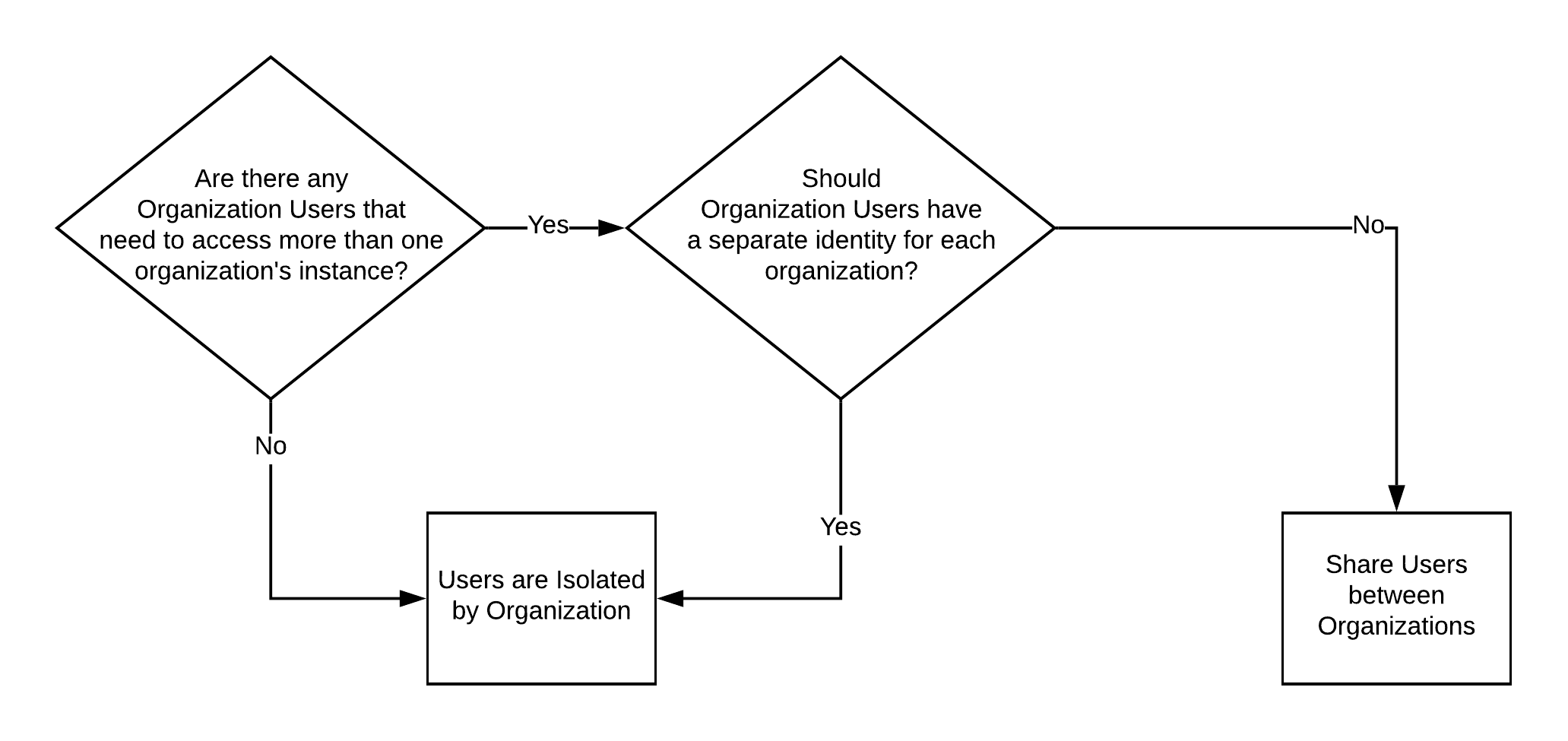
The flow diagram above outlines the decision-making process. You should also consider whether [administrative-type access](#administrative-access-to-organizations) is required for an organization instance. This may be for an employee of your organization who acts as an administrator for one or more organizations, or for some other third party that provides help desk services or similar.
The following sections provide detail for each approach to organizational user isolation. Pay close attention to the atypical scenarios associated with each (i.e., where users need access to more than one organization) because these types of use cases often determine which approach more closely aligns with your requirements.
### Users isolated by Organization
Each organization has its own set of users, and users cannot and should not be able to access other organizations. If they attempt to do so, they should be rejected as unauthorized. If desired, you can force your users to create a separate account for each organization they belong to. As a person, they would be considered to be two or more different users.
In this scenario, a user is tied directly to the organization to which they belong or have access. Users have two options for how they log in: A) they create credentials in identity storage provisioned for the appropriate organization (i.e., UserID/Password Database Connection in your Auth0 Tenant), or B) they log in using their own organization’s IdP. In this use case, it would not make sense for a user to be part of multiple organizations, and the better practice would be to create a separate identity for each organization. Using Travel0 Corporate Booking as an example, the diagram below shows how this would look:
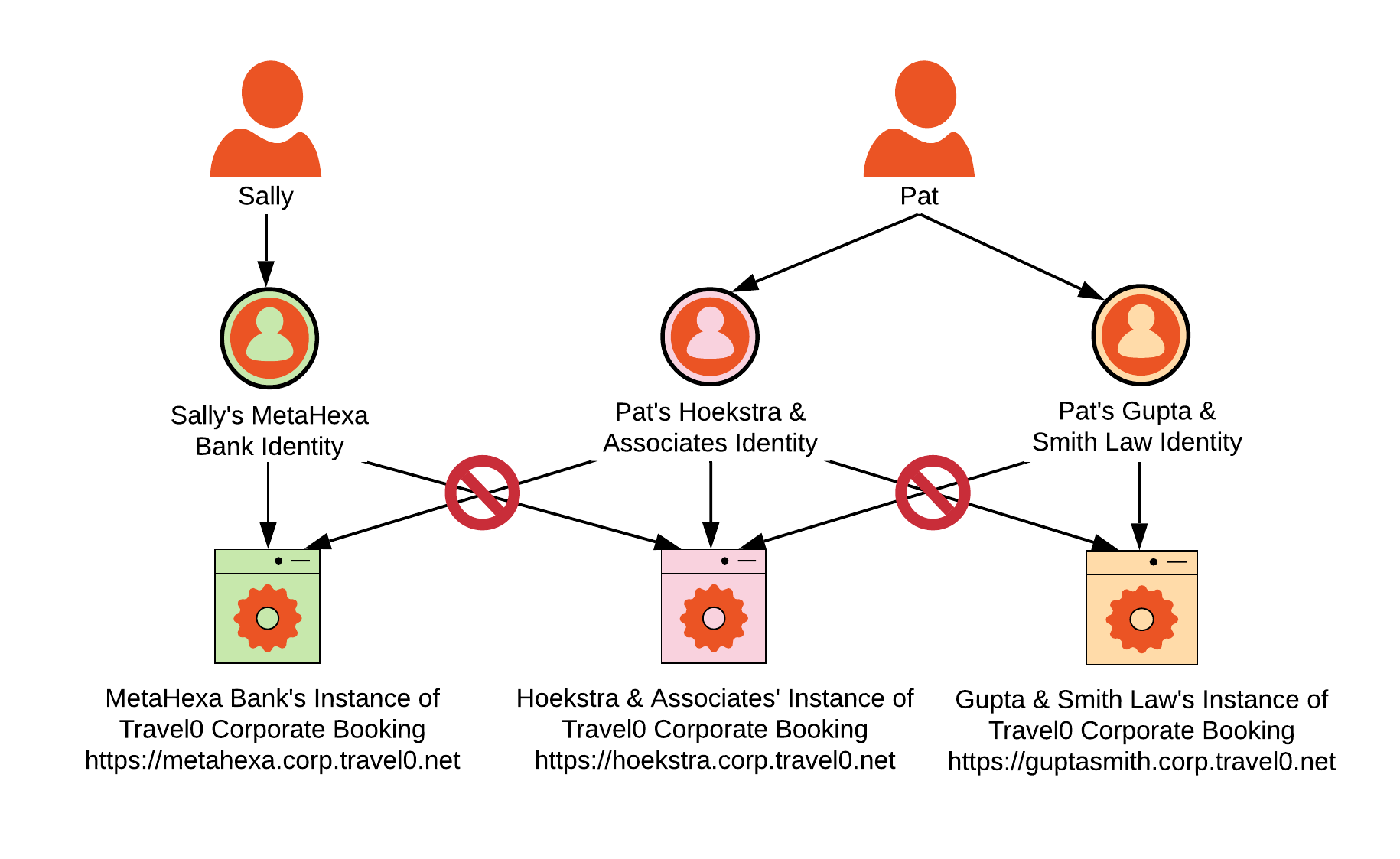
Sally is a typical user: she is an employee of MetaHexa Bank, and she can only access MetaHexa Bank’s instance of Travel0 Corporate Booking.
Pat, on the other hand, is an atypical user. Pat is a freelance paralegal, so she works for both Hoekstra & Associates and Gupta & Smith Law; she will access the Travel0 Corporate Booking instance for each using a separate user identity. One of many advantages for this approach is to limit the possibility of errors by forcing Pat to create two separate personas--one for each law firm. When Pat books travel, she must log in separately to the specific organization instance in order to make the booking.
Pat's situation is likely a rare use case. However, she illustrates what needs to be considered when determining user isolating requirements. If you want to isolate users to the organization with which they’re associated, this requires the creation of separate user identities. In this case, there is one identity for Pat when accessing the Hoekstra & Associates instance of Travel0 Corporate Booking, and a separate one for accessing Gupta & Smith Law’s instance of Travel0 Corporate Booking.
#### Use cases when isolating by organization
Applications that have users isolated per organization typically support three different use cases. For the examples in this section, we'll use the Travel0 Corporate Booking application scenarios described in our introduction. Travel0 is the Auth0 customer.
* **Organizations that either don’t have their own IdP or don’t know how to use it**. These tend to be smaller organizations that don’t have an IT department available to configure Single Sign-On (Single Sign-On (SSO): Service that, after a user logs into one applicaton, automatically logs that user in to other applications.) (SSO) with the organization’s Identity Provider (IdP), or else don’t have an organization IdP fit for the task. In our Travel0 Corporate Booking example, Hoekstra & Associates is such an organization.
* **Organizations that prefer to configure their own IdP** so that their employees don’t have to create a new set of credentials for your application. Most organizations fall into this category. In our Travel0 Corporate Booking example, MetaHexa Bank is such an organization.
* **Organizations that require multiple authentication options**. Examples of this type of organization include those that frequently acquire new companies, organizations like schools that allow staff and parents to log in to the same application, and organizations that invite partners or customers to log in to their application instance (i.e., B2B2C organizations). In our examples, Many Student University (MSU) would be such an organization.
For the first two types of organizations, the solution tends to be fairly straightforward. These organizations are considered Single IdP organizations, and the approach is almost always the same. To learn more, read [Single Identity Provider Organizations](/docs/get-started/architecture-scenarios/multiple-organization-architecture/single-identity-provider-organizations).
Organizations that have more than one IdP for the organization trend toward a higher order of intricacy, but there are a few approaches that can minimize complexity. To learn more, read [Multiple Identity Provider Organizations](/docs/get-started/architecture-scenarios/multiple-organization-architecture/multiple-idp-orgs).
### Users shared between Organizations
A user may belong to more than one organization, and it would be convenient if that user did not have to have a separate identity/account as they navigate from one organization to another. Organizations can still use their own IdP in such cases.
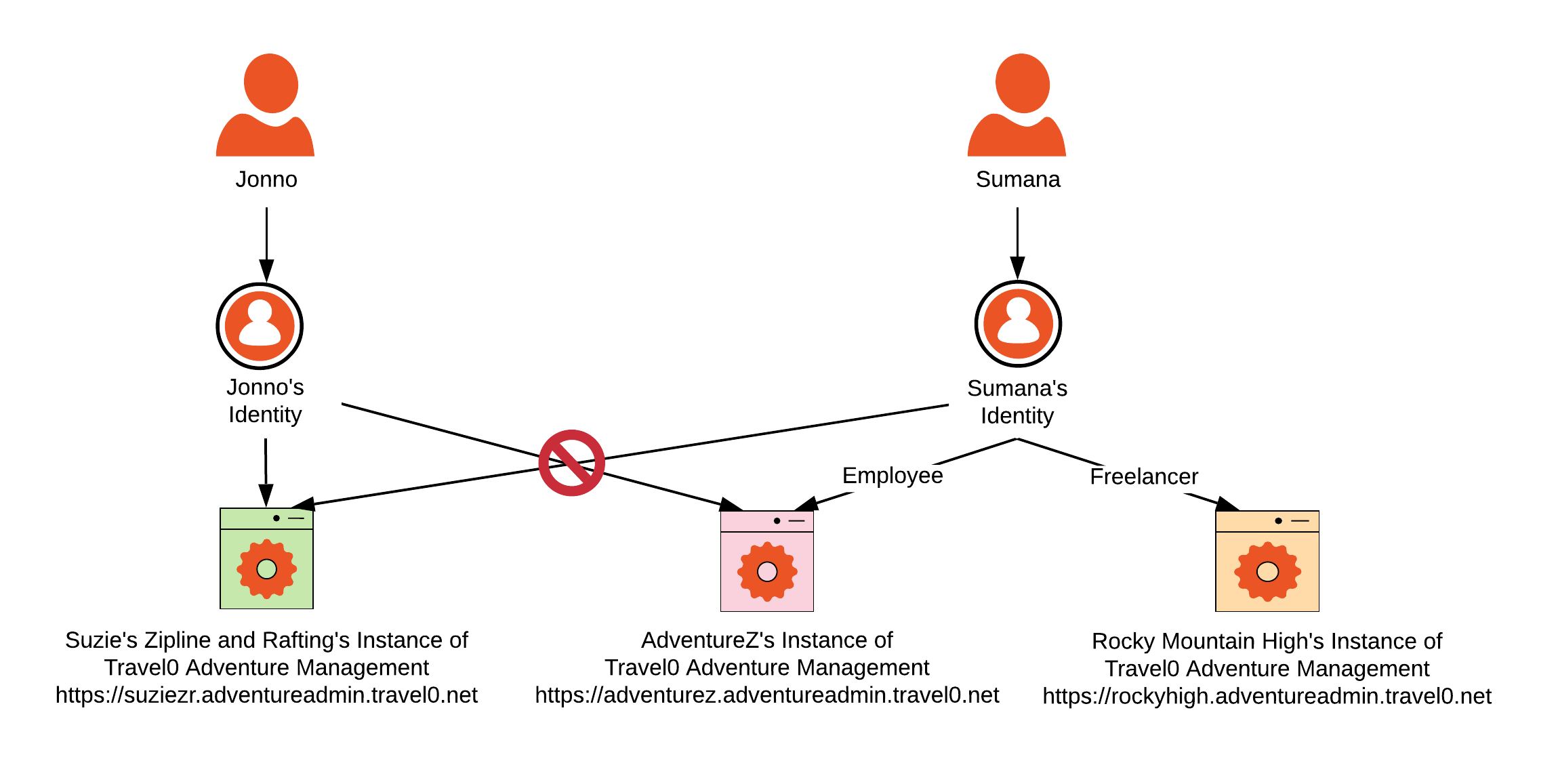
In this scenario, a user is no longer tied directly to the organization to which they belong or have access. Users now have two options for how they log in: A) they create credentials in identity storage provisioned generally (i.e., in a single UserID/Password Database Connection in your Auth0 Tenant), rather than in any identity store specifically allocated in your Auth0 Tenant for the organization, or B) they log in using their own organization’s IdP. Once a user has an identity, they are then given permission to access each of the organizations to which they should have access. This could mean access to just one organization, or it may mean they have access to more than one organization. Users will need to understand that when prompted to log in, they can use the same credentials to access each organization’s instance. Using Travel0 Adventure Management as an example, the diagram above shows how this would look.
Jonno is a typical user. Jonno is an employee of Suzie’s Rafting and Ziplines. Jonno is only able to log in to the instance of Travel0 Adventure Management provisioned to create and guide adventures for Suzie’s Rafting and Ziplines. Jonno’s credentials are either stored in a Database Connection associated with Travel0’s Auth0 Tenant or in Suzie’s Zipline and Rafting’s IdP (depending on whether they want to manage their user identities or not).
Sumana is an atypical user. Sumana is an employee of AdventureZ, but as AdventureZ also coordinates freelance opportunities for the smaller guide companies during high peak times, Sumana has been invited to join Rocky Mountain High Adventures as a freelancer. Sumana is authorized to log in to both AdventureZ and Rocky Mountain’s instances of Travel0 Adventure Management. However, because she has never been invited as a guide to Suzie’s Rafting and Ziplines, she is not authorized to access that instance.
Sumana needs to have the same identity for both organizations because guiding involves the use of a rating system, and Sumana’s ratings need to carry over and be combined between the organizations with which she works. Sumana’s credentials, like Jonno’s, are either stored in a Database Connection associated with Travel0’s Auth0 Tenant, or in AdventureZ’s IdP (depending on whether AdventureZ wants to manage user identities or not). Where her credentials are stored has no bearing on the organization instances to which she has access.
### Administrative access to Organizations
There are scenarios where you will need to provide administrative access across your organizations. Typically, this will be for administrative tasks outside of user Profile/Account management (as described in [Profile Management](/docs/get-started/architecture-scenarios/multiple-organization-architecture/single-identity-provider-organizations/profile-management)), and you may need to provide access to your employees as well as to third parties.
> [!TIP]
>
> Always enable Multi-factor Authentication (MFA) for Auth0 Tenant administrators who are provided access via the Auth0 Dashboard. Note that you must follow a different process to enable MFA for an Auth0 Tenant administrator than you do to enable MFA for the Auth0 Tenant itself. To learn how to enable MFA for an Auth0 Tenant Administrator, see [Manage Dashboard Access with Multi-factor Authentication](/docs/get-started/manage-dashboard-access/add-change-remove-mfa).
The Auth0 Dashboard (Auth0 Dashboard: Auth0's main product to configure your services.) can be configured via [role-based access control](/docs/get-started/manage-dashboard-access/feature-access-by-role), which will allow you to define specific roles for your employees across your Auth0 Tenant deployment as a whole. You can even leverage your own corporate IdP to provide Auth0 Tenant Administrator authentication for your employees, as well as extended Tenant Administrator access to trusted third-parties.
For other administrative access, you will typically want to build your own API and/or application, which you will use in conjunction with the Auth0 Management API (Management API: A product to allow customers to perform administrative tasks.). Providing administrative access to your Auth0 Tenant via the Auth0 Dashboard for a wide range of users is not recommended.
## Learn more
* [Single Identity Provider Organizations](/docs/get-started/architecture-scenarios/multiple-organization-architecture/single-identity-provider-organizations)
* [Multiple Identity Provider Organizations](/docs/get-started/architecture-scenarios/multiple-organization-architecture/multiple-idp-orgs)
# Multiple Identity Provider Organizations
Source: https://auth0.com/docs/get-started/architecture-scenarios/multiple-organization-architecture/multiple-idp-orgs
Learn about multiple Identity Provider (IdP) Organizations, in which every Auth0 Organization has more than one Auth0 connection.
In the Multiple Identity Provider (Identity Provider (IdP): Service that stores and manages digital identities.) (IdP) Organizations scenario, every organization that uses the [Auth0 Organizations](/docs/manage-users/organizations/organizations-overview) feature uses more than one [Auth0 Connection](/docs/authenticate/identity-providers). In many ways, the implementation for this scenario is identical to the implementation for [Single Identity Provider Organizations. I](/docs/get-started/architecture-scenarios/multiple-organization-architecture/single-identity-provider-organizations)n fact, the Auth0 Organizations feature supports mix and match, as well as easy transition between the two. However, you should consider a few additional items.
## Connections
In addition to the information that typically is included as part of [Authorization](/docs/get-started/architecture-scenarios/multiple-organization-architecture/single-identity-provider-organizations/authorization), you can add details regarding the specific [Auth0 Connection](/docs/authenticate/identity-providers) via which first-factor authentication for the user was performed. While not explicitly required, you can add such information to an ID Token (ID Token: Credential meant for the client itself, rather than for accessing a resource.) and/or Access Token (Access Token: Authorization credential, in the form of an opaque string or JWT, used to access an API.) as a custom claim in order to provide your application and/or API with additional context that can be used with access control.
As illustrated in the following example, custom claims are typically added via Rule extensibility, which can access Connection specifics via use of the [`context`](/docs/customize/rules/context-object) object:
```js lines theme={null}
context.idToken['http://travel0.net/connection'] = context.connection; // Connection name claim
context.accessToken['http://travel0.net/connection'] = context.connection; // Connection name claim
```
The Rules context object provides access to various aspects of the connection used to first-factor authenticate a user, including the `connection` name, `connectionID`, and `connectionStrategy`. This also provides Rule extensibility with additional information that can be used as part of any [centralized policy enforcement](/docs/get-started/architecture-scenarios/multiple-organization-architecture/single-identity-provider-organizations/authorization).
### Database Connection
While Auth0 allows you to [provision](/docs/get-started/architecture-scenarios/multiple-organization-architecture/single-identity-provider-organizations/provisioning) multiple [Database and Custom Database Connections](/docs/authenticate/database-connections), we do not recommend that you associate more than one of these types of connection with an Auth0 Organization. Because Database and Custom Database Connections do not currently support Home Realm Discovery, which is a key component of [Identifier-First Authentication](/docs/authenticate/login/auth0-universal-login/identifier-first), the Universal Login (Universal Login: Your application redirects to Universal Login, hosted on Auth0's Authorization Server, to verify a user's identity.) New Experience cannot select between them if more than one is defined.
**Best Practice**
If you are defining a custom database connection for use with an Auth0 Organization, then make sure that one, and only one, custom database connection is associated with that Auth0 Organization at any given time.
### Enterprise Connection
If your enterprise application uses [Enterprise Federation](/docs/authenticate/enterprise-connections), you can activate [Identifier First Authentication with Home Realm Discovery](/docs/authenticate/login/auth0-universal-login/identifier-first) in its Authentication Profile. Once enabled, Home Realm Discovery detects email addresses from a known domain and automatically sends them to the proper Workforce login.
To learn more, read [Identifier First Authentication](/docs/manage-users/organizations/login-flows-for-organizations#identifier-first-authentication) in [Login Flows for Organizations](/docs/manage-users/organizations/login-flows-for-organizations).
### Social Connection
Other than the considerations described in the [Authentication](/docs/get-started/architecture-scenarios/multiple-organization-architecture/single-identity-provider-organizations/authentication) section, no additional concerns need to be addressed when Social Connections are used as part of a multiple IdP organization scenario.
# Single Identity Provider Organizations
Source: https://auth0.com/docs/get-started/architecture-scenarios/multiple-organization-architecture/single-identity-provider-organizations
Learn about Single Identity Provider(IdP) Organizations, in which every Auth0 Organization has exactly one Auth0 connection.
In the Single Identity Provider (Identity Provider (IdP): Service that stores and manages digital identities.) (IdP) Organizations scenario, every organization that uses the [Auth0 Organizations](/docs/manage-users/organizations/organizations-overview) feature uses exactly one Auth0 connection. This feature allows each application to select the appropriate organization defined on the Auth0 Tenant, which will either authenticate user credentials directly or forward the authentication request to the appropriate IdP to handle.
In this scenario, we’ll continue to use the [Travel0 Corporate Booking](/docs/get-started/architecture-scenarios/multiple-organization-architecture) example. In this example, the corporate booking application equates to your application and Travel0 corresponds to your company.
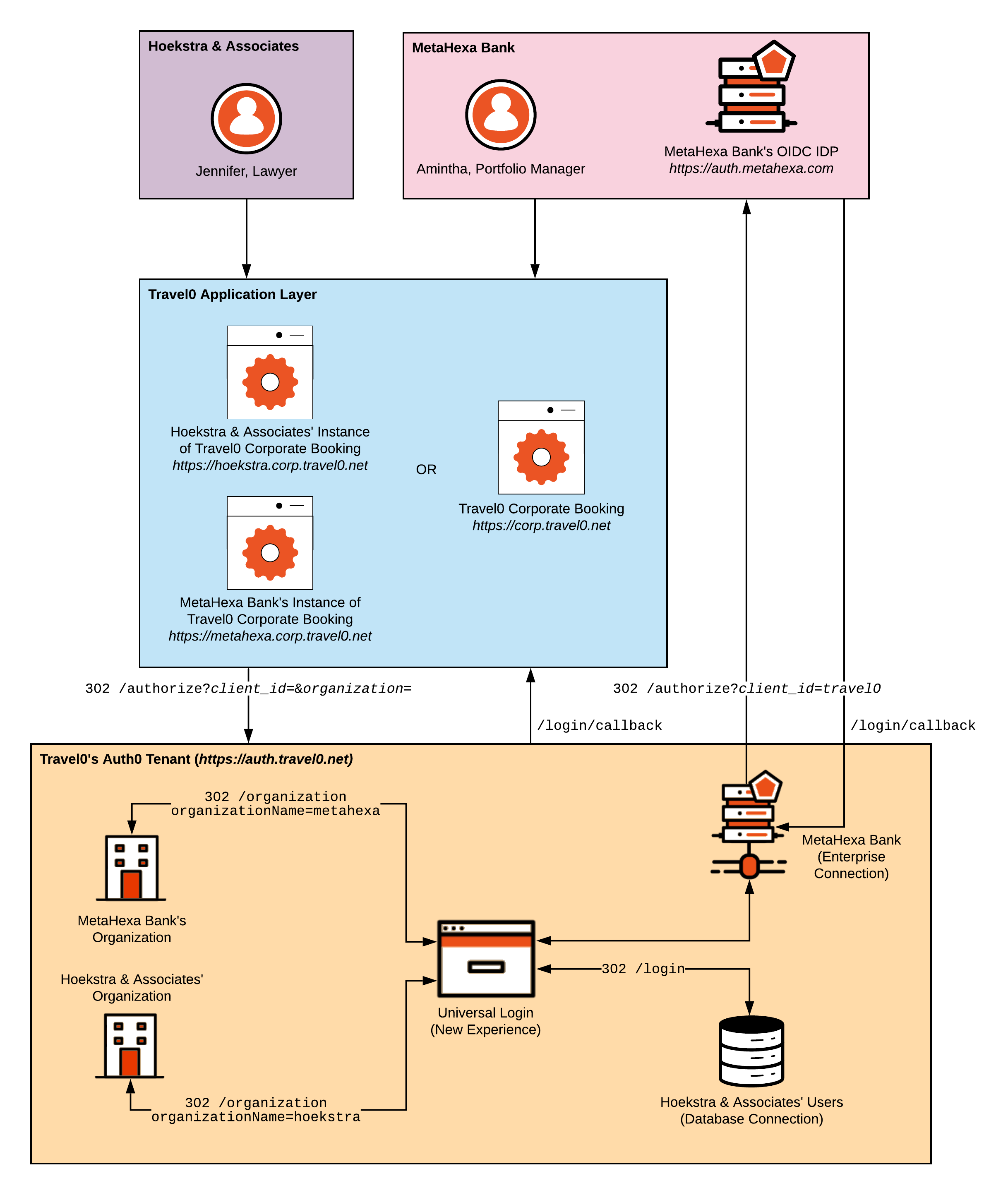
> [!WARNING]
>
> The Auth0 Organizations feature currently supports applications that use the [SAML](/docs/authenticate/protocols/saml/saml-configuration), [Open ID Connect](/docs/authenticate/protocols/openid-connect-protocol) protocols and/or the [OAuth 2](/docs/authenticate/protocols/oauth) framework. Applications that require [WS-Fed](/docs/authenticate/protocols/ws-fed-protocol) are not supported.
Regardless of how credentials are processed--whether user credentials are stored in a database connection (like with Hoekstra & Associates) or are validated via an enterprise connection (like with MetaHexa Bank) or a social connection--your application behaves the same way. Leveraging the [Organizations](/docs/manage-users/organizations/organizations-overview) feature allows you to configure and control the experience.
## Learn more
* [Single Identity Provider: Provisioning](/docs/get-started/architecture-scenarios/multiple-organization-architecture/single-identity-provider-organizations/provisioning)
* [Single Identity Provider: Branding](/docs/get-started/architecture-scenarios/multiple-organization-architecture/single-identity-provider-organizations/branding)
* [Single Identity Provider: Authentication](/docs/get-started/architecture-scenarios/multiple-organization-architecture/single-identity-provider-organizations/authentication)
* [Single Identity Provider: Authorization](/docs/get-started/architecture-scenarios/multiple-organization-architecture/single-identity-provider-organizations/authorization)
* [Single Identity Provider: Profile Management](/docs/get-started/architecture-scenarios/multiple-organization-architecture/single-identity-provider-organizations/profile-management)
* [Single Identity Provider: Logout](/docs/get-started/architecture-scenarios/multiple-organization-architecture/single-identity-provider-organizations/logout)
# Single Identity Provider: Authentication
Source: https://auth0.com/docs/get-started/architecture-scenarios/multiple-organization-architecture/single-identity-provider-organizations/authentication
Learn about authentication users through Organizations for multi-tenant architectures.
In our architecture scenarios, we provide general purpose guidance on [B2B Authentication](/docs/get-started/architecture-scenarios/business-to-business/authentication), including the use of the [Universal Login](/docs/authenticate/login/auth0-universal-login) as a recommended best practice, which we recommend reviewing alongside the guidance provided here.
**Best Practice**
While numerous authentication workflows are supported within Auth0, workflows using Auth0 Universal Login are considered both industry and Auth0 best practice because they provide [optimal functionality and security](/docs/authenticate/login/universal-vs-embedded-login). In particular, Universal Login provides [Single Sign On (SSO) out of the box](https://auth0.com/learn/how-to-implement-single-sign-on/) and helps mitigate attacks such as [phishing](https://auth0.com/blog/all-you-need-to-know-about-the-google-docs-phishing-attack/) and [bucket brigade](/docs/secure/security-guidance/prevent-threats); for this reason, it should be preferred wherever password credentials are supplied by a user. Crucially, the [New Universal Login Experience](/docs/authenticate/login/auth0-universal-login/universal-login-vs-classic-login/universal-experience) is also the only mechanism supported when using the Auth0 Organizations feature.
Authenticating users requires the processing of first-factor credentials. Whether this is performed by Auth0 or by some third-party Identity Provider (Identity Provider (IdP): Service that stores and manages digital identities.) (IdP), when you use the Auth0 Organizations feature, you must also use Auth0 [Universal Login Experience](/docs/authenticate/login/auth0-universal-login/universal-login-vs-classic-login/universal-experience) capability.
Auth0 supports only one authenticated user context per Auth0 Tenant; tenants cannot selectively switch between authenticated user contexts. Changing user context has an impact on any active SSO session, and this extends to the Auth0 Organizations feature. If per-organization contexts are absolutely necessary, then multiple Auth0 Tenants will need to be deployed to production. Because using multiple tenants has ramifications that affect Single Sign-On (SSO), user profile management, and so on, you should carefully consider before going down this route.
## Database Connection
Using our Hoekstra & Associates example, let's see how this Authentication implementation might flow with a user authenticated via an Auth0 Database Connection; most of the workflow described will typically be handled by using the relevant Auth0 SDK or library associated with your technology stack:
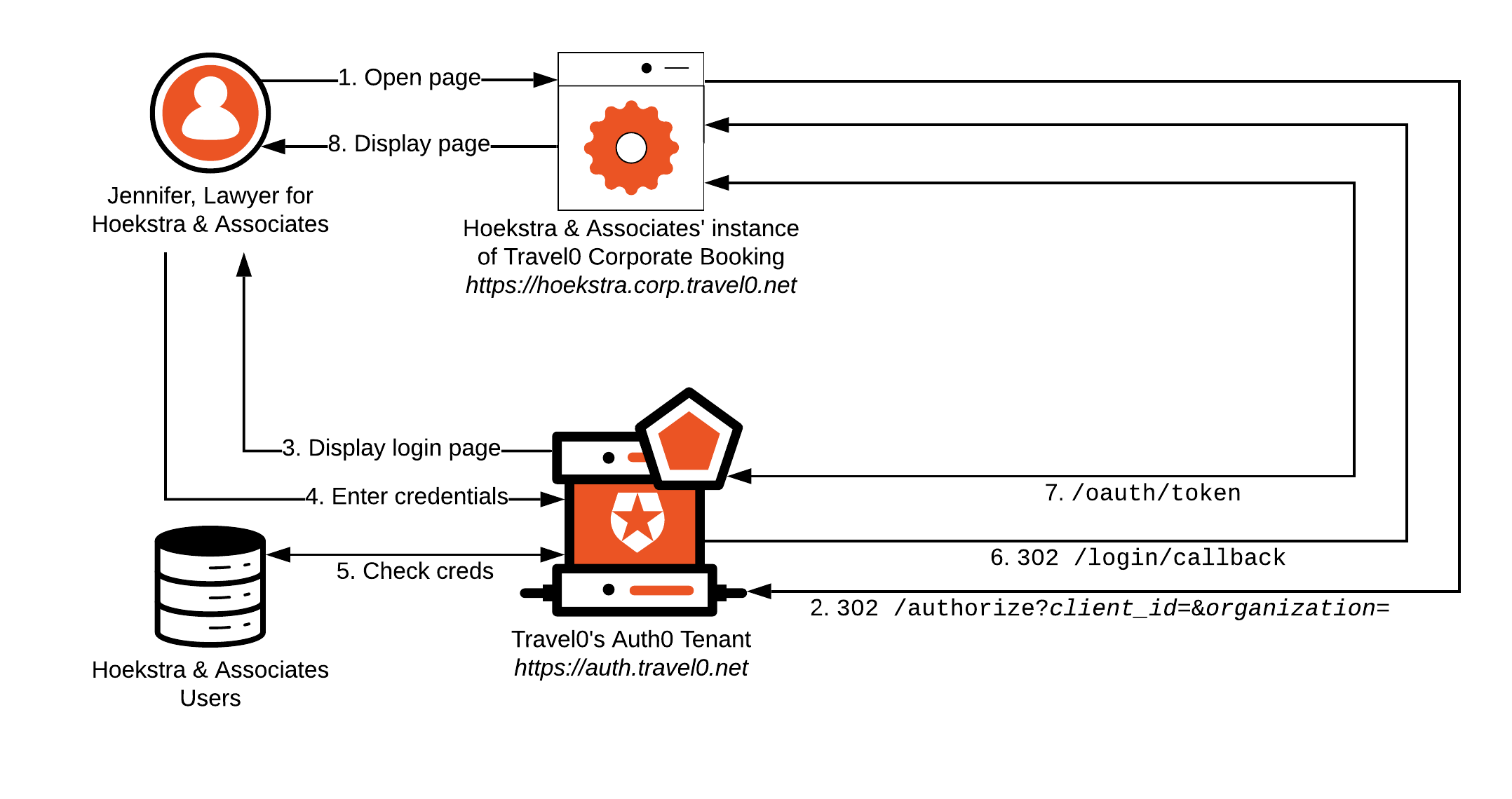
1. Jennifer from Hoekstra & Associates opens her browser and navigates to Hoekstra & Associates' instance of Travel0 Corporate Booking.
1. If Jennifer already has a session cookie with Hoekstra & Associates' instance of Travel0 Corporate Booking, then she will typically be logged in to the system, and we will exit here. For more information, see [Single Sign-On](/docs/authenticate/single-sign-on).
2. Hoekstra & Associates' instance of Travel0 Corporate Booking redirects to the Travel0 Auth0 Tenant using [Authorization Code Flow](/docs/get-started/authentication-and-authorization-flow/authorization-code-flow) (with or without [PKCE](/docs/get-started/authentication-and-authorization-flow/authorization-code-flow-with-pkce)) by calling the `/authorize` endpoint and passing parameters, typically via use of an [Auth0 SDK](/docs/libraries) or third-party library:
1. `redirect_uri`: [`https://hoekstra.corp.travel0.net/login/callback`](https://hoekstra.corp.travel0.net/login/callback)
2. `response_type`: `code`
3. `state`: Unique [state](/docs/secure/attack-protection/state-parameters) generated in this session
4. `scope`: `openid profile` ...
5. any necessary additional [OIDC Scopes](/docs/get-started/apis/scopes/openid-connect-scopes), depending on the information required about the user.
6. `client_id`: Client ID associated with the Application created in the Travel0 Auth0 Tenant for Hoekstra & Associates' instance of Travel0 Corporate Booking.
7. `organization`: Auth0 Organization to use. Where the organization is known ahead of time, a request to `/authorize` can include this parameter, which is specified in the form `organization=`organization\_id, where organization\_id is set to the identifier associated with the corresponding Auth0 Organization definition in your Auth0 Tenant. Alternatively, you can omit the `organization` parameter from the call to `/authorize` and configure your Auth0 Tenant to prompt the user to select the appropriate organization as part of first-factor authentication. For more information, see [Define Organization Behavior](/docs/manage-users/organizations/configure-organizations/define-organization-behavior).
> [!WARNING]
>
> If the `organization` parameter is included on a call to the `/authorize` endpoint, then this should be used consistently for the duration of any session with Auth0. The Organizations feature does not associate any selected organization with the Auth0 SSO session, so omitting the parameter will always prompt the user to select the desired organization.
3. The Travel0 Auth0 Tenant redirects to `/login` to collect credentials from the user. If Jennifer already has a Database session with Hoekstra & Associates, then steps 3a and 4 will be skipped. For more information, see [Single Sign-On](/docs/authenticate/single-sign-on).
1. The Universal Login Page, which you can configure to include organization-specific brand collateral as described in [Branding](/docs/get-started/architecture-scenarios/multiple-organization-architecture/single-identity-provider-organizations/branding), is displayed.
4. The user enters their credentials and clicks `login`.
5. The Travel0 Auth0 Tenant checks the credentials for the user; if valid, the [Rules](/docs/customize/rules) pipeline executes. Rules can be used to handle access control as described in [Authorization](/docs/get-started/architecture-scenarios/multiple-organization-architecture/single-identity-provider-organizations/authorization). If credentials for the user are invalid, then the user will be prompted to re-enter them.
Automatic membership assignment will be performed if this option has been specified. For more information, see [Grant Just-In-Time Membership to an Organization Connection](/docs/manage-users/organizations/configure-organizations/grant-just-in-time-membership). For [manually-assigned Membership](/docs/manage-users/organizations/configure-organizations/assign-members), validation will fail if the user is not already assigned as a member of the Organization.
6. Upon successful first-factor authentication and Rules execution, the user is redirected to the `redirect_uri` ([`https://hoekstra.corp.travel0.net/login/callback`](https://hoekstra.corp.travel0.net/login/callback)) with the `state` passed in step 2, as well as a `code`.
7. Hoekstra & Associates' instance of Travel0 Corporate Booking validates the `state` and then calls the Travel0 Auth0 Tenant at [`https://auth.travel0.net/oauth/token`](https://auth.travel0.net/oauth/token), passing the `code` and its `client id` and `client secret` in exchange for the [ID Token](/docs/secure/tokens/id-tokens). The ID Token is then used to generate a session for [`https://hoekstra.corp.travel0.net`](https://hoekstra.corp.travel0.net).
8. Hoekstra & Associates' instance of Travel0 Corporate Booking instance displays the appropriate page to the user.
## Enterprise Connection
Authenticating via an Enterprise Connection follows a very similar process. Using our MetaHexa Bank example, let's see how this Authentication implementation might flow with a user authenticated via the Enterprise Connection to MetaHexa Bank; again, most of the workflow described will typically be handled by using the relevant Auth0 SDK or library associated with your technology stack
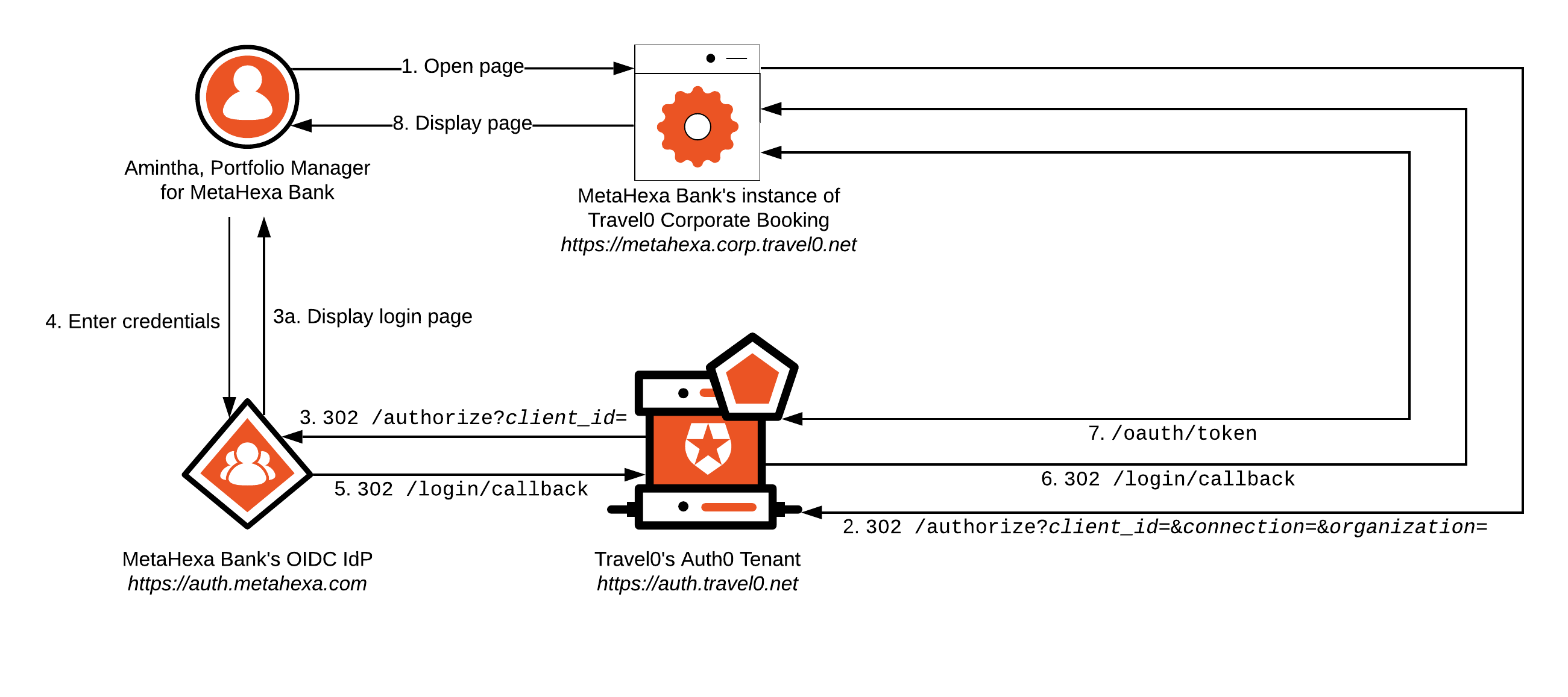
1. Amintha from MetaHexa Bank opens her browser and navigates to MetaHexa Bank's instance of Travel0 Corporate Booking.
1. If Amintha already has a session cookie with MetaHexa Bank's instance of Travel0 Corporate Booking, then she will typically be logged in to the system, and we will exit here. For more information, see [Single Sign-On](/docs/authenticate/single-sign-on).
2. MetaHexa Bank's instance of Travel0 Corporate Booking redirects to the Travel0 Auth0 Tenant using [Authorization Code Flow](/docs/get-started/authentication-and-authorization-flow/authorization-code-flow) (with or without [PKCE](/docs/get-started/authentication-and-authorization-flow/authorization-code-flow-with-pkce)) by calling the `/authorize` endpoint and passing parameters, typically via use of an [Auth0 SDK](/docs/libraries) or third-party library:
1. `redirect_uri`: [`https://metahexa.corp.travel0.net/login/callback`](https://metahexa.corp.travel0.net/login/callback)
2. `response_type`: `code`
3. `state`: Unique [state](/docs/secure/attack-protection/state-parameters) generated in this session
4. `scope`: `openid profile` ...
5. any necessary additional [OIDC Scopes](/docs/get-started/apis/scopes/openid-connect-scopes), depending on the information required about the user.
6. `client_id`: Client ID associated with the Application created in the Travel0 Auth0 Tenant for MetaHexa Bank's instance of Travel0 Corporate Booking.
7. `organization`: Auth0 Organization to use. Where the organization is known ahead of time, a request to `/authorize` can include this parameter, which is specified in the form `organization=`organization\_id, where organization\_id is set to the identifier associated with the corresponding Auth0 Organization definition in your Auth0 Tenant. Alternatively, you can omit the `organization` parameter from the call to `/authorize` and configure your Auth0 Tenant to prompt the user to select the appropriate organization as part of first-factor authentication. For more information, see [Define Organization Behavior](/docs/manage-users/organizations/configure-organizations/define-organization-behavior).
> [!WARNING]
>
> If the `organization` parameter is included on a call to the `/authorize` endpoint, then this should be used consistently for the duration of any session with Auth0. The Organizations feature does not associate any selected organization with the Auth0 SSO session, so omitting the parameter will always prompt the user to select the desire organization.
8. `connection`: Name of the configured Auth0 Enterprise Connection for MetaHexa Bank.
**Best Practice**
Always supply the `connection` parameter. When not provided, the user is prompted to select the Enterprise Connection associated with the upstream Identity Provider (IdP), which is an extra step from a UX perspective.
3. The Travel Auth0 Tenant redirects to the MetaHexa IdP to authenticate first-factor credentials.
1. The login page is displayed, and the user enters credentials. If Amintha already has a session with the MetaHexa IdP, then steps 3a and 4 will be skipped. For more information, see [Single Sign-On (SSO)](/docs/authenticate/single-sign-on).
4. The user enters their credentials and clicks `login`.
5. Upon successful first-factor authentication, the [Rules](/docs/customize/rules) pipeline executes. Rules can be used to handle access control as described in [Authorization](/docs/get-started/architecture-scenarios/multiple-organization-architecture/single-identity-provider-organizations/authorization). If credentials for the user are invalid, then the user will be prompted to re-enter them.
Automatic membership assignment will be performed if this option has been specified. For more information, see [Grant Just-In-Time Membership to an Organization Connection](/docs/manage-users/organizations/configure-organizations/grant-just-in-time-membership). For [manually-assigned Membership](/docs/manage-users/organizations/configure-organizations/assign-members), validation will fail if the user is not already assigned as a member of the Organization.
Steps 6 through 8 will match those described in the [Database Connection](#database-connection) scenario, but where Amintha is the user instead of Jennifer, and where MetaHexa Bank (`metahexa.corp.travel0.net`) will be used in place of Hoekstra & Associates.
## Social Connection
Authentication via Social Connection follows a similar pattern to that associated with an [Enterprise Connection](#enterprise-connection), but where the upstream IdP is associated with the social provider rather than any specific organization.
> [!WARNING]
>
> Auth0 Social Connections are defined at the Tenant level. Typically, only one Social Connection is configured per social provider per Auth0 Tenant, which represents a definition to the Auth0 Tenant overall. Thus, any consent provided by a user will apply across all Auth0 Organizations defined in an Auth0 Tenant and not to any one organization in particular.
With Social Connections, user isolation cannot be modeled consistently on a per-organization basis. Although it may be tempting to model user isolation by creating multiple connections to a social provider, such as by using [Custom Social Connections](/docs/authenticate/identity-providers/social-identity-providers/oauth2), you should refrain from doing so; such a strategy can result in the same user ID being created in multiple connection definitions, which will invariably lead to problems down the line.
# Single Identity Provider: Authorization
Source: https://auth0.com/docs/get-started/architecture-scenarios/multiple-organization-architecture/single-identity-provider-organizations/authorization
Learn about authorizing users for Organizations in multi-tenant architectures.
When thinking about authorization, you typically need to consider how you determine what a person is allowed to do and how you communicate this information to your applications and/or APIs. Depending on the applications you have, you may be affected by one or both of these. In our architecture scenarios, we provide general purpose guidance on [B2B Authorization](/docs/get-started/architecture-scenarios/business-to-business/authorization), which we recommend reviewing alongside the guidance provided here.
* [ID Tokens](/docs/secure/tokens/id-tokens) are often used to convey user authorization information to applications through custom claims, which can be added using [Rules](/docs/customize/rules) extensibility. Added claims can allow you to present a user interface in which users don’t have the ability to attempt something they are not permitted to do. Authorization information in an ID Token (ID Token: Credential meant for the client itself, rather than for accessing a resource.) also provides any application backend with a way to restrict users from bypassing frontend controls for traditional web apps.
**Best Practice**
You can leverage [Auth0 Role-Based Access Control](/docs/manage-users/access-control/rbac) (RBAC) via the [Auth0 Authorization Core](/docs/manage-users/access-control/configure-core-rbac) feature to define access permissions, which can be automatically applied to Access Tokens. For further details, see [Enable Role-Based Access Control for APIs](/docs/get-started/apis/enable-role-based-access-control-for-apis).
Auth0 RBAC functionality can also provide information that you can add as custom claims to identity tokens (and access tokens, if you prefer manual application). Auth0 Organizations can leverage Auth0 RBAC capability via one or more membership-assigned roles. To learn more, see [Add Roles to Organization Members](/docs/manage-users/organizations/configure-organizations/add-member-roles).
* APIs that provide public-facing access to shared resource services are typically protected via access control mechanisms. For this purpose, Auth0 provides the ability to create an authorization bearer token, or OAuth (OAuth 2.0: Authorization framework that defines authorization protocols and workflows.) 2 [access token](/docs/secure/tokens/access-tokens), which can convey user authorization information to an API, typically by using Auth0 [Role-Based Access Control (RBAC)](/docs/manage-users/access-control/configure-core-rbac) to apply one or more [membership-assigned roles](/docs/manage-users/organizations/configure-organizations/add-member-roles) or by adding custom claims via [Rules](/docs/customize/rules) extensibility. You can also leverage Auth0 RBAC capability to automatically adjust the `scope` claim of an access token (Access Token: Authorization credential, in the form of an opaque string or JWT, used to access an API.). APIs can then use this information to apply the appropriate level of access control, which allows your API to enforce policy rules without having to do an extra lookup to get information about the user.
* In certain cases, you may want to implement application-level policies at the Auth0 Tenant; this allows you to apply policies to a whole range of applications and resource services (APIs) without needing to modify each one independently. You typically implement this via [Rules](/docs/customize/rules) extensibility.
**Best Practice**
Auth0 Organizations provides Auth0 Rules with access to organization-centric information that can be accessed when authenticating a user. This information is available via the `organization` object contained within the Rules `context` object. The `organization` object also provides access to any metadata provisioned against an Organization definition in Auth0. To learn more, see [Custom Development for Organizations](/docs/manage-users/organizations/custom-development).
## ID token claims
Usually claims can be added to identity tokens as discussed in our [ID Token Claims](/docs/get-started/architecture-scenarios/business-to-consumer/authorization) best practice guidance. When using the Auth0 Organizations feature, an `org_id` claim is automatically added to any identity token (for an example, see [Work with Tokens and Organizations](/docs/manage-users/organizations/using-tokens)) issued for users with organization membership. This parameter is validated by Auth0 SDKs. You can also add supplemental information associated with an Auth0 Organization by adding a custom claim to the identity token:
```js wrap lines theme={null}
context.idToken['http://travel0.net/multifactor'] = context.multifactor;
```
**Note**: If you have configured your tenant to support organization names in the Authentication API, the `org_name` claim is automatically included in ID tokens. To learn more, review [Use Organization Names in Authentication API](/docs/manage-users/organizations/configure-organizations/use-org-name-authentication-api).
### SAML assertion
A SAML (Security Assertion Markup Language (SAML): Standardized protocol allowing two parties to exchange authentication information without a password.) assertion generated by an upstream Identity Provider (IdP) can be configured to populate standard or custom claims in an identity token consumed downstream.
For example, you can define the mappings section of a SAML Enterprise connection:
```json lines theme={null}
{
"user_id": [
"http://schemas.xmlsoap.org/ws/2005/05/identity/claims/nameidentifier",
"http://schemas.xmlsoap.org/ws/2005/05/identity/claims/upn",
"http://schemas.xmlsoap.org/ws/2005/05/identity/claims/name"
],
"email": "http://schemas.xmlsoap.org/ws/2005/05/identity/claims/emailaddress",
"name": "http://schemas.xmlsoap.org/ws/2005/05/identity/claims/name",
"given_name": [
"http://schemas.xmlsoap.org/ws/2005/05/identity/claims/givenname",
"http://schemas.xmlsoap.org/ws/2005/05/identity/claims/name"
],
"family_name": "http://schemas.xmlsoap.org/ws/2005/05/identity/claims/surname",
"groups": "http://schemas.xmlsoap.org/claims/Group"
}
```
In this example, each field is assigned a value in the `user` object in an Action, which maps to standard claims in an ID Token or can be mapped using [custom claims](/docs/secure/tokens/json-web-tokens/json-web-token-claims#custom-claims). To learn more about customizing SAML mappings, read [Connect Your App to SAML Identity Providers: Set up mappings](/docs/authenticate/identity-providers/enterprise-identity-providers/saml#set-up-mappings).
When your application uses SAML and Auth0 acts as the IdP, you can include an [Organization](/docs/manage-users/organizations) in the SAML sign-in request using the organization query parameter:
```js wrap lines theme={null}
https://{YOUR_AUTH0_DOMAIN}/samlp/{YOUR_APP_CLIENT_ID}?organization={YOUR_ORGANIZATION_ID}
```
Auth0 returns the organization in the SAML response as a custom attribute:
```js wrap lines theme={null}
http://schemas.auth0.com/org_id
```
Any non-standard claims included in an OIDC token such as, custom claims set in an Action, are also included in the SAML response, prefixed with `http://schemas.auth0.com/`.
## Access token claims
In addition to any other claims you are adding to your access token for access control decisions (see our general [Access Token Claims](/docs/get-started/architecture-scenarios/business-to-consumer/authorization) best practice guidance), you will typically want to communicate the organization to which the user belongs.
As with the identity token, when using the Auth0 Organizations feature, the `org_id` claim is automatically added to any access token (for an example, see [Work with Tokens and Organizations](/docs/manage-users/organizations/using-tokens)) issued for users with organization membership. You can also add supplemental information associated with an Auth0 Organization by adding a custom claim to the access token:
```js wrap lines theme={null}
context.accessToken['http://travel0.net/multifactor'] = context.multifactor;
```
**Note**: If you have configured your tenant to support organization names in the Authentication API, the `org_name` claim is automatically included in access tokens. To learn more, review [Use Organization Names in Authentication API](/docs/manage-users/organizations/configure-organizations/use-org-name-authentication-api).
Alternatively, you could create a unique API audience (Audience: Unique identifier of the audience for an issued token. Named aud in a token, its value contains the ID of either an application (Client ID) for an ID Token or an API (API Identifier) for an Access Token.) for each organization, which would result in a unique API definition in Auth0. While this mechanism can mitigate the need for employing custom Rule extensibility, the complexity it introduces can be challenging. A simple comparison is as follows:
| Approach | Pros | Cons |
| - | - | - |
| Unique API Audience |
Out-of-the-box support for machine-to-machine access for a single organization.
Audience is a standard claim in an access token.
Refresh token processing requires no additional organization logic.
|
Must automate the creation of an API for every organization.
Independent roles may need to be created if using RBAC.
Must automate the provisioning of Roles to Membership.
API implementation has to process for multiple audiences.
|
| Custom Claim | Simplifies Auth0 Tenant configuration. | Custom code needed in a rule to add the organization to the access token. |
### Roles
The Auth0 Organizations feature also supports [Role-Based Access Control (RBAC)](/docs/manage-users/access-control/rbac) via the [Authorization Core](/docs/manage-users/access-control/configure-core-rbac) feature associated with an Auth0 Tenant. RBAC is [applied at the Auth0 Organization membership level](/docs/manage-users/organizations/configure-organizations/add-member-roles).
You can [enable Auth0 Authorization Core RBAC for an API](/docs/get-started/apis/enable-role-based-access-control-for-apis), which will result in the default `scope` claim in access tokens being modified automatically and a `permission` claim being added by default (for an example, see [Work with Tokens and Organizations](/docs/manage-users/organizations/using-tokens)). You can also add role information to identity tokens as custom claims by accessing the `authorization` object available in the Rules `context` object. To learn more, see [Rules with Authorization Sample Use Cases: Add User Roles to Tokens](/docs/manage-users/access-control/sample-use-cases-rules-with-authorization).
## Access control
Resource-level policy enforcement is the responsibility of the applications and/or APIs in your system. If you attempt to enforce policies in a centralized Authorization Server (Authorization Server: Centralized server that contributes to defining the boundaries of a user’s access. For example, your authorization server can control the data, tasks, and features available to a user.), such as your Auth0 Tenant, you will quickly run into a complex control system that is difficult to maintain and understand. Instead, your centralized Authorization Server can ensure that the appropriate information about a user is included in the tokens, so that your applications and APIs have the necessary information to make policy enforcement decisions. At the very least, in situations where there is too much information to contain in a single token (for example, resource-level permissions) or where information changes frequently enough that it would be out of date if accessed directly in the token, your applications and APIs should be able to look up the correct information.
Some high-level policy enforcement, on the other hand, can be handled in a centralized fashion. For example, when using an Auth0 Tenant context, there are some situations in which you could implement a Rule that mitigates the need for every application and/or API to apply the same restrictions. These include:
* blocking access to users from a particular IP address
* implementing specific requirements around Contextual or Adaptive MFA (Adaptive Multi-factor Authentication: Multi-factor authentication (MFA) that is only triggered for users when an attempted login is determined to be a low confidence login.)
* restricting login to only users who have verified their email address
* restricting access to a certain API audience, so a user cannot obtain an access token for any other API audience or cannot obtain an access token for that audience under certain circumstances. In this case, if you’re creating a custom API Audience for each organization, your Rule must also ensure that the authenticating user belongs to the organization that matches the corresponding API audience.
> [!WARNING]
>
> Auth0 Management API access is not restricted by organization; access to the Auth0 Management API is made via an access token allocated for use within a machine-to-machine context and cannot be constrained by an Auth0 Organization. Therefore, do not provide your customers with direct access to your instance of the Auth0 Management API. If your customers must manage aspects of their organization, such as user accounts (see [Profile Management](/docs/get-started/architecture-scenarios/multiple-organization-architecture/single-identity-provider-organizations/profile-management)), then you should build your own independent application and/or API for this purpose.
# Single Identity Provider: Branding
Source: https://auth0.com/docs/get-started/architecture-scenarios/multiple-organization-architecture/single-identity-provider-organizations/branding
Learn about customizing branding for Organizations in multi-tenant architectures.
Branding collateral associated with an organization is extremely valuable because using brand collateral provides users with an environment that they know and trust. Using recognized brand collateral also increases user confidence that the information they provide (for example, credentials) will be handled safely and securely. In our architecture scenarios, we provide general guidance on a number of [B2B Branding](/docs/get-started/architecture-scenarios/business-to-business/branding) topics, which we recommend reviewing alongside the guidance provided here.
## Universal Login
Branding a multi-organization environment can be more complex than in a standard environment where you only have to deal with one set of brand collateral. [Auth0 Organizations](/docs/manage-users/organizations/organizations-overview), however, leverages the [Universal Login experience](/docs/authenticate/login/auth0-universal-login/universal-login-vs-classic-login/universal-experience), which provides a number of [page templates](/docs/customize/login-pages/universal-login/customize-templates) to help simplify brand customization. Auth0 Organization configuration itself also allows you to [select basic color scheme branding](/docs/manage-users/organizations/configure-organizations/create-organizations).
### Login page
When using a [Database or Custom Database Connection](/docs/authenticate/database-connections), the Login page is used to obtain first-factor credentials for a user. You can configure the Login page using a set of [template variables](/docs/manage-users/organizations/create-first-organization) available to assist with per-organization customization.
You can configure the Login Page to display Enterprise and Social Connections for first-factor authentication, so Login Page branding can be relevant in these cases.
### Password Reset page
Similar to the [Login page](#login-page), the Password Reset page can be configured in scenarios that use a Database or Custom Database Connection. For scenarios involving an Enterprise Connection or a Social Connection, password changes are handled external to Auth0 by the upstream Identity Provider (Identity Provider (IdP): Service that stores and manages digital identities.) (IdP), so an Auth0 Password Reset page is never displayed.
### Multi-factor Authentication pages
Multi-Factor Authentication (Multi-factor authentication (MFA): User authentication process that uses a factor in addition to username and password such as a code via SMS.) (MFA) in Auth0 is supported for all methods used to obtain first-factor credentials for a user (i.e., Database or Custom Database Connection, Enterprise Connection, or Social Connection). If you're using MFA, then you will likely want to brand the Universal Login (Universal Login: Your application redirects to Universal Login, hosted on Auth0's Authorization Server, to verify a user's identity.) experience pages associated with MFA, which can be done similarly to [Login page](#login-page) branding.
## Email templates
As with Universal Login page templates, a set of [email template variables](/docs/customize/email/email-templates/supported-liquid-syntax#general-variables) are available to assist with per-organization email customization. The email templates that need to be customized will vary depending on how users are authenticated (in other words, via Database or Custom Database Connection, Enterprise Connection, or Social Connection). To learn more about email template customization when using the Auth0 Organizations feature, see [Create Your First Organization: Email Templates](/docs/manage-users/organizations/create-first-organization).
## Custom Domains
The Auth0 Organizations feature supports only one [Custom Domain](/docs/customize/custom-domains), which is defined at the Auth0 Tenant level. Therefore, we recommend that you use a Custom Domain (Custom Domain: Third-party domain with a specialized, or vanity, name.) Name that is organization agnostic. If you absolutely must implement per-organization domain naming, then multiple Auth0 Tenants will need to be deployed to production. Because using multiple tenants has ramifications that affect Single Sign-On (Single Sign-On (SSO): Service that, after a user logs into one applicaton, automatically logs that user in to other applications.) (SSO), user profile management, and so on, you should carefully consider before going down this route.
# Single Identity Provider: Logout
Source: https://auth0.com/docs/get-started/architecture-scenarios/multiple-organization-architecture/single-identity-provider-organizations/logout
Learn about logging users out for Organizations in multi-tenant architectures.
Terminating an authenticated session when it's no longer needed, otherwise known as Logout, is a good practice when it comes to security hygiene. Providing logout capability helps mitigate a number of potential security issues, including the likelihood that unauthorized parties can "take over" a session. In our architecture scenarios, we provide general purpose guidance on [B2B Logout](/docs/get-started/architecture-scenarios/business-to-business/logout), which we recommend reviewing alongside the guidance provided here. For this scenario, Logout is almost identical to logout in any other system, so it will have the same level of complexity as described in our standard documentation.
## Database Connection
Using our Hoekstra & Associates example, the following diagram illustrates the flow typically encountered when dealing with a user authenticated via an Auth0 Database Connection. Let’s walk through this flow to see what occurs; note that most of the workflow described will typically be handled by using the relevant Auth0 SDK or library associated with your technology stack:
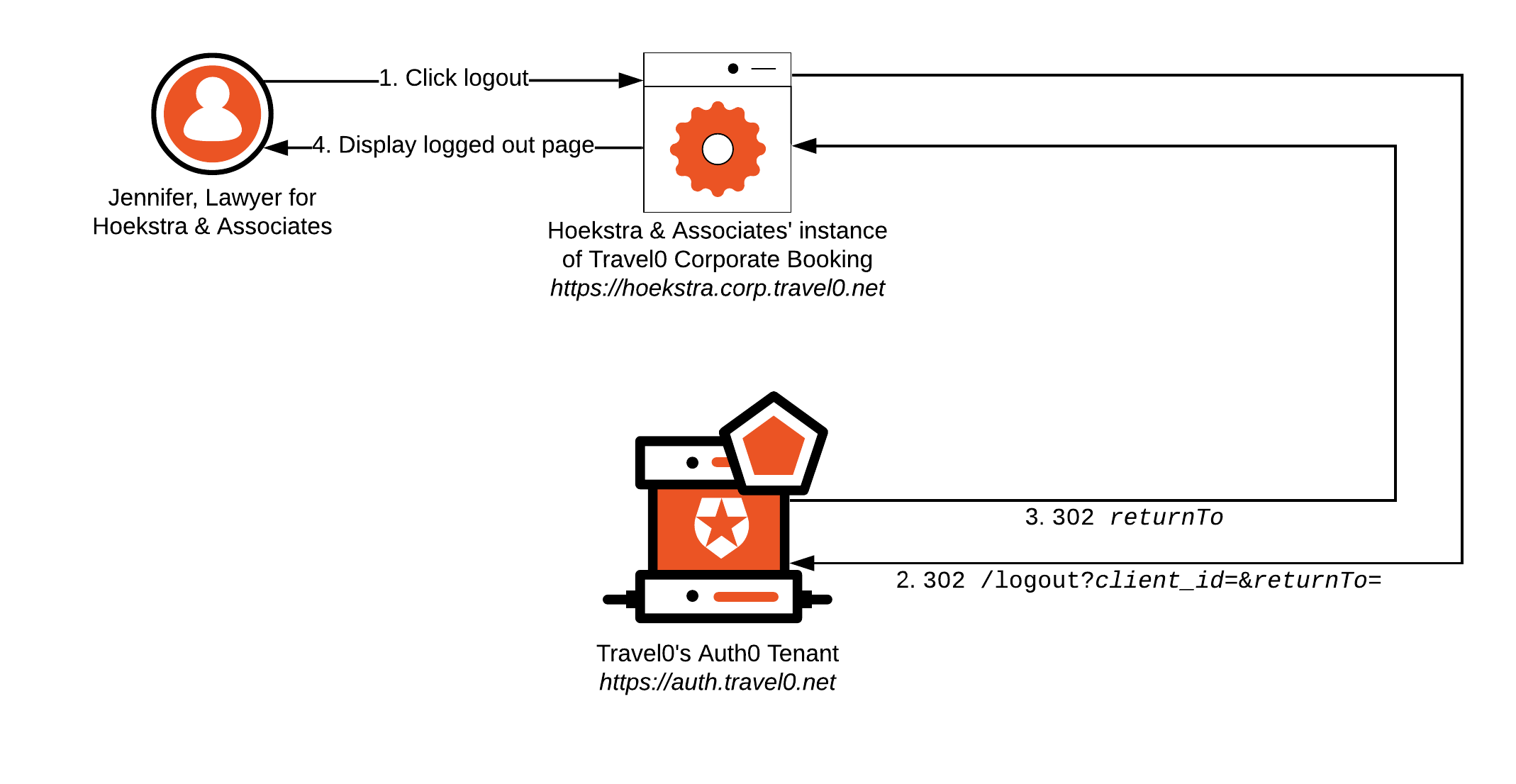
1. Jennifer clicks `logout`.
2. Hoekstra & Associates' Instance of Travel0 Corporate Booking redirects the browser to the Travel0 Auth0 Tenant at [https://auth.travel0.net](https://auth.travel0.net) with the following parameters:
1. `returnTo`: [`https://hoekstra.corp.travel0.net/logoutComplete`](https://hoekstra.corp.travel0.net/logoutComplete)
2. `client_id`: Client ID associated with the Application created in the Travel0 Auth0 Tenant for the Hoekstra & Associates instance of Travel0 Corporate Booking.
**Best Practice**
Define Applications independently in Auth0 to make it easier to configure the `returnTo` URL where the corresponding `client_id` is used to provide correct validation of the supplied URL. To learn more, see [Provisioning](/docs/get-started/architecture-scenarios/multiple-organization-architecture/single-identity-provider-organizations/provisioning).
3. The Travel0 Auth0 Tenant terminates the Auth0 session established on behalf of the user, removing any SSO information, and redirects the browser to the specified `returnTo` URL.
4. The Hoekstra & Associates Instance of Travel0 Corporate Booking renders a page to let Jennifer know that she successfully logged out, likely with a button to log back in if desired.
1. At this stage, the Travel0 Corporate Booking instance will typically want to clean up the application session associated with the user, too.
If you do not wish to remove the user’s SSO session with Auth0, then the application can simply terminate the application session without redirecting to the `/logout` endpoint on the Auth0 Tenant. While the user will be logged out of the application, they will still have an SSO session with Auth0. In this case, you will likely want to tell the user that they are still logged in to the Auth0 Tenant, and that if they click `login` again, they may not be challenged to enter first-factor credentials.
## Enterprise Connection
For this scenario, implementing Logout can be a little more complex than it is when using a Database Connection. You still have the option to either logout from only the application or to have logout from the application result in logout from the Auth0 Tenant, too. However, you may also have the option of allowing logout from the organization’s Identity Provider (Identity Provider (IdP): Service that stores and manages digital identities.) (IdP), which most applications avoid, especially if users have access to other corporate applications to which they may need to stay logged in. Avoiding this, however, may result in users who subsequently click the `login` button being authenticated automatically without interactively providing first-factor credentials. Such functionality may make for an unexpected user experience, so you should consider communicating this to the user.
Using our MetaHexa Bank example, let's see how this Logout implementation might flow with a user authenticated via an Enterprise Connection to MetaHexa Bank; again, most of the workflow described will typically be handled by using the relevant Auth0 SDK or library associated with your technology stack:
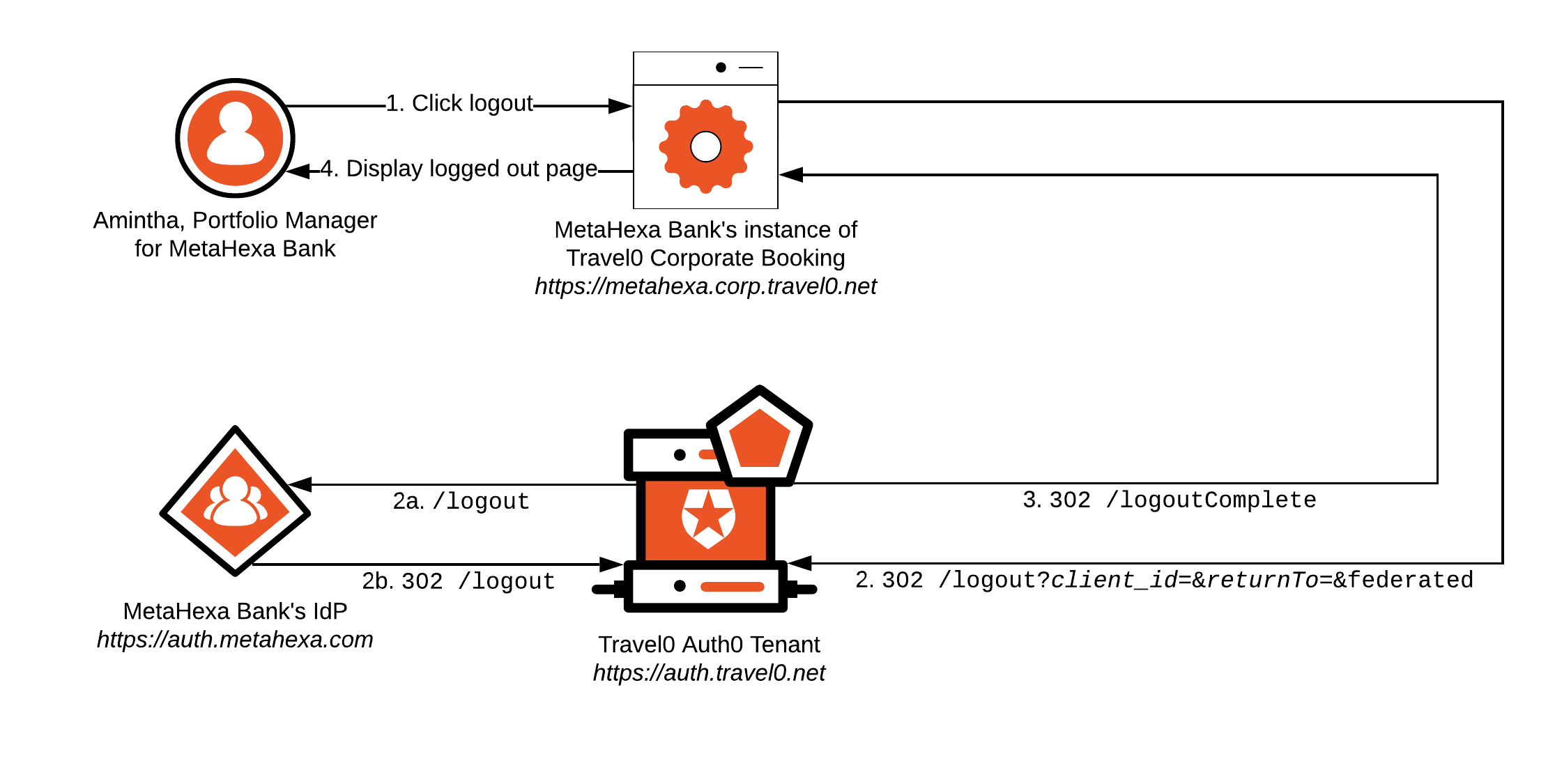
1. Amintha clicks `logout`.
2. MetaHexa Bank's Instance of Travel0 Corporate Booking redirects the browser to the Travel0 Auth0 Tenant at [https://auth.travel0.net](https://auth.travel0.net) with the following parameters:
1. `returnTo`: [`https://metahexa.corp.travel0.net/logoutComplete`](https://metahexa.corp.travel0.net/logoutComplete)
2. `client_id`: Client ID associated with the Application created in the Travel0 Auth0 Tenant for the MetaHexa Bank instance of Travel0 Corporate Booking.
3. `federated`: Optional parameter used to log the user out of the MetaHexa Bank IdP. When specified, the browser is redirected to the `/logout` endpoint associated with the MetaHexa Bank IdP, which terminates the user’s session before redirecting the browser back to the Travel0 Auth0 Tenant.
**Best Practice**
Define Applications independently in Auth0 to make it easier to configure the `returnTo` URL where the corresponding `client_id` is used to provide correct validation of the supplied URL. To learn more, see [Provisioning](/docs/get-started/architecture-scenarios/multiple-organization-architecture/single-identity-provider-organizations/provisioning).
Steps 3 and 4 will match those described in the [Database Connection](#database-connection) scenario, but will use Amintha in place of Jennifer and MetaHexa Bank (`metahexa.corp.travel0.net`) in place of Hoekstra & Associates.
## Social Connection
In the context of Social Connections, Logout follows a similar pattern to that associated with an [Enterprise Connection](#enterprise-connection), but the upstream IdP is associated with the social provider rather than any specific organization. You will almost certainly never want to leverage federated logout capability with a social provider because the resulting user experience would be too disruptive.
# Single Identity Provider: Profile Management
Source: https://auth0.com/docs/get-started/architecture-scenarios/multiple-organization-architecture/single-identity-provider-organizations/profile-management
Learn about user profile management for Organizations in multi-tenant architectures.
Profile Management in Organization-based scenarios is generally the same as in other architecture scenarios. In our architecture scenarios, we provide general purpose guidance on [B2B Profile Management](/docs/get-started/architecture-scenarios/business-to-business/profile-management), which we recommend reviewing alongside the guidance provided here.
> [!WARNING]
>
> Before roles associated with a user can be managed, a user account must exist in Auth0. This is true even if you are using the [Auth0 Organizations Role capability associated with Membership](/docs/manage-users/organizations/configure-organizations/add-member-roles). However, user accounts that are provisioned via the [user invitation](/docs/get-started/architecture-scenarios/multiple-organization-architecture/single-identity-provider-organizations/provisioning) workflow can be assigned a role automatically as part of the invitation process. For details, see the [Invite Organization Members](/docs/manage-users/organizations/configure-organizations/invite-members). If you’re pre-registering a user using some other mechanism, then you must store Role information outside of Auth0 and access/copy it via the use of extensibility (for example, as part of a [Rule](/docs/customize/rules)) during first authentication.
Your application may have an associated specific set of user attributes (for example, user preferences or identifying information you use to better serve the customer) for which you provide some sort of self-service management to users. Additionally/alternatively, you may provide self-service profile management for attributes that are typically maintained by the Identity Provider (Identity Provider (IdP): Service that stores and manages digital identities.) (IdP).
**Best Practice**
In organization-related scenarios, email addresses should always be verified. Consequently, you should provide self-service email verification functionality for situations in which a user’s email address cannot otherwise be verified. For further details, see [Email Verification](/docs/manage-users/user-accounts/verify-emails).
## Database Connection
Auth0 provides you with the capability to implement self-service profile management support via the Auth0 Management API (Management API: A product to allow customers to perform administrative tasks.). If you are using Auth0 Organizations to provide [invitation-based user provisioning](/docs/manage-users/organizations/configure-organizations/invite-members), you will likely need to restrict changes to fields that are typically owned by your Auth0 Tenant as the Identity Provider (IdP). For example, you would want to restrict changes to email address because you would not want a user to use an email address other than the one to which their invitation was sent. Restricting changes to the email address field would prevent company-specific emails from going to entered personal email addresses.
Alternatively, you may want to consider providing a few self-service items for users who authenticate via a Database Connection in Auth0. You may want users to be able to:
* change their email address
* change any associated phone numbers
* change their username
* de-provision their accounts as part of regulatory compliance (such as GDPR)
* perform password change processing, which we typically recommend you implement via [password reset](/docs/authenticate/database-connections/password-change#trigger-an-interactive-password-reset-flow) and which will typically leverage the organization-specific branding described in [Branding: Password Reset Page](/docs/get-started/architecture-scenarios/multiple-organization-architecture/single-identity-provider-organizations/branding).
Self-service capability typically needs to be implemented and hosted external to Auth0 and must be very secure.
## Enterprise connection
Because the upstream Identity Provider (IdP) typically handles IdP-managed user profile attributes, profile management can be fairly non-existent for this use case. However, if you use application-specific user attributes, then you may still want to provide self-service capability.
In addition, you will almost certainly want to provide an organization with a way to de-provision users from your Auth0 Tenant. Auth0 does not communicate with an upstream IdP, except when the Auth0 SSO (Single Sign-On (SSO): Service that, after a user logs into one applicaton, automatically logs that user in to other applications.) session expires. Because an SSO session's time to expiration will likely be too long for most scenarios in which a user is deleted, an organization administrator will need a way to block or delete a user independently.
## Social connection
In the context of Social Connections, profile management follows a similar pattern to that associated with an [Enterprise Connection](#enterprise-connection), but the upstream IdP is associated with the social provider rather than any specific organization.
## Administration
In certain situations you will want to give your customers access to manage user accounts associated with their organization. This is often true for help-desk-type scenarios in which a help desk operator may update profile information on behalf of a user or help a user unblock an account.
Out of the box, Auth0 provides the Auth0 Dashboard (Auth0 Dashboard: Auth0's main product to configure your services.), which is used for general management of an Auth0 Tenant. However, you would not want to give a customer access to your Auth0 Tenant Dashboard because they would then have the ability to manage all users across all organizations, which would not be desirable.
> [!WARNING]
>
> While the Auth0 Tenant Dashboard can be used to manage user accounts, it does not provide for organizational-level isolation. Giving a customer access to your Auth0 Dashboard allows them to modify users across all organizations, which is not desirable. The Auth0 Delegated Admin dashboard can be configured to provide user account administration that is Auth0-Organization-aware; however, it cannot be used to manage user [Membership](/docs/manage-users/organizations/create-first-organization) or [Invitation](/docs/manage-users/organizations/configure-organizations/invite-members).
If you already provide help-desk-type capability for your customers, then you can use the Auth0 Management API to manage user accounts in Auth0. For example, the Management API can be used to [retrieve organization members](/docs/manage-users/organizations/configure-organizations/retrieve-members) and [organizations to which a user belongs](/docs/manage-users/organizations/configure-organizations/retrieve-user-membership). If you do not already provide help desk capability, then you will need to build this functionality if you require it.
# Single Identity Provider: Provisioning
Source: https://auth0.com/docs/get-started/architecture-scenarios/multiple-organization-architecture/single-identity-provider-organizations/provisioning
Learn about provisioning Organizations for multi-tenant architectures.
By using the Auth0 Organizations feature, a single Auth0 Tenant can be provisioned for deployment to a production environment. For all but the most complex architectural scenarios, provisioning of a single Auth0 Tenant for use in a production environment is recommended because it provides ease of integration/use for [Single Sign-On (SSO)](/docs/authenticate/single-sign-on), user [Profile Management](/docs/get-started/architecture-scenarios/multiple-organization-architecture/single-identity-provider-organizations/profile-management), and so on. Depending on the implementation, you will need to address some additional items concerning setup of your Auth0 Tenant and your corresponding integration.
Branding associated with an organization is extremely valuable because using brand collateral provides users with an environment that they know and trust. Using recognized brand collateral also increases user confidence that the information they provide (for example, credentials) will be handled safely and securely. Default out-of-box Auth0 branding should therefore be replaced. To learn more, see [Branding](/docs/get-started/architecture-scenarios/multiple-organization-architecture/single-identity-provider-organizations/branding).
## Organizations
You should create an independent Auth0 Organization for each of the organizations you will support. In this case, we’ll create the `hoekstra` organization to represent Hoekstra & Associates in our example, and the `metahexa` organization to represent MetaHexa Bank. You can [create organizations](/docs/manage-users/organizations/configure-organizations/create-organizations) either manually via the Auth0 Dashboard (Auth0 Dashboard: Auth0's main product to configure your services.) or programmatically via the use of the Auth0 Management API (Management API: A product to allow customers to perform administrative tasks.).
## Applications
Depending on how your Organization Tenant implementation is designed, you have different options when creating [Application](/docs/get-started/applications) definitions within your Auth0 Tenant. Whichever option you choose, the [Organization behavior is defined at the application level](/docs/manage-users/organizations/configure-organizations/define-organization-behavior).
If you provision a separate Organization Tenant for each of your customers, then you will typically need an independent Application definition in Auth0 for each. This arrangement will also usually involve sending both the Application-specific `client_id` parameter and the `organization` parameter, which identifies which Auth0 Organization to use, as part of the call to the `/authorize` endpoint. To learn more, see [Authentication](/docs/get-started/architecture-scenarios/multiple-organization-architecture/single-identity-provider-organizations/authentication).
**Best Practice**
For ease of configuration and maximized security isolation, define Applications in Auth0 independently. Doing so allows items like allowed callback URLs to be configured independently and, following the principle of least privilege, minimizes the potential exposure of any Client ID and Client Secret information.
Alternatively, the use of a single Application definition in Auth0 is supported. In this case, the user will be prompted to specify the required organization as part of first-factor authentication. This will typically require the use of a common Application `client_id`, but the `organization` parameter will be omitted on the call to the `/authorize` endpoint.
## Connections
Next, define the [Connections](/docs/authenticate/identity-providers) that will be used to authenticate users. In this case, we’ll define a [Database Connection](/docs/authenticate/database-connections) for users associated with Hoekstra & Associates and an [Enterprise Connection](/docs/authenticate/identity-providers/enterprise-identity-providers) for users associated with MetaHexa Bank.
**Best Practice**
For Single Identity Provider (IdP) Organizations, create one Connection for each defined organization in order to provide flexibility for a number of use case scenarios. For example, a single [Database or Custom Database Connection](/docs/authenticate/database-connections) per organization allows you to easily delete users associated with organizations that get decommissioned and offers maximum flexibility for organizations that have differing requirements for password complexity.
Once the Connection has been defined, it can be provisioned to the appropriate Auth0 Organization using either the Auth0 Dashboard or Auth0 Management API. For more information, see [Enable Organization Connections](/docs/manage-users/organizations/configure-organizations/enable-connections).
## Users
For users that are authenticated via Connections other than Database or Custom Database Connections, the user is provisioned to the external Identity Provider (Identity Provider (IdP): Service that stores and manages digital identities.) (IdP) independent of Auth0 and in the normal way. On the other hand, users that are authenticated via Database or Custom Database Connections can be provisioned in a number of different ways. The Auth0 Dashboard and Auth0 Management API can be used to create a user directly in your Auth0 Tenant. We also support [Automatic Migration](/docs/manage-users/user-migration/configure-automatic-migration-from-your-database) and [Bulk Migration](/docs/manage-users/user-migration/bulk-user-imports).
> [!WARNING]
>
> For a user to be provisioned via the Management API or the Dashboard, you must directly enable a Database or Custom Database Connection for at least one Application. Enabling a Database or Custom Database Connection for an Organization only will not suffice.
Users are then associated with an Auth0 Organization by assigning them memberships, and an Auth0 Organization can be configured to [assign user Membership automatically](/docs/manage-users/organizations/configure-organizations/grant-just-in-time-membership) or [on a manual basis](/docs/manage-users/organizations/configure-organizations/assign-members).
For a user to be manually assigned Membership to an organization, that user must already have a [User Profile](/docs/manage-users/user-accounts/user-profiles) defined in Auth0. You can [manually assign Membership](/docs/manage-users/organizations/configure-organizations/assign-members) using either the Auth0 Tenant Dashboard or the Auth0 Management API.
### Invitation
The Auth0 Organization feature also supports the use of Member Invitation. In the Member Invitation workflow, inviting a user to an application will result in the user being provisioned automatically and their user membership being generated automatically.
#### Database Connection
Using our Hoekstra & Associates example, let’s see how this implementation might flow where a Database Connection is used as part of user invitation; most of the workflow described will typically be handled by using the relevant Auth0 SDK or library associated with your technology stack:
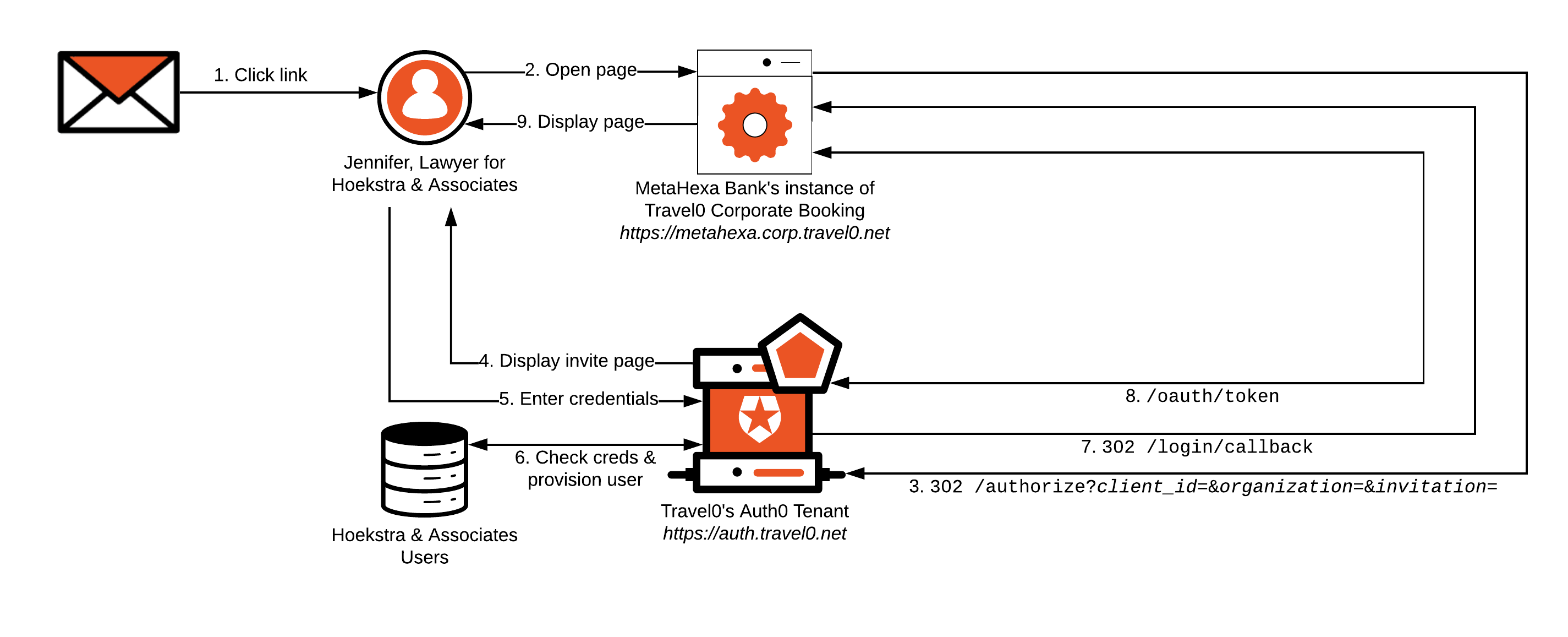
1. Jennifer from Hoekstra & Associates receives an email sent from Travel0’s Auth0 Tenant on behalf of Hoekstra & Associates' instance of Travel0 Corporate Booking.
1. The email was sent as described in [Invite Organization Members](/docs/manage-users/organizations/configure-organizations/invite-members) and may have been triggered using either the Auth0 Dashboard or the Auth0 Management API.
2. Jennifer opens the email and clicks on its contained link. Doing so directs her browser to Hoekstra & Associates' instance of Travel0 Corporate Booking. The base URL used in the link is specified as the [Application Login URI](/docs/get-started/applications/application-settings), which forms part of Hoekstra & Associates' instance of Travel0 Corporate Booking application definition in the Travel0 Auth0 Tenant.
1. The link contains `organization` and `organization_name` parameters. The `organization` parameter is set to the ID of the corresponding Auth0 Organization definition in your Auth0 Tenant. This will be forwarded to the Auth0 Tenant as part of step 3.
2. The link also contains the `invitation` parameter, which will also be forwarded as part of step 3.
3. Hoekstra & Associates' instance of Travel0 Corporate Booking redirects to the Travel0 Auth0 Tenant using [Authorization Code Flow](/docs/get-started/authentication-and-authorization-flow/authorization-code-flow) (with or without [PKCE](/docs/get-started/authentication-and-authorization-flow/authorization-code-flow-with-pkce)) by calling the `/authorize` endpoint and passing parameters similar to the following, typically via use of an [Auth0 SDK](/docs/libraries) or third-party library:
1. `redirect_uri`: [`https://hoekstra.corp.travel0.net/login/callback`](https://hoekstra.corp.travel0.net/login/callback)
2. `response_type`: `code`
3. `state`: Unique [state](/docs/secure/attack-protection/state-parameters) generated in this session
4. `scope`: `openid profile` ...
5. any necessary additional [OIDC Scopes](/docs/get-started/apis/scopes/openid-connect-scopes), depending on the information required about the user.
6. `client_id`: Client ID associated with the Application created in the Travel0 Auth0 Tenant for Hoekstra & Associates' instance of Travel0 Corporate Booking.
7. `organization`: ID of the inviting organization typically obtained via the link in the email described in step 2. Specified in the form `organization=`organization\_id, where organization\_id is set to the identifier associated with the corresponding Auth0 Organization definition in your Auth0 Tenant.
8. `invitation`: Additional `invitation` parameter associated with the link in the email, as described in step 2.
4. The Travel0 Auth0 Tenant redirects to `/signup/invitation` to collect a password credential from the user.
1. A Universal Login Page, which you can configure to display organization-specific brand collateral as described in [Branding](/docs/get-started/architecture-scenarios/multiple-organization-architecture/single-identity-provider-organizations/branding), is displayed.
> [!WARNING]
>
> The invitation workflow associated with the Auth0 Organizations feature does not consider any SSO session held with Auth0. If a user is invited to sign up and they are already signed in, clicking the link in the email will always result in the display of the associated Universal Login Page.
5. The user enters their password (and any additional credentials, such as user name) and clicks continue. The user ID is set to the email address associated with the user and cannot be changed.
6. The Travel0 Auth0 Tenant checks credentials. If valid, the user is provisioned and Auth0 Organization Membership is set. The user is implicitly authenticated, and the [Rules](/docs/customize/rules) pipeline executes. Rules can be used to handle access control, as described in [Authorization](/docs/get-started/architecture-scenarios/multiple-organization-architecture/single-identity-provider-organizations/authorization).
1. If credentials for the user are invalid, then the user will be prompted to re-enter them.
7. Upon successful credential checking and Rules execution, the user is redirected to the `redirect_uri` ([`https://hoekstra.corp.travel0.net/login/callback`](https://hoekstra.corp.travel0.net/login/callback)) with the `state` passed in step 3, as well as a `code`.
8. Hoekstra & Associates' instance of Travel0 Corporate Booking validates the `state` and then calls the Travel0 Auth0 Tenant at [`https://auth.travel0.net/oauth/token`](https://auth.travel0.net/oauth/token), passing the `code` and its `client id` and `client secret` in exchange for the [ID Token](/docs/secure/tokens/id-tokens). The ID token is then used to generate a session for [`https://hoekstra.corp.travel0.net`](https://hoekstra.corp.travel0.net).
9. Hoekstra & Associates' instance of Travel0 Corporate Booking instance displays the appropriate page to the user.
#### Enterprise Connection
Using our MetaHexa Bank example, let’s see how this implementation might flow where an Enterprise Connection is used as part of user invitation; again, most of the workflow described will typically be handled by using the relevant Auth0 SDK or library associated with your technology stack:
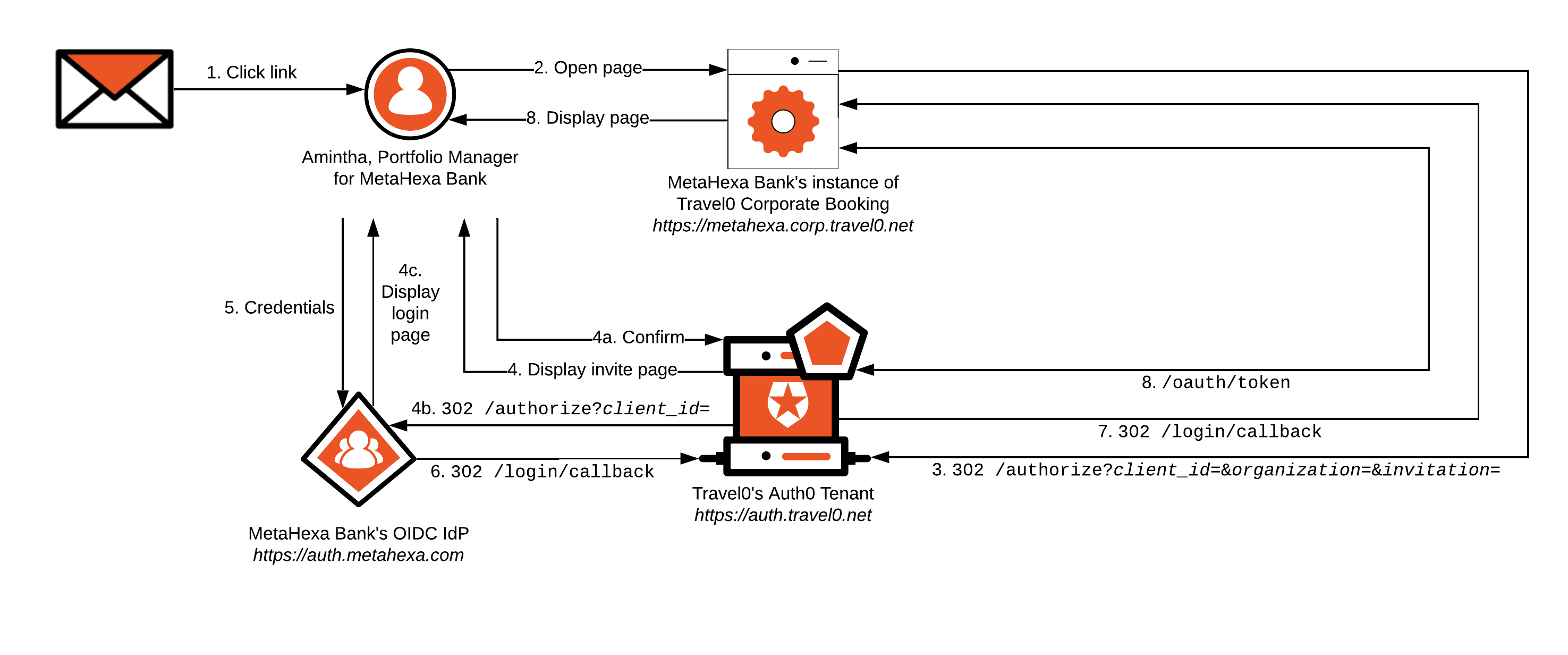
1. Amintha from MetaHexa Bank receives an email sent from Travel0’s Auth0 Tenant on behalf of MetaHexa Bank's instance of Travel0 Corporate Booking.
1. The email was sent as described in [Invite Organization Members](/docs/manage-users/organizations/configure-organizations/invite-members) and may have been triggered using either the Auth0 Dashboard or the Auth0 Management API.
2. Amintha opens the email and clicks on its contained link. Doing so directs her browser to MetaHexa Bank's instance of Travel0 Corporate Booking. The base URL used in the link is specified as the [Application Login URI](/docs/get-started/applications/application-settings), which forms part of MetaHexa Bank's instance of Travel0 Corporate Booking application definition in the Travel0 Auth0 Tenant.
1. The link contains `organization` and `organization_name` parameters. The `organization` parameter is set to the ID of the corresponding Auth0 Organization definition in your Auth0 Tenant. This will be forwarded to the Auth0 Tenant as part of step 3.
2. The link also contains the `invitation` parameter, which will also be forwarded as part of step 3.
3. MetaHexa Bank's instance of Travel0 Corporate Booking redirects to the Travel0 Auth0 Tenant using [Authorization Code Flow](/docs/get-started/authentication-and-authorization-flow/authorization-code-flow) (with or without [PKCE](/docs/get-started/authentication-and-authorization-flow/authorization-code-flow-with-pkce)) by calling the `/authorize` endpoint and passing parameters similar to the following, typically via use of an [Auth0 SDK](/docs/libraries) or third-party library:
1. `redirect_uri`: [`https://metahexa.corp.travel0.net/login/callback`](https://metahexa.corp.travel0.net/login/callback)
2. `response_type`: `code`
3. `state`: Unique [state](/docs/secure/attack-protection/state-parameters) generated in this session
4. `scope`: `openid profile` ...
5. any necessary additional [OIDC Scopes](/docs/get-started/apis/scopes/openid-connect-scopes), depending on the information required about the user.
6. `client_id`: Client ID associated with the Application created in the Travel0 Auth0 Tenant for MetaHexa Bank's instance of Travel0 Corporate Booking.
7. `organization`: ID of the inviting organization typically obtained via the link in the email described in step 2. Specified in the form `organization=`organization\_id, where organization\_id is set to the identifier associated with the corresponding Auth0 Organization definition in your Auth0 Tenant.
8. `invitation`: Additional `invitation` parameter associated with the link in the email, as described in step 2.
4. The Travel0 Auth0 Tenant redirects to `/invitation`, where Amintha is informed that she will be redirected to the MetaHexa IdP to authenticate first-factor credentials.
1. The user confirms, and
2. Auth0 redirects to the MetaHexa Bank IdP instance, where
3. The login page is displayed, and the user enters credentials and clicks `login`.
5. If successful, the Auth0 Organization Membership is set, the user is implicitly authenticated, and the [Rules](/docs/customize/rules) pipeline executes. Rules can be used to handle access control as described in [Authorization](/docs/get-started/architecture-scenarios/multiple-organization-architecture/single-identity-provider-organizations/authorization).
Steps 6 through 8 will match those described in the [Database Connection](#database-connection) scenario, but where Amintha is the user instead of Jennifer, and where MetaHexa Bank (`metahexa.corp.travel0.net`) will be used in place of Hoekstra & Associates.
#### Social Connection
Invitation via Social Connection follows a similar pattern to that associated with an [Enterprise Connection](#enterprise-connections), but the upstream IdP is associated with the social provider rather than any specific organization. For additional considerations with respect to using Social Connections, please see [Authentication](/docs/get-started/architecture-scenarios/multiple-organization-architecture/single-identity-provider-organizations/authentication).
# Server Applications with API
Source: https://auth0.com/docs/get-started/architecture-scenarios/server-application-api
Explains the architecture scenario with server to server communication with secure calls to an API (resource server) on behalf of the application.
In this scenario we will build a Timesheet API for a fictitious company named ExampleCo. The API will allow additional timesheet entries for an employee or a contractor.
We will also be building a cron job which will process timesheet entries from an external system to the centralized timesheet database using the API.
> [!NOTE]
>
> ### TL;DR
>
> * Auth0 provides API authentication and authorization as a means to secure access to API endpoints (read [API Authentication and Authorization](/docs/get-started/architecture-scenarios/server-application-api/part-1#api-authentication-and-authorization))
> * For authorizing a Machine-to-Machine Application (a CLI, service or daemon where no user interaction is involved) Auth0 supports the Client Credentials grant (read [Client Credentials Grant](/docs/get-started/architecture-scenarios/server-application-api/part-1#client-credentials-grant))
> * Both the Machine-to-Machine Application and the API must be configured in the Auth0 Dashboard (read [Auth0 Configuration](/docs/get-started/architecture-scenarios/server-application-api/part-2))
> * The API will be secured by ensuring that a valid access token (which is implemented as a JSON Web Token) is passed in the HTTP Authorization header when calls are made to the API (read [Implement the API](/docs/get-started/architecture-scenarios/server-application-api/part-3))
> * Upon successful authorization an access token is issued to the Machine-to-Machine Application (read [Get an access token](/docs/get-started/architecture-scenarios/server-application-api/part-3#get-an-access-token))
> * The Machine-to-Machine Application can in turn use this access token to pass along as an HTTP Authorization header to authenticate calls to API endpoints (read [Invoke the API](/docs/get-started/architecture-scenarios/server-application-api/part-3#invoke-the-api))
## The Premise
ExampleCo is a consulting startup company. Currently they have approximately 100 employees and also outsource to external contractors. All employees and external contractors are required to complete timesheets every week. For this purpose, they built a timesheets application, a scenario we covered in [Single Sign-On for Regular Web Apps](/docs/get-started/architecture-scenarios/sso-for-regular-web-apps). Internal employees use this web app to fill in their timesheets but some of the external contractors already use another tool to track their timesheets. ExampleCo needs a solution to avoid the double work and decided to build a cron job to read the timesheet entries from this external system and automatically upload those to ExampleCo's backend using an API.
### Goals & Requirements
ExampleCo wants to build a flexible solution that:
* Allows for automated processes working on the backend
* Allows for future application launches, like a mobile application, in the architecture
* Allows for the Timesheets API to be secure and accessed by authorized users and applications
* Allows for a large part of code and business logic for the application to be shared across other apps
## Learn more
* [Solution Overview (Server Apps + API)](/docs/get-started/architecture-scenarios/server-application-api/part-1)
* [Auth0 Configuration (Server Apps + API)](/docs/get-started/architecture-scenarios/server-application-api/part-2)
* [Application Implementation (Server Apps + API)](/docs/get-started/architecture-scenarios/server-application-api/part-3)
* [Conclusion (Server Apps + API)](/docs/get-started/architecture-scenarios/server-application-api/part-4)
# Server Apps + API: Node.js Implementation for the API
Source: https://auth0.com/docs/get-started/architecture-scenarios/server-application-api/api-implementation-nodejs
The Node.js implementation of the API for the Server Client + API architecture scenario
As part of the [Server + API Architecture Scenario](/docs/get-started/architecture-scenarios/server-application-api), we will implement the Timesheets API in Node.js. Please refer to the scenario for information on the implemented solution.
Full source code for the Node.js API implementation can be found in [this GitHub repository](https://github.com/auth0-samples/auth0-pnp-exampleco-timesheets/tree/master/timesheets-api/node).
## Step 1. Define the API endpoint
We will use the [Express web application framework](http://expressjs.com/) to build our Node.js API.
### Create a package.json File
Create a folder for your API, navigate into it and run `npm init`. This will set up your `package.json` file.
You can leave the default settings or change them as you see fit.
Our sample’s `package.json` looks like the following:
```json lines theme={null}
{
"name": "timesheets-api",
"version": "1.0.0",
"description": "API used to add timesheet entries for employees and contractors",
"main": "index.js",
"scripts": {
"test": "echo \"Error: no test specified\" && exit 1"
},
"repository": {
"type": "git",
"url": "git+https://github.com/auth0-samples/auth0-pnp-timesheets.git"
},
"author": "Auth0",
"license": "MIT",
"bugs": {
"url": "https://github.com/auth0-samples/auth0-pnp-timesheets/issues"
},
"homepage": "https://github.com/auth0-samples/auth0-pnp-timesheets#readme"
}
```
### Install the Dependencies
Next, we need to set our dependencies. We will use the following modules:
* **express**: This module adds the [Express web application framework](https://expressjs.com/).
* **jwks-rsa**: This library retrieves RSA signing keys from a JWKS (JSON Web Key Set) endpoint. Using `expressJwtSecret` we can generate a secret provider that will provide the right signing key to `express-jwt` based on the `kid` in the JWT (JSON Web Token (JWT): Standard ID Token format (and often Access Token format) used to represent claims securely between two parties.) header. For more information refer to the [node-jwks-rsa GitHub repository](https://github.com/auth0/node-jwks-rsa).
* **express-jwt**: This module lets you authenticate HTTP requests using JWT tokens in your Node.js applications. It provides several functions that make working with JWTs easier. For more information refer to the [express-jwt GitHub repository](https://github.com/auth0/express-jwt).
* **body-parser**: This is a Node.js body parsing middleware. It extracts the entire body portion of an incoming request stream and exposes it on `req.body` as something easier to interface with.For more information and several alternatives refer to the body-parser GitHub repository.
To install these dependencies run the following:
```bash lines theme={null}
npm install express express-jwt jwks-rsa body-parser --save
```
### Implement the Endpoint
Navigate to your API directory and create a `server.js` file. Your code needs to:
* Set the dependencies.
* Enable the request body parsing middleware.
* Implement the endpoint.
* Launch the API server.
This is our sample implementation:
```javascript lines theme={null}
// set dependencies
const express = require('express');
const app = express();
const jwt = require('express-jwt');
const jwksRsa = require('jwks-rsa');
const bodyParser = require('body-parser');
// enable the use of request body parsing middleware
app.use(bodyParser.json());
app.use(bodyParser.urlencoded({
extended: true
}));
// create timesheets upload API endpoint
app.post('/timesheets/upload', function(req, res){
res.status(201).send({message: "This is the POST /timesheets/upload endpoint"});
})
// launch the API Server at localhost:8080
app.listen(8080);
```
Launch your API server using `node server` and make an HTTP POST request to `localhost:8080/timesheets/upload`. You should see a JSON response with a message `This is the POST /timesheets/upload endpoint`.
So now we have our endpoint but anyone can call it. Continue to the next paragraph to see how we can fix this.
## Step 2. Secure the API endpoint
In order to validate our token we will use the `jwt` function, provided by the [express-jwt middleware](https://github.com/auth0/express-jwt#usage), and the `jwks-rsa` package to retrieve the public key from Auth0. The libraries do the following:
1. `express-jwt` will decode the token and pass the request, the header and the payload to `jwksRsa.expressJwtSecret`.
2. `jwks-rsa` will then download all signing keys from the JWKS endpoint and see if a one of the signing keys matches the `kid` in the header of the JWT. If none of the signing keys match the incoming `kid`, an error will be thrown. If we have a match, we will pass the right signing key to `express-jwt`.
3. `express-jwt` will continue its own logic to validate the signature of the token, the expiration, `audience` and the `issuer`.
The steps we will follow in our code are:
* Create the middleware function to validate the access token (Access Token: Authorization credential, in the form of an opaque string or JWT, used to access an API.).
* Enable the use of the middleware in our routes.
This is also a good time for you to implement the logic to save the timesheet entries to a local database, or whatever other storage mechanism you may prefer. This is our sample implementation (some code is omitted for brevity):
If we launch our server now and do an HTTP POST to `localhost:8080/timesheets/upload` we should get the error message `Missing or invalid token` (which is perfectly fine since we didn’t send an access token in our request).
In order to test the working scenario as well we need to:
* Get an access token. For details on how to do so refer to: [Get an Access Token](/docs/get-started/architecture-scenarios/server-application-api#get-an-access-token)
* Invoke the API while adding an `Authorization` header to our request with the value `Bearer ACCESS_TOKEN` (where `ACCESS_TOKEN` is the value of the token we retrieved in the first step).
## Step 3. Check the Client permissions
In this step we will add to our implementation the ability to check if the client has permissions (or `scope`) to use our endpoint in order to upload a timesheet. In particular we want to ensure that the token has the correct scope, which is `batch:upload`.
In order to do this we will make use of the `express-jwt-authz` Node.js package, so go ahead and add that to your project:
```bash lines theme={null}
npm install express-jwt-authz --save
```
Now it is as simple as adding a call to `jwtAuthz(...)` to your middleware to ensure that the JWT contains a particular scope in order to execute a particular endpoint. This is our sample implementation (some code is omitted for brevity):
```javascript lines theme={null}
// set dependencies - some code omitted
const jwtAuthz = require('express-jwt-authz');
// Create middleware for checking the JWT
// Enable the use of request body parsing middleware
app.use(bodyParser.json());
app.use(bodyParser.urlencoded({
extended: true
}));
// Batch upload endpoint
app.post('/timesheets/upload', checkJwt, jwtAuthz(['batch:upload']), function(req, res){
var timesheet = req.body;
// Save the timesheet entry to the database...
//send the response
res.status(201).send(timesheet);
});
// launch the API Server at localhost:8080 - code omitted
```
If we invoke our API with a token that does not include this scope we should get the error message Forbidden with the HTTP status code `403`. You can test this by removing this scope from your API.
That's it! You are done!
# Server Apps + API: Python Implementation for the Cron Job
Source: https://auth0.com/docs/get-started/architecture-scenarios/server-application-api/cron-implementation-python
The Python implementation of the server cron job for the Server Client + API architecture scenario
As part of the [Server + API Architecture Scenario](/docs/get-started/architecture-scenarios/server-application-api), we will explain how to implement the server process in Python. Please refer to the [Server + API Architecture Scenario](/docs/get-started/architecture-scenarios/server-application-api) document for information on the implemented solution.
Full source code for the Python implementation of the server process can be found in [this GitHub repository](https://github.com/auth0-samples/auth0-pnp-exampleco-timesheets/tree/master/timesheets-cron/python).
## Get an access token
In order to make the HTTP request to the Auth0 `/oauth/token` API endpoint we will use the libraries `json`, `urllib` and `urllib2`.
This is our sample implementation:
To test this modify your code to print the `access_token` variable and run the process using `python cron.py`.
## Invoke the API
The steps we follow in our implementation are:
* Build a JSON object containing timesheet data and assign it to a `timesheet` variable.
* Add the API URL and the `timesheet` variable contents to the request body using `urllib2.Request`.
* Add the `Authorization` header to the request.
* Set the `Content-Type` header to `application/json`.
* Invoke the API using `urllib2.urlopen` and add some error handling. Retrieve the response using `json.loads` and print it in the console.
This is our sample implementation (some code is omitted for brevity):
```python lines expandable theme={null}
def main():
# import libraries - code omitted
# Configuration Values - code omitted
# Get an Access Token from Auth0 - code omitted
#Post new timesheet to API
timesheet = {'user_id': '007',
'date': '2017-05-10T17:40:20.095Z',
'project': 'StoreZero',
'hours': 5}
req = urllib2.Request(api_url, data = json.dumps(timesheet))
req.add_header('Authorization', 'Bearer ' + access_token)
req.add_header('Content-Type', 'application/json')
try:
response = urllib2.urlopen(req)
res = json.loads(response.read())
print 'Created timesheet ' + str(res['id']) + ' for employee ' + str(res['user_id'])
except urllib2.HTTPError, e:
print 'HTTPError = ' + str(e.code) + ' ' + str(e.reason)
except urllib2.URLError, e:
print 'URLError = ' + str(e.reason)
except httplib.HTTPException, e:
print 'HTTPException'
except Exception, e:
print 'Generic Exception' + str(e)
# Standard boilerplate to call the main() function - code omitted
```
To test this make sure your API is running and run the process using `python cron.py`.
That's it! You are done!
# Solution Overview (Server Apps + API)
Source: https://auth0.com/docs/get-started/architecture-scenarios/server-application-api/part-1
Solutions Overview for the Server + API architecture scenario
In order to ensure that only authorized users and applications are allowed access to the Timesheets API, ExampleCo has decided to make use of the [OAuth 2.0 authorization framework](https://tools.ietf.org/html/rfc6749). The framework provides the flexibility the company wants since the different grants can allow them to easily authorize the various types of applications which need to communicate with the Timesheets API.
## OAuth 2.0
By using the OAuth 2.0 (OAuth 2.0: Authorization framework that defines authorization protocols and workflows.) authorization framework, ExampleCo’s Regular Web application and the third-party application for external contractors can have limited access to the Timesheets API. Using Auth0, ExampleCo can easily support different [grant types](/docs/get-started/authentication-and-authorization-flow/which-oauth-2-0-flow-should-i-use) or authentication flows without worrying about the OAuth 2.0/OpenID (OpenID: Open standard for authentication that allows applications to verify users' identities without collecting and storing login information.) Connect (OIDC) specification, or the many other technical aspects of API authorization.
> **OAuth roles**
>
> In any OAuth 2.0 flow we can identify the following roles:
>
> * **Resource Owner**: the entity that can grant access to a protected resource. Typically this is the end-user.
> * **Resource Server**: the server hosting the protected resources. This is the API you want to access.
> * **Client**: an application requesting access to a protected resource on behalf of the Resource Owner.
> * **Authorization Server**: the server that authenticates the Resource Owner, and issues Access Tokens after getting proper authorization. In this case, Auth0's Authentication API.
>
> [Grants types (or flows)](/docs/get-started/authentication-and-authorization-flow/which-oauth-2-0-flow-should-i-use) determine how these participants interact to grant to the applications limited access to the APIs you are building. As a result, the app will obtain an access token that can be used to call the API on behalf of the user.
### Client Credentials Grant
OAuth 2 provides several grant types for different use cases. In this particular use case where a cron job will be uploading timesheets via an API, there is no interactive user (or resource owner (Resource Owner: Entity (such as a user or application) capable of granting access to a protected resource.)) to grant permissions to the cron job to access the API.
The cron job is also not making the API calls on behalf of any user. Instead the application (the cron job) uses machine-to-machine authorization makes calls to the Resource Server (Resource Server: Server hosting protected resources. Resource servers accept and respond to protected resource requests.) (the API) on its own behalf.
For situations like this where there is no user interaction involved, the [Client Credentials Grant](/docs/get-started/authentication-and-authorization-flow/client-credentials-flow) is ideal. With the Client Credentials Grant (defined in [RFC 6749, section 4.4](https://tools.ietf.org/html/rfc6749#section-4.4)), an application can directly request an access token (Access Token: Authorization credential, in the form of an opaque string or JWT, used to access an API.) from the Authorization Server (Access Token: Authorization credential, in the form of an opaque string or JWT, used to access an API.) by using its client credentials (a Client ID (Authorization Server: Centralized server that contributes to defining the boundaries of a user’s access. For example, your authorization server can control the data, tasks, and features available to a user.) and a Client Secret (Client Secret: Secret used by a client (application) to authenticate with the Authorization Server; it should be known to only the client and the Authorization Server and must be sufficiently random to not be guessable.)). Instead of identifying a Resource Owner, this token will represent the application itself.
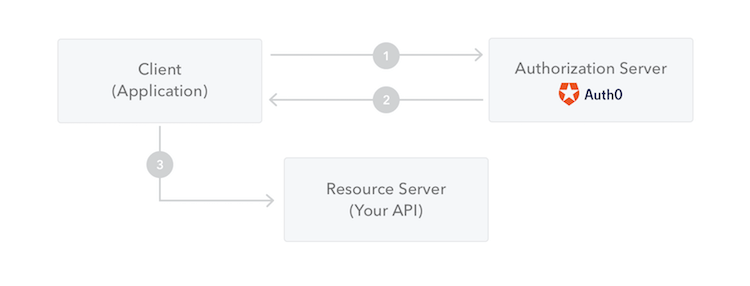
1. The application authenticates with the Authorization Server using its Client ID and Client Secret.
2. The Authorization Server validates this information and returns an access token.
3. The application can use the access token to call the Resource Server on behalf of itself.
## API Authentication and Authorization
An API is a way to expose functionality of your application to other applications. Other applications can make a request to an API endpoint and receive a response. Similarly, the external application ExampleCo’s contractors use can communicate with the Timesheet API as well as the Regular Web Application ExampleCo built for internal employees.
Since the Timesheets API handles sensitive information (such as PII and financial information), ExampleCo needs to ensure only authorized users and applications can call its' endpoints.
### Access tokens and scopes
APIs can be secured or unsecured. When an application wants to access protected endpoints on an API, it needs to provide an access token (also referred to as `access_token`) as proof that it has the required permissions.
An access token is an opaque string representing an authorization issued to the application and is obtained by authenticating the user with an Authorization Server. The user can then, in turn, authorize the application to access the API on their behalf. To learn more, read [Access Tokens](/docs/secure/tokens/access-tokens).
An API like the Timesheets API can enforce fine-grained control over who can access the various endpoints exposed by the API. These permissions are expressed as scopes.
When ExampleCo’s Regular Web Application or the third-party application authenticates with Auth0 to get an access token, the authentication request includes the list of requested scopes the application requires. If those scopes are allowed, then the access token will contain a list of authorized scopes granted to the application.
The Regular Web App or third-party application includes the access token from the Authorization Server when making requests to the Timesheets API, and the Timesheets API inspects the scope claim to ensure that the required permissions were granted in order to call the particular endpoint.
For example, the timesheet API may accept four different levels of authorization: reading timesheets (scope `read:timesheets`), creating timesheets (scope `create:timesheets`), deleting timesheets (scope `delete:timesheets`) and approving timesheets (scope `approve:timesheets`).
For more information on scopes refer to [Scopes](/docs/get-started/apis/scopes).
When the Regular Web App sends a request to the Timesheets API to create a new timesheet entry, the access token must contain the `create:timesheets` scope or the request will be denied. Similarly, to delete existing timesheets, the access token must contain the `delete:timesheets` scope.
To learn more, read [Scopes](/docs/get-started/apis/scopes).
# Auth0 Configuration (Server Apps + API)
Source: https://auth0.com/docs/get-started/architecture-scenarios/server-application-api/part-2
Auth0 Configuration for the Server + API architecture scenario
In this section, we will review ExampleCo's configurations using the [Auth0 Dashboard](https://manage.auth0.com/#).
## Configure the API
To protect an API, you must register an API using the Auth0 Dashboard (Auth0 Dashboard: Auth0's main product to configure your services.). Follow instructions on [Register APIs](/docs/get-started/auth0-overview/set-up-apis) to configure the Timesheets API.
### JSON Web Token Profile
OAuth 2.0 (Access Token: Authorization credential, in the form of an opaque string or JWT, used to access an API.) defines the type of profiles, or dialects, for an access token (OAuth 2.0: Authorization framework that defines authorization protocols and workflows.). Auth0 supports two different profiles:
* Auth0 token profile
* RFC 9068 profile
The default is the Auth0 profile. The main difference between these two profiles is the difference in claim names. The Auth0 profile uses `azp` rather than `client_id`. You can learn more about the differences by reading [Access Token Profiles](/docs/secure/tokens/access-tokens/access-token-profiles).
### Signing Algorithms
When you create an API, you must select the algorithm with which your tokens will be signed. The signature is used to verify that the sender of the JWT (JSON Web Token (JWT): Standard ID Token format (and often Access Token format) used to represent claims securely between two parties.) is who it says it is and to ensure that the message hasn't been changed along the way.
The signature is part of a JWT. If you are unfamiliar with JWT structure, please see [JSON Web Token Structure](/docs/secure/tokens/json-web-tokens/json-web-token-structure).
To create the signature, you must take the encoded header, the encoded payload, a secret, the algorithm specified in the header, and sign that. That algorithm, which is part of the JWT header, is the one you select for your API: `HS256,` `RS256,` or `PS256`.
The most secure practice, and our recommendation, is to use **RS256**. Some of the reasons are:
* With RS256, you are sure that only the holder of the private key (Auth0) can sign tokens, while anyone can check if the token is valid using the public key.
* Under HS256, if the private key is compromised you would have to re-deploy the API with the new secret. With RS256, you can request a token that is valid for multiple audiences.
* With RS256, you can implement key rotation without having to re-deploy the API with the new secret.
## Configure the Scopes
In the settings for your API, you will need to configure the Scopes that applications can request during authorization. Navigate to the Permissions tab.
In this section, you can add all four of the scopes discussed before: `batch:upload`, `read:timesheets`, `create:timesheets`, `delete:timesheets`, and `approve:timesheets`. Also add an additional scope: `batch:upload`.
For the purpose of this document, we will only be concerned with the `batch:upload` scope because that is all that is required by the cron job. However, for the sake of completeness, we are adding the necessary scopes which will be required by future applications.
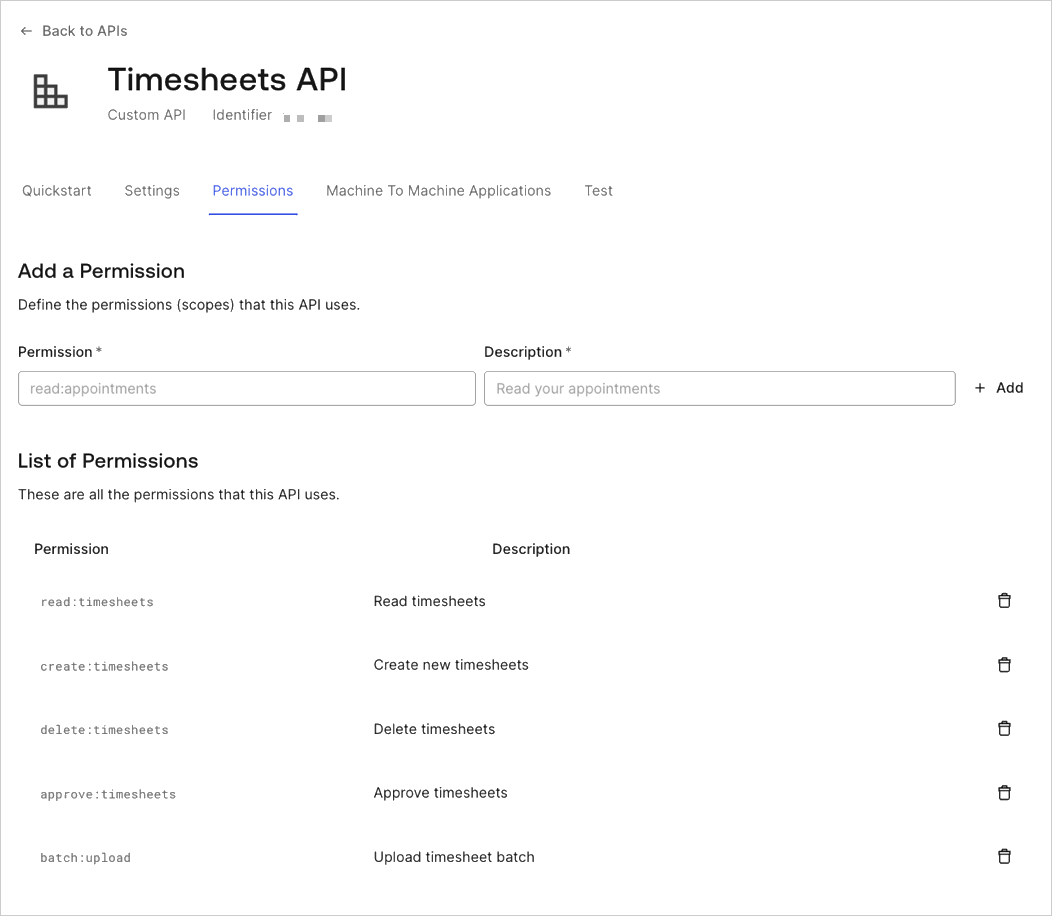
## Create the Application
When creating an API in the Auth0 Dashboard, a test application for the API will automatically be generated. In the Auth0 Dashboard, navigate to the [Application Section](https://manage.auth0.com/#/applications), and you will see the test application for the Timesheets API.
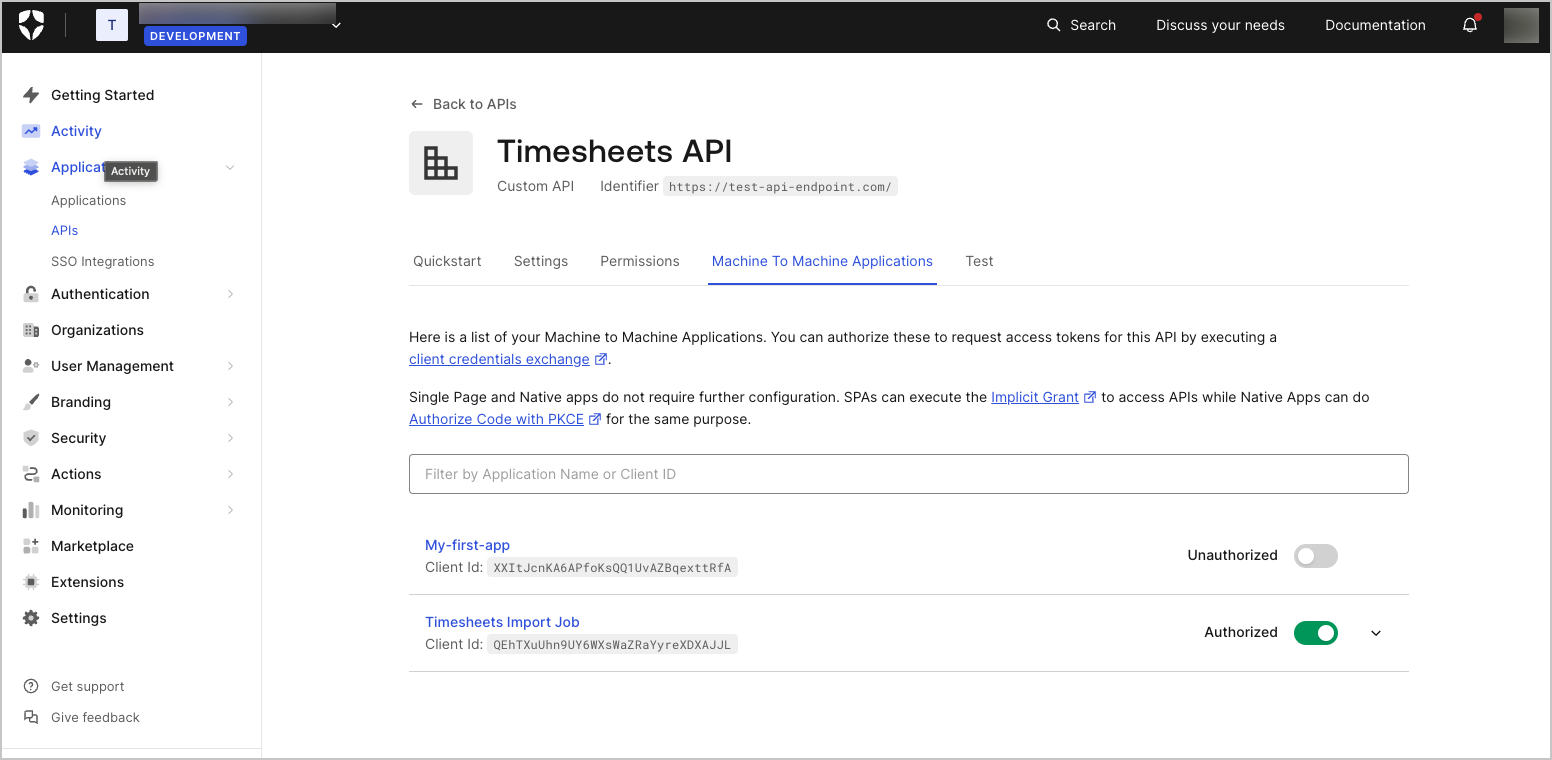
Go to the settings for the application by selecting the menu option at the end. Rename the application to `Timesheets Import Job`.
For the cron job, you will need a Machine-to-Machine Application. The test application that was generated when the API was created was automatically configured as a Machine-to-Machine Application.
## Configure Application's access to the API
Finally, you must allow the application access to the Timesheets API. Go back to the configuration of the API, and select the Machine to Machine Application tab.
You will see the **Timesheets Import Job** application listed, and it should have access to API as can be seen from the switch to the right of the application name which indicates a value of `Authorized`. If it does not indicate that the application is authorized, simply toggle the value of the switch from `Unauthorized` to `Authorized`.
You will also need to specify which scopes will be included in access tokens that are issued to the application when the application authorizes with Auth0.
Expand the settings for the application by clicking on the down arrow to the far right, and you will see the list of available scopes. The cron job will only require the `batch:upload` scope as it will simply create new timesheets based on the timesheet entries in the external system.
Once you have selected the `batch:upload` scope, save the settings by clicking the **Update** button.
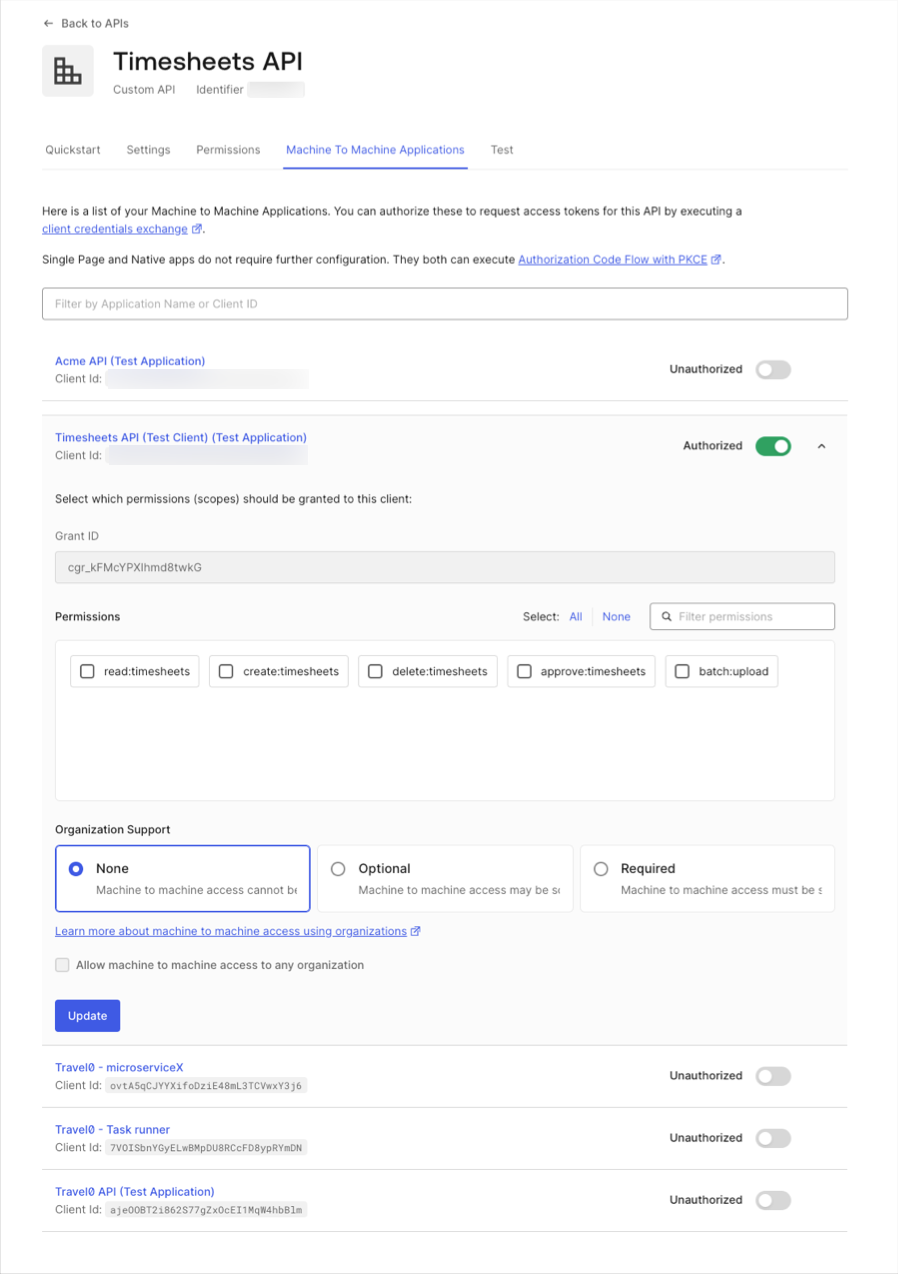
Now that we have designed our solution and discussed the configurations needed on Auth0's side, we can proceed with the implementation.
# Application Implementation (Server Apps + API)
Source: https://auth0.com/docs/get-started/architecture-scenarios/server-application-api/part-3
Application Implementation for the Server + API architecture scenario
In this section of the tutorial, we will take an in-depth look into our API and its associated Machine-to-Machine Application. To start at the beginning, read [Server Applications with API](/docs/get-started/architecture-scenarios/server-application-api).
For simplicity, we will keep our implementation solely focused on authentication and authorization. As you will see in the samples, the input timesheet entry will be hard-coded, and the API will not persist the timesheet entry. Instead, it will simply echo back some of the info.
## Define the API endpoints
An **API endpoint** is a static URI that represents a resource (collection of data).
For example, a restaurant API might have endpoints such as `/orders` and `/customers`. An application that connects to this API can perform CRUD (create, read, update, delete) operations by calling an API endpoint with the associated HTTP method (`POST`, `GET`, `PUT`, `PATCH`, or `DELETE`).
For ExampleCo's Timesheets API, you will need to configure an endpoint to create timesheet entries.
| HTTP method | API endpoint | Description |
| - | - | - |
| `POST` | `/timesheets/upload` | Creates a new timesheet entry |
```json lines theme={null}
{
'user_id': '007',
'date': '2017-05-10T17:40:20.095Z',
'project': 'StoreZero',
'hours': 5
}
```
If the API processes the request successfully, it sends a response with an `HTTP 201 Created` status code and the body containing a JSON object with a message property that describes the newly-created timesheet:
```json lines theme={null}
{
"message": "Created timesheet 14 for employee 007."
}
```
See the implementation in [Node.js](/docs/get-started/architecture-scenarios/server-application-api/api-implementation-nodejs#1-define-the-api-endpoint).
### Secure the API endpoints
To secure your API endpoint(s), you need to implement a middleware function within your API application to handle tokens. This function checks if a token was included with the API request, validates the token, and then confirms if the scope(s) required to perform the requested action are present.
If all criteria are satisfied, the API application responds with the message mentioned previously. If there are any issues with the provided access token (Access Token: Authorization credential, in the form of an opaque string or JWT, used to access an API.) (or it’s not provided at all), the API application sends a response with the `HTTP 401 Unauthorized` status code.
**See the implementation in** [**Node.js**](/docs/get-started/architecture-scenarios/server-application-api/api-implementation-nodejs#2-secure-the-api-endpoint)**.**
#### Get an access token
To get an access token without using our application sample implementation, call the Auth0 Authentication API's [Get Token](/docs/api/authentication#get-token54) endpoint with the following payload:
```json lines theme={null}
{
audience: "{yourApiIdentifier}",
grant_type: "client_credentials",
client_id: "${account.client_id}",
client_secret: "${account.client_secret}"
}
```
## Check the application permissions
Now we have secured our API's endpoint with an access token, but we still haven't ensured that the process calling the API has the rights to post a new timesheet entry.
As discussed earlier, each access token may include a list of the permissions that have been granted to the application. These permissions are defined using the `scope` request parameter. To learn how to configure this, see the [Configure the Scopes](/docs/get-started/architecture-scenarios/server-application-api/part-3#configure-the-scopes) paragraph.
For our endpoint, we will require the scope `batch:upload`.
**See the implementation in** [**Node.js**](/docs/get-started/architecture-scenarios/server-application-api/api-implementation-nodejs#3-check-the-client-permissions)**.**
### Implement the Machine-to-Machine Application
In this section, we will see how we can implement a Machine-to-Machine Application for our scenario.
### Get an access token
We will start by invoking the Auth0 `/oauth/token` API endpoint to get an access token.
To do so, we will need the following configuration values you can find in your [application settings](https://manage.auth0.com/#/applications):
* **Domain**: Auth0 Domain and also your tenant identifier. This value will be a part of the API URL: `https://{yourTenant}/oauth/token`.
* **Audience (Audience: Unique identifier of the audience for an issued token. Named aud in a token, its value contains the ID of either an application (Client ID) for an ID Token or an API (API Identifier) for an Access Token.)**: API identifier.
* **Client ID (Client ID: Identification value given to your registered resource from Auth0.)**: Auth0 Application's Client ID.
* **Client Secret (Client Secret: Secret used by a client (application) to authenticate with the Authorization Server; it should be known to only the client and the Authorization Server and must be sufficiently random to not be guessable.)**: Auth0 application's Client Secret.
Our implementation should perform a `POST` operation to the `https://{yourDomain}/oauth/token` endpoint with a payload in the following format:
```json lines theme={null}
{
"audience": "{yourApiIdentifier}",
"grant_type": "client_credentials",
"client_id": "${account.client_id}",
"client_secret": "${account.client_secret}"
}
```
To learn more, see [Call Your API Using the Client Credentials Flow](/docs/get-started/authentication-and-authorization-flow/client-credentials-flow/call-your-api-using-the-client-credentials-flow).
**See the implementation in** [**Python**](/docs/get-started/architecture-scenarios/server-application-api/cron-implementation-python#get-an-access-token).
## Invoke the API
Now that we have an access token that includes the valid scopes, we can invoke our API.
To do so, we will:
* Build a hard-coded timesheet entry in JSON format.
* Add the access token as an `Authorization` header to our request.
* Make the HTTP `POST` request.
* Parse the response, and print it in the terminal (optional).
**See the implementation in** [**Python**](/docs/get-started/architecture-scenarios/server-application-api/cron-implementation-python#invoke-the-api).
# Conclusion (Server Apps + API)
Source: https://auth0.com/docs/get-started/architecture-scenarios/server-application-api/part-4
Conclusion for the Server + API architecture scenario
In the [Server + API Architecture Scenario](/docs/get-started/architecture-scenarios/server-application-api), we covered a simple, machine-to-machine scenario: an API, used to import timesheet entries in ExampleCo's systems, and a cron job, used by external contractors to send in their timesheets using this API.
We learned about the Client Credentials Grant and access tokens (Access Token: Authorization credential, in the form of an opaque string or JWT, used to access an API.), how to configure an API in Auth0, how to configure a Machine-to-Machine Application to communicate securely with this API, how to define and secure our API endpoints, how to use the provided libraries to validate the access token and how to retrieve a new one from Auth0.
We used Node.js for the API implementation and Python for the non-interactive server process. We hope this examples empowers you to build your own implementation with your preferred technologies.
# Single-Page Applications (SPA) with API
Source: https://auth0.com/docs/get-started/architecture-scenarios/spa-api
Explains the architecture scenario where a single-page application (SPA) talks to an API using OpenID Connect (OIDC), and the OAuth 2.0 Implicit Grant Flow, to authenticate users with Auth0.
In this scenario, we will build a timesheet API for a fictitious company named ExampleCo. The API will allow adding timesheet entries for an employee or a contractor.
We will also be building a single-page application (SPA) which will be used to log timesheet entries and send them to the centralized timesheet database using the API.
> [!NOTE]
>
> ### TL;DR
>
> * Auth0 provides API Authentication and Authorization as a means to secure access to API endpoints (see [API Authentication and Authorization](/docs/get-started/architecture-scenarios/spa-api/part-1#api-authentication-and-authorization))
> * For authorizing a user of a SPA, Auth0 supports the Implicit Grant (see [Implicit Grant](/docs/get-started/architecture-scenarios/spa-api/part-1#implicit-grant))
> * Both the SPA and the API must be configured in the Auth0 Dashboard (see [Auth0 Configuration](/docs/get-started/architecture-scenarios/spa-api/part-2#auth0-configuration))
> * User Permissions can be enforced using the Authorization Extension (see [Configure the Authorization Extension](/docs/get-started/architecture-scenarios/spa-api/part-2#configure-the-authorization-extension))
> * The API will be secured by ensuring that a valid Access Token is passed in the HTTP Authorization header when calls are made to the API (see [Implement the API](/docs/get-started/architecture-scenarios/spa-api/part-3#implement-the-api))
> * The Auth0.js library can be used to authorize the user of the SPA and obtain a valid Access Token which can be used to call the API (see [Authorize the User](/docs/get-started/architecture-scenarios/spa-api/part-3#authorize-the-user))
> * The SPA can pass the Access Token in the HTTP Authorization header when making calls to the API (see [Call the API](/docs/get-started/architecture-scenarios/spa-api/part-3#call-the-api))
> * The SPA can display UI elements conditionally based on scopes granted to user (see [Display UI Elements Conditionally Based on Scope](/docs/get-started/architecture-scenarios/spa-api/part-3#display-ui-elements-conditionally-based-on-scope))
## The Premise
ExampleCo is a consulting startup company. Currently, they have approximately 100 employees and they also outsource several activities to external contractors. All employees and external contractors are required to fill in their timesheets every week.
The company has built a timesheets application, a scenario we covered in [Single Sign-On for Regular Web Apps](/docs/get-started/architecture-scenarios/sso-for-regular-web-apps). The internal employees use this web app to fill in their timesheets but the company wants to replace it with a SPA. The app will be used to log timesheet entries and send the data to the centralized timesheet database using the API. The app will also allow managers to approve timesheet entries.
## Goals & Requirements
ExampleCo wants to build a flexible solution. At the moment only a SPA is required to capture timesheet entries but in the future, the company plans on launching more applications, like a mobile app to accommodate their sales teams. Hence the company has decided to develop a single Timesheets API which will be used to log time not only by this server process but by all future applications as well. They want to put in place a security architecture that is flexible enough to accommodate this. ExampleCo wants to ensure that a large part of the code and business logic for the application can be shared across the different applications.
It is required that only authorized users and applications are allowed access to the Timesheets API.
Two kinds of users will use this SPA: employees and managers. The employees should be able to read, create and delete their own timesheet entries, while the managers should be able to approve timesheets as well.
## Learn more
* [Solution Overview (SPAs + API)](/docs/get-started/architecture-scenarios/spa-api/part-1)
* [Auth0 Configuration (SPAs + API)](/docs/get-started/architecture-scenarios/spa-api/part-2)
* [API and SPA Configuration (SPAs + API)](/docs/get-started/architecture-scenarios/spa-api/part-3)
* [Node.js API Implementation (SPAs + API)](/docs/get-started/architecture-scenarios/spa-api/api-implementation-nodejs)
* [SPA Angular 2 Implementation (SPAs + API)](/docs/get-started/architecture-scenarios/spa-api/spa-implementation-angular2)
* [Conclusion (SPAs + API)](/docs/get-started/architecture-scenarios/spa-api/part-4)
# Solution Overview (SPAs + API)
Source: https://auth0.com/docs/get-started/architecture-scenarios/spa-api/part-1
Solution overview for the SPA + API architecture scenario
In order to ensure that only authorized users and applications are allowed access to the Timesheets API, ExampleCo has decided to make use of the [OAuth 2.0 authorization framework](https://tools.ietf.org/html/rfc6749). The framework provides the flexibility the company wants since the different grants can allow them to easily authorize the various types of applications which need to communicate with the Timesheets API.
## API Authentication and Authorization
An API is a way to expose functionality of your application to other applications. An application can make a request by sending a message to an endpoint on an API and receive information as a response.
An API endpoint can be secured or not. In our case, since the timesheets are sensitive information that affect reviews and payments, it is important to ensure that only authorized users and applications can call the endpoints on our API. When a client application wants to access protected endpoints on an API, it needs to present an Access Token (Access Token: Authorization credential, in the form of an opaque string or JWT, used to access an API.) as proof that it has the required permissions for making the call to the endpoint.
An Access Token is obtained by authenticating the user with an Authorization Server (Authorization Server: Centralized server that contributes to defining the boundaries of a user’s access. For example, your authorization server can control the data, tasks, and features available to a user.) and the user can then, in turn, authorize the application to access the API on their behalf.
> **What is an Access Token?**
>
> An Access Token (also referred to as `access_token`) is an opaque string representing an authorization issued to the application. It may denote an identifier used to retrieve the authorization information or may self-contain the authorization information (for example, the user's identity, permissions, and so forth) in a verifiable manner.
>
> It is quite common for Access Tokens to be implemented as [JSON Web Tokens](/docs/secure/tokens/json-web-tokens).
>
> For more information on Auth0 Access Tokens refer to [Access Token](/docs/secure/tokens/access-tokens).
An API can enforce fine-grained control over who can access the various endpoints exposed by the API. These permissions are expressed as scopes.
When a user authorizes a client application, the application can also indicate which permissions it requires. The user is then allowed to review and grant these permissions. These permissions are then included in the Access Token as part of the `scope` claim.
Subsequently, when the client passes along the Access Token when making requests to the API, the API can inspect the `scope` claim to ensure that the required permissions were granted in order to call the particular API endpoint.
> **What are Scopes?**
>
> Each Access Token may include a list of the permissions that have been granted to the client. When a client authenticates with Auth0, it will specify the list of scopes (or permissions) it is requesting. If those scopes are authorized, then the Access Token will contain a list of authorized scopes.
>
> For example, the timesheet API may accept four different levels of authorization: reading timesheets (scope `read:timesheets`), creating timesheets (scope `create:timesheets`), deleting timesheets (scope `delete:timesheets`) and approving timesheets (scope `approve:timesheets`).
>
> When a client asks the API to create a new timesheet entry, then the Access Token should contain the `create:timesheets` scope. In a similar fashion, in order to delete existing timesheets, the Access Token should contain the `delete:timesheets` scope.
>
> For more information on scopes refer to [Scopes](/docs/get-started/apis/scopes).
By using the OAuth 2.0 (OAuth 2.0: Authorization framework that defines authorization protocols and workflows.) authorization framework, you can give your own applications or third-party applications limited access to your APIs on behalf of the application itself. Using Auth0, you can easily support different flows in your own APIs without worrying about the OAuth 2.0/OpenID (OpenID: Open standard for authentication that allows applications to verify users' identities without collecting and storing login information.) Connect (OIDC) specification, or the many other technical aspects of API authorization.
> **OAuth roles**
>
> In any OAuth 2.0 flow we can identify the following roles:
>
> * **Resource Owner**: the entity that can grant access to a protected resource. Typically this is the end-user.
> * **Resource Server**: the server hosting the protected resources. This is the API you want to access.
> * **Client**: an application requesting access to a protected resource on behalf of the Resource Owner.
> * **Authorization Server**: the server that authenticates the Resource Owner, and issues Access Tokens after getting proper authorization. In this case, Auth0's Authentication API.
>
> [Grants types (or flows)](/docs/get-started/authentication-and-authorization-flow/which-oauth-2-0-flow-should-i-use) determine how these participants interact to grant to the applications limited access to the APIs you are building. As a result, the app will obtain an access token that can be used to call the API on behalf of the user.
## Implicit Grant
OAuth 2.0 provides several **grant types** for different use cases. In this particular use case, we want to access the API from a [client-side app](/docs/quickstart/spa).
The SPA will use the [Implicit Flow (Implicit Grant)](/docs/get-started/authentication-and-authorization-flow/implicit-flow-with-form-post) to do so.
The Implicit Grant (defined in [RFC 6749, section 4.1](https://tools.ietf.org/html/rfc6749#section-4.2)) is similar to the grant used in the [Authorization Code Flow](/docs/get-started/authentication-and-authorization-flow/authorization-code-flow), but the main difference is that the application receives an Access Token directly, without the need for an `authorization_code`. This happens because the application, which is typically a JavaScript app running within a browser, is less trusted than a web app running on the server, hence cannot be trusted with the `client_secret` (which is required in the Authorization Code Grant).
Once the user authenticates, the application receives the ID Token (ID Token: Credential meant for the client itself, rather than for accessing a resource.) and Access Token in the hash fragment of the URI. The application can now use the ID Token to obtain information about the user, and Access Token to call the API on behalf of the user.
1. The app initiates the flow and redirects the browser to Auth0 (specifically to the [/authorize endpoint](/docs/api/authentication#implicit-grant)), so the user can authenticate.
2. Auth0 authenticates the user. The first time the user goes through this flow, and if the application is a third party application, a consent page will be shown where the permissions, that will be given to the Client, are listed (for example, post messages, list contacts, and so forth).
3. Auth0 redirects the user to the app with an Access Token (and optionally an ID Token) in the hash fragment of the URI. The app can now extract the tokens from the hash fragment.
4. The app can use the Access Token to call the API on behalf of the user.
## Authorization Extension
The [Auth0 Authorization Extension](/docs/customize/extensions/authorization-extension) allows you to configure Roles, Groups, and Permissions, and assign them to Users.
* The Permissions are actions that someone can do. For ExampleCo's business needs, we will configure four Permissions: read, create, delete and approve timesheets.
* The Roles are collections of Permissions. ExampleCo's timesheets app will be used by two kinds of users (employees and managers), with different permissions each, so we will configure two Roles: employee and manager.
Since this covers our business case we will not create any Groups.
The Authorization Extension will create a [Rule](/docs/customize/rules) which will read the Roles, Groups, and Permissions assigned to a user and add this information to the [User profile](/docs/customize/rules#rule-syntax) during the authentication flow. We can use this information to ensure that the Access Token issued to a user only contains scopes which are allowed. We can later on proceed to customize our app, like disabling the Approve Timesheets functionality if the user does not have the required permission to do so.
# Regular Web Applications with Single Sign-On
Source: https://auth0.com/docs/get-started/architecture-scenarios/sso-for-regular-web-apps
Regular web app scenario which needs to authenticate users using OpenID Connect (OIDC) single sign-on.
In this scenario, we will build a web application for a fictitious company named ExampleCo. The app is meant to be used by ExampleCo's employees and contractors. Employees will use their existing corporate directory (Active Directory), while contractors will be managed in a separate user store.
> [!NOTE]
>
> ### TL;DR
>
> * Auth0 supports open standards such as OAuth 2.0 and OpenID Connect (OIDC) (OpenID: Open standard for authentication that allows applications to verify users' identities without collecting and storing login information.) for authentication and authorization (see [Which protocol to use](/docs/get-started/architecture-scenarios/sso-for-regular-web-apps/part-1#which-protocol-to-use))
> * OIDC supports several different authorization flows - the most appropriate one for Web Applications being the Authorization Code Flow (see [Authentication Flow](/docs/get-started/architecture-scenarios/sso-for-regular-web-apps/part-1#authentication-flow))
> * Your application will be configured in Auth0 as an application (see [Application](/docs/get-started/architecture-scenarios/sso-for-regular-web-apps/part-2#application))
> * Identity Providers will be configured in Auth0 as a Connection (see [Connections](/docs/get-started/architecture-scenarios/sso-for-regular-web-apps/part-2#connections))
> * Auth0 provides a Lock widget, which allow users to log in to the application (see [User Login](/docs/get-started/architecture-scenarios/sso-for-regular-web-apps/part-3#user-login))
> * The web application needs to manage session state to keep track of the fact that the user is logged in. Along with this, Auth0 and the Identity Provider is also managing session information. (see [Session Management](/docs/get-started/architecture-scenarios/sso-for-regular-web-apps/part-3#session-management))
> * Conversely, logging a user out also involves three layers of session management (see [User Logout](/docs/get-started/architecture-scenarios/sso-for-regular-web-apps/part-3#user-logout))
> * Access Control can be managed with the Auth0 Authorization Extension (see [Access Control](/docs/get-started/architecture-scenarios/sso-for-regular-web-apps/part-3#access-control))
By Regular Web App, we mean an app that uses primarily server side, page `GET`, `POST`, and cookies for maintaining state. This is contrast with a Web SPA (Single-Page App), that heavily relies on client side JavaScript code calling an API.
## The Premise
ExampleCo is a consulting startup company. Currently they have approximately 100 employees and they also outsource several activities to external contractors. Most of the employees work from the company's main office, but there are some teams that work remotely. Additionally, some employees frequently travel to customer locations and work from mobile devices.
All employees and external contractors are required to fill in their timesheets every week using spreadsheets. The current system is inefficient and the company decided that they need to move to a better and more automated solution.
The company evaluated several of the available timesheets application and concluded that it would be more cost-effective to build their own in-house solution, since they are looking for a very simple application at the moment. The app will be built using ASP.NET Core, since their developers are already using this technology and they can have the app ready in a week or so.
### Goals & Requirements
ExampleCo wants to launch the new solution quickly so they chose to start simple and build into it as they gather feedback from their employees.
The application should be available to logged in users only. Each user will have a role, and based on this role, they should be able to perform certain actions and view specific data.
> [!NOTE]
>
> ### Authentication vs Authorization
>
> ExampleCo wants to **authenticate** and **authorize** each user. Authentication has to do with identity: verifying that the user is indeed who they claim to be. Authorization is about deciding which resources a user should have access to, and what they should be allowed to do with those resources.
ExampleCo's timesheets app needs to support two roles: User and Admin:
* Someone with the User role can add timesheet entries, by specifying the date, the application and the hours worked. The Admin role also has this same right.
* Those with the User role should have access only to their own timesheets entries.
* Someone with the Admin role can additionally:
* Approve or reject timesheet entries of other users.
* Edit the application drop-down list of values (add, edit, delete).
Each user will be required to fill in their timesheets by the end of the week. They can either choose to register daily their timesheets or add the entries for the whole week together. The timesheets will have to be reviewed and approved by an Admin. The rejected entries will have to be updated by each employee and re-submitted for approval.
The company uses Active Directory for all employees and employees will sign into the Timesheet application using their Active Directory credentials. The external contractors can sign in with a username and password. Contractors are not on ExampleCo's corporate directory.
ExampleCo wants to minimize user login burden, but wants to maintain a level of security depending on the operation: submitting timesheet entries is lower risk than approving them. However the approved timesheets are used for customer charging so security is definitely a requirement. The authentication strategy should be flexible so it can adapt as the company grows. For example, they should easily be able to add additional authentication requirements, like multi-factor authentication (Multi-factor authentication (MFA): User authentication process that uses a factor in addition to username and password such as a code via SMS.), for Admins.
The solution should be available both to the employees with a physical presence in the company office, as well as to those working remotely, without the overhead of a VPN connection, hence the app should be deployed on a cloud provider like Heroku or Microsoft Azure.
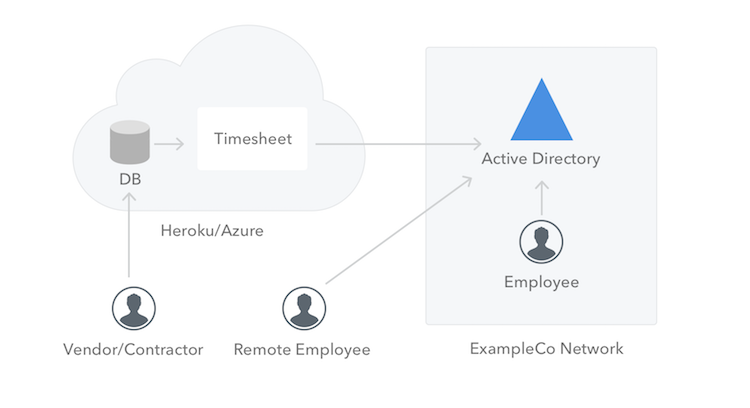
## Learn more
* [Solution Overview (Web Apps + SSO)](/docs/get-started/architecture-scenarios/sso-for-regular-web-apps/part-1)
* [Auth0 Configuration (Web Apps + SSO)](/docs/get-started/architecture-scenarios/sso-for-regular-web-apps/part-2)
* [Application Implementation (Web Apps + SSO)](/docs/get-started/architecture-scenarios/sso-for-regular-web-apps/part-3)
* [ASP.NET Core Implementation (Web Apps + SSO)](/docs/get-started/architecture-scenarios/sso-for-regular-web-apps/implementation-aspnetcore)
* [Conclusion (Web Apps + SSO)](/docs/get-started/architecture-scenarios/sso-for-regular-web-apps/part-4)
# ASP.NET Core Implementation (Web Apps + SSO)
Source: https://auth0.com/docs/get-started/architecture-scenarios/sso-for-regular-web-apps/implementation-aspnetcore
The ASP.NET Core implementation for the Single Sign-on (SSO) for Regular Web Apps architecture scenario
Full source code for the ASP.NET Core implementation can be found in [this GitHub repository](https://github.com/auth0-samples/auth0-pnp-webapp-oidc).
## Configure the Cookie and OIDC Middleware
For the purposes this guide we will be using a simple hosted login. You can use the standard cookie and OIDC middleware which is available with ASP.NET Core, so ensure that you install the NuGet packages.
```bash lines theme={null}
Install-Package Microsoft.AspNetCore.Authentication.Cookies
Install-Package Microsoft.AspNetCore.Authentication.OpenIdConnect
```
Then configure the cookie and OIDC middleware inside your application's middleware pipeline.
As you can see in the code above, we have configured two different types of authentication middleware.
The first is the cookie middleware which was registered with the call to `UseCookieAuthentication`. The second is the OIDC middleware which is done with the call to `UseOpenIdConnectAuthentication`.
Once the user has signed in to Auth0 using the OIDC middleware, their information will automatically be stored inside a session cookie (Session Cookie: Entity that, when present, allows the user to be considered authenticated.). All you need to do is to configure the middleware as above and it will take care of managing the user session.
The OpenID (OpenID: Open standard for authentication that allows applications to verify users' identities without collecting and storing login information.) Connect (OIDC) middleware will also extract all the claims from the ID Token (OpenID: Open standard for authentication that allows applications to verify users' identities without collecting and storing login information.), which is sent from Auth0 once the user has authenticated, and add them as claims on the `ClaimsIdentity`.
## Implement the Logout
You can control both the application session and the Auth0 session using the `SignOutAsync` method of the `AuthenticationManager` class, and passing along the authentication scheme from which you want to sign out.
As an example to sign out of the cookie middleware, and thereby clearing the authentication cookie for your application, you can make the following call:
```csharp wrap lines theme={null}
await HttpContext.Authentication.SignOutAsync(CookieAuthenticationDefaults.AuthenticationScheme);
```
Similarly you can log the user out from Auth0 by making a call to the `SignOutAsync` method and passing along `Auth0` as the authentication scheme to sign out of.
```csharp lines theme={null}
await HttpContext.Authentication.SignOutAsync("Auth0");
```
For the above to work you will however also need to add extra configuration when registering the OIDC middleware by handling the `OnRedirectToIdentityProviderForSignOut` event. Inside the event you will need to redirect to the [Auth0 logout endpoint](/docs/api/authentication/logout/auth-0-logout) which will clear the Auth0 cookie.
```csharp lines theme={null}
app.UseOpenIdConnectAuthentication(new OpenIdConnectOptions("Auth0")
{
// Some code omitted for brevity
Events = new OpenIdConnectEvents
{
OnRedirectToIdentityProviderForSignOut = context =>
{
context.Response.Redirect($"https://{auth0Settings.Value.Domain}/v2/logout?client_id={auth0Settings.Value.ClientId}&returnTo={context.Request.Scheme}://{context.Request.Host}/");
context.HandleResponse();
return Task.FromResult(0);
}
}
});
```
You will also need to ensure that you add your application's URL to the **Allowed Logout URLs** for your application inside the Auth0 dashboard (Auth0 Dashboard: Auth0's main product to configure your services.). For more information refer to [Logout](/docs/authenticate/login/logout).
## Implement Admin permissions
The easiest way to integrate the groups into an ASP.NET Core application is to use the built-in [Role-based Authorization](https://docs.asp.net/en/latest/security/authorization/roles.html) available in ASP.NET Core. In order to achieve this we will need to add a Claim of type
```http lines theme={null}
http://schemas.microsoft.com/ws/2008/06/identity/claims/role
```
for each of the groups a user is assigned to.
Once the claims has been added we can easily ensure that a specific action is available only to `Admin` users by decorating the claim with the `[Authorize(Roles = "Admin")]` attribute. You can also check whether a user is in a specific role from code by making a call to `User.IsInRole("Admin")` from inside your controller.
The ASP.NET OIDC middleware will automatically add all claims returned in the JWT (JSON Web Token (JWT): Standard ID Token format (and often Access Token format) used to represent claims securely between two parties.) as claims to the `ClaimsIdentity`. We would therefore need to extract the information from the `authorization` claim, deserialize the JSON body of the claim, and for each of the groups add a `http://schemas.microsoft.com/ws/2008/06/identity/claims/role` claim to the `ClaimsIdentity`.
```csharp lines expandable theme={null}
app.UseOpenIdConnectAuthentication(new OpenIdConnectOptions("Auth0")
{
// Some configuration omitted for brevity
Events = new OpenIdConnectEvents
{
OnTicketReceived = context =>
{
var options = context.Options as OpenIdConnectOptions;
// Get the ClaimsIdentity
var identity = context.Principal.Identity as ClaimsIdentity;
if (identity != null)
{
// Add the groups as roles
var authzClaim = context.Principal.FindFirst(c => c.Type == "authorization");
if (authzClaim != null)
{
var authorization = JsonConvert.DeserializeObject(authzClaim.Value);
if (authorization != null)
{
foreach (var group in authorization.Groups)
{
identity.AddClaim(new Claim(ClaimTypes.Role, group, ClaimValueTypes.String, options.Authority));
}
}
}
}
return Task.FromResult(0);
}
}
});
```
And subsequently we can add an action which allows Administrators to approve timesheets:
```csharp lines theme={null}
[Authorize(Roles = "Admin")]
public IActionResult TimesheetApproval()
{
return View();
}
```
# Solution Overview (Web Apps + SSO)
Source: https://auth0.com/docs/get-started/architecture-scenarios/sso-for-regular-web-apps/part-1
Regular web app scenario solution overview.
In this section, we'll cover the solution we're implementing, including details on identity management, protocols to use, and the authentication flow required.
## Identity Management
ExampleCo decided to use Auth0 as their Identity as a Service (IDaaS) provider. The reasoning behind this decision was that the company did not want to commit resources on training, implementation and maintenance of identity and access management. Furthermore, the company plans on building into this solution in the future, possibly adding a mobile native app and an API to push approved timesheets to their internal systems. Auth0 provides the flexibility to incorporate such changes in their architecture with minimum effort.
Identity-as-Service ("IDaaS") is a cloud-based service for identity and access management. The offered services often include Single Sign-on (SSO), federated identity, password management, and more.
## Which protocol to use
The next decision has to do with which protocol to use, OAuth 2.0 (OAuth 2.0: Authorization framework that defines authorization protocols and workflows.) with OpenID (OAuth 2.0: Authorization framework that defines authorization protocols and workflows.) Connect (OIDC) or SAML (Security Assertion Markup Language (SAML): Standardized protocol allowing two parties to exchange authentication information without a password.).
Auth0 implements proven, common and popular identity protocols, both for consumer oriented web products (OAuth 2.0, OAuth 1.0, OpenID) and for enterprise deployments (SAML, WS-Federation, LDAP). You have complete freedom to use the one that best meets your business needs.
**OpenID Connect** is an authentication protocol, based on the OAuth 2.0 family of specifications. It uses simple JSON identity tokens (ID Token: Credential meant for the client itself, rather than for accessing a resource.) (JWT (ID Token: Credential meant for the client itself, rather than for accessing a resource.)) delivered via the OAuth 2.0 protocol.
> [!NOTE]
>
> ### OAuth vs OpenID Connect (OIDC)
>
> OAuth 2.0 and OpenID Connect (OIDC) are often mistaken for the same thing, but this is not exact.
> **OAuth 2.0** is a protocol that lets you authorize one website (the consumer or application) to access your data from another website (the resource server or provider). For example, you want to authorize a website to access some files from your Dropbox account. The website will redirect you to Dropbox which will ask you whether it should provide access to your files. If you agree the website will be authorized to access your files from Dropbox. At the core, OAuth 2.0 is about resource access and sharing.
> **OpenID Connect**, on the other hand, is a simple identity layer built on top of the OAuth 2.0 protocol. It gives you one login for multiple sites. Each time you need to log in to a website using OIDC, you are redirected to your OpenID site where you login, and then taken back to the website. At the core, OIDC is concerned with user authentication.
**SAML** is an XML-based protocol, that provides both authentication and authorization between trusted parties.
Compared to SAML, OpenID Connect is lighter weight and simpler to deal with. SAML is proven, powerful and flexible, but for the requirements of this app, that flexibility and power is not required. Identity federation (one of the most compelling reasons for adopting SAML) is not required here either, And if it ever became a requirement, it can be easily handled by Auth0, in the same way it deals with AD (that uses LDAP).
For these reasons, ExampleCo will use OpenID Connect for their implementation.
## Authentication Flow
OpenID Connect supports more than one flow for authentication. Since our scenario involves a regular web app we will use the Authorization Code Flow.
The flow goes as follows:
1. The web app (called the Client in OIDC terms) initiates the authentication request by redirecting the user-agent (browser) to Auth0 (the Authorization Server in OIDC terms).
2. Auth0 authenticates the user (via the user-agent). The first time the user goes through this flow a consent page will be shown where the permissions that will be given to the Application are listed (for example, post messages, list contacts). The user logs in to the service (unless they are already logged in) and authorizes the application access.
3. Assuming the user grants access, Auth0 redirects the user-agent back to the Application, along with an authorization code in the query string.
4. The Application sends the authorization code to Auth0, along with the application credentials (client\_id and client\_secret), and asks for a token.
5. Auth0 authenticates the Application (using the client\_id and client\_secret) and validates the authorization code. If valid, Auth0 responds back with an ID Token.
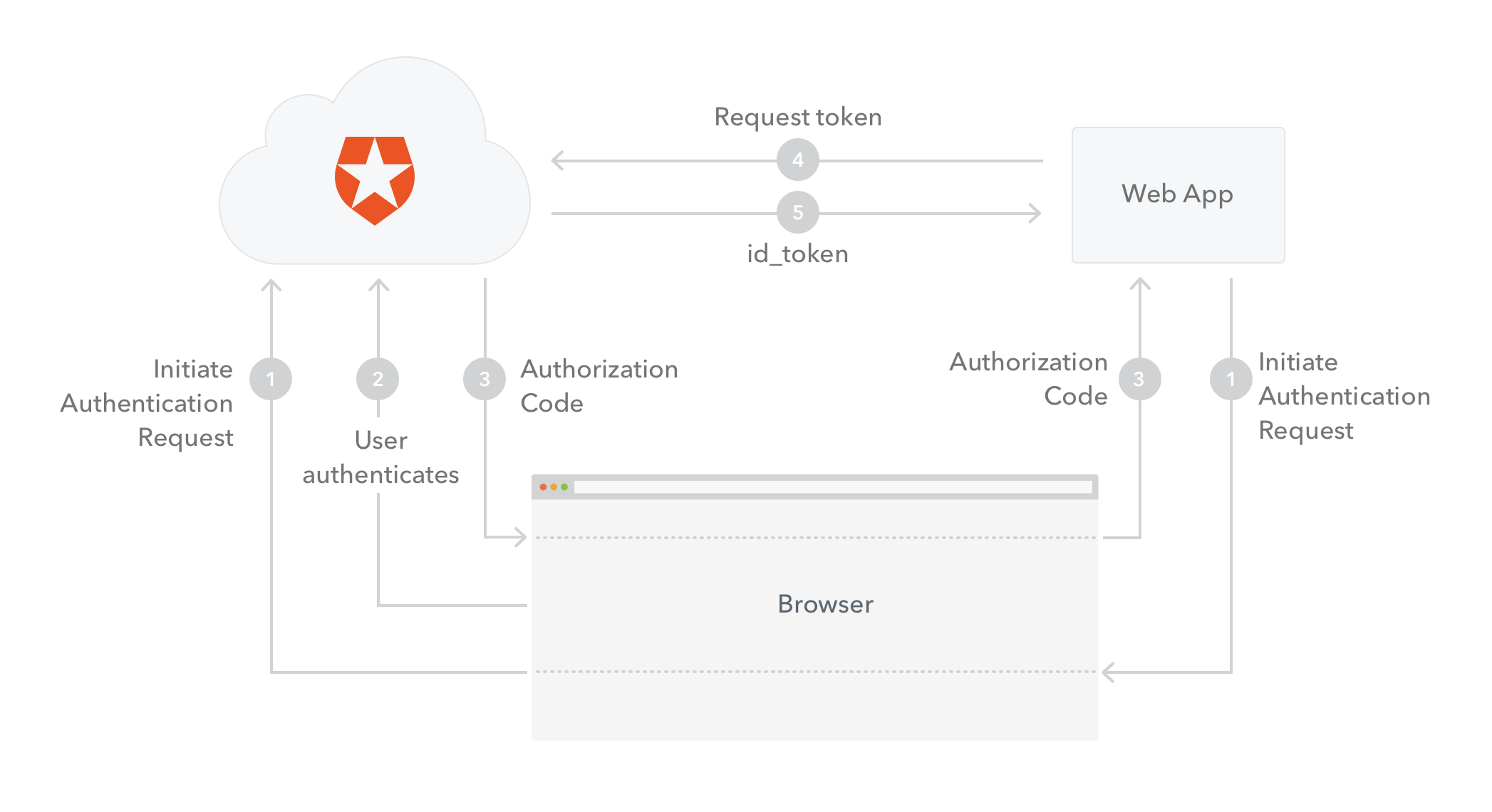
> [!NOTE]
>
> ### Form Post Response Mode
>
> Another option is to use the **OAuth 2.0 Form Post Response Mode** with `response_type=id_token&response_mode=form_post`. Due to the `response_type=id_token` request parameter, the response contains the ID Token directly, instead of the authorization code, while the `response_mode=form_post` encodes the ID Token with the rest of the Authorization Response parameters as HTML form values that are auto-submitted in the User Agent. This way you can have an optimized authentication flow (no need to exchange the code for an ID Token), however you have to make sure that it is supported by the technology you are using to implement your app (ASP .NET Core middleware does support it). For more details refer to the [OAuth 2.0 Form Post Response Mode specification](https://openid.net/specs/oauth-v2-form-post-response-mode-1_0.html).
The **ID Token** (usually referred to as `id_token` in code samples) is a **JSON Web Token (JWT)** that contains identity data. It is consumed by the application and used to get user information like the user's name, email, and so forth, typically used for UI display.
> [!NOTE]
>
> ### More on tokens
>
> Tokens are alphanumeric strings used in token-based authentication. They allow users to authenticate with a username and password once and get a token in return which they can use from that point on. They have a limited lifetime duration.
>
> **JSON Web Tokens (JWTs)** are tokens that conform to the [JSON Web Token Standard](https://tools.ietf.org/html/rfc7519) and contain information about an identity in the form of claims. They are self-contained in that it is not necessary for the recipient to call a server to validate the token. JWTs can be signed using a secret (with the **HMAC** algorithm) or a public/private key pair using **RSA**. You can find more information on JWT [here](/docs/secure/tokens/json-web-tokens).
>
> The ID Token, which is a JWT, conforms to an industry standard (IETF [RFC 7519](https://tools.ietf.org/html/rfc7519)) and contains three parts: A header, a body and a signature.
>
> * The header contains the type of token and the hash algorithm used on the contents of the token.
> * The body, also called the payload, contains identity claims about a user. There are some claims with registered names, for things like the issuer of the token, the subject of the token (who the claims are about), and the time of issuance. Any number of additional claims with other names can be added, though care must be taken to keep the JWT within the browser size limitations for URLs.
> * The signature is used by the recipient of a JWT to validate the integrity of the information conveyed in the JWT.
### How to validate an ID Token
The validation of an ID Token requires several steps:
1. If the ID Token is encrypted, decrypt it using the keys and algorithms that the Application specified.
2. The Issuer Identifier for the OpenID Provider must match the value of the `iss` (issuer) claim.
3. The `aud` (audience) claim should contain the Application's `client_id` value. The ID Token must be rejected if the ID Token does not list the Application as a valid audience, or if it contains additional audiences not trusted by the Application.
4. If the ID Token contains multiple audiences, the Application should verify that an `azp` claim is present.
5. If an `azp` (authorized party) claim is present, the Application should verify that its `client_id` is the claim value.
6. The Application must validate the signature of ID Tokens according to JWS using the algorithm specified in the JWT `alg` header parameter. The Application must use the keys provided by the Issuer.
7. The `alg` value should be the default of `RS256` or the algorithm sent by the Application in the `id_token_signed_response_alg` parameter during registration.
8. If the JWT `alg` header parameter uses a MAC based algorithm such as `HS256`, `HS384`, or `HS512`, the octets of the UTF-8 representation of the `client_secret` corresponding to the `client_id` contained in the `aud` (audience) claim are used as the key to validate the signature. For MAC based algorithms, the behavior is unspecified if the `aud` is multi-valued or if an `azp` value is present that is different than the `aud` value.
9. The current time must be before the time represented by the `exp` claim.
10. The `iat` claim can be used to reject tokens that were issued too far away from the current time, limiting the amount of time that nonces need to be stored to prevent attacks. The acceptable range is Application specific.
11. If a `nonce` value was sent in the Authentication Request, a `nonce` claim must be present and its value checked to verify that it is the same value as the one that was sent in the Authentication Request. The Application should check the `nonce` value for replay attacks. The precise method for detecting replay attacks is Application specific.
12. If the `acr` claim was requested, the Application should check that the asserted claim value is appropriate.
13. If the `auth_time` claim was requested, either through a specific request for this claim or by using the `max_age` parameter, the Application should check the `auth_time` claim value and request re-authentication if it determines too much time has elapsed since the last End-User authentication.
If you store ID Tokens on your server, you must do so securely.
# Auth0 Configuration (Web Apps + SSO)
Source: https://auth0.com/docs/get-started/architecture-scenarios/sso-for-regular-web-apps/part-2
Regular web app scenario configuration for Auth0
In this section, we will review all the configurations we need to apply using the [Auth0 Dashboard](https://manage.auth0.com/#).
## Application
The Auth0 configuration part starts with registering the timesheets app at the Auth0 dashboard (Auth0 Dashboard: Auth0's main product to configure your services.) as an **application**. An application is making protected resource requests on behalf of the resource owner (Resource Owner: Entity (such as a user or application) capable of granting access to a protected resource.) (end-user).
The term "application" does not imply any particular implementation characteristics. An application can be a web app, a mobile app or an SPA. In the case of ExampleCo it is a ASP.NET Core web app.
The main characteristics of an application in Auth0 are:
* **Name**: The canonical name of the application. This is used to identify the application at the portal, emails, logs, and more.
* **Client ID (Client ID: Identification value given to your registered resource from Auth0.)** (read-only): The unique identifier for the application. This is the ID used in the application when setting up authentication with Auth0. It is an auto-generated alphanumeric string.
* **Client secret (Client Secret: Secret used by a client (application) to authenticate with the Authorization Server; it should be known to only the client and the Authorization Server and must be sufficiently random to not be guessable.)** (read-only): A string used to sign and validate tokens which will be used in the different authentication flows. It is auto-generated and it must be kept confidential.
* **Domain**: The domain name assigned to the Auth0 account. The format of the domain is `{account-name}.auth0.com` or `{account-name}.{location}.auth0.com`, for example `ExampleCo.auth0.com`.
* **Callback URL**: The URL where the user is redirected after they authenticate.
### Create an Application
ExampleCo's scenario involves only one application: the timesheets web app. Hence we have to configure one Application at Auth0 side.
To register a database connection, go to the [Dashboard](https://manage.auth0.com/#) and in the side navigation select [Applications](https://manage.auth0.com/#/applications).
Click on the button **+ Create Application**. You will be prompted for the name and the type of the application. We will name our application `Timesheet-App` and select `Regular Web Applications` as the application type.
When you click **Create** you will be navigated to the [Quick Start view](https://manage.auth0.com/#/applications/\{yourClientId}/quickstart). Here you can pick the technology you plan on using to build your app and the relevant how-to quickstart will be displayed.
The other available views are:
* [Settings](https://manage.auth0.com/#/applications/\{yourClientId}/settings)
* [Addons](https://manage.auth0.com/#/applications/\{yourClientId}/addons)
* [Connections](https://manage.auth0.com/#/applications/\{yourClientId}/connections)
### Configure Callback URLs
The **Allowed Callback URLs** field contains the URL(s) where Auth0 will redirect to after the user has authenticated in order for the OpenID (OpenID: Open standard for authentication that allows applications to verify users' identities without collecting and storing login information.) Connect (OIDC) to complete the authentication process. You can specify multiple valid URLs by comma-separating them. You can use the star symbol as a wildcard for subdomains, for example `*.google.com`. Make sure to specify the protocol, `http://` or `https://`, otherwise the callback may fail in some cases.
The Callback URL for our sample project is `http://localhost:5000/signin-auth0`. Go ahead and set this value to the **Allowed Callback URLs** field if you plan on using our sample, otherwise add the URL you chose to deploy your application to.
## Connections
The next step is to configure the identity providers (Identity Provider (IdP): Service that stores and manages digital identities.) that will be used for authentication at the web app. Each identity provides maps to a **connection** in Auth0. Each application needs at least one connection, and each connection can be used for more than one application.
ExampleCo needs to configure two connections: one Active Directory connection for the internal employees, and one Database connection for external parties.
> [!NOTE]
>
> ### Supported identity providers
>
> Auth0 supports a vast variety of protocols and identity providers:
>
> * Social: Allow your users to log in using Google, Facebook, LinkedIn, Github, and many more.
> * Enterprise: Allow your users to log in using Active Directory, ADFS, LDAP, SAML-P (Security Assertion Markup Language (SAML): Standardized protocol allowing two parties to exchange authentication information without a password.), and many more.
> * Database connections: Create your own user store by configuring a new database connection, and authenticate your users using email/username and password. The credentials can be securely stored either in the Auth0 user store, or in your own database.
> * Passwordless (Passwordless: Form of authentication that does not rely on a password as the first factor.) authentication: Allow your users to login without the need to remember a password and use an authentication channel like SMS or email.
### Create a database connection
To register a database connection, follow the steps below:
1. On the [Dashboard](https://manage.auth0.com/#), navigate to **Authentication > Database**.
2. Select **+ Create DB Connection**. On the prompt, enter a name for the connection and configure additional requirements as needed.
3. Review the prompt for accuracy, then select **Create**.
After you create the database connection, you must enable your applications for the connection. An application must be enabled for the connection in order for users to access that application using the connection. To enable your applications, navigate to the Applications tab of the new connection and enable the toggle for each application that requires use of the connection.
For more information on database connections refer to [Database Identity Providers](/docs/authenticate/database-connections).
### Create an Active Directory / LDAP Connection
Next, configure your Active Directory / LDAP connection. On the [Auth0 Dashboard](https://manage.auth0.com/#), navigate to **Authentication > Enterprise**.
There you need to create the AD / LDAP connection and install the AD Connector. You can find details in these documents:
* [How to connect your Active Directory with Auth0](/docs/authenticate/identity-providers/enterprise-identity-providers/active-directory-ldap)
* [How to install the Active Directory/LDAP Connector](/docs/authenticate/identity-providers/enterprise-identity-providers/active-directory-ldap/ad-ldap-connector)
The AD/LDAP Connector, is a bridge between your Active Directory and the Auth0 Service. This bridge is necessary because AD is typically locked down to your internal network, and Auth0 is a cloud service running on a completely different context. [More information](/docs/authenticate/identity-providers/enterprise-identity-providers/active-directory-ldap/ad-ldap-connector)
Once you have configured the connection and the connector, be sure to enable your application to use this AD / LDAP connection:
> [!NOTE]
>
> ### Kerberos support
>
> The AD/LDAP connector supports Kerberos to make it easer for your users to authenticate when they are on a domain-joined machine within the corporate network. To activate Kerberos on an Active Directory you have to simply enable the option in the dashboard. After enabling Kerberos you'll also be able to configure the **IP Ranges**. When users originate from these IP address ranges this information will be exposed in the SSO endpoint which means client-side SDKs like auth0.js and the Lock will be able to detect Kerberos support and allow Integrated Windows Authentication.
> [More information](/docs/authenticate/identity-providers/enterprise-identity-providers/active-directory-ldap/ad-ldap-connector/configure-ad-ldap-connector-with-kerberos)
>
> If you enable Kerberos then you need to make some changes to the AD/LDAP's configuration file. For details refer to: [Modify the AD/LDAP Connector Settings](/docs/authenticate/identity-providers/enterprise-identity-providers/active-directory-ldap/ad-ldap-connector/ad-ldap-connector-to-auth0).
Now that we have designed our solution and discussed the configurations needed on Auth0 side, we can proceed with integrating Auth0 with our timesheets web app.
# Application Implementation (Web Apps + SSO)
Source: https://auth0.com/docs/get-started/architecture-scenarios/sso-for-regular-web-apps/part-3
Regular web app scenario application implementation
Let's walk through the implementation of our regular web application. We used ASP .NET Core for the implementation, you can find the code in [this GitHub repository](https://github.com/auth0-samples/auth0-pnp-webapp-oidc).
The sample contains an application which uses Active Directory integration to authenticate company employees and an Auth0 database connection for external contractors. Authorization is implemented using rules and claims as we will see in detail in this paragraph.
## User Login
Auth0 provides a Lock widget which serves as a login component for your application, meaning that you do not have to implement your own login screen. The Lock widget seamlessly integrates with all of the connections you configure inside your Auth0 dashboard (Auth0 Dashboard: Auth0's main product to configure your services.), whether they be database, social or enterprise connections.
There are a number of different ways in which you can implement a Login screen using a web application and Auth0:
* **Hosted Lock**: Use an instance of the Lock widget which is hosted on the Auth0 infrastructure.
* **Embedded Lock**: Embed the Lock widget inside a web page of your application. You have some customization options for the actual Lock widget and full control over the rest of the HTML on the page.
* **Custom UI**: Develop a completely custom web page for the login screen. The custom HTML form will post back to your server which will, in turn, authenticate the user using the Authentication API. For more information on when to use a Custom UI, refer to [Customize Classic Login Pages with Lock or SDK](/docs/customize/login-pages/classic-login/customize-with-lock-sdk).
### Automate Home Realm Discovery (HRD)
By default, Lock will display all the connections available for login. Selecting the appropriate Identity Providers (Identity Provider (IdP): Service that stores and manages digital identities.) from multiple options is called Home Realm Discovery (HRD). In our case, the options are either authenticating with Active Directory (for company employees) or using email/password for our database connection (external contractors).
You may however want to avoid that first step, where the user needs to choose the Identity Provider (IdP), and have the system identify it instead of asking every time. Lock offers you the following options:
* **Identify the IdP programmatically**: When you initiate an authentication transaction with Auth0 you can optionally send a `connection` parameter. This value maps directly with any connection defined in your dashboard. When using the Hosted version of Lock by calling the `/authorize` endpoint, you can pass along a `connection` query string parameter containing the name of the connection. Alternatively, if you are using Embedded Lock, this is as simple as writing `auth0.show({connections: ['{yourConnection}']});`.
* There are multiple practical ways of getting the `connection` value. One of them is to use **vanity URLs**: for example, company employees will use `https://internal.yoursite.com`, while external contractors will use `https://external.yoursite.com`.
* **Use email domains**: Lock can use email domains as a way of routing authentication requests. Enterprise connections in Auth0 can be mapped to `domains`. If a connection has this setup, then the password textbox gets disabled automatically when typing an email with a mapped domain. Note that you can associate multiple domains to a single connection.
For additional information on this topic refer to [Select from Multiple Connection Options](/docs/libraries/lock/selecting-from-multiple-connection-options).
## Session Management
When talking about managing sessions, there are typically three layers of sessions we need to consider:
* **Application Session**: The first is the session inside the application. Even though your application uses Auth0 to authenticate users, you will still need to keep track of the fact that the user has logged in to your application. In a normal web application this is achieved by storing information inside a cookie.
* **Auth0 session**: Next, Auth0 will also keep a session and store the user's information inside a cookie. Next time when a user is redirected to the Auth0 Lock screen, the user's information will be remembered.
* **Identity Provider session**: The last layer is the Identity Provider, for example Facebook or Google. When you allow users to sign in with any of these providers, and they are already signed into the provider, they will not be prompted to sign in. They may simply be required to give permissions to share their information with Auth0 and in turn your application.
When developing a web application, you will therefore need to keep track of the fact that the user has logged in to your Web application. You can do this by making use of a cookie-based session to keep track of the fact that the user has signed in, and also store any of the user related information or tokens.
> [!NOTE]
>
> ### How do I control the duration of the user's local application session? Can I drive that from Auth0?
>
> The web app has full control over the user's local application session. How this is done usually depends on the web stack being used (for example, ASP.NET). Regardless, all approaches ultimately use one or more cookies to control the session. The developer can choose to use the expiration of the JWT ID Token returned by Auth0 to control their session duration or ignore it completely. Some developers store the ID Token itself in session state and end the user's session when it has expired.
>
> The reason why you would use the expiration of the token to determine the expiration of the local session is because it gives you centralized control of the duration of a user session from the Auth0 Dashboard.
The login flow is as follows:
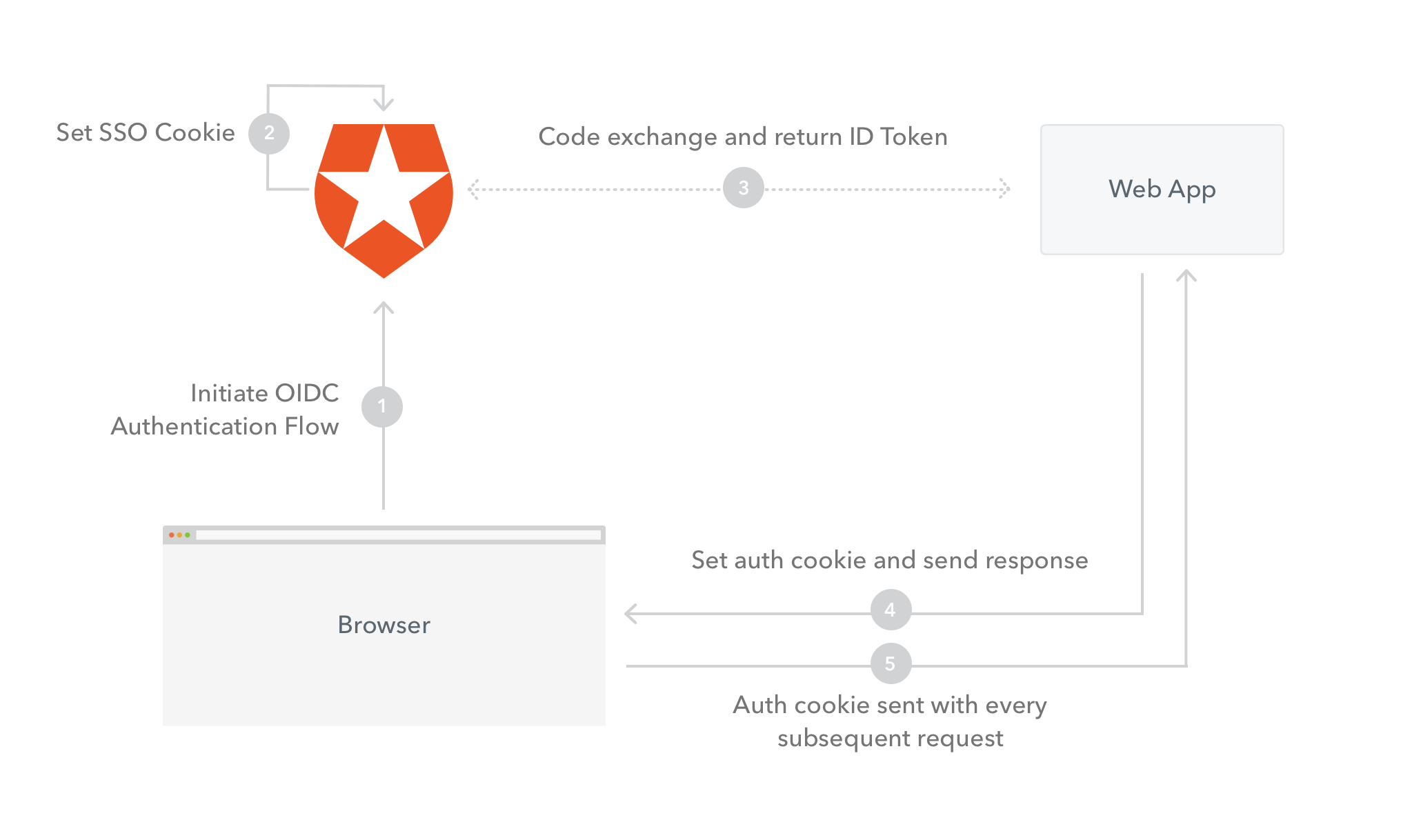
1. **Initiate OIDC Authentication Flow**: The user's browser will send a request to Auth0 to initiate the OIDC flow.
2. **Set SSO Cookie**: Auth0 will set a cookie to store the user's information.
3. **Code exchange and return ID Token**: Auth0 will make a request back to the web server and return the code. The web server will exchange the code for an ID Token.
4. **Set auth cookie and send response**: The web server will send a response back to the browser and set the application authentication cookie to store the user's session information.
5. **Auth cookie sent with every subsequent request**: The application authentication cookie will be sent on every subsequent request as proof that the user is authenticated.
> [!NOTE]
>
> ### How does Auth0's SSO session impact the application's session?
>
> Auth0 manages its own single-sign-on session. Applications can choose to honor or ignore that SSO session when it comes to maintaining their own local session. The Lock widget even has a special feature where it can detect if an Auth0 SSO session exists and ask the user if they wish to log in again as that same user.
>
> 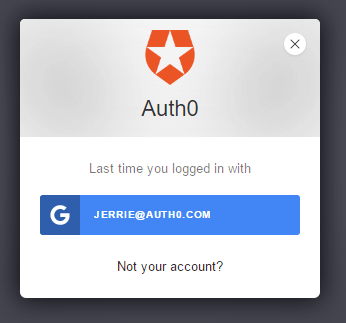
>
> If they do so, they are signed in without having to re-enter their credentials with the actual IDP. Even though the user didn't authenticate, the application still performs an authentication flow with Auth0 and obtains a new ID Token, which can be used to then manage the new local application session.
**See the implementation in** [**ASP.NET Core**](/docs/get-started/architecture-scenarios/sso-for-regular-web-apps/implementation-aspnetcore#configure-the-cookie-and-oidc-middleware).
## User Logout
When logging the user out, you will once again need to think about the three layers of sessions which we spoke about before:
* **Application Session**: You need to log out the user from your Web Application, by clearing their session.
* **Auth0 session**: You need to log out the user from Auth0. To do this you redirect the user to `https://{yourDomain}/v2/logout`. Redirecting the user to this URL clears all single sign-on (Single Sign-On (SSO): Service that, after a user logs into one applicaton, automatically logs that user in to other applications.) cookies set by Auth0 for the user.
* **Identity Provider session**: Although this is not common practice, you can force the user to log out from the Identity Provider used, for example Facebook or Google. To do this add a `federated` query string parameter to the logout URL: `https://{yourDomain}/v2/logout?federated`.
To redirect a user after logout, add a `returnTo` query string parameter with the target URL as the value: `https://{yourDomain}/v2/logout?returnTo=http://www.example.com`. Note, that you will need to add the `returnTo` URL as an **Allowed Logout URLs**. For more information on how to implement this refer to: [Logout](/docs/authenticate/login/logout).
The logout flow (not including federated logout) is as follows:
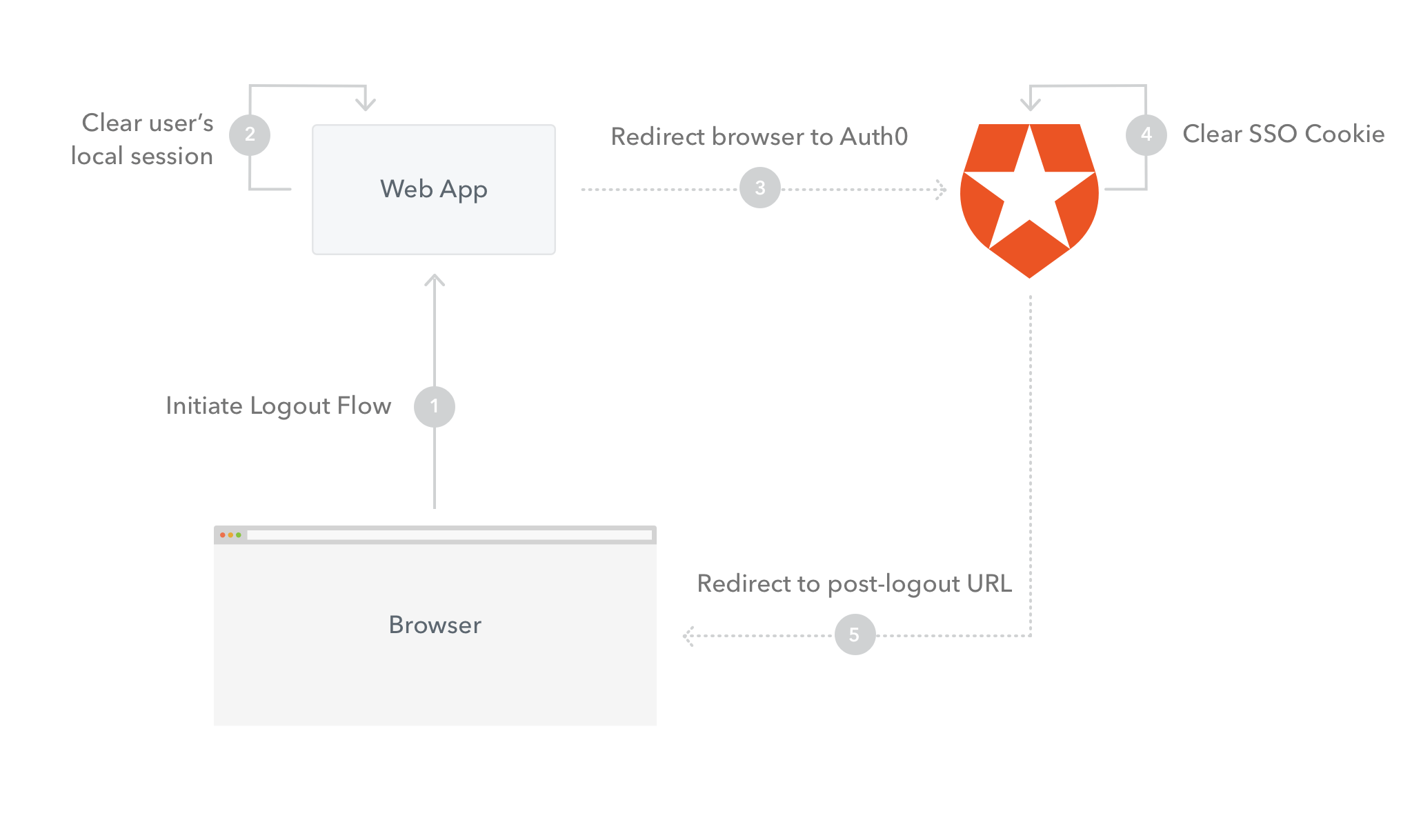
1. **Initiate Logout Flow**: The logout flow will be initiated from the browser, for example by the user clicking a **Logout** link. A request will be made to the web server.
2. **Clear user’s local session**: The user's Application Session / Cookie will be cleared.
3. **Redirect browser to Auth0 Logout**: The user's browser will be redirected to the Auth0 Logout URL.
4. **Clear SSO Cookie**: Auth0 will clear the user's SSO Cookie.
5. **Redirect to post-logout URL**: Auth0 will return a redirect response and redirect the user's browser to the `returnTo` query string parameter.
**See the implementation in** [**ASP.NET Core**](/docs/get-started/architecture-scenarios/sso-for-regular-web-apps/implementation-aspnetcore#implement-the-logout).
## Access Control
Authorization refers to the process of determining what actions a user can perform inside your application.
You can either implement authorization directly inside your application, independently of Auth0, or use one of the available ways to retrieve the user authorization levels, put them as authorization claims inside the ID Token (ID Token: Credential meant for the client itself, rather than for accessing a resource.) and validate these claims inside your application, once you retrieve the token, to control access.
There are various ways in which you can retrieve and set the user authorization claims when using Auth0:
* By configuring and using the [Auth0 Authorization Extension](/docs/customize/extensions/authorization-extension).
* By using Active Directory groups. These can be used in combination with the Authorization Extension by mapping Active Directory Groups to Groups you define using the Authorization extension.
* Add metadata to the user's profile by making use of [rules](/docs/customize/rules).
* By calling an external services from inside a rule.
Since in our case the company has already Active Directory set up, we will enforce access control using the Authorization Extension in combination with Active Directory groups.
> **Authorization extension**
>
> At this point in time the authorization extension is primarily designed to enforce coarse-grained authorization, for example to control access to an application based on a user's group membership. It is not necessarily designed to control fine-grained access (such as whether a user can perform a specific action inside the application), even though this is how we are utilizing it in this instance.
All users will implicitly be regular users, but timesheet administrators will be assigned to an `Admin` group which will allow them to approve timesheets. The Authorization Extension allows for mapping groups to existing group membership.
All timesheet administrators will be assigned to the `Timesheet Administrators` group on Active Directory, which will be automatically mapped to the `Admin` group inside the Timesheet Application.
When you install the Authorization Extension, it creates a rule in the background, which does the following:
1. Determine the user's group membership.
2. Store the user's group membership info as part of the `app_metadata`.
3. Add the user's group membership to the outgoing token.
4. Verify that the user has been granted access to the current application.
### Install the Authorization Extension
To install the Authorization extension navigate to the [Extensions](https://manage.auth0.com/#/extensions) view of your Auth0 Dashboard, and select and install the Auth0 Authorization extension.
Once installed, you will see the app listed under Installed Extensions.
When you click on the link to open the extension for the first time, you will be prompted to provide permission for the extension to access your Auth0 account. If you do so, you will be redirected to the Authorization Dashboard.
Once on the Authorization Dashboard, navigate to Groups in the navigation menu, and create a new group called Admin.
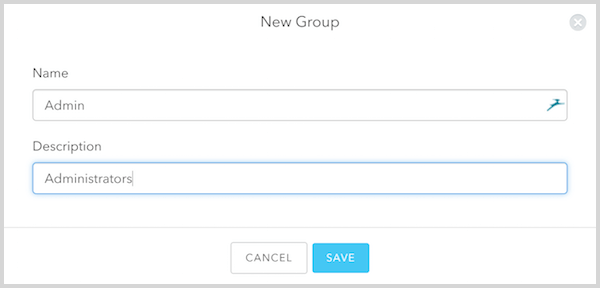
After the group has been added you can click on the new group to go to the group management section. Go to the Group Mappings tab and add a new group mapping which will map all Active Directory users in the `Timesheet Admins` groups to the `Admin` group you just created.
Once you click **Save** you can see the new mapping listed.
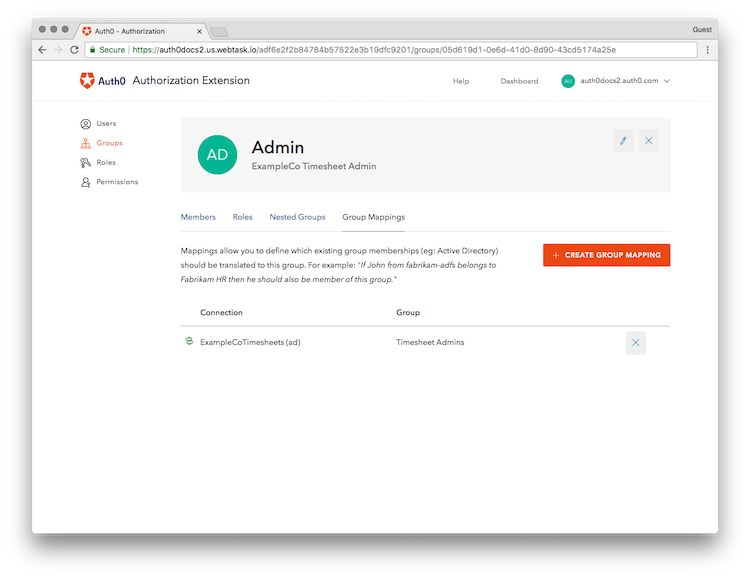
With the mapping configured you only need to maintain membership to the `Timesheet Admins` group in Active Directory, and those users will be automatically mapped to the `Admin` group inside our application.
For more information refer to the [Authorization Extension documentation](/docs/customize/extensions/authorization-extension).
### Enforce permissions in your application
When you installed the Authorization Extension, it also created an Auth0 rule which will add an `authorization` claim with all the authorization related settings for a particular user. The groups for a user will be added as a sub-claim of the `authorization` claim called `groups` and all the groups a user belongs to will be added as an array to this claim. This is an example of what JSON payload of a ID Token may look like with the groups listed:
```json lines theme={null}
{
"sub": "1234567890",
"name": "John Doe",
"authorization": {
"groups": ["Admin"]
}
}
```
In your application you will therefore need to decode the ID Token returned when a user is authenticated, and extract the groups which a user belongs to from the `authorization` claim. You can then store these groups, along with other user information inside the user's session, and subsequently query these to determine whether a user has permissions to perform a certain action based on their group membership.
See the implementation in [ASP.NET Core](/docs/get-started/architecture-scenarios/sso-for-regular-web-apps/implementation-aspnetcore#implement-admin-permissions).
# Conclusion (Web Apps + SSO)
Source: https://auth0.com/docs/get-started/architecture-scenarios/sso-for-regular-web-apps/part-4
Regular web app scenario conclusion
In this tutorial we covered a simple scenario: a regular web app, hosted in the cloud, using Auth0 for authentication, while utilizing the existing Active Directory user store. We learned what OpenID (OpenID: Open standard for authentication that allows applications to verify users' identities without collecting and storing login information.) Connect (OIDC) offers and why it was preferable for this business case, how the Authentication Flow works, what an ID Token (OpenID: Open standard for authentication that allows applications to verify users' identities without collecting and storing login information.) is and how to validate and manipulate it, how to configure applications and connections on Auth0 dashboard (Auth0 Dashboard: Auth0's main product to configure your services.), how to implement user login and logout using Lock, and how session management and access control works.
We started by describing the business case and the requirements and went on explaining how each requirement can be met and the thought process behind each choice that was made.
We used ASP .NET Core for the sample web app implementation, hopefully though after going through this document you are able to build such a web app using the framework you prefer.
# Authentication and Authorization Flows
Source: https://auth0.com/docs/get-started/authentication-and-authorization-flow
Learn about the various flows used for authentication and authorization of applications and APIs.
Auth0 uses the [OpenID Connect (OIDC) Protocol](/docs/authenticate/protocols/openid-connect-protocol) and [OAuth 2.0 Authorization Framework](/docs/authenticate/protocols/oauth) to authenticate users and get their authorization to access protected resources. With Auth0, you can easily support different flows in your own applications and APIs without worrying about OIDC/OAuth 2.0 (OAuth 2.0: Authorization framework that defines authorization protocols and workflows.) specifications or other technical aspects of [authentication and authorization](/docs/get-started/identity-fundamentals/authentication-and-authorization).
We support scenarios for server-side, mobile, desktop, client-side, machine-to-machine, and device applications.
If you're not sure which flow to use, we can help you decide. To learn more, read [Which OAuth 2.0 Flow Should I Use?](/docs/get-started/authentication-and-authorization-flow/which-oauth-2-0-flow-should-i-use).
During the execution of several flows, your application must also authenticate to the Authorization Server. To learn more about application authentication, read [Application Credentials](/docs/secure/application-credentials).
Depending on the application API access policies you configure for an API, you may need to create the corresponding client grants for your application. To learn more, read [Application Access to APIs: Policies and Client Grants](/docs/get-started/applications/application-access-to-apis-client-grants).
## Authorization Code Flow
Because regular web apps are server-side apps where the source code is not publicly exposed, they can use the Authorization Code Flow, which exchanges an Authorization Code for a token.
## Authorization Code Flow with Proof Key for Code Exchange (PKCE)
During authentication, mobile and native applications can use the Authorization Code Flow, but they require additional security. Additionally, single-page apps have special challenges. To mitigate these, OAuth 2.0 provides a version of the Authorization Code Flow which makes use of a Proof Key for Code Exchange (PKCE).
## Authorization Code Flow with enhanced privacy protection
During the authentication and authorization process, some use cases such as [transactional authorization](/docs/secure/highly-regulated-identity/transactional-authorization-with-authorization-code-flow) exchange contextual information, which may contain sensitive data. To protect data and sensitive information, you can use different protocol improvements for the authorization code flow.
## Implicit Flow with Form Post
As an alternative to the Authorization Code Flow, OAuth 2.0 provides the Implicit Flow, which is intended for Public Clients (Public Client: Client (application) that cannot hold credentials securely. Examples include a native desktop or mobile application and a JavaScript-based client-side web application (such as a single-page app (SPA)).), or applications which are unable to securely store Client Secrets (Public Client: Client (application) that cannot hold credentials securely. Examples include a native desktop or mobile application and a JavaScript-based client-side web application (such as a single-page app (SPA)).). While this is no longer considered a best practice for requesting Access Tokens (Access Token: Authorization credential, in the form of an opaque string or JWT, used to access an API.), when used with Form Post response mode, it does offer a streamlined workflow if the application needs only an ID token (ID Token: Credential meant for the client itself, rather than for accessing a resource.) to perform user authentication.
## Hybrid Flow
Applications that are able to securely store Client Secrets may benefit from the use of the Hybrid Flow, which combines features of the Authorization Code Flow and Implicit Flow with Form Post to allow your application to have immediate access to an ID token while still providing for secure and safe retrieval of access and refresh tokens (Refresh Token: Token used to obtain a renewed Access Token without forcing users to log in again.). This can be useful in situations where your application needs to immediately access information about the user, but must perform some processing before gaining access to protected resources for an extended period of time.
## Client Credentials Flow
With machine-to-machine (M2M) applications, such as CLIs, daemons, or services running on your back-end, the system authenticates and authorizes the app rather than a user. For this scenario, typical authentication schemes like identifier + password or social logins don't make sense. Instead, M2M apps use the Client Credentials Flow (defined in OAuth 2.0 RFC 6749, section 4.4).
## Device Authorization Flow
With input-constrained devices that connect to the internet, rather than authenticate the user directly, the device asks the user to go to a link on their computer or smartphone and authorize the device. This avoids a poor user experience for devices that do not have an easy way to enter text. To do this, device apps use the Device Authorization Flow (Authorization Flow: Authorization grant (or workflow) specified in the OAuth 2.0 framework.) (drafted in OAuth 2.0). For use with mobile/native applications.
## Resource Owner Password Flow
Though we do not recommend it, highly-trusted applications can use the Resource Owner (Resource Owner: Entity (such as a user or application) capable of granting access to a protected resource.) Password Flow, which requests that users provide credentials (identifier and password), typically using an interactive form. The Resource Owner Password Flow should only be used when redirect-based flows (like the [Authorization Code Flow](/docs/get-started/authentication-and-authorization-flow/authorization-code-flow)) cannot be used.
## Client-Initiated Backchannel Authentication Flow
With the \[Client-Initiated Backchannel Authentication Flow (CIBA), rather than authenticate the user directly, the client application backend initiates an authentication flow to challenge the user for authentication. The authentication itself is performed on a separate authentication device, typically a smartphone running a custom app.
## Custom Token Exchange
Custom Token Exchange (CTE) enables applications to exchange pre-existing identity tokens for Auth0 tokens by invoking the `/oauth/token` endpoint, as defined in [RFC 8693](https://datatracker.ietf.org/doc/html/rfc8693). For example, you can use the Custom Token Exchange to exchange Auth0 tokens to access another audience on the user’s behalf. To learn more about Custom Token Exchange use cases, read [Example Use Cases](/docs/authenticate/custom-token-exchange/cte-example-use-cases).
By associating a [Custom Token Exchange Profile](/docs/authenticate/custom-token-exchange/configure-custom-token-exchange) with an Action that contains custom logic, you can implement highly customized identity workflows by exchanging one security token for another, all while maintaining control over the authorization logic.
# Authenticate with mTLS
Source: https://auth0.com/docs/get-started/authentication-and-authorization-flow/authenticate-with-mtls
Learn how mutual TLS (mTLS) secures OAuth flows by replacing shared client secrets with X.509 certificates and optionally binding access tokens to the client.
## mTLS in OAuth/OIDC
Default OAuth (OAuth 2.0: Authorization framework that defines authorization protocols and workflows.)/OIDC flows are not always secure because of the following issues:
* The use of a shared Client Secret (Client Secret: Secret used by a client (application) to authenticate with the Authorization Server; it should be known to only the client and the Authorization Server and must be sufficiently random to not be guessable.) as a form of client authentication.
* The ability for an access token (Access Token: Authorization credential, in the form of an opaque string or JWT, used to access an API.) to be used by unintended parties.
In 2020, the Internet Engineering Task Force (IETF) released [RFC 8705](https://www.rfc-editor.org/rfc/rfc8705) Mutual-TLS (mTLS) client authentication to address these issues. With mTLS authentication, the client certificate with a private key functions like a Client Secret in an OAuth/OIDC flow to verify the client’s identity. If a client is already authenticated at the network layer, there’s no need for a Client Secret at the application layer. Additionally, client certificates can be used with multiple servers to prove a client’s identity to a resource server (Resource Server: Server hosting protected resources. Resource servers accept and respond to protected resource requests.). Note there are other approaches to solve the above issues, namely [Private Key JWT](/docs/get-started/authentication-and-authorization-flow/authenticate-with-private-key-jwt) and [DPoP](https://datatracker.ietf.org/doc/html/rfc9449) respectively.
To secure an OAuth flow with mTLS, clients send a mTLS certificate to the TLS termination point on the customer edge network when the TLS connection is being established. Before the authorization server (Authorization Server: Centralized server that contributes to defining the boundaries of a user’s access. For example, your authorization server can control the data, tasks, and features available to a user.) processes the request, it must first verify the client’s mTLS certificate.
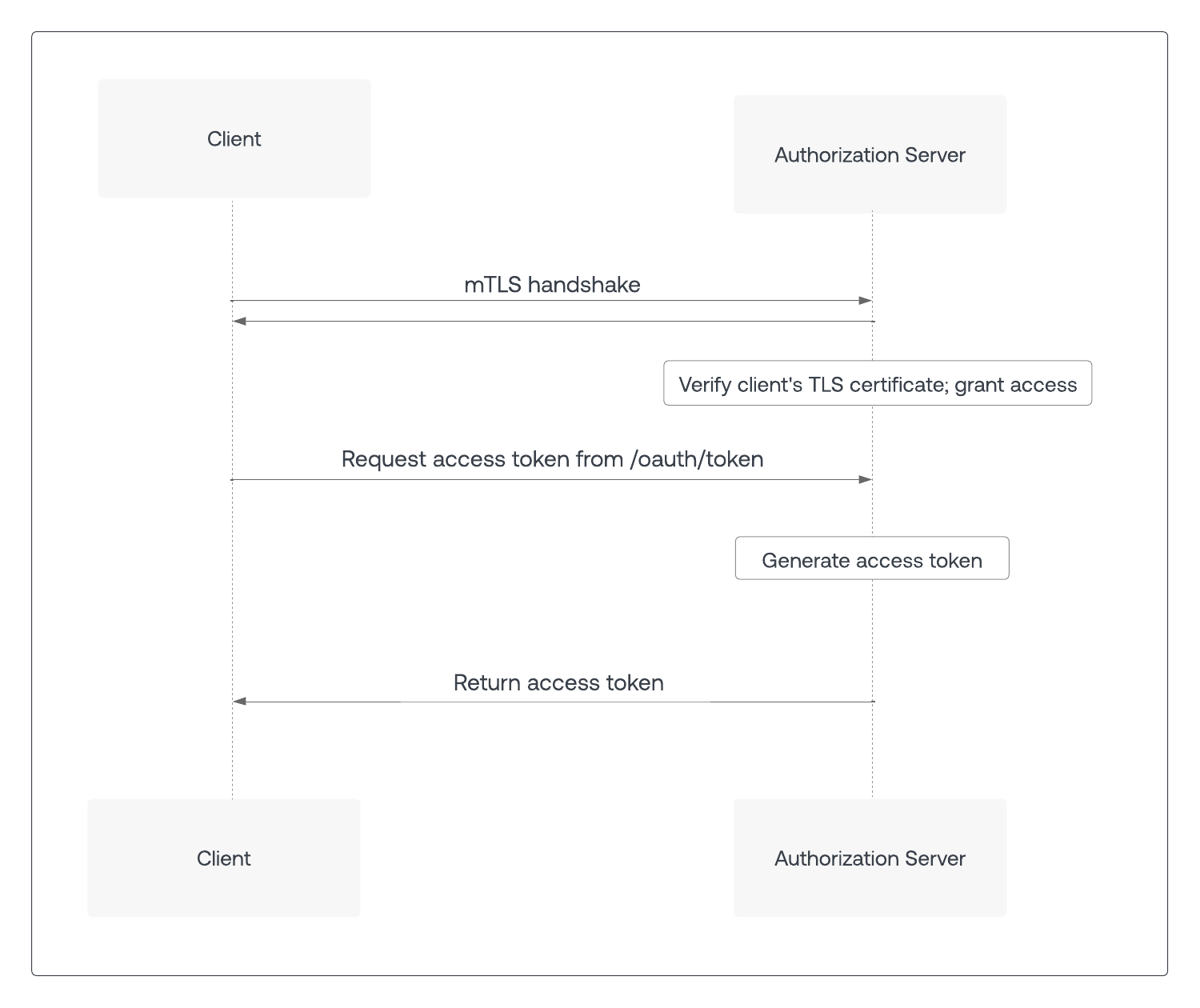
Optionally, mTLS can also be used to ensure an access token is used only by the intended party, known as Sender Constraining or Token Binding. When the client calls the `/oauth/token` endpoint on the authorization server using an mTLS connection, the resulting access token contains information that the resource server uses to verify that the client’s TLS certificate matches that of the access token.
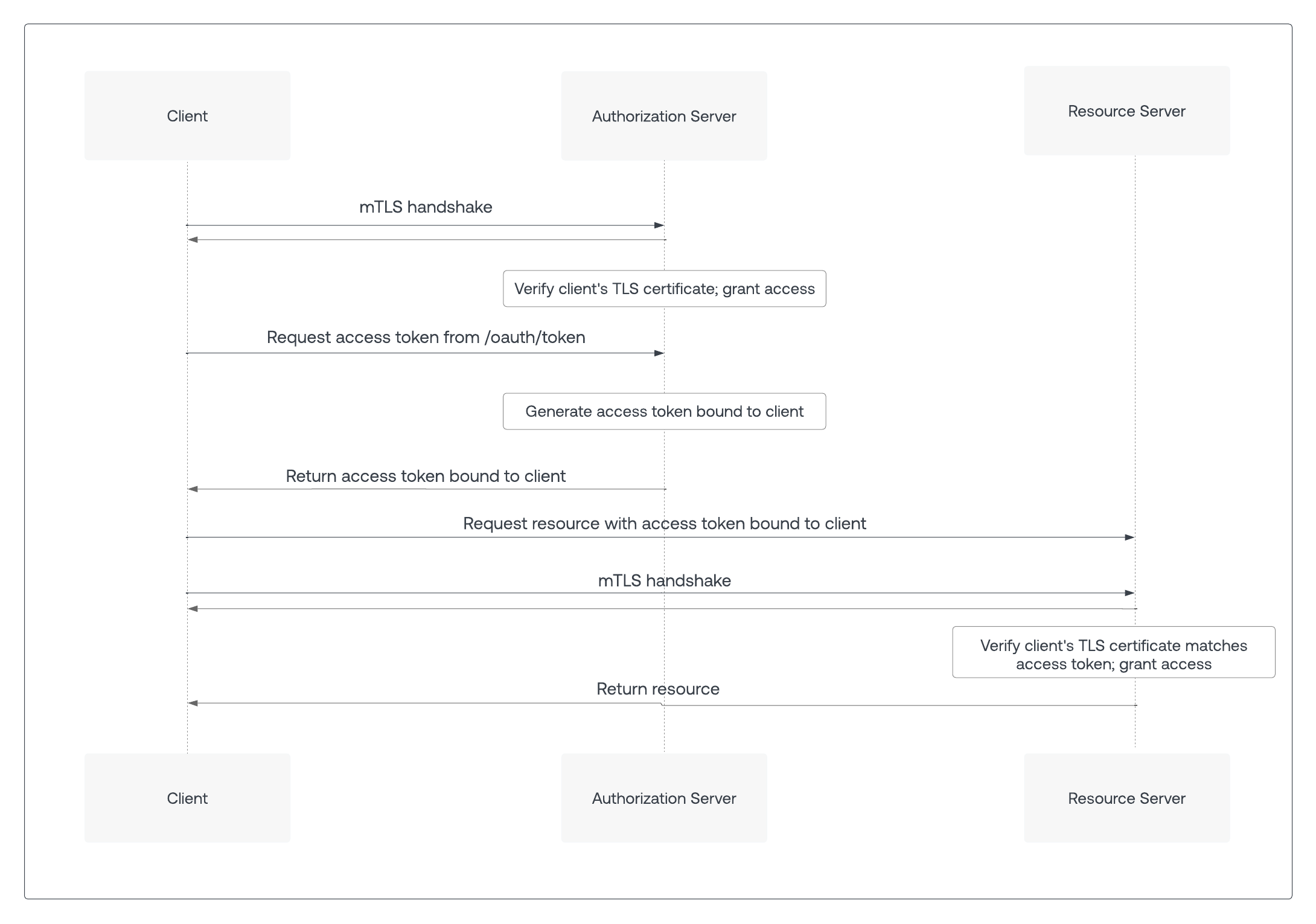
**Note**: mTLS client authentication and mTLS Token Binding can be used independently of each other. mTLS client authentication can be used without mTLS Token Binding, and mTLS Token Binding can be used with other forms of client authentication such as Client Secret or Private Key JWT (JSON Web Token (JWT): Standard ID Token format (and often Access Token format) used to represent claims securely between two parties.). Even if other forms of client authentication are used, the client still sends the client certificate to the authorization server for mTLS Token Binding.
## mTLS at Auth0
mTLS for Auth0 builds on [custom domains](/docs/customize/custom-domains) and leverages the customer’s existing mTLS infrastructure to perform certificate provisioning and verification.
Authenticated client calls to Auth0 that normally require a Client Secret are first sent to the customer edge. This already happens for custom domains (Custom Domain: Third-party domain with a specialized, or vanity, name.) that use customer-managed certificates. The customer edge performs the mTLS handshake with the client and validates the client certificate. Once the client certificate is verified, the request is then forwarded to the tenant’s edge domain at Auth0, including the validated client certificate in an HTTP header along with the correct `cname-api-key` as per the custom domains functionality.
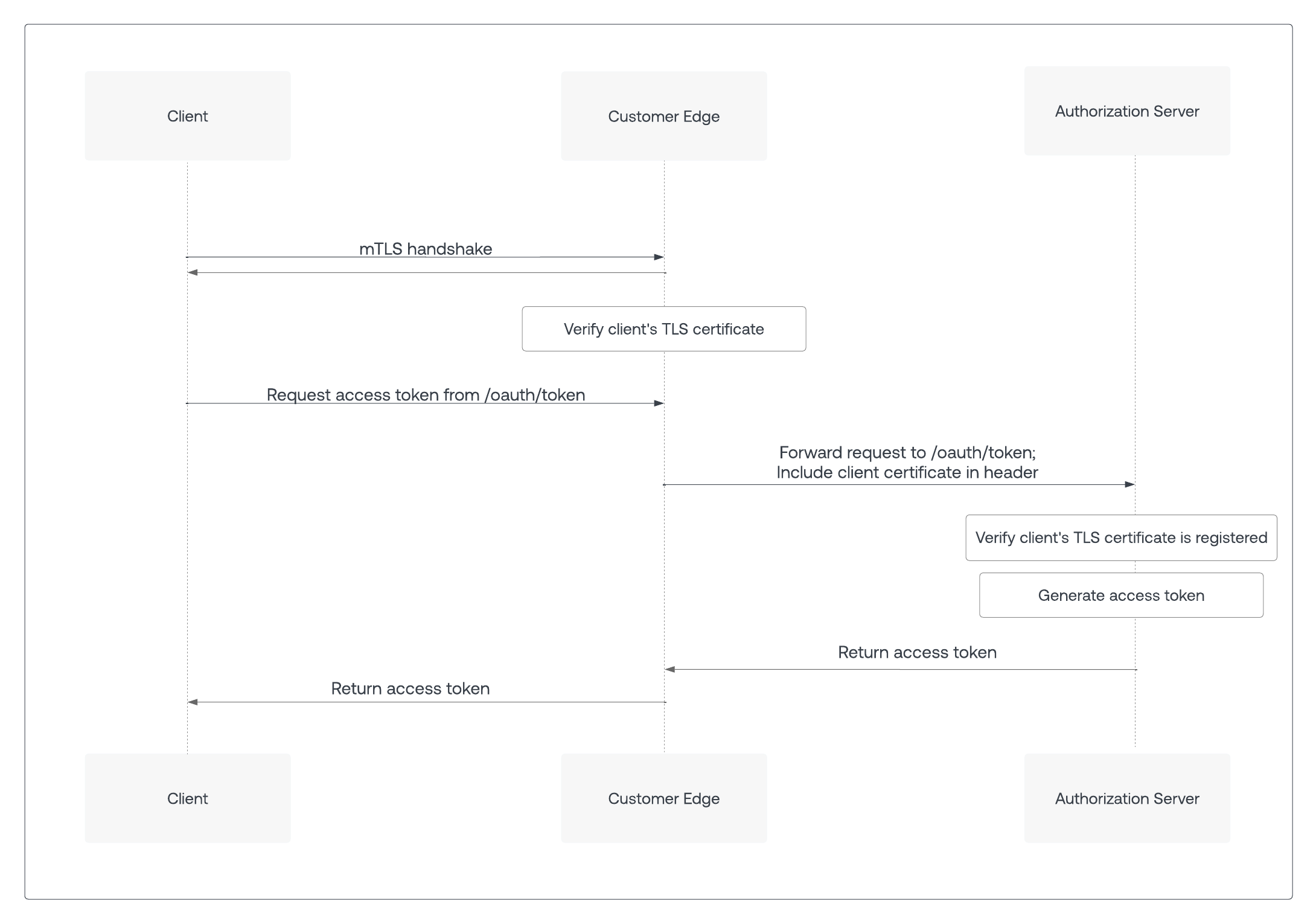
## Call the authorization server
Since mTLS serves both client authentication and access token binding, the client must know whether these features are enabled on the authorization server. In addition, an authorization server’s mTLS endpoints and non-mTLS endpoints may be exposed on different domains.
To get configuration details about the authorization server, the client sends a GET request to the [OpenID Connect Discovery](https://openid.net/specs/openid-connect-discovery-1_0.html) endpoint: `https:///.well-known/openid-configuration`
A successful response returns the OIDC discovery document, or a JSON object listing the authorization server’s properties and endpoints, including those related to mTLS.
If mTLS client authentication is enabled, the OIDC discovery document includes the `token_endpoint_auth_methods_supported` property, which contains either `tls_client_auth` or `self_signed_tls_client_auth`:
```json lines theme={null}
{
...
"token_endpoint_auth_methods_supported": ["tls_client_auth"]
...
}
```
If mTLS Token Binding is enabled, the OIDC discovery document sets the `tls_client_certificate_bound_access_tokens` property to `true:`
```json lines theme={null}
{
...
"tls_client_certificate_bound_access_tokens": true
...
}
```
Environments that support mTLS endpoint aliases expose a new property, `mtls_endpoint_aliases`, that contains a list of endpoints that support mTLS. For clients that support mTLS, the endpoints listed under `mtls_endpoint_aliases` take precedence over the same endpoints exposed outside of `mtls_endpoint_aliases`.
In the following code sample, the `token_endpoint` property is exposed twice. The endpoint to use for mTLS calls is listed under `mtls_endpoint_aliases`, or `https://mtls.auth.bank.com/oauth/token`:
```json lines theme={null}
{
...
"mtls_endpoint_aliases": {
"token_endpoint": "https://mtls.auth.bank.com/oauth/token"
},
"token_endpoint": "https://auth.bank.com/oauth/token",
"pushed_authorization_request_endpoint": "https://auth.bank.com/oauth/par",
...
}
```
If an endpoint is not listed under `mtls_endpoint_aliases`, use the same endpoint listed outside of `mtls_endpoint_aliases`. In the example above, `pushed_authorization_request_endpoint` is not listed under `mtls_endpoint_aliases`. As a result, use the `pushed_authorization_request_endpoint` exposed outside of `mtls_endpoint_aliases`, or `https://auth.bank.com/oauth/par`.
For more information, see RFC 8705’s [section on endpoint aliases](https://www.rfc-editor.org/rfc/rfc8705#name-metadata-for-mutual-tls-end).
## Call the resource server
Once a client receives an access token, it can access protected resources on a resource server. If mTLS Token Binding is enabled, the authorization server returns the OIDC discovery document that contains the `tls_client_certificate_bound_access_tokens` property.
When the client calls the resource server with a mTLS-bound access token, the resource server requests a mTLS certificate from the client during the TLS handshake. The resource server should reject requests with an access token that does not match that client certificate with a 401 HTTP status code and an `invalid_token` error code.
## Learn more
* [Configure mTLS Authentication](/docs/get-started/applications/configure-mtls)
# Authenticate with Private Key JWT
Source: https://auth0.com/docs/get-started/authentication-and-authorization-flow/authenticate-with-private-key-jwt
Describes how to build an assertion to use Private Key JWT Authentication.
> **Before you start**
>
> You need to create a new application in Auth0 Dashboard or convert an existing application before you continue. To learn more, read [Configure Private Key JWT Authentication](/docs/get-started/applications/configure-private-key-jwt).
You need to complete two steps when authenticating with `private_key_jwt:`
1. Build the client assertion. This assertion is a JWT signed by the private key when you generated the key pair. To learn how to generate a key pair, read [Configure Private Key JWT Authentication](/docs/get-started/applications/configure-private-key-jwt).
2. Use the assertion to authenticate against Auth0.
## Build the assertion
You can use one of Auth0’s SDKs to build an assertion automatically for you. If you don’t use our SDKs, you will need to construct the assertion yourself.
The assertion is a JSON Web Token (JSON Web Token (JWT): Standard ID Token format (and often Access Token format) used to represent claims securely between two parties.) (JWT) that should contain the following properties and claims:
All claims are required unless otherwise stated. To learn more about JWT claims, read [JSON Web Token Claims](/docs/secure/tokens/json-web-tokens/json-web-token-claims).
* Header
* `alg`: The algorithm used to sign the assertion. The algorithm must match the algorithm specified when you created your application credential.
* `kid`**:** (optional) The Auth0 generated `kid` of the credential. The `kid` is created when you created the credential.
* Payload
* `iss`**:** Your application's Client ID. You can find this value in your application settings under [Auth0 Dashboard > Applications > Applications](https://manage.auth0.com/dashboard/#/applications/) and select the **Settings** tab.
* `sub`**:** Your application's Client ID. You also can find this value in your application settings. You can find this value in your application settings under [Auth0 Dashboard > Applications > Applications](https://manage.auth0.com/dashboard/#/applications/) and select the **Settings** tab.
* `aud`**:** The URL of the Auth0 tenant or custom domain that receives the assertion. For example: `https://{yourTenant}.auth0.com/`**.** Include the trailing slash.
If you have configured a custom domain for your Auth0 tenant, this can be used as the `aud` claim. We recommend using the custom domain in this case.
* `iat` (optional), `nbf` (optional), and `exp`: Issued At, Not Before, and Expiration claims set to the correct timestamps. A clock skew of up to 10 seconds is allowed for `iat` and `nbf` (if present) to support inter-operability. The client assertion is a one-time use token, and we recommend the shortest possible expiry time. Auth0 supports a maximum of 5 minutes for the lifetime of a token.
* `jti`: A unique claim ID created by the client. We recommend using the Universally Unique Identifier (UUID) format.
> [!WARNING]
>
> This JWT is a one-time use only token and should be considered as such by having a short expiry. We recommend setting a maximum of 1 minute.
The token must then be signed with the private key you generated when you created or configured your application for Private Key JWT Authentication. To learn how, review the [JSON Web Token specification](https://www.rfc-editor.org/rfc/rfc7519#section-7.1).
We recommend you construct the token using standard tooling or third party libraries that support this functionality out of the box, rather than implementing from scratch yourself. To learn more about supporting libraries, read the listing at [JWT.io](https://jwt.io/libraries).
### Example
In the example below, the Node.js script uses a [jose package](https://github.com/panva/jose) to generate the assertion:
```javascript lines expandable theme={null}
const { SignJWT } = require('jose')
const crypto = require("crypto");
const uuid = require("uuid");
async function main() {
const privateKeyPEM = crypto.createPrivateKey(/**
Read the content of your private key here. We recommend to store your private key
in a secure infrastructure.
*/);
const jwt = await new SignJWT({})
.setProtectedHeader({
alg: 'RS256', // or RS384 or PS256
kid: '(OPTIONAL) KID_GENERATED_BY_AUTH0'
})
.setIssuedAt()
.setIssuer('CLIENT_ID')
.setSubject('CLIENT_ID')
.setAudience('https://YOUR_TENANT.auth0.com/') // or your CUSTOM_DOMAIN
.setExpirationTime('1m')
.setJti(uuid.v4())
.sign(privateKeyPEM);
console.log(jwt)
}
main();
```
Example client assertion signed with a private key:
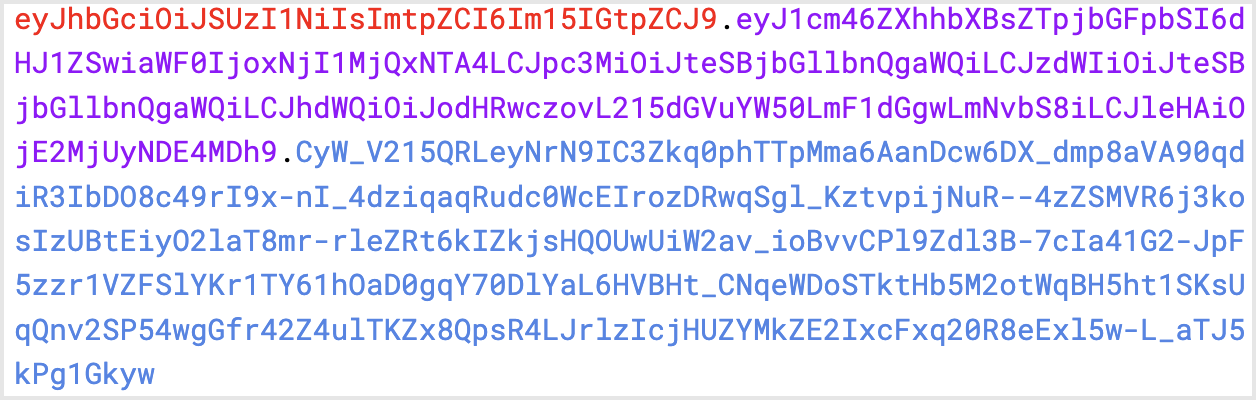
Corresponds to:
```json lines theme={null}
{
"alg": "RS256",
"kid": "my kid"
}
{
"iat": 1626684584,
"iss": "my client id",
"sub": "my client id",
"aud": "https://mytenant.auth0.com/",
"exp": 1626684644,
"jti": "e4dc8ed1-b108-4901-8bbc-c07a791817e7"
}
```
After you generate the JWT with the required information, you are ready to authenticate your application against Auth0.
## Exchange assertion for access tokens
The following example uses the [Client Credential Flow](/docs/get-started/authentication-and-authorization-flow/client-credentials-flow). Private Key JWT authentication can be used for other grant types that also allow replacing `client_secret` with `client_assertion`.
To exchange the JWT assertion for an access token (Access Token: Authorization credential, in the form of an opaque string or JWT, used to access an API.), call the Authentication API [token endpoint](/docs/api/authentication#authenticate-user) with the following parameters:
* `$client_assertion`: JWT assertion
* `$resource_server_identifier`: resource server (Resource Server: Server hosting protected resources. Resource servers accept and respond to protected resource requests.) identifier. To learn more, read [Register APIs](/docs/get-started/auth0-overview/set-up-apis).
```bash lines theme={null}
curl --location --request POST 'https://$tenant/oauth/token' \
--header 'Content-Type: application/x-www-form-urlencoded' \
--data-urlencode 'grant_type=client_credentials' \
--data-urlencode 'client_assertion_type=urn:ietf:params:oauth:client-assertion-type:jwt-bearer' \
--data-urlencode 'client_assertion=$client_assertion' \
--data-urlencode 'audience=$resource_server_idenifier'
```
## Supported endpoints
In addition to the [https://\$tenant/oauth/token](/docs/api/authentication#get-token) endpoint, the following Auth0 Authentication API endpoints support `private_key_jwt` authentication for configured applications:
* [POST /oauth/revoke](/docs/api/authentication#revoke-refresh-token)
* [POST /mfa/challenge](/docs/api/authentication#challenge-request)
* [POST /passwordless/start](/docs/api/authentication#get-code-or-link)
## Assertion limits
The maximum length of the JWT assertion is 2048 bytes.
Claims within the assertion have the following limits:
* `iss`: 64 characters
* `sub`: 64 characters
* `jti`: 64 characters
* `alg`: 16 characters
## Learn more
* [Configure Private Key JWT Authentication](/docs/get-started/applications/configure-private-key-jwt)
* [Private Key JWT Client Authentication for Okta and OIDC Connections](/docs/authenticate/enterprise-connections/private-key-jwt-client-auth)
# Authorization Code Flow
Source: https://auth0.com/docs/get-started/authentication-and-authorization-flow/authorization-code-flow
Learn how the Authorization Code flow works and why you should use it for regular web apps.
The Authorization Code Flow (defined in [OAuth 2.0 RFC 6749, section 4.1](https://tools.ietf.org/html/rfc6749#section-4.1)), involves exchanging an authorization code for a token.
This flow can only be used for confidential applications (such as Regular Web Applications) because the application's authentication methods are included in the exchange and must be kept secure.
## How Authorization Code Flow works
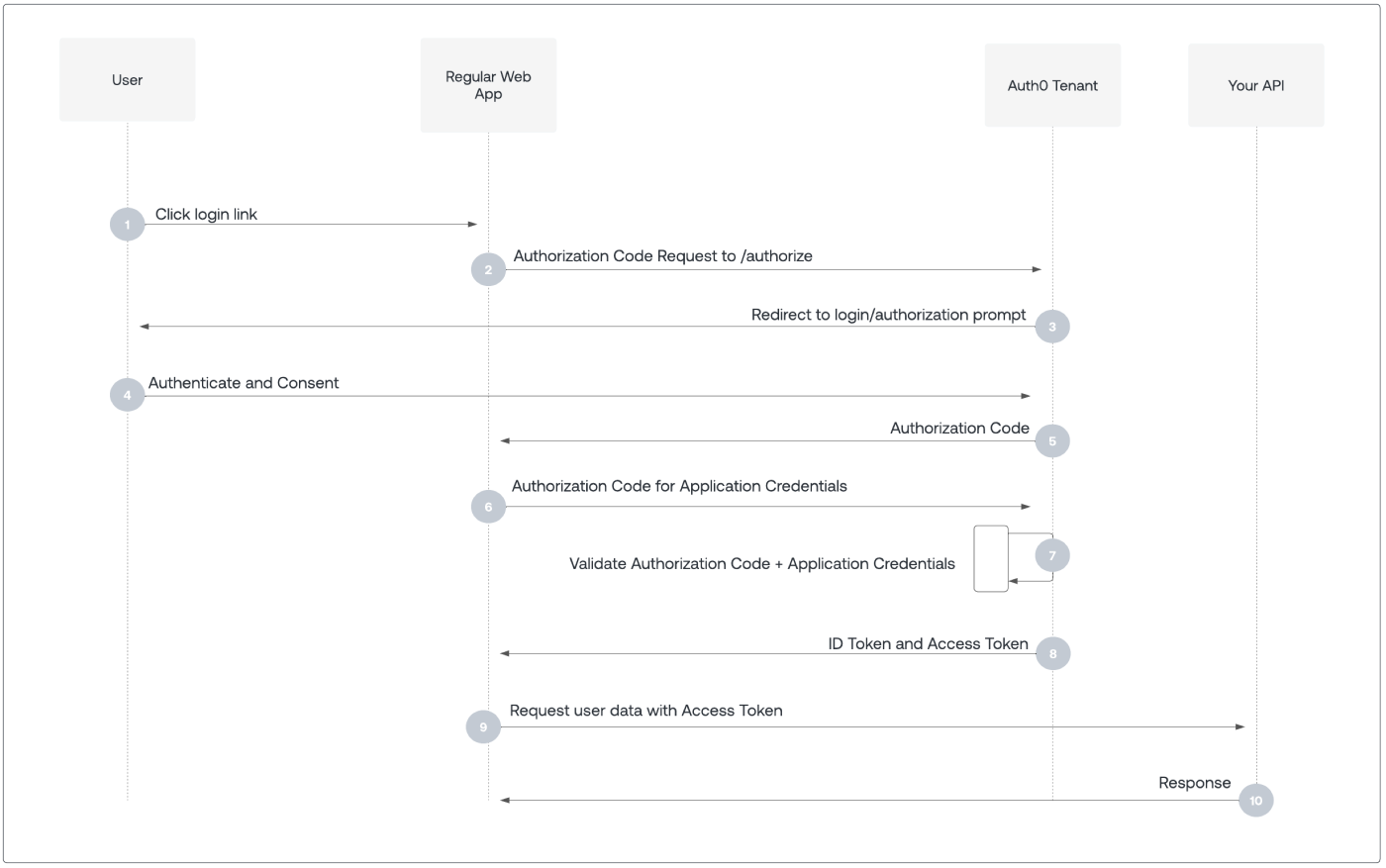
1. User selects **Login** within application.
2. Auth0's SDK redirects user to Auth0 Authorization Server ([`/authorize`](/docs/api/authentication/authorization-code-flow/authorize-application) endpoint).
3. Auth0 Authorization Server redirects user to login and authorization prompt.
4. User authenticates using one of the configured login options, and may see a consent prompt listing the permissions Auth0 will give to the application.
5. Auth0 Authorization Server redirects user back to application with single-use authorization code.
6. Auth0's SDK sends authorization code, application's client ID, and application's credentials, such as client secret or Private Key JWT, to Auth0 Authorization Server ([`/oauth/token`](/docs/api/authentication/authorization-code-flow/get-token) endpoint).
7. Auth0 Authorization Server verifies authorization code, application's client ID, and application's credentials.
8. Auth0 Authorization Server responds with an ID token and access token (and optionally, a refresh token).
9. Application can use the access token to call an API to access information about the user.
10. API responds with requested data.
## How to implement Authorization Code Flow
The easiest way to implement the Authorization Code Flow is to follow our [Regular Web App Quickstarts](/docs/quickstart/webapp).
Alternatively, you can use the Authentication API to implement the Authorization Code Flow. For more information, read [Add Login Using the Authorization Code Flow](/docs/get-started/authentication-and-authorization-flow/authorization-code-flow/add-login-auth-code-flow) or [Call Your API Using the Authorization Code Flow](/docs/get-started/authentication-and-authorization-flow/authorization-code-flow/call-your-api-using-the-authorization-code-flow).
If a browser application, with an Origin header, makes a `POST` request to the `/oauth/token` endpoint, Auth0 doesn’t issue refresh tokens, even if the application has [Allow Refresh Token Rotation](/docs/secure/tokens/refresh-tokens/configure-refresh-token-rotation) enabled and sends the [offline\_access](/docs/secure/tokens/refresh-tokens/configure-refresh-token-rotation#configure-with-the-auth0-spa-sdk) scope.
## Learn more
* [Auth0 Rules](/docs/customize/rules)
* [Auth0 Hooks](/docs/customize/hooks)
* [Tokens](/docs/secure/tokens)
* [Token Best Practices](/docs/secure/tokens/token-best-practices)
* [Which OAuth 2.0 Flow Should I Use?](/docs/get-started/authentication-and-authorization-flow/which-oauth-2-0-flow-should-i-use)
# Authorization Code Flow with Proof Key for Code Exchange (PKCE)
Source: https://auth0.com/docs/get-started/authentication-and-authorization-flow/authorization-code-flow-with-pkce
Learn how the Authorization Code flow with Proof Key for Code Exchange (PKCE) works and why you should use it for native and mobile apps.
> **Overview**
>
> Key Concepts
>
> * Learn about the OAuth 2.0 grant type, Authorization Code Flow with Proof Key for Code Exchange (PKCE).
> * Use this grant type for applications that cannot store a client secret, such as native or single-page apps.
> * Review different implementation methods with Auth0 SDKs.
When public clients (Public Client: Client (application) that cannot hold credentials securely. Examples include a native desktop or mobile application and a JavaScript-based client-side web application (such as a single-page app (SPA)).) (e.g., native and single-page applications) request access tokens (Public Client: Client (application) that cannot hold credentials securely. Examples include a native desktop or mobile application and a JavaScript-based client-side web application (such as a single-page app (SPA)).), some additional security concerns are posed that are not mitigated by the Authorization Code Flow alone. This is because:
**Native apps**
* Cannot securely store a Client Secret (Client Secret: Secret used by a client (application) to authenticate with the Authorization Server; it should be known to only the client and the Authorization Server and must be sufficiently random to not be guessable.). Decompiling the app will reveal the Client Secret (Client Secret: Secret used by a client (application) to authenticate with the Authorization Server; it should be known to only the client and the Authorization Server and must be sufficiently random to not be guessable.), which is bound to the app and is the same for all users and devices.
* Are vulnerable to authorization code interception and injection attacks. Without a client secret, an attacker who intercepts the authorization code can exchange it for tokens.
* May make use of a custom URL scheme to capture redirects (e.g., MyApp\://) potentially allowing malicious applications to receive an Authorization Code (Authorization Code: Random string generated by the authorization server and returned to the application as part of the authorization response when using the Authorization Code Flow (either with or without PKCE).) from your Authorization Server (Authorization Server: Centralized server that contributes to defining the boundaries of a user’s access. For example, your authorization server can control the data, tasks, and features available to a user.). Because of this risk, **Auth0 strongly discourages the use of custom URI schemes**. To learn more, read [Measures Against Application Impersonation](/docs/secure/security-guidance/measures-against-app-impersonation).
**Single-page apps**
* Cannot securely store a Client Secret because their entire source is available to the browser.
Given these situations, OAuth 2.0 (OAuth 2.0: Authorization framework that defines authorization protocols and workflows.) provides a version of the Authorization Code Flow which makes use of a Proof Key for Code Exchange (PKCE) (defined in [OAuth 2.0 RFC 7636](https://tools.ietf.org/html/rfc7636)).
The PKCE-enhanced Authorization Code Flow introduces a secret created by the calling application that can be verified by the authorization server (Authorization Server: Centralized server that contributes to defining the boundaries of a user’s access. For example, your authorization server can control the data, tasks, and features available to a user.); this secret is called the Code Verifier. Additionally, the calling app creates a transform value of the Code Verifier called the Code Challenge and sends this value over HTTPS to retrieve an Authorization Code. This way, a malicious attacker can only intercept the Authorization Code, and they cannot exchange it for a token without the Code Verifier.
## How it works
Because the PKCE-enhanced Authorization Code Flow builds upon the [standard Authorization Code Flow](/docs/get-started/authentication-and-authorization-flow/authorization-code-flow), the steps are very similar.
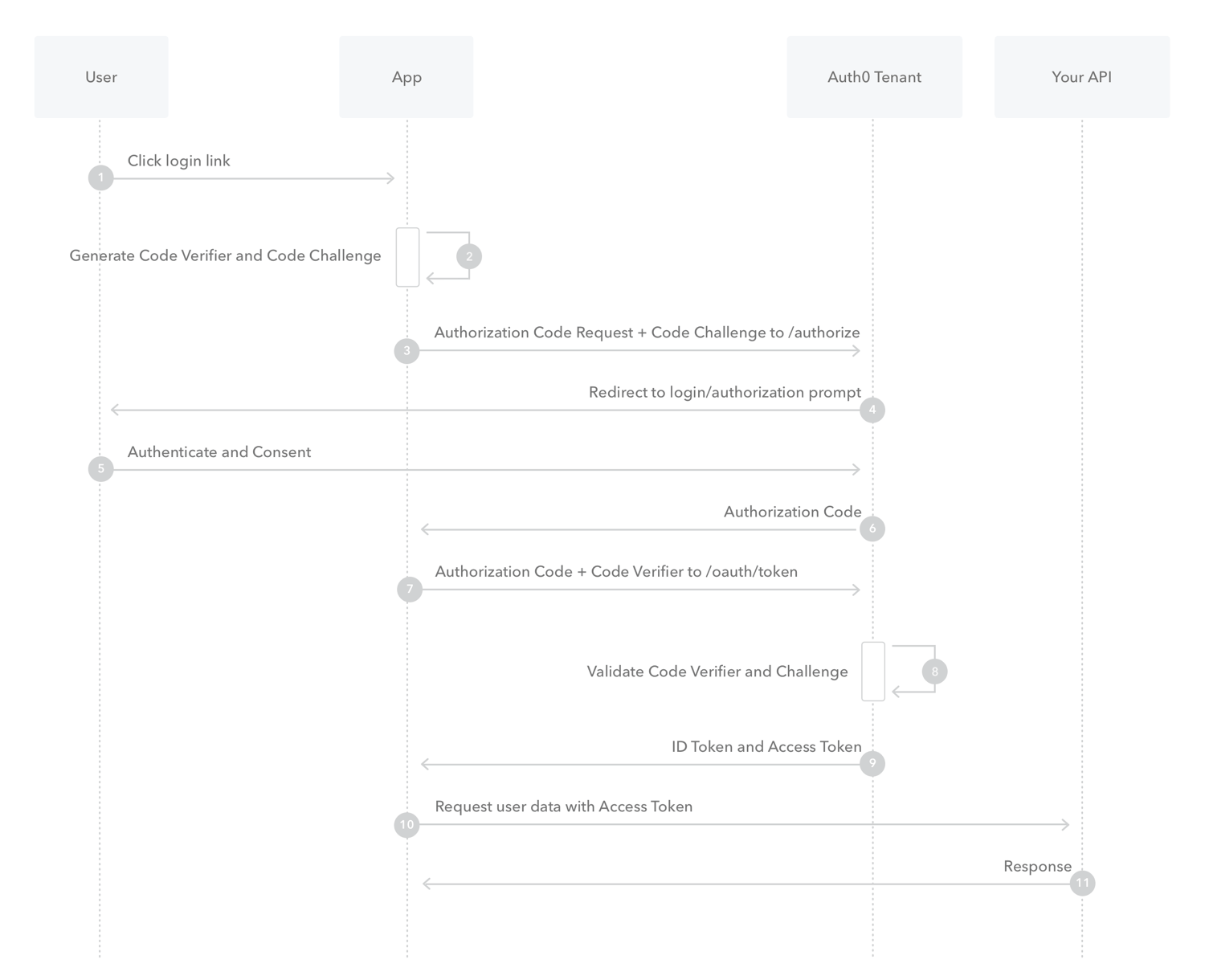
1. The user clicks **Login** within the application.
2. Auth0's SDK creates a cryptographically-random `code_verifier` and from this generates a `code_challenge`.
3. Auth0's SDK redirects the user to the Auth0 Authorization Server ([`/authorize` endpoint](/docs/api/authentication#authorization-code-grant-pkce-)) along with the `code_challenge`.
4. Your Auth0 Authorization Server redirects the user to the login and authorization prompt.
5. The user authenticates using one of the configured login options and may see a consent page listing the permissions Auth0 will give to the application.
6. Your Auth0 Authorization Server stores the `code_challenge` and redirects the user back to the application with an authorization `code`, which is good for one use.
7. Auth0's SDK sends this `code` and the `code_verifier` (created in step 2) to the Auth0 Authorization Server `(`[`/oauth/token` endpoint](/docs/api/authentication?http#authorization-code-flow-with-pkce44)).
8. Your Auth0 Authorization Server verifies the `code_challenge` and `code_verifier`.
9. Your Auth0 Authorization Server responds with an ID token and access token (and optionally, a refresh token).
10. Your application can use the access token to call an API to access information about the user.
11. The API responds with requested data.
If you have [Refresh Token Rotation](/docs/secure/tokens/refresh-tokens/refresh-token-rotation) enabled, a new Refresh Token is generated with each request and issued along with the Access Token. When a Refresh Token is exchanged, the previous Refresh Token is invalidated but information about the relationship is retained by the authorization server.
## How to implement it
The easiest way to implement the Authorization Code Flow with PKCE is to [follow our Native Quickstarts](/docs/quickstart/native) or [follow our Single-Page Quickstarts](/docs/quickstart/spa).
Depending on your application type, you can also use our mobile or single-page app SDKs:
**Mobile**
* [Auth0 Swift SDK](/docs/libraries/auth0-swift)
* [Auth0 Android SDK](/docs/libraries/auth0-android)
**Single-page**
* [Auth0 Single-Page App SDK](/docs/libraries/auth0-single-page-app-sdk)
* [Auth0 React SDK](/docs/libraries/auth0-react)
Recent advancements in user privacy controls in browsers adversely impact the user experience by preventing access to third-party cookies; therefore, browser-based flows must use [Refresh Token Rotation](/docs/secure/tokens/refresh-tokens/refresh-token-rotation), which provides a secure method for using refresh tokens in SPAs while providing end-users with seamless access to resources without the disruption in UX caused by browser privacy technology like ITP.
You can follow our tutorials to use our API endpoints to [Add Login Using the Authorization Code Flow with PKCE](/docs/get-started/authentication-and-authorization-flow/authorization-code-flow-with-pkce/add-login-using-the-authorization-code-flow-with-pkce) or [Call Your API Using the Authorization Code Flow with PKCE](/docs/get-started/authentication-and-authorization-flow/authorization-code-flow-with-pkce/call-your-api-using-the-authorization-code-flow-with-pkce).
## Learn more
* [Auth0 Rules](/docs/customize/rules)
* [Auth0 Hooks](/docs/customize/hooks)
* [Tokens](/docs/secure/tokens)
* [Token Best Practices](/docs/secure/tokens/token-best-practices)
* [Which OAuth 2.0 Flow Should I Use?](/docs/get-started/authentication-and-authorization-flow/which-oauth-2-0-flow-should-i-use)
# Add Login Using the Authorization Code Flow with PKCE
Source: https://auth0.com/docs/get-started/authentication-and-authorization-flow/authorization-code-flow-with-pkce/add-login-using-the-authorization-code-flow-with-pkce
Learn how to add login to your native, mobile, or single-page application using the Authorization Code Flow with Proof Key for Code Exchange (PKCE).
You can add login to your native, mobile, or single-page app using the Authorization Code Flow with PKCE. To learn how the flow works and why you should use it, read [Authorization Code Flow with Proof Key for Code Exchange (PKCE)](/docs/get-started/authentication-and-authorization-flow/authorization-code-flow-with-pkce). To learn how to call your API from a native, mobile, or single-page app, read [Call Your API Using Authorization Code Flow with PKCE](/docs/get-started/authentication-and-authorization-flow/authorization-code-flow-with-pkce/call-your-api-using-the-authorization-code-flow-with-pkce).
To implement the Authorization Code Flow with Proof Key for Code Exchange (PKCE), you can use the following resources:
* [Auth0 Mobile SDKs](/docs/libraries) and [Auth0 Single-Page App SDK](/docs/libraries/auth0-single-page-app-sdk): The easiest way to implement the flow, which will do most of the heavy lifting for you. Our [Mobile Quickstarts](/docs/quickstart/native) and [Single-Page App Quickstarts](/docs/quickstart/spa) will walk you through the process.
* [Authentication API](/docs/api/authentication): If you prefer to build your own solution, keep reading to learn how to call our API directly.
Following successful login, your application will have access to the user's ID token (ID Token: Credential meant for the client itself, rather than for accessing a resource.) and access token (ID Token: Credential meant for the client itself, rather than for accessing a resource.). The ID token will contain basic user profile information, and the access token can be used to call the Auth0 `/userinfo` endpoint or your own protected APIs. To learn more about ID tokens, read [ID Tokens](/docs/secure/tokens/id-tokens). To learn more about access tokens, read [Access Tokens](/docs/secure/tokens/access-tokens).
## Prerequisites
Register your app with Auth0. To learn more, read [Register Native Applications](/docs/get-started/auth0-overview/create-applications/native-apps) or [Register Single-Page Web Applications](/docs/get-started/auth0-overview/create-applications/single-page-web-apps).
* Select an **Application Type** of **Native** or **Single-Page App**, depending on your application type.
* Add an **Allowed Callback URL** of `YOUR_CALLBACK_URL`. Your callback URL format will vary depending on your application type and platform. For details about the format for your application type and platform, see our [Native/Mobile Quickstarts](/docs/quickstart/native) and [Single-Page App Quickstarts](/docs/quickstart/spa).
* Make sure your application's **Grant Types** include **Authorization Code**. To learn more, read [Update Grant Types](/docs/get-started/applications/update-grant-types).
## Create code verifier
Create a `code_verifier`, which is a cryptographically-random, Base64-encoded key that will eventually be sent to Auth0 to request tokens.
To learn more about the algorithm to create the `code_verifier`, read section [4.1 Client Creates a Code Verifier](https://datatracker.ietf.org/doc/html/rfc7636#section-4.1) of the OAuth (OAuth 2.0: Authorization framework that defines authorization protocols and workflows.) Proof Key for Code Exchange spec.
### Javascript sample
```javascript lines theme={null}
// Dependency: Node.js crypto module
// https://nodejs.org/api/crypto.html#crypto_crypto
function base64URLEncode(str) {
return str.toString('base64')
.replace(/\+/g, '-')
.replace(/\//g, '_')
.replace(/=/g, '');
}
var verifier = base64URLEncode(crypto.randomBytes(32));
```
### Java sample
```javascript lines theme={null}
// Dependency: Apache Commons Codec
// https://commons.apache.org/proper/commons-codec/
// Import the Base64 class.
// import org.apache.commons.codec.binary.Base64;
SecureRandom sr = new SecureRandom();
byte[] code = new byte[32];
sr.nextBytes(code);
String verifier = Base64.getUrlEncoder().withoutPadding().encodeToString(code);
```
### Android sample
```javascript lines theme={null}
// Dependency: Apache Commons Codec
// https://commons.apache.org/proper/commons-codec/
// Import the Base64 class.
// import org.apache.commons.codec.binary.Base64;
SecureRandom sr = new SecureRandom();
byte[] code = new byte[32];
sr.nextBytes(code);
String verifier = Base64.encodeToString(code, Base64.URL_SAFE | Base64.NO_WRAP | Base64.NO_PADDING);
```
### Swift 5 sample
```javascript lines theme={null}
var buffer = [UInt8](repeating: 0, count: 32)
_ = SecRandomCopyBytes(kSecRandomDefault, buffer.count, &buffer)
let verifier = Data(buffer).base64EncodedString()
.replacingOccurrences(of: "+", with: "-")
.replacingOccurrences(of: "/", with: "_")
.replacingOccurrences(of: "=", with: "")
```
### Objective-C sample
```objc lines theme={null}
NSMutableData *data = [NSMutableData dataWithLength:32];
int result __attribute__((unused)) = SecRandomCopyBytes(kSecRandomDefault, 32, data.mutableBytes);
NSString *verifier = [[[[data base64EncodedStringWithOptions:0]
stringByReplacingOccurrencesOfString:@"+" withString:@"-"]
stringByReplacingOccurrencesOfString:@"/" withString:@"_"]
stringByTrimmingCharactersInSet:[NSCharacterSet characterSetWithCharactersInString:@"="]];
```
## Create code challenge
Generate a `code_challenge` from the `code_verifier` that will be sent to Auth0 to request an `authorization_code`.
To learn more about how the `code_challenge` is derived from the `code_verifier`, read section [4.2 Client Creates the Code Challenge](https://datatracker.ietf.org/doc/html/rfc7636#section-4.) of the OAuth Proof Key for Code Exchange spec.
### Javascript sample
```javascript lines theme={null}
// Dependency: Node.js crypto module
// https://nodejs.org/api/crypto.html#crypto_crypto
function sha256(buffer) {
return crypto.createHash('sha256').update(buffer).digest();
}
var challenge = base64URLEncode(sha256(verifier));
```
### Java sample
```java lines theme={null}
// Dependency: Apache Commons Codec
// https://commons.apache.org/proper/commons-codec/
// Import the Base64 class.
// import org.apache.commons.codec.binary.Base64;
byte[] bytes = verifier.getBytes("US-ASCII");
MessageDigest md = MessageDigest.getInstance("SHA-256");
md.update(bytes, 0, bytes.length);
byte[] digest = md.digest();
String challenge = Base64.encodeBase64URLSafeString(digest);
```
### Swift 5 sample
```swift lines theme={null}
import CommonCrypto
// ...
guard let data = verifier.data(using: .utf8) else { return nil }
var buffer = [UInt8](repeating: 0, count: Int(CC_SHA256_DIGEST_LENGTH))
_ = data.withUnsafeBytes {
CC_SHA256($0.baseAddress, CC_LONG(data.count), &buffer)
}
let hash = Data(buffer)
let challenge = hash.base64EncodedString()
.replacingOccurrences(of: "+", with: "-")
.replacingOccurrences(of: "/", with: "_")
.replacingOccurrences(of: "=", with: "")
```
### Objective-C sample
```objc lines theme={null}
// Dependency: Apple Common Crypto library
// http://opensource.apple.com//source/CommonCrypto
u_int8_t buffer[CC_SHA256_DIGEST_LENGTH * sizeof(u_int8_t)];
memset(buffer, 0x0, CC_SHA256_DIGEST_LENGTH);
NSData *data = [verifier dataUsingEncoding:NSUTF8StringEncoding];
CC_SHA256([data bytes], (CC_LONG)[data length], buffer);
NSData *hash = [NSData dataWithBytes:buffer length:CC_SHA256_DIGEST_LENGTH];
NSString *challenge = [[[[hash base64EncodedStringWithOptions:0]
stringByReplacingOccurrencesOfString:@"+" withString:@"-"]
stringByReplacingOccurrencesOfString:@"/" withString:@"_"]
stringByTrimmingCharactersInSet:[NSCharacterSet characterSetWithCharactersInString:@"="]];
```
## Authorize user
Request the user's authorization and redirect back to your app with an `authorization_code`.
Once you've created the `code_verifier` and the `code_challenge`, you must get the user's authorization. This is technically the beginning of the authorization flow (Authorization Flow: Authorization grant (or workflow) specified in the OAuth 2.0 framework.), and this step may include one or more of the following processes:
\* Authenticating the user;
\* Redirecting the user to an Identity Provider (Identity Provider (IdP): Service that stores and manages digital identities.) to handle authentication;
\* Checking for active [Single Sign-on (SSO)](/docs/authenticate/single-sign-on) sessions;
\* Obtaining user consent for the requested permission level, unless consent has been previously given.
To authorize the user, your app must send the user to the [authorization URL](/docs/api/authentication#authorization-code-grant-pkce-), including the `code_challenge` you generated in the previous step and the method you used to generate the `code_challenge`.
### Authorization URL example
### Parameters
| Parameter Name | Description |
| - | - |
| `response_type` | Denotes the kind of credential that Auth0 will return (`code` or `token`). For this flow, the value must be `code`. |
| `code_challenge` | Generated challenge from the `code_verifier`. |
| `code_challenge_method` | Method used to generate the challenge (e.g., S256). The PKCE spec defines two methods, `S256` and `plain`, the former is used in this example and is the **only** one supported by Auth0 since the latter is discouraged. |
| `client_id` | Your application's Client ID. You can find this value in your [Application Settings](https://manage.auth0.com/#/Applications/\{yourClientId}/settings). |
| `redirect_uri` | The URL to which Auth0 will redirect the browser after authorization has been granted by the user. The Authorization Code will be available in the `code` URL parameter. You must specify this URL as a valid callback URL in your [Application Settings](https://manage.auth0.com/#/Applications/\{yourClientId}/settings). **Warning:** Per the [OAuth 2.0 Specification](https://tools.ietf.org/html/rfc6749#section-3.1.2), Auth0 removes everything after the hash and does *not* honor any fragments. |
| `scope` | Specifies the [scopes](/docs/get-started/apis/scopes) for which you want to request authorization, which dictate which claims (or user attributes) you want returned. These must be separated by a space. To get an ID Token in the response, you need to specify a scope of at least `openid`. If you want to return the user's full profile, you can request `openid profile`. You can request any of the [standard OpenID Connect (OIDC) scopes](https://openid.net/specs/openid-connect-core-1_0.html#StandardClaims) about users, such as `email`, or [custom claims](/docs/secure/tokens/json-web-tokens/json-web-token-claims#custom-claims) conforming to a [namespaced format](/docs/secure/tokens/json-web-tokens/create-custom-claims). Include `offline_access` to get a [Refresh Token](/docs/glossary?term=Refresh+Token) (make sure that the **Allow Offline Access** field is enabled in the [Application Settings](https://manage.auth0.com/#/applications)). |
| `state` | (recommended) An opaque arbitrary alphanumeric string your app adds to the initial request that Auth0 includes when redirecting back to your application. To see how to use this value to prevent cross-site request forgery (CSRF) attacks, see [Mitigate CSRF Attacks With State Parameters](/docs/secure/attack-protection/state-parameters). |
| `connection` | (optional) Forces the user to sign in with a specific connection. For example, you can pass a value of `github` to send the user directly to GitHub to log in with their GitHub account. When not specified, the user sees the Auth0 Lock screen with all configured connections. You can see a list of your configured connections on the **Connections** tab of your application. |
| `organization` | (optional) ID of the organization to use when authenticating a user. When not provided, if your application is configured to **Display Organization Prompt**, the user will be able to enter the organization name when authenticating. |
| `invitation` | (optional) Ticket ID of the organization invitation. When [inviting a member to an Organization](/docs/manage-users/organizations/configure-organizations/invite-members), your application should handle invitation acceptance by forwarding the `invitation` and `organization` key-value pairs when the user accepts the invitation. |
As an example, your HTML snippet for your authorization URL when adding login to your app might look like:
### Response
If all goes well, you'll receive an `HTTP 302` response. The authorization code is included at the end of the URL:
```http lines theme={null}
HTTP/1.1 302 Found
Location: {yourCallbackUrl}?code={authorizationCode}&state=xyzABC123
```
## Request tokens
Exchange your `authorization_code` and `code_verifier` for tokens.
Now that you have an Authorization Code, you must exchange it for tokens. Using the extracted Authorization Code (`code`) from the previous step, you will need to `POST` to the [token URL](/docs/api/authentication#authorization-code-pkce-) sending along the `code_verifier`.
### POST to token URL example
### Parameters
| Parameter Name | Description |
| - | - |
| `grant_type` | Set this to "authorization\_code". |
| `code_verifier` | The cryptographically-random key that was generated in the first step of this tutorial. |
| `code` | The `authorization_code` retrieved in the previous step of this tutorial. |
| `client_id` | Your application's Client ID. You can find this value in your [Application Settings](https://manage.auth0.com/#/Applications/\{yourClientId}/settings). |
| `redirect_uri` | The valid callback URL set in your Application settings. This must exactly match the `redirect_uri` passed to the authorization URL in the previous step of this tutorial. Note that this must be URL encoded. |
### Response
If all goes well, you'll receive an HTTP 200 response with a payload containing `access_token`, `refresh_token`, `id_token`, and `token_type` values:
```json lines theme={null}
{
"access_token":"eyJz93a...k4laUWw",
"refresh_token":"GEbRxBN...edjnXbL",
"id_token":"eyJ0XAi...4faeEoQ",
"token_type":"Bearer",
"expires_in":86400
}
```
> [!WARNING]
>
> Validate your tokens before saving them. To learn how, read [Validate ID Tokens](/docs/secure/tokens/id-tokens/validate-id-tokens) and [Validate Access Tokens](/docs/secure/tokens/access-tokens/validate-access-tokens).
[ID tokens](/docs/secure/tokens/id-tokens) contain user information that must be decoded and extracted.
[Access tokens](/docs/secure/tokens/access-tokens) are used to call the [Auth0 Authentication API's /userinfo endpoint](/docs/api/authentication#get-user-info) or another API. If you are calling your own API, the first thing your API will need to do is [verify the Access token](/docs/secure/tokens/access-tokens/validate-access-tokens).
[Refresh tokens](/docs/secure/tokens/refresh-tokens) are used to obtain a new access token or ID token after the previous one has expired. The `refresh_token` will only be present in the response if you included the `offline_access` scope and enabled **Allow Offline Access** for your API in the Dashboard.
> [!WARNING]
>
> Refresh tokens must be stored securely since they allow a user to remain authenticated essentially forever.
## Use cases
### Basic authentication request
This example shows the most basic request you can make when authorizing the user in step 1. It displays the Auth0 login screen and allows the user to sign in with any of your configured connections:
Now, when you request tokens, your ID Token will contain the most basic claims. When you decode the ID Token, it will look similar to:
```json lines theme={null}
{
"iss": "https://auth0pnp.auth0.com/",
"sub": "auth0|581...",
"aud": "xvt9...",
"exp": 1478112929,
"iat": 1478076929
}
```
### Request user's name and profile picture
In addition to the usual user authentication, this example shows how to request additional user details, such as name and picture.
To request the user's name and picture, you need to add the appropriate scopes when authorizing the user:
Now, when you request tokens, your ID token will contain the requested name and picture claims. When you decode the ID token, it will look similar to:
```json lines theme={null}
{
"name": "auth0user@...",
"picture": "https://example.com/profile-pic.png",
"iss": "https://auth0user.auth0.com/",
"sub": "auth0|581...",
"aud": "xvt...",
"exp": 1478113129,
"iat": 1478077129
}
```
### Request user log in with GitHub
In addition to the usual user authentication, this example shows how to send users directly to a social identity provider, such as GitHub. For this example to work, you need to go to [Auth0 Dashboard > Authentication > Social](https://manage.auth0.com/#/connections/social) and configure the appropriate connection. Get the connection name from the **Settings** tab.
To send users directly to the GitHub login screen, you need to pass the `connection` parameter and set its value to the connection name (in this case, `github`) when authorizing the user:
Now, when you request tokens, your ID token will contain a `sub` claim with the user's unique ID returned from GitHub. When you decode the ID token, it will look similar to:
```json lines theme={null}
{
"name": "John Smith",
"picture": "https://avatars.example.com",
"email": "jsmith@...",
"email_verified": true,
"iss": "https://auth0user.auth0.com/",
"sub": "github|100...",
"aud": "xvt...",
"exp": 1478114742,
"iat": 1478078742
}
```
## Learn more
* [OAuth 2.0 Authorization Framework](/docs/authenticate/protocols/oauth)
* [OpenID Connect Protocol](/docs/authenticate/protocols/openid-connect-protocol)
* [Tokens](/docs/secure/tokens)
# Call Your API Using the Authorization Code Flow with PKCE
Source: https://auth0.com/docs/get-started/authentication-and-authorization-flow/authorization-code-flow-with-pkce/call-your-api-using-the-authorization-code-flow-with-pkce
Learn how to call your API from a native, mobile, or single-page application using the Authorization Code flow using Proof Key for Code Exchange (PKCE).
This tutorial helps you call your own API from a native, mobile, or single-page app using the Authorization Code Flow with PKCE. To learn how the flow works and why you should use it, read [Authorization Code Flow with Proof Key for Code Exchange (PKCE)](/docs/get-started/authentication-and-authorization-flow/authorization-code-flow-with-pkce). To learn to add login to your native, mobile, or single-page app, read [Add Login Using Authorization Code Flow with PKCE](/docs/get-started/authentication-and-authorization-flow/authorization-code-flow-with-pkce/add-login-using-the-authorization-code-flow-with-pkce).
Auth0 makes it easy for your app to implement the Authorization Code Flow with Proof Key for Code Exchange (PKCE) using:
* [Auth0 Mobile SDKs](/docs/libraries) and [Auth0 Single-Page App SDK](/docs/libraries/auth0-single-page-app-sdk): The easiest way to implement the flow, which will do most of the heavy-lifting for you. Our [Mobile Quickstarts](/docs/quickstart/native) and [Single-Page App Quickstarts](/docs/quickstart/spa) will walk you through the process.
* [Authentication API](/docs/api/authentication): If you prefer to build your own solution, keep reading to learn how to call our API directly.
## Prerequisites
**Before beginning this tutorial:**
* [Register the Application with Auth0](/docs/get-started/auth0-overview/create-applications/native-apps).
* Select an **Application Type** of **Native** or **Single-Page App**, depending on your application type.
* Add an **Allowed Callback URL** of `{yourCallbackUrl}`. Your callback URL format will vary depending on your application type and platform. For details about the format for your application type and platform, see our [Native/Mobile Quickstarts](/docs/quickstart/native) and [Single-Page App Quickstarts](/docs/quickstart/spa).
* Make sure the Application's **Grant Types** include **Authorization Code**. To learn how, read [Update Grant Types](/docs/get-started/applications/update-grant-types).
* If you want your Application to be able to use Refresh Tokens, make sure the Application's **Grant Types** include **Refresh Token**. To learn how, read [Update Grant Types](/docs/get-started/applications/update-grant-types). To learn more about Refresh Tokens, read [Refresh Tokens](/docs/secure/tokens/refresh-tokens).
* [Register your API with Auth0](/docs/get-started/architecture-scenarios/mobile-api/part-2#create-the-api)
* If you want your API to receive Refresh Tokens to allow it to obtain new tokens when the previous ones expire, enable **Allow Offline Access**.
## Steps
1. [Create code verifier](#create-code-verifier):
Generate a `code_verifier` that will be sent to Auth0 to request tokens.
2. [Create code challenge](#create-code-challenge):
Generate a `code_challenge` from the `code_verifier` that will be sent to Auth0 to request an `authorization_code`.
3. [Authorize user](#authorize-user):
Request the user's authorization and redirect back to your app with an `authorization_code`.
4. [Request tokens](#request-tokens):
Exchange your `authorization_code` and `code_verifier` for tokens.
5. [Call API](#call-api):
Use the retrieved Access Token to call your API.
6. [Refresh tokens](#refresh-tokens):
Use a Refresh Token to request new tokens when the existing ones expire.
Optional: [Explore sample use cases](#sample-use-cases).
### Create code verifier
Create a `code_verifier`, which is a cryptographically-random, Base64-encoded key that will eventually be sent to Auth0 to request tokens.
#### Javascript sample
```javascript lines theme={null}
// Dependency: Node.js crypto module
// https://nodejs.org/api/crypto.html#crypto_crypto
function base64URLEncode(str) {
return str.toString('base64')
.replace(/\+/g, '-')
.replace(/\//g, '_')
.replace(/=/g, '');
}
var verifier = base64URLEncode(crypto.randomBytes(32));
```
#### Java sample
```java lines theme={null}
// Dependency: Apache Commons Codec
// https://commons.apache.org/proper/commons-codec/
// Import the Base64 class.
// import org.apache.commons.codec.binary.Base64;
SecureRandom sr = new SecureRandom();
byte[] code = new byte[32];
sr.nextBytes(code);
String verifier = Base64.getUrlEncoder().withoutPadding().encodeToString(code);
```
#### Android sample
```kotlin lines theme={null}
// See https://developer.android.com/reference/android/util/Base64
// Import the Base64 class
// import android.util.Base64;
SecureRandom sr = new SecureRandom();
byte[] code = new byte[32];
sr.nextBytes(code);
String verifier = Base64.encodeToString(code, Base64.URL_SAFE | Base64.NO_WRAP | Base64.NO_PADDING);
```
#### Swift 5 sample
```swift lines theme={null}
var buffer = [UInt8](repeating: 0, count: 32)
_ = SecRandomCopyBytes(kSecRandomDefault, buffer.count, &buffer)
let verifier = Data(buffer).base64EncodedString()
.replacingOccurrences(of: "+", with: "-")
.replacingOccurrences(of: "/", with: "_")
.replacingOccurrences(of: "=", with: "")
```
#### Objective-C sample
```objc lines theme={null}
NSMutableData *data = [NSMutableData dataWithLength:32];
int result __attribute__((unused)) = SecRandomCopyBytes(kSecRandomDefault, 32, data.mutableBytes);
NSString *verifier = [[[[data base64EncodedStringWithOptions:0]
stringByReplacingOccurrencesOfString:@"+" withString:@"-"]
stringByReplacingOccurrencesOfString:@"/" withString:@"_"]
stringByTrimmingCharactersInSet:[NSCharacterSet characterSetWithCharactersInString:@"="]];
```
### Create code challenge
Generate a `code_challenge` from the `code_verifier` that will be sent to Auth0 to request an `authorization_code`.
#### Javascript sample
```javascript lines theme={null}
// Dependency: Node.js crypto module
// https://nodejs.org/api/crypto.html#crypto_crypto
function sha256(buffer) {
return crypto.createHash('sha256').update(buffer).digest();
}
var challenge = base64URLEncode(sha256(verifier));
```
#### Java sample
```java lines theme={null}
// Dependency: Apache Commons Codec
// https://commons.apache.org/proper/commons-codec/
// Import the Base64 class.
// import org.apache.commons.codec.binary.Base64;
byte[] bytes = verifier.getBytes("US-ASCII");
MessageDigest md = MessageDigest.getInstance("SHA-256");
md.update(bytes, 0, bytes.length);
byte[] digest = md.digest();
String challenge = Base64.encodeBase64URLSafeString(digest);
```
#### Swift 5 sample
```swift lines theme={null}
import CommonCrypto
// ...
guard let data = verifier.data(using: .utf8) else { return nil }
var buffer = [UInt8](repeating: 0, count: Int(CC_SHA256_DIGEST_LENGTH))
_ = data.withUnsafeBytes {
CC_SHA256($0.baseAddress, CC_LONG(data.count), &buffer)
}
let hash = Data(buffer)
let challenge = hash.base64EncodedString()
.replacingOccurrences(of: "+", with: "-")
.replacingOccurrences(of: "/", with: "_")
.replacingOccurrences(of: "=", with: "")
```
#### Objective-C sample
```objc lines theme={null}
// Dependency: Apple Common Crypto library
// http://opensource.apple.com//source/CommonCrypto
u_int8_t buffer[CC_SHA256_DIGEST_LENGTH * sizeof(u_int8_t)];
memset(buffer, 0x0, CC_SHA256_DIGEST_LENGTH);
NSData *data = [verifier dataUsingEncoding:NSUTF8StringEncoding];
CC_SHA256([data bytes], (CC_LONG)[data length], buffer);
NSData *hash = [NSData dataWithBytes:buffer length:CC_SHA256_DIGEST_LENGTH];
NSString *challenge = [[[[hash base64EncodedStringWithOptions:0]
stringByReplacingOccurrencesOfString:@"+" withString:@"-"]
stringByReplacingOccurrencesOfString:@"/" withString:@"_"]
stringByTrimmingCharactersInSet:[NSCharacterSet characterSetWithCharactersInString:@"="]];
```
### Authorize user
Once you've created the `code_verifier` and the `code_challenge`, you must get the user's authorization. This is technically the beginning of the authorization flow (Authorization Flow: Authorization grant (or workflow) specified in the OAuth 2.0 framework.), and this step may include one or more of the following processes:
\* Authenticating the user;
\* Redirecting the user to an Identity Provider (Identity Provider (IdP): Service that stores and manages digital identities.) to handle authentication;
\* Checking for active [Single Sign-on (SSO)](/docs/authenticate/single-sign-on) sessions;
\* Obtaining user consent for the requested permission level, unless consent has been previously given.
To authorize the user, your app must send the user to the [authorization URL](/docs/api/authentication#authorization-code-grant-pkce-), including the `code_challenge` you generated in the previous step and the method you used to generate the `code_challenge`.
#### Example authorization URL
##### Parameters
Note that for authorizing a user when calling a custom API, you:
* must include an audience (Audience: Unique identifier of the audience for an issued token. Named aud in a token, its value contains the ID of either an application (Client ID) for an ID Token or an API (API Identifier) for an Access Token.) parameter
* can include additional scopes supported by the target API
| Parameter Name | Description |
| - | - |
| `response_type` | Denotes the kind of credential that Auth0 will return (`code` or `token`). For this flow, the value must be `code`. |
| `code_challenge` | Generated challenge from the `code_verifier`. |
| `code_challenge_method` | Method used to generate the challenge (e.g., S256). The PKCE spec defines two methods, `S256` and `plain`, the former is used in this example and is the **only** one supported by Auth0 since the latter is discouraged. |
| `client_id` | Your application's Client ID. You can find this value in your [Application Settings](https://manage.auth0.com/#/Applications/\{yourClientId}/settings). |
| `redirect_uri` | The URL to which Auth0 will redirect the browser after authorization has been granted by the user. The Authorization Code will be available in the `code` URL parameter. You must specify this URL as a valid callback URL in your [Application Settings](https://manage.auth0.com/#/Applications/\{yourClientId}/settings). **Warning:** Per the [OAuth 2.0 Specification](https://tools.ietf.org/html/rfc6749#section-3.1.2), Auth0 removes everything after the hash and does *not* honor any fragments. |
| `scope` | The [scopes](/docs/get-started/apis/scopes) for which you want to request authorization. These must be separated by a space. You can request any of the [standard OpenID Connect (OIDC) scopes](https://openid.net/specs/openid-connect-core-1_0.html#StandardClaims) about users, such as `profile` and `email`, [custom claims](/docs/secure/tokens/json-web-tokens/json-web-token-claims#custom-claims) conforming to a [namespaced format](/docs/secure/tokens/json-web-tokens/create-custom-claims), or any scopes supported by the target API (e.g., `read:contacts`). Include `offline_access` to get a [Refresh Token](/docs/glossary?term=Refresh+Token) (make sure that the **Allow Offline Access** field is enabled in the [Application Settings](https://manage.auth0.com/#/apis)). |
| `audience` | The unique identifier of the API your mobile app wants to access. Use the **Identifier** value on the [Settings](https://manage.auth0.com/#/apis) tab for the API you created as part of the prerequisites for this tutorial. |
| `state` | (recommended) An opaque arbitrary alphanumeric string your app adds to the initial request that Auth0 includes when redirecting back to your application. To see how to use this value to prevent cross-site request forgery (CSRF) attacks, see [Mitigate CSRF Attacks With State Parameters](/docs/secure/attack-protection/state-parameters). |
| `organization` | (optional) ID of the organization to use when authenticating a user. When not provided, if your application is configured to **Display Organization Prompt**, the user will be able to enter the organization name when authenticating. |
| `invitation` | (optional) Ticket ID of the organization invitation. When [inviting a member to an Organization](/docs/manage-users/organizations/configure-organizations/invite-members), your application should handle invitation acceptance by forwarding the `invitation` and `organization` key-value pairs when the user accepts the invitation. |
As an example, your HTML snippet for your authorization URL when calling an API might look like:
#### Response
If all goes well, you'll receive an `HTTP 302` response. The authorization code is included at the end of the URL:
```http lines theme={null}
HTTP/1.1 302 Found
Location: {yourCallbackUrl}?code={authorizationCode}&state=xyzABC123
```
### Request tokens
Now that you have an Authorization Code, you must exchange it for tokens. Using the extracted Authorization Code (`code`) from the previous step, you will need to `POST` to the [token URL](/docs/api/authentication#authorization-code-pkce-) sending along the `code_verifier`.
#### Example POST to token URL
##### Parameters
| Parameter Name | Description |
| - | - |
| `grant_type` | Set this to "authorization\_code". |
| `code_verifier` | The cryptographically-random key that was generated in the first step of this tutorial. |
| `code` | The `authorization_code` retrieved in the previous step of this tutorial. |
| `client_id` | Your application's Client ID. You can find this value in your [Application Settings](https://manage.auth0.com/#/Applications/\{yourClientId}/settings). |
| `redirect_uri` | The valid callback URL set in your Application settings. This must exactly match the `redirect_uri` passed to the authorization URL in the previous step of this tutorial. Note that this must be URL encoded. |
#### Response
If all goes well, you'll receive an HTTP 200 response with a payload containing `access_token`, `refresh_token`, `id_token`, and `token_type` values:
```json lines theme={null}
{
"access_token":"eyJz93a...k4laUWw",
"refresh_token":"GEbRxBN...edjnXbL",
"id_token":"eyJ0XAi...4faeEoQ",
"token_type":"Bearer",
"expires_in":86400
}
```
> [!WARNING]
>
> Validate your tokens before saving them. To learn how, read [Validate ID Tokens](/docs/secure/tokens/id-tokens/validate-id-tokens) and [Validate Access Tokens](/docs/secure/tokens/access-tokens/validate-access-tokens).
[ID tokens](/docs/secure/tokens/id-tokens) contain user information that must be decoded and extracted.
[Access tokens](/docs/secure/tokens/access-tokens) are used to call the [Auth0 Authentication API's /userinfo endpoint](/docs/api/authentication#get-user-info) or another API. If you are calling your own API, the first thing your API will need to do is [verify the Access token](/docs/secure/tokens/access-tokens/validate-access-tokens).
[Refresh tokens](/docs/secure/tokens/refresh-tokens) are used to obtain a new access token (Access Token: Authorization credential, in the form of an opaque string or JWT, used to access an API.) or ID token (Access Token: Authorization credential, in the form of an opaque string or JWT, used to access an API.) after the previous one has expired. The `refresh_token` will only be present in the response if you included the `offline_access` scope and enabled **Allow Offline Access** for your API in the Dashboard.
> [!WARNING]
>
> Refresh tokens must be stored securely since they allow a user to remain authenticated essentially forever.
### Call API
To call your API from a native/mobile application, the application must pass the retrieved Access Token as a Bearer token in the Authorization header of your HTTP request.
### Refresh tokens
You have already received a [refresh token](/docs/secure/tokens/refresh-tokens) if you've been following this tutorial and completed the following:
* configured your API to allow offline access
* included the `offline_access` scope when you initiated the authentication request through the [authorize endpoint](/docs/api/authentication/authorization-code-flow/authorize-application).
You can use the Refresh Token (Refresh Token: Token used to obtain a renewed Access Token without forcing users to log in again.) to get a new access token. Usually, a user will need a new access token only after the previous one expires or when gaining access to a new resource for the first time. It's bad practice to call the endpoint to get a new access token every time you call an API, and Auth0 maintains rate limits that will throttle the amount of requests to the endpoint that can be executed using the same token from the same IP.
To refresh your token, make a `POST` request to the `/oauth/token` endpoint in the Authentication API, using `grant_type=refresh_token`.
#### Example POST to token URL
##### Parameters
| Parameter Name | Description |
| - | - |
| `grant_type` | Set this to `refresh_token`. |
| `client_id` | Your application's Client ID. You can find this value in your [Application Settings](https://manage.auth0.com/#/Applications/\{yourClientId}/settings). |
| `refresh_token` | The refresh token to use. |
| `scope` | (optional) A space-delimited list of requested scope permissions. If not sent, the original scopes will be used; otherwise you can request a reduced set of scopes. Note that this must be URL encoded. |
#### Response
If all goes well, you'll receive an `HTTP 200` response with a payload containing a new `access_token`, its lifetime in seconds (`expires_in`), granted `scope` values, and `token_type`. If the scope of the initial token included `openid`, then the response will also include a new `id_token`:
```json lines theme={null}
{
"access_token": "eyJ...MoQ",
"expires_in": 86400,
"scope": "openid offline_access",
"id_token": "eyJ...0NE",
"token_type": "Bearer"
}
```
> [!WARNING]
>
> Validate your tokens before saving them. To learn how, read [Validate ID Tokens](/docs/secure/tokens/id-tokens/validate-id-tokens) and [Validate Access Tokens](/docs/secure/tokens/access-tokens/validate-access-tokens).
### Sample use cases
#### Customize tokens
You can use Actions to change the returned scopes of Access Tokens and/or add claims to Access and ID Tokens. (To learn more about Actions, read [Auth0 Actions](/docs/customize/actions). ) To do so, add the following Action, which will run after the user authenticates:
```js lines theme={null}
exports.onExecutePostLogin = async (event, api) => {
// Add custom claims to Access Token and ID Token
api.accessToken.setCustomClaim('https://foo/bar', 'value');
api.idToken.setCustomClaim('https://fiz/baz', 'some other value');
// Modify the scope of the Access Token
api.transaction.addTargetScope('read:reports');
api.transaction.addTargetScope('write:reports');
};
```
Auth0 evaluates the final target scopes against applicable authorization policies and consent requirements. To learn more, read [Handling Scopes in Actions](/docs/customize/actions/handling-scopes-in-actions).
> [!WARNING]
>
> Auth0 returns profile information in a structured claim format as defined by the [OpenID Connect (OIDC) specification](https://openid.net/specs/openid-connect-core-1_0.html#StandardClaims). This means that custom claims added to ID tokens or access tokens must [conform to guidelines and restrictions](/docs/secure/tokens/json-web-tokens/create-custom-claims) to avoid possible collisions.
#### View Sample Application: Mobile App + API
For a sample implementation, see the [Mobile + API](/docs/get-started/architecture-scenarios/mobile-api) architecture scenario.
## Learn more
* [OAuth 2.0 Authorization Framework](/docs/authenticate/protocols/oauth)
* [OpenID Connect Protocol](/docs/authenticate/protocols/openid-connect-protocol)
* [Tokens](/docs/secure/tokens)
# Add Login Using the Authorization Code Flow
Source: https://auth0.com/docs/get-started/authentication-and-authorization-flow/authorization-code-flow/add-login-auth-code-flow
Learn how to add login to your regular web application using the Authorization Code Flow.
You can add login to your regular web application using the Authorization Code Flow. To learn how the flow works and why you should use it, read [Authorization Code Flow](/docs/get-started/authentication-and-authorization-flow/authorization-code-flow). To call your API from a regular web app, read [Call Your API Using the Authorization Code Flow](/docs/get-started/authentication-and-authorization-flow/authorization-code-flow/call-your-api-using-the-authorization-code-flow).
To implement the Authorization Code Flow, Auth0 provides the following resources:
* [Regular Web App Quickstarts](/docs/quickstart/webapp): The easiest way to implement the flow.
* [Authentication API](/docs/api/authentication): If you prefer to build your own solution, keep reading to learn how to call our API directly.
Following a successful login, your application will have access to the user's ID token (ID Token: Credential meant for the client itself, rather than for accessing a resource.) and access token (ID Token: Credential meant for the client itself, rather than for accessing a resource.). The ID token contains basic user profile information, and the access token can be used to call the Auth0 `/userinfo` endpoint or your own protected APIs. To learn more about ID tokens, read [ID Tokens](/docs/secure/tokens/id-tokens). To learn more about access tokens, read [Access Tokens](/docs/secure/tokens/access-tokens).
You will request the user's authorization and redirect back to your app with an `authorization_code`. Then you will exchange the code for tokens.
## Prerequisites
Register your app with Auth0. To learn more, read [Register Regular Web Applications](/docs/get-started/auth0-overview/create-applications/regular-web-apps).
* Select **Regular Web App** as the **Application Type**.
* Add an **Allowed Callback URL** of `{https://yourApp/callback}`.
* Make sure your application's **Grant Types** include **Authorization Code**. To learn more, read [Update Grant Types](/docs/get-started/applications/update-grant-types).
## Authorize user
To begin the flow, you'll need to get the user's authorization. This step may include one or more of the following processes:
* Authenticating the user;
* Redirecting the user to an Identity Provider (Identity Provider (IdP): Service that stores and manages digital identities.) to handle authentication;
* Obtaining user consent for the requested permission level, unless consent has been previously given.
To authorize the user, your app must send the user to the [authorization URL](/docs/api/authentication#authorization-code-flow).
### Authorization URL example
### Parameters
| Parameter Name | Description |
| - | - |
| `response_type` | Denotes the kind of credential that Auth0 will return (`code` or `token`). For this flow, the value must be `code`. |
| `client_id` | Your application's Client ID. You can find this value in your [Application Settings](https://manage.auth0.com/#/Applications/\{yourClientId}/settings). |
| `redirect_uri` | The URL to which Auth0 will redirect the browser after authorization has been granted by the user. The Authorization Code will be available in the `code` URL parameter. You must specify this URL as a valid callback URL in your [Application Settings](https://manage.auth0.com/#/Applications/\{yourClientId}/settings). **Warning:** Per the [OAuth 2.0 Specification](https://tools.ietf.org/html/rfc6749#section-3.1.2), Auth0 removes everything after the hash and does *not* honor any fragments. |
| `scope` | Specifies the [scopes](/docs/get-started/apis/scopes) for which you want to request authorization, which dictate which claims (or user attributes) you want returned. These must be separated by a space. To get an ID Token in the response, you need to specify a scope of at least `openid`. If you want to return the user's full profile, you can request `openid profile`. You can request any of the [standard OpenID Connect (OIDC) scopes](https://openid.net/specs/openid-connect-core-1_0.html#StandardClaims) about users, such as `email`, or [custom claims](/docs/secure/tokens/json-web-tokens/json-web-token-claims#custom-claims) conforming to a [namespaced format](/docs/secure/tokens/json-web-tokens/create-custom-claims). Include `offline_access` to get a [Refresh Token](/docs/glossary?term=Refresh+Token) (make sure that the **Allow Offline Access** field is enabled in the [Application Settings](https://manage.auth0.com/#/applications)). |
| `state` | (recommended) An opaque arbitrary alphanumeric string your app adds to the initial request that Auth0 includes when redirecting back to your application. To see how to use this value to prevent cross-site request forgery (CSRF) attacks, see [Mitigate CSRF Attacks With State Parameters](/docs/secure/attack-protection/state-parameters). |
| `connection` | (optional) Forces the user to sign in with a specific connection. For example, you can pass a value of `github` to send the user directly to GitHub to log in with their GitHub account. When not specified, the user sees the Auth0 Lock screen with all configured connections. You can see a list of your configured connections on the **Connections** tab of your application. |
| `organization` | (optional) ID of the organization to use when authenticating a user. When not provided, if your application is configured to **Display Organization Prompt**, the user will be able to enter the organization name when authenticating. |
| `invitation` | (optional) Ticket ID of the organization invitation. When [inviting a member to an Organization](/docs/manage-users/organizations/configure-organizations/invite-members), your application should handle invitation acceptance by forwarding the `invitation` and `organization` key-value pairs when the user accepts the invitation. |
| `login_hint` | (optional) Populates the username/email field for the login or signup page when redirecting to Auth0. Supported by the Universal Login experience. |
As an example, your HTML snippet for your authorization URL when adding login to your app might look like:
### Response
If all goes well, you'll receive an `HTTP 302` response. The authorization code is included at the end of the URL:
```http lines theme={null}
HTTP/1.1 302 Found
Location: {https://yourApp/callback}?code={authorizationCode}&state=xyzABC123
```
## Request tokens
Now that you have an Authorization Code, you must exchange it for tokens. Using the extracted Authorization Code (`code`) from the previous step, you will need to `POST` to the [token URL](/docs/api/authentication#authorization-code).
### POST to token URL example
### Parameters
| Parameter Name | Description |
| - | - |
| `grant_type` | Set this to `authorization_code`. |
| `code` | The `authorization_code` retrieved in the previous step of this tutorial. |
| `client_id` | Your application's Client ID. You can find this value in your [Application Settings](https://manage.auth0.com/#/Applications/\{yourClientId}/settings). |
| `client_secret` | Your application's Client Secret. You can find this value in your [Application Settings](https://manage.auth0.com/#/Applications/\{yourClientId}/settings). To learn more about available application authentication methods, read [Application Credentials](/docs/secure/application-credentials). |
| `redirect_uri` | The valid callback URL set in your Application settings. This must exactly match the `redirect_uri` passed to the authorization URL in the previous step of this tutorial. Note that this must be URL encoded. |
### Response
If all goes well, you'll receive an HTTP 200 response with a payload containing `access_token`, `refresh_token`, `id_token`, and `token_type` values:
```json lines theme={null}
{
"access_token": "eyJz93a...k4laUWw",
"refresh_token": "GEbRxBN...edjnXbL",
"id_token": "eyJ0XAi...4faeEoQ",
"token_type": "Bearer"
}
```
> [!WARNING]
>
> Validate your tokens before saving them. To learn how, read [Validate ID Tokens](/docs/secure/tokens/id-tokens/validate-id-tokens) and [Validate Access Tokens](/docs/secure/tokens/access-tokens/validate-access-tokens).
[ID tokens](/docs/secure/tokens/id-tokens) contain user information that must be decoded and extracted.
[Access tokens](/docs/secure/tokens/access-tokens) are used to call the [Auth0 Authentication API's /userinfo endpoint](/docs/api/authentication#get-user-info) or another API. If you are calling your own API, the first thing your API will need to do is [verify the Access token](/docs/secure/tokens/access-tokens/validate-access-tokens).
[Refresh tokens](/docs/secure/tokens/refresh-tokens) are used to obtain a new access token or ID token after the previous one has expired. The `refresh_token` will only be present in the response if you included the `offline_access` scope and enabled **Allow Offline Access** for your API in the Dashboard.
> [!WARNING]
>
> Refresh tokens must be stored securely since they allow a user to remain authenticated essentially forever.
## Use cases
### Basic authentication request
This example shows the most basic request you can make when authorizing the user in step 1. It displays the Auth0 login screen and allows the user to sign in with any of your configured connections:
Now, when you request tokens, your ID Token will contain the most basic claims. When you decode the ID Token, it will look similar to:
```json lines theme={null}
{
"iss": "https://auth0pnp.auth0.com/",
"sub": "auth0|581...",
"aud": "xvt9...",
"exp": 1478112929,
"iat": 1478076929
}
```
### Request user's name and profile picture
In addition to the usual user authentication, this example shows how to request additional user details, such as name and picture.
To request the user's name and picture, you need to add the appropriate scopes when authorizing the user:
Now, when you request tokens, your ID token will contain the requested name and picture claims. When you decode the ID token, it will look similar to:
```json lines theme={null}
{
"name": "jerrie@...",
"picture": "https://s.gravatar.com/avatar/6222081fd7dcea7dfb193788d138c457?s=480&r=pg&d=https%3A%2F%2Fcdn.auth0.com%2Favatars%2Fje.png",
"iss": "https://auth0pnp.auth0.com/",
"sub": "auth0|581...",
"aud": "xvt...",
"exp": 1478113129,
"iat": 1478077129
}
```
### Request user log in with GitHub
In addition to the usual user authentication, this example shows how to send users directly to a social identity provider, such as GitHub. You will first need to configure the appropriate connection in [Auth0 Dashboard > Authentication > Social](https://manage.auth0.com/#/connections/social) and get the connection name from the **Settings** tab.
To send users directly to the GitHub login screen, you need to pass the `connection` parameter and set its value to the connection name (in this case, `github`) when authorizing the user in step 1:
Now, when you request tokens, your ID Token will contain a `sub` claim with the user's unique ID returned from GitHub. When you decode the ID token, it will look similar to:
```json lines theme={null}
{
"name": "Jerrie Pelser",
"nickname": "jerriep",
"picture": "https://avatars.githubusercontent.com/u/1006420?v=3",
"iss": "https://auth0pnp.auth0.com/",
"sub": "github|100...",
"aud": "xvt...",
"exp": 1478114742,
"iat": 1478078742
}
```
## Learn more
* [OAuth 2.0 Authorization Framework](/docs/authenticate/protocols/oauth)
* [OpenID Connect Protocol](/docs/authenticate/protocols/openid-connect-protocol)
* [Tokens](/docs/secure/tokens)
* [Register Regular Web Applications](/docs/get-started/auth0-overview/create-applications/regular-web-apps)
* [Update Grant Types](/docs/get-started/applications/update-grant-types)
# Authorization Code Flow with JWT-Secured Authorization Requests (JAR)
Source: https://auth0.com/docs/get-started/authentication-and-authorization-flow/authorization-code-flow/authorization-code-flow-with-jar
Learn how to use JWT-Secured Authorization Requests (JAR) with the Authorization Code Flow.
To use Highly Regulated Identity features, you must have an Enterprise Plan with the Highly Regulated Identity add-on. Refer to [Auth0 Pricing](https://auth0.com/pricing/) for details.
[JWT-Secured Authorization Request (JAR)](https://datatracker.ietf.org/doc/html/rfc9101) is an extension of the OAuth 2.0 protocol that protects the integrity and authenticity of authorization request parameters. By wrapping parameters in a signed [JSON Web Token (JWT)](/docs/secure/tokens/json-web-tokens), you prevent intermediaries from tampering with or viewing sensitive request data.
## Prerequisites
Before using JAR, you must:
1. [Generate a RSA key pair](/docs/secure/application-credentials/generate-rsa-key-pair)
2. Register the public key by uploading it to the Auth0 Dashboard as described in [Configure JWT-Secured Authorization Requests](/docs/get-started/applications/configure-jar)
## How it works
Instead of passing parameters like `scope` or `redirect_uri` as plain text in a URL, the client application wraps them into a signed [JSON Web Token (JWT)](/docs/secure/tokens/json-web-tokens) as the request object:
* Signing: The client application signs the JWT using its private key.
* Verification: The Auth0 Authorization Server receives the JWT and verifies the signature using the public key you registered.
* Processing: If valid, the Auth0 Authorization Server extracts the parameters. If a parameter exists in both the JAR and the query string, the value inside the JAR takes precedence.
## Generate the JAR request
Use the [Auth0 JWT library](https://jwt.io/libraries) to generate a JWT (JSON Web Token (JWT): Standard ID Token format (and often Access Token format) used to represent claims securely between two parties.) in your preferred language.
### Header
The JWT header tells Auth0 which key and algorithm to use for verification. It must have the following parameters:
* `alg`: The algorithm used to sign the JWT. Must be either RS256, RS384, or PS256.
* `typ`: The type of JWT. Must be either `jwt` or `oauth-authz-req+jwt`.
The header may also contain a `kid` field that identifies the key used to sign the JWT. If a `kid` is present, Auth0 will look for a public key registered during [JAR configuration](/docs/get-started/applications/configure-jar) that has a matching key ID and use that key to verify the JWT’s signature.
### Payload
The payload contains the authorization parameters. It must contain the following claims:
* `iss`: This must contain your app’s `client_id`
* `aud`: This must be your tenant’s domain, with the protocol and a trailing forward slash. For example, `https://{YOUR_DOMAIN}.auth0.com/`
The JWT must also contain any mandatory parameters for the call to `/authorize`. For example:
* `client_id`: This must also contain your app’s `client_id`
* `response_type`: Indicates to Auth0 which OAuth 2.0 (OAuth 2.0: Authorization framework that defines authorization protocols and workflows.) flow you want to perform. Use `code` for Authorization Code Grant Flow.
The JWT may contain any of the optional parameters for the authorization flow (Authorization Flow: Authorization grant (or workflow) specified in the OAuth 2.0 framework.) that is being requested, such as `audience`, `scope`, `state`, `redirect_uri`, among others.
In addition, the JWT may contain the following optional claims:
* `iat`: Must be a numeric date.
* `nbf`: Must be a numeric date, representing a time in the past.
* `exp`: Must be a numeric date, representing a time in the future.
* `jti`: Must be a string no longer than 64 bytes.
## Code sample: Generate and sign JAR
The following Node.js example uses the [jsonwebtoken library](https://www.npmjs.com/package/jsonwebtoken?activeTab=readme) to generate and sign a JAR:
```javascript lines expandable theme={null}
const jwt = require('jsonwebtoken');
const crypto = require("crypto");
const fs = require('fs');
const privateKey = fs.readFileSync('{PATH_TO_YOUR_PEM_FILE}');
const client_id = '{YOUR_CLIENT_ID}';
const nonce = crypto.randomBytes(16).toString('hex');
const requestObject = jwt.sign(
{
iss: client_id,
aud: 'https://your_tenant.auth0.com/', // your tenant's domain
client_id,
response_type: "code",
scope: "openid profile",
redirect_uri : "https://myapp.com/callback", // your app's callback URL
nonce
},
privateKey,
{
keyid: '{YOUR_KID}', // optional key id (kid) value from your public key
algorithm: 'RS256',
header: {
typ: 'oauth-authz-req+jwt',
},
});
console.log(requestObject);
```
## Call the authorization endpoint
You can send the JAR to the Auth0 Authorization Server in the following ways:
1. [Standard JAR request](#standard-jar-request): Pass the signed JWT as a URL-encoded string in the request parameter.
2. [Pushed Authorization Request](#pushed-authorization-request): For enhanced security and to avoid URL length constraints, use PAR.
### Standard JAR request
To call the `/authorize` endpoint using a standard JAR request:
1. Open a new browser window.
2. Pass your client ID (Client ID: Identification value given to your registered resource from Auth0.) as the `client_id` parameter and the signed and URL-encoded JWT as the `request` parameter.
```bash lines theme={null}
# MacOS
open "https://{YOUR_DOMAIN}.auth0.com/authorize?client_id={YOUR_CLIENT_ID}&request={URL_ENCODED_JWT}"
# Windows
explorer "https://{YOUR_DOMAIN}.auth0.com/authorize?client_id={YOUR_CLIENT_ID}&request={URL_ENCODED_JWT}"
```
### Pushed Authorization Request
To call the `/authorize` endpoint with a pushed authorization request:
1. Send the JAR to the `/oauth/par` endpoint via a back-channel `POST` request.
2. Auth0 will return a `request_uri`, which you can then use to call the `/authorize` endpoint as in a [regular PAR flow](/docs/get-started/authentication-and-authorization-flow/authorization-code-flow/authorization-code-flow-with-par).
The following cURL request uses PAR and JAR together:
```bash lines theme={null}
curl --location 'https://{YOUR_DOMAIN}.auth0.com/oauth/par' \
--header 'Content-Type: application/x-www-form-urlencoded' \
--data-urlencode 'client_id={YOUR_CLIENT_ID}' \
--data-urlencode 'client_secret={YOUR_CLIENT_SECRET}' \
--data-urlencode 'request={JWT}'
```
## Learn more
* [Configure JWT-secured Authorization Requests (JAR)](/docs/get-started/applications/configure-jar)
# Authorization Code Flow with Pushed Authorization Requests (PAR)
Source: https://auth0.com/docs/get-started/authentication-and-authorization-flow/authorization-code-flow/authorization-code-flow-with-par
Learn how to use Pushed Authorization Requests (PAR) with the Authorization Code Flow.
To use Highly Regulated Identity features, you must have an Enterprise Plan with the Highly Regulated Identity add-on. Refer to [Auth0 Pricing](https://auth0.com/pricing/) for details.
[Pushed Authorization Request (PAR)](https://datatracker.ietf.org/doc/html/rfc9126) is a backend protocol to push authorization requests directly to the authorization server (Authorization Server: Centralized server that contributes to defining the boundaries of a user’s access. For example, your authorization server can control the data, tasks, and features available to a user.). It is a technical component of the [Financial-Grade API (FAPI) Security Profile 1.0](https://openid.net/specs/openid-financial-api-part-2-1_0.html) tasked with protecting APIs in high-value scenarios.
## How it works
PAR allows your application to push the parameters for OAuth 2.0 (OAuth 2.0: Authorization framework that defines authorization protocols and workflows.) authorization requests directly to the authorization server’s PAR endpoint **(1)**. In response, the authorization server sends a request URI value, `request_uri` **(2)**, to use when you call the `/authorize` endpoint **(3)**. The `request_uri` is a reference to the stored authorization requests at the `/par` endpoint so these requests are not exposed **(4)**. To learn more, read [Configure Push Authorization Requests](/docs/get-started/applications/configure-par).
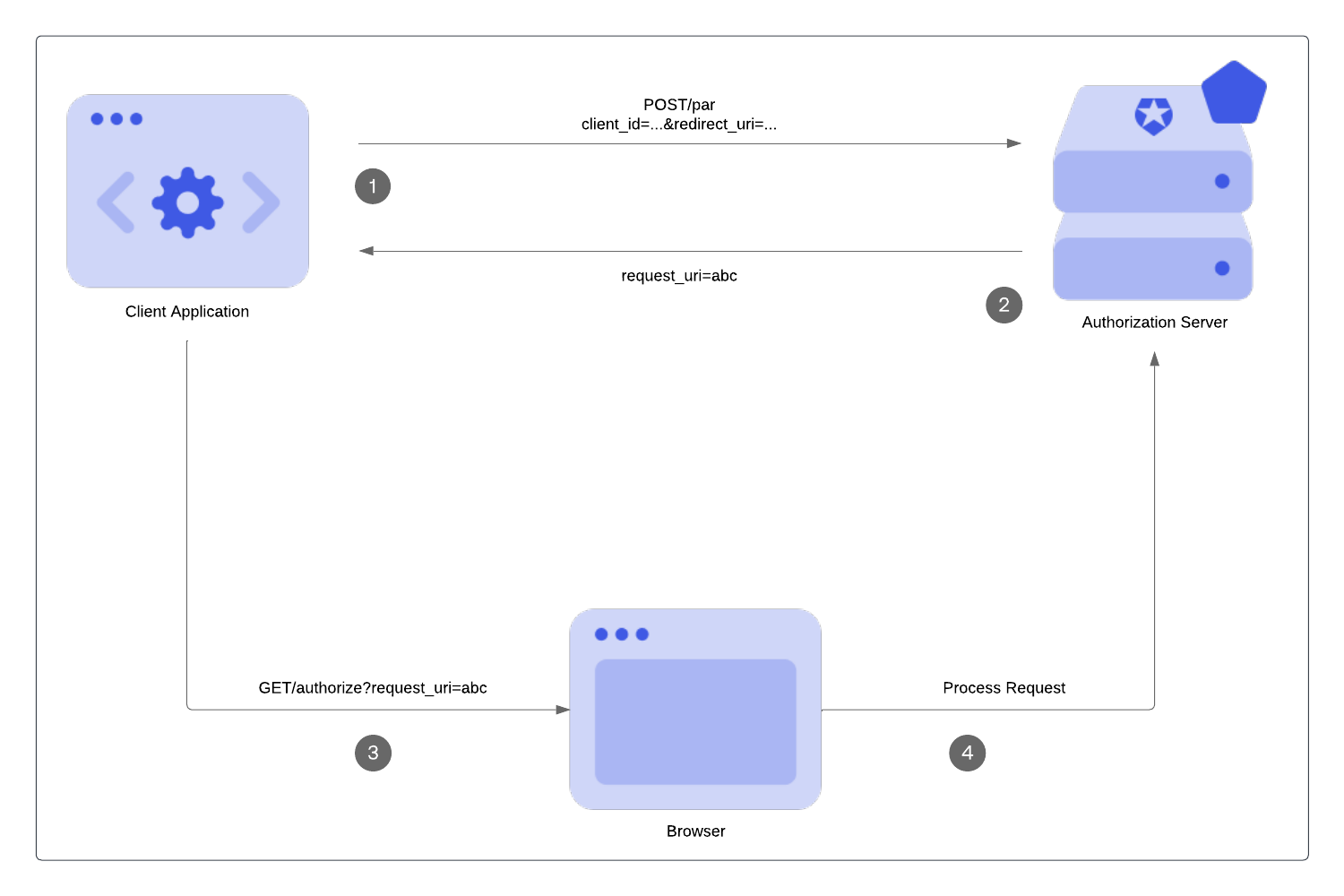
## Benefits
One benefit of using PAR is early validation. In other OAuth 2.0 flows, such as the [Authorization Code Flow](/docs/get-started/authentication-and-authorization-flow/authorization-code-flow), end users are redirected to the authorization server for validation. In PAR, request parameters are validated at the beginning of the authorization request before the end user is redirected. It is not ideal to redirect users to show them an error page.
PAR also passes authorization requests on the back channel. Front-channel communications rely on an intermediary (e.g. a browser) via appended HTTPS query parameters (GET, POST). Messages are not sent directly. Back-channel communications are passed in the body of an authenticated backend request for a more direct approach.
Push authorization requests travel via the back-channel, which means:
* The authorization server can trust where the request is coming from, and the requests have not been modified by an end user.
* The request details have not been exposed at the browser bar or history and privacy is preserved at that point of the chain.
* Restrictions on URL length are not a constraint.
## Limitations
* Maximum request payload size is limited to 10 KB.
* Public applications are not currently supported. To learn more, read [Public and Confidential Applications](/docs/get-started/applications/confidential-and-public-applications).
## Call the PAR endpoint
### Requirements
To make a call to the PAR endpoint, you must:
* Set the request content type as `application/x-www-form-urlencoded`.
* Use strings for all passed parameters.
* Include an additional parameter for the application authentication method in the request. Only confidential clients (Confidential Client: A client (application) that can hold credentials securely by using a trusted backend server. Examples include a web application with a secure backend and a machine-to-machine (M2M) application.) support PAR, so the following [application authentication methods](/docs/api/authentication#authentication-methods) are available: Client Secret (Client Secret: Secret used by a client (application) to authenticate with the Authorization Server; it should be known to only the client and the Authorization Server and must be sufficiently random to not be guessable.), Private Key JWT (Client Secret: Secret used by a client (application) to authenticate with the Authorization Server; it should be known to only the client and the Authorization Server and must be sufficiently random to not be guessable.), and mTLS. You must use the same application authentication method for the `/token` endpoint when retrieving an access token (Access Token: Authorization credential, in the form of an opaque string or JWT, used to access an API.).
### Supported parameters
PAR endpoint only stores and processes:
* Standard OAuth 2.0 parameters and applicable extensions, which we recognize at the authorization endpoint.
* Up to 10 custom authorization parameters prefixed with `ext-` prefix.
PAR ignores additional custom authorization parameters. Custom authorization parameters are not available in [Auth0 Actions](/docs/customize/actions) and [Logs](/docs/deploy-monitor/logs).
If you use custom authorization parameters in Actions, you must prefix them with `ext-`. Otherwise, they will not be available.
### Example PAR request
```bash lines theme={null}
curl --location --request POST https://$tenant/oauth/par \
-H "content-type: application/x-www-form-urlencoded" \
-d "client_id=CLIENT_ID"\
"&client_secret=CLIENT_SECRET"\
"&redirect_uri=https://jwt.io"\
"&audience=urn:my-notes-api"\
"&scope=openid%20profile%20read:notes"\
"&response_type=code"
```
### Example PAR Response
In the following example PAR response:
* The `request_uri` is a reference for the stored authorization requests. The request values pass to the GET `/authorize` endpoint as the `request_uri` parameter.
* The `expires_in` is the number of seconds the `request_uri` is valid. After this time frame, the `request_uri` expires if not used. The thirty-second expiration time is a static value and can’t be configured.
```json lines theme={null}
HTTP/1.1 201 Created
Content-Type: application/json
{
"request_uri":
"urn:ietf:params:oauth:request_uri:6esc_11ACC5bwc014ltc14eY22c",
"expires_in": 30
}
```
### Rate limits
For Essential, Professional, and Enterprise production tenants, calls to the PAR endpoint are included in the standard Authentication API rate limit. For more information, see [Rate Limit Configurations](/docs/troubleshoot/customer-support/operational-policies/rate-limit-policy/rate-limit-configurations) and click your subscription type. Then, click **Authentication API**.
## Call the authorization endpoint
Your application uses the `request_uri` value returned from the `/oauth/par` endpoint in the authorization request and redirects the user agent to the authorization endpoint. To learn more about the `request_uri` parameter, read [Configure Push Authorization Requests](/docs/get-started/applications/configure-par).
The following example directs the user agent to make the following HTTP request:
```http wrap lines theme={null}
GET /authorize?client_id=CLIENT_ID&request_uri=urn%3Aietf%3Aparam...qrwSI HTTP/1.1 Host: TENANT.auth0.com
```
In the case of a valid `request_uri`, the rest of the authorization flow (Authorization Flow: Authorization grant (or workflow) specified in the OAuth 2.0 framework.) looks the same.
### Validation
* PAR is validated by the authorization server at this stage again like any other authorization request.
* `request_uri` value can be used only one time.
* An expired `request_uri` will be rejected by the authorization server.
* A non-PAR request is rejected if PAR is required either on the tenant or client level.
## Learn more
* [Configure Pushed Authorization Requests (PAR)](/docs/get-started/applications/configure-par)
# Authorization Code Flow with Rich Authorization Requests (RAR)
Source: https://auth0.com/docs/get-started/authentication-and-authorization-flow/authorization-code-flow/authorization-code-flow-with-rar
Learn how to use Rich Authorization Requests (RAR) with the Authorization Code Flow.
Using [Rich Authorization Requests (RAR)](https://datatracker.ietf.org/doc/html/draft-ietf-oauth-rar), clients can request and obtain fine-grained authorization (Fine-grained Authorization (FGA): Auth0 product allowing individual users access to specific objects or resources.) data from resource owners (Resource Owner: Entity (such as a user or application) capable of granting access to a protected resource.), such as end users. Clients can pass RAR data to the Pushed Authorization Request (PAR) endpoint as part of the Authorization Code Flow. To learn more, read [Configure Pushed Authorization Requests](/docs/get-started/applications/configure-par).
In a traditional OAuth 2.0 (OAuth 2.0: Authorization framework that defines authorization protocols and workflows.) flow, when a client requests access to a resource server (OAuth 2.0: Authorization framework that defines authorization protocols and workflows.) using [scopes](/docs/get-started/apis/scopes), the resource owner grants the client access to those resources. In a Rich Authorization Request, clients can pass an `authorization_details` parameter to the `/par` endpoint to request more granular permissions than those requested in scopes. This allows for more fine-grained control over resource access for both clients and resource owners, mitigating security risks associated with over-provisioning access.
Because Auth0 only supports validating `authorization_details` types, you must implement validation for the JSON objects in `authorization_details`. To learn more, read [Configure Rich Authorization Requests](/docs/get-started/apis/configure-rich-authorization-requests).
## How it works
In a Rich Authorization Request, the `authorization_details` parameter is a JSON array of objects, each of which must include a `type` field represented as a string. The `type` field determines the customizable object fields. An `authorization_details` array may contain multiple entries of the same type. To learn more about how to register `authorization_details` types, read [Configure Rich Authorization Requests](/docs/get-started/apis/configure-rich-authorization-requests).
Auth0 presents the `authorization_details` to the user to authorize in a custom consent screen. To learn more, read [Set customized consent prompt](/docs/get-started/apis/configure-rich-authorization-requests#set-customized-consent-prompt).
You must pass the `authorization_details` parameter to the `/par` endpoint, which enables the Auth0 Authorization Server (Authorization Server: Centralized server that contributes to defining the boundaries of a user’s access. For example, your authorization server can control the data, tasks, and features available to a user.) to perform early validation of the `type`. The `/par` endpoint passes authorization requests on the back channel to avoid sensitive data leaking in the front channel, such as the browser. Once you’ve passed the authorization request to the `/par` endpoint, the application will redirect to the `/authorize` endpoint and then proceed with the Authorization Code Flow. To learn more, read [Authorization Code Flow with PAR](/docs/get-started/authentication-and-authorization-flow/authorization-code-flow/authorization-code-flow-with-par).
To complete the Authorization Code Flow, exchange the authorization code at the `/oauth/token` endpoint, as in the following example:
```http lines theme={null}
POST https://{YOUR_DOMAIN}.auth0.com/oauth/token
Content-Type: application/x-www-form-urlencoded
grant_type=authorization_code&client_id={YOUR_CLIENT_ID}&client_secret={YOUR_CLIENT_SECRET}&code={AUTHORIZATION_CODE}&redirect_uri=https://jwt.io
```
When successful, you should receive a response with the access token (Access Token: Authorization credential, in the form of an opaque string or JWT, used to access an API.) and `authorization_details` array:
```json lines theme={null}
{
"access_token": "ey...ZQ",
"expires_in": 86400,
"authorization_details": [
{
"type": "money_transfer",
"instructedAmount": {"amount": 2500, "currency": "USD"},
"sourceAccount": "xxxxxxxxxxx1234",
"destinationAccount": "xxxxxxxxxxx9876",
"beneficiary": "Hanna Herwitz",
"subject": "A Lannister Always Pays His Debts"
}
],
"token_type": "Bearer"
}
```
As part of [JWT best practices](https://datatracker.ietf.org/doc/html/rfc9068#name-privacy-considerations), the client can use `authorization_details` to understand the scope of the authorization granted to it without having to inspect the access token. If the requested audience (Audience: Unique identifier of the audience for an issued token. Named aud in a token, its value contains the ID of either an application (Client ID) for an ID Token or an API (API Identifier) for an Access Token.) is an API that requires [JWE access tokens](/docs/secure/tokens/json-web-tokens), the `/oauth/token`endpoint returns a response that omits all object fields except for `type` from `authorization_details`. Access token claims are unaffected in the response.
```json lines theme={null}
{
"iss": "https://my_tenant.auth0.com/",
"sub": "auth0|me",
"aud": "https://myapi.authzero.com",
"iat": 1683661385,
"exp": 1683747785,
"azp": "my_client",
"authorization_details": [
{
"type": "money_transfer",
"instructedAmount": {"amount": 2500, "currency": "USD"},
"sourceAccount": "xxxxxxxxxxx1234",
"destinationAccount": "xxxxxxxxxxx9876",
"beneficiary": "Hanna Herwitz",
"subject": "A Lannister Always Pays His Debts"
}
]
}
```
## Configure RAR for the Authorization Code Flow
Before configuring Rich Authorization Requests for the Authorization Code Flow, you must:
* Create a [custom domain](/docs/customize/custom-domains).
* Create a [custom Universal Login Pages](/docs/customize/login-pages/universal-login/customize-templates) template. To learn how to customize a Universal Login (Universal Login: Your application redirects to Universal Login, hosted on Auth0's Authorization Server, to verify a user's identity.) Page template, read the [Page templates API](/docs/customize/login-pages/universal-login/customize-templates#page-templates-api) documentation.
To configure RAR for the Authorization Code Flow, you need to:
* Register `authorization_details` types for a resource server.
* Set the customized consent prompt.
To learn more, read [Configure Rich Authorization Requests](/docs/get-started/apis/configure-rich-authorization-requests).
## Access `authorization_details` in Actions
Auth0 does not support updating RAR using Actions.
Auth0 exposes the `authorization_details` parameter in the [post-login Action](/docs/actions/reference/post-login/post-login-event-object) via the `event.transaction.requested_authorization_details` property. You can reference this property in an Action to show transaction details to the user in an [MFA challenge](/docs/secure/highly-regulated-identity/transactional-authorization-with-authorization-code-flow#push-notifications).
## What doesn’t Auth0 support?
Auth0 doesn’t support:
* Updating RAR using Actions.
* Advertising RAR types for clients to discover.
* Validating RAR objects beyond checking that they have a type property that matches allowed types for the API. For more information, see [Configure RAR](/docs/get-started/apis/configure-rich-authorization-requests).
## Learn more
* [Configure Rich Authorization Requests (RAR)](/docs/get-started/apis/configure-rich-authorization-requests)
# Call Your API Using the Authorization Code Flow
Source: https://auth0.com/docs/get-started/authentication-and-authorization-flow/authorization-code-flow/call-your-api-using-the-authorization-code-flow
Learn how to call your own API from regular web apps using the Authorization Code Flow.
This tutorial will help you call your own API using the Authorization Code Flow. If you want to learn how the flow works and why you should use it, see [Authorization Code Flow](/docs/get-started/authentication-and-authorization-flow/authorization-code-flow). If you want to learn to add login to your regular web app, see [Add Login Using the Authorization Code Flow](/docs/get-started/authentication-and-authorization-flow/authorization-code-flow/add-login-auth-code-flow).
Auth0 makes it easy for your app to implement the Authorization Code (Authorization Code: Random string generated by the authorization server and returned to the application as part of the authorization response when using the Authorization Code Flow (either with or without PKCE).) Flow using:
* [Regular Web App Quickstarts](/docs/quickstart/webapp): The easiest way to implement the flow.
* [Authentication API](/docs/api/authentication): If you prefer to build your own solution, keep reading to learn how to call our API directly.
## Prerequisites
**Before beginning this tutorial:**
* [Register your Application with Auth0](/docs/get-started/auth0-overview/create-applications/regular-web-apps).
* Select an **Application Type** of **Regular Web Apps**.
* Add an **Allowed Callback URL** of `{https://yourApp/callback}`.
* Make sure your Application's **Grant Types** include **Authorization Code**. To learn how, read [Update Grant Types](/docs/get-started/applications/update-grant-types).
* If you want your Application to be able to use [refresh tokens](/docs/secure/tokens/refresh-tokens), make sure the Application's **Grant Types** include **refresh token**. To learn how, read [Update Grant Types](/docs/get-started/applications/update-grant-types). To learn more about Refresh Tokens, read [refresh tokens](/docs/secure/tokens/refresh-tokens).
* [Register your API with Auth0](/docs/get-started/auth0-overview/set-up-apis)
* If you want your API to receive refresh tokens to allow it to obtain new tokens when the previous ones expire, enable **Allow Offline Access**.
## Steps
> **Authorize user**
>
> This step may include one or more of the following processes:
>
> * Authenticating the user
> * Redirecting the user to an Identity Provider to handle authentication
> * Checking for active Single Sign-on (SSO) sessions
> * Obtaining user consent for the requested permission level, unless consent has been previously given.
>
> To authorize the user, your app must send the user to the [authorization URL](/docs/api/authentication#authorization-code-grant).
>
> #### Example authorization URL
>
> ##### Parameters
>
> Note that for authorizing a user when calling a custom API, you:
>
> * must include an audience parameter
> * can include additional scopes supported by the target API
>
> | Parameter Name | Description |
> | - | - |
> | `response_type` | Denotes the kind of credential that Auth0 will return (`code` or `token`). For this flow, the value must be `code`. |
> | `client_id` | Your application's Client ID. You can find this value in your [Application Settings](https://manage.auth0.com/#/Applications/\{yourClientId}/settings). |
> | `redirect_uri` | The URL to which Auth0 will redirect the browser after authorization has been granted by the user. The Authorization Code will be available in the `code` URL parameter. You must specify this URL as a valid callback URL in your [Application Settings](https://manage.auth0.com/#/Applications/\{yourClientId}/settings). **Warning:** Per the [OAuth 2.0 Specification](https://tools.ietf.org/html/rfc6749#section-3.1.2), Auth0 removes everything after the hash and does *not* honor any fragments. |
> | `scope` | Specifies the [scopes](/docs/get-started/apis/scopes) for which you want to request authorization, which dictate which claims (or user attributes) you want returned. These must be separated by a space. You can request any of the [standard OpenID Connect (OIDC) scopes](https://openid.net/specs/openid-connect-core-1_0.html#StandardClaims) about users, such as `profile` or `email`, [custom claims](/docs/secure/tokens/json-web-tokens/json-web-token-claims#custom-claims) conforming to a [namespaced format](/docs/secure/tokens/json-web-tokens/create-custom-claims), or any scopes supported by the target API (e.g., `read:contacts`). Include `offline_access` to get a [Refresh Token](/docs/glossary?term=Refresh+Token) (make sure that the **Allow Offline Access** field is enabled in the [Application Settings](https://manage.auth0.com/#/applications)). |
> | `audience` | The unique identifier of the API your web app wants to access. Use the **Identifier** value on the [Settings](https://manage.auth0.com/#/apis) tab for the API you created as part of the prerequisites for this tutorial. |
> | `state` | (recommended) An opaque arbitrary alphanumeric string your app adds to the initial request that Auth0 includes when redirecting back to your application. To see how to use this value to prevent cross-site request forgery (CSRF) attacks, see [Mitigate CSRF Attacks With State Parameters](/docs/secure/attack-protection/state-parameters). |
> | `organization` | (optional) ID of the organization to use when authenticating a user. When not provided, if your application is configured to **Display Organization Prompt**, the user will be able to enter the organization name when authenticating. |
> | `invitation` | (optional) Ticket ID of the organization invitation. When [inviting a member to an Organization](/docs/manage-users/organizations/configure-organizations/invite-members), your application should handle invitation acceptance by forwarding the `invitation` and `organization` key-value pairs when the user accepts the invitation. |
>
> As an example, your HTML snippet for your authorization URL when adding login to your app might look like:
>
> #### Response
>
> If all goes well, you'll receive an `HTTP 302` response. The authorization code is included at the end of the URL:
>
> ```http lines theme={null}
> HTTP/1.1 302 Found
> Location: {https://yourApp/callback}?code={authorizationCode}&state=xyzABC123
> ```
> **Request tokens**
>
> Now that you have an Authorization Code, you must exchange it for tokens. Using the extracted Authorization Code (`code`) from the previous step, you will need to `POST` to the [token URL](/docs/api/authentication#authorization-code).
>
> #### Example POST to token URL
>
> ##### Parameters
>
> | Parameter Name | Description |
> | - | - |
> | `grant_type` | Set this to `authorization_code`. |
> | `code` | The `authorization_code` retrieved in the previous step of this tutorial. |
> | `client_id` | Your application's Client ID. You can find this value in your [Application Settings](https://manage.auth0.com/#/Applications/\{yourClientId}/settings). |
> | `client_secret` | Your application's Client Secret. You can find this value in your [Application Settings](https://manage.auth0.com/#/Applications/\{yourClientId}/settings). To learn more about available application authentication methods, read [Application Credentials](/docs/secure/application-credentials). |
> | `redirect_uri` | The valid callback URL set in your Application settings. This must exactly match the `redirect_uri` passed to the authorization URL in the previous step of this tutorial. Note that this must be URL encoded. |
>
> #### Response
>
> If all goes well, you'll receive an `HTTP 200` response with a payload containing `access_token`, `refresh_token`, `id_token`, and `token_type` values:
>
> ```json lines theme={null}
> {
> "access_token": "eyJz93a...k4laUWw",
> "refresh_token": "GEbRxBN...edjnXbL",
> "id_token": "eyJ0XAi...4faeEoQ",
> "token_type": "Bearer"
> }
> ```
>
> > [!WARNING]
> >
> > Validate your tokens before saving them. To learn how, read [Validate ID Tokens](/docs/secure/tokens/id-tokens/validate-id-tokens) and [Validate Access Tokens](/docs/secure/tokens/access-tokens/validate-access-tokens).
>
> [ID tokens](/docs/secure/tokens/id-tokens) contain user information that must be decoded and extracted.
>
> [Access tokens](/docs/secure/tokens/access-tokens) are used to call the [Auth0 Authentication API's /userinfo endpoint](/docs/api/authentication#get-user-info) or another API. If you are calling your own API, the first thing your API will need to do is [verify the Access token](/docs/secure/tokens/access-tokens/validate-access-tokens).
>
> [Refresh tokens](/docs/secure/tokens/refresh-tokens) are used to obtain a new access token or ID token after the previous one has expired. The `refresh_token` will only be present in the response if you included the `offline_access` scope and enabled **Allow Offline Access** for your API in the Dashboard.
>
> > [!WARNING]
> >
> > Refresh tokens must be stored securely since they allow a user to remain authenticated essentially forever.
> **Make an API call**
>
> To call your API from a regular web application, the application must pass the retrieved access token as a Bearer token in the Authorization header of your HTTP request.
> **Exchange refresh token**
>
> You have already received a [refresh token](/docs/secure/tokens/refresh-tokens) if you've been following this tutorial and completed the following:
>
> * configured your API to allow offline access
> * included the `offline_access` scope when you initiated the authentication request through the [authorize endpoint](/docs/api/authentication/authorization-code-flow/authorize-application).
>
> You can use the Refresh Token to get a new access token. Usually, a user will need a new access token only after the previous one expires or when gaining access to a new resource for the first time. It's bad practice to call the endpoint to get a new access token every time you call an API, and Auth0 maintains rate limits that will throttle the amount of requests to the endpoint that can be executed using the same token from the same IP.
>
> To refresh your token, make a `POST` request to the `/oauth/token` endpoint in the Authentication API, using `grant_type=refresh_token`.
>
> ##### Example POST to token URL
>
> ###### Parameters
>
> | Parameter Name | Description |
> | - | - |
> | `grant_type` | Set this to `refresh_token`. |
> | `client_id` | Your application's Client ID. You can find this value in your [Application Settings](https://manage.auth0.com/#/Applications/\{yourClientId}/settings). |
> | `refresh_token` | The refresh token to use. |
> | `scope` | (optional) A space-delimited list of requested scope permissions. If not sent, the original scopes will be used; otherwise you can request a reduced set of scopes. Note that this must be URL encoded. |
>
> ###### Response
>
> If all goes well, you'll receive an `HTTP 200` response with a payload containing a new `access_token`, its lifetime in seconds (`expires_in`), granted `scope` values, and `token_type`. If the scope of the initial token included `openid`, then the response will also include a new `id_token`:
>
> ```json lines theme={null}
> {
> "access_token": "eyJ...MoQ",
> "expires_in": 86400,
> "scope": "openid offline_access",
> "id_token": "eyJ...0NE",
> "token_type": "Bearer"
> }
> ```
>
> > [!WARNING]
> >
> > Validate your tokens before saving them. To learn how, read [Validate ID Tokens](/docs/secure/tokens/id-tokens/validate-id-tokens) and [Validate Access Tokens](/docs/secure/tokens/access-tokens/validate-access-tokens).
### Sample use cases
#### Customize tokens
You can use Auth0 Actions to modify the scopes of an access token (Access Token: Authorization credential, in the form of an opaque string or JWT, used to access an API.) and/or add custom claims to access and ID tokens (ID Token: Credential meant for the client itself, rather than for accessing a resource.). To learn more about Actions, see [Understand how Auth0 Actions Work.](/docs/customize/actions/actions-overview)
To do so, add the following Post-Login Action, which will run after the user authenticates:
```js lines theme={null}
exports.onExecutePostLogin = async (event, api) => {
// Add custom claims to Access Token and ID Token
api.accessToken.setCustomClaim('https://foo/bar', 'value');
api.idToken.setCustomClaim('https://fiz/baz', 'some other value');
// Modify the scope of the Access Token
api.transaction.addTargetScope('read:reports');
api.transaction.addTargetScope('write:reports');
};
```
Auth0 evaluates the final target scopes against applicable authorization policies and consent requirements. To learn more, read [Handling Scopes in Actions](/docs/customize/actions/handling-scopes-in-actions).
> [!WARNING]
>
> Auth0 returns profile information in a structured claim format as defined by the [OpenID Connect (OIDC) specification](https://openid.net/specs/openid-connect-core-1_0.html#StandardClaims). This means that custom claims added to ID tokens or access tokens must [conform to guidelines and restrictions](/docs/secure/tokens/json-web-tokens/create-custom-claims) to avoid possible collisions.
## Learn more
* [OAuth 2.0 Authorization Framework](/docs/authenticate/protocols/oauth)
* [OpenID Connect Protocol](/docs/authenticate/protocols/openid-connect-protocol)
* [Tokens](/docs/secure/tokens)
# Client Credentials Exchange
Source: https://auth0.com/docs/get-started/authentication-and-authorization-flow/client-credentials-exchange
Learn how Hooks can be used with the Client Credentials Exchange extensibility point, which is available for database connections and passwordless connections.
> [!WARNING]
>
> The End of Life (EOL) date of Rules and Hooks will be **November 18, 2026**, and they are no longer available to new tenants created as of **October 16, 2023**. Existing tenants with active Hooks will retain Hooks product access through end of life.
>
> We highly recommend that you use Actions to extend Auth0. With Actions, you have access to rich type information, inline documentation, and public `npm` packages, and can connect external integrations that enhance your overall extensibility experience. To learn more about what Actions offer, read [Understand How Auth0 Actions Work](/docs/customize/actions/actions-overview).
>
> To help with your migration, we offer guides that will help you [migrate from Rules to Actions](/docs/customize/actions/migrate/migrate-from-rules-to-actions) and [migrate from Hooks to Actions](/docs/customize/actions/migrate/migrate-from-hooks-to-actions). We also have a dedicated [Move to Actions](https://auth0.com/extensibility/movetoactions) page that highlights feature comparisons, [an Actions demo](https://www.youtube.com/watch?v=UesFSY1klrI), and other resources to help you on your migration journey.
>
> To read more about the Rules and Hooks deprecation, read our blog post: [Preparing for Rules and Hooks End of Life](https://auth0.com/blog/preparing-for-rules-and-hooks-end-of-life/).
At the Client Credentials Exchange extensibility point, Hooks let you execute custom actions when an Access Token (Access Token: Authorization credential, in the form of an opaque string or JWT, used to access an API.) is issued through the Authentication API [`POST /oauth/token` endpoint](/docs/api/authentication#client-credentials-flow) using the Client Credentials Flow. For example, you may deny the token from being issued, add custom claims to the access token, or modify its scopes. To learn more, read [Client Credentials Flow](/docs/get-started/authentication-and-authorization-flow/client-credentials-flow).
Hooks at this extensibility point are blocking (synchronous), which means they execute as part of the trigger's process and prevent the rest of the Auth0 pipeline from running until the Hook is complete.
The `triggerId` for the Client Credentials Exchange extensibility point is `credentials-exchange`. To learn how to create hooks for this extensibility point, read [Create Hooks](/docs/customize/hooks/create-hooks).
To learn about other extensibility points, read Extensibility Points.
## Starter code and parameters
When creating a Hook executed at the Client Credentials Exchange extensibility point, you may find the following starter code helpful. Parameters that can be passed into and used by the Hook function are listed at the top of the code sample.
```javascript lines expandable theme={null}
/**
@param {object} client - client information
@param {string} client.name - client name
@param {string} client.id - client ID
@param {string} client.tenant - Auth0 tenant name
@param {object} client.metadata - client metadata
@param {array|undefined} scope - either an array of strings representing the token's scope claim, or undefined
@param {string} audience - token's audience claim
@param {object} context - Auth0 context info
@param {object} context.webtask - Hook (webtask) context
@param {function} cb - function (error, accessTokenClaims)
*/
module.exports = function(client, scope, audience, context, cb) {
var access_token = {};
access_token.scope = scope; // do not remove this line
// Modify scopes or add extra claims
// access_token['https://example.com/claim'] = 'bar';
// access_token.scope.push('extra');
// Deny the token and respond with an OAuth2 error response
// if (denyExchange) {
// // To return an HTTP 400 with { "error": "invalid_scope", "error_description": "Not authorized for this scope." }
// return cb(new InvalidScopeError('Not authorized for this scope.'));
//
// // To return an HTTP 400 with { "error": "invalid_request", "error_description": "Not a valid request." }
// return cb(new InvalidRequestError('Not a valid request.'));
//
// // To return an HTTP 500 with { "error": "server_error", "error_description": "A server error occurred." }
// return cb(new ServerError('A server error occurred.'));
// }
cb(null, access_token);
};
```
Please note:
* The callback function (`cb`) at the end of the sample code signals completion and must be included.
* The line `access_token.scope = scope` ensures that all granted scopes will be present in the access token. Removing it will reset all scopes, and the token will include only scopes you add with the script.
### Default response
When you run a Hook executed at the Client Credentials Exchange extensibility point, the default response object is:
```json lines theme={null}
{
"scope": "array of strings"
}
```
### Starter code response
Once you've customized the starter code with your scopes and additional claims, you can test the Hook using the runner embedded in the Hook Editor. The runner simulates a call to the Hook with the same body and response that you would get with a Client Credentials Exchange.
> [!WARNING]
>
> Executing the code using the runner requires a save, which means that the original code will be overwritten.
When you run a Hook based on the starter code, the response object is:
```json lines theme={null}
{
"audience": "https://my-tenant.auth0.com/api/v2/",
"client": {
"id": "xxxxxxxxxxxxxxxxxxxxxxxxxxxxxxxx",
"name": "client-name",
"tenant": "my-tenant",
"metadata": {
"plan": "full"
}
},
"scope": [
"read:connections"
]
}
```
## Sample script: Add an additional scope to the access token
In this example, we use a Hook to add an additional scope to those already existing for the access token.
```js lines theme={null}
module.exports = function(client, scope, audience, context, cb) {
// Scopes to be added
var access_token = {};
// Get the scope that's currently on the Access Token
// and add it to the object we're working with
// Do not remove this line!
access_token.scope = scope;
// Append the `read:resource` scope
access_token.scope.push('read:resource');
// Callback to indicate completion and to return new
// array of scopes
cb(null, access_token);
};
```
To learn more, read [Scopes](/docs/get-started/apis/scopes).
### Response
When we run this Hook, the response object is:
```json lines theme={null}
{
"scope": [
"read:connections",
"read:resource"
]
}
```
## Sample script: Add a claim to the access token
In this example, we add a namespaced custom claim and its value to the access token. To learn more, read [Create Namespaced Custom Claims](/docs/secure/tokens/json-web-tokens/create-custom-claims).
You can add the following as claims to the issued token:
* The `scope` property of the response object
* Any properties with namespaced property names
The extensibility point ignores all other response object properties.
To access a configured Hook Secret from within a hook, use `context.webtask.secrets.SECRET_NAME`.
```js lines theme={null}
module.exports = function(client, scope, audience, context, cb) {
// Claims to be added
var access_token = {};
// New claim to add to the token
access_token['https://example.com/foo'] = 'bar';
// Callback to indicate completion and to return new claim
cb(null, access_token);
};
```
### Response
When we run this Hook, the response object is:
```json lines theme={null}
{
"https://example.com/foo": "bar"
}
```
## Sample script: Raise an error or deny an access token
In this example, we use custom Error objects to generate OAuth2 Error Responses. (To learn more, see [OAuth2 RFC - Section 5.2 in the IETF Datatracker](https://tools.ietf.org/html/rfc6749#section-5.2).)
If a plain JavaScript error is returned in the callback, such as:
```js lines theme={null}
module.exports = function(client, scope, audience, context, cb) {
// Callback to indicate completion and to return new claim
cb(new Error("Unknown error occurred.");
};
```
Then when you request a `client_credentials` grant from the `/oauth/token` endpoint, Auth0 will respond with:
```json lines theme={null}
HTTP 500
{ "error": "server_error", "error_description": "Unknown error occurred." }
```
However, if you like additional control over the OAuth2 Error Response, three custom Error objects are available to use instead.
### InvalidScopeError
```js lines theme={null}
module.exports = function(client, scope, audience, context, cb) {
const invalidScope = ...; // determine if scope is valid
if(invalidScope) {
cb(new InvalidScopeError("Scope is not permitted."));
}
};
```
Then when you request a `client_credentials` grant is from the `/oauth/token` endpoint, Auth0 responds with:
```json lines theme={null}
HTTP 400
{ "error": "invalid_scope", "error_description": "Scope is not permitted." }
```
### InvalidRequestError
```js lines theme={null}
module.exports = function(client, scope, audience, context, cb) {
const invalidRequest = ...; // determine if request is valid
if(invalidRequest) {
cb(new InvalidRequestError("Bad request."));
}
};
```
Then when you request a `client_credentials` grant from the `/oauth/token` endpoint, Auth0 will respond with:
```json lines theme={null}
HTTP 400
{ "error": "invalid_request", "error_description": "Bad request." }
```
### ServerError
```js lines theme={null}
module.exports = function(client, scope, audience, context, cb) {
callOtherService(function(err, response) {
if(err) {
return cb(new ServerError("Error calling remote system: " + err.message));
}
});
};
```
Then when you request a `client_credentials` grant from the `/oauth/token` endpoint, Auth0 responds with:
```json lines theme={null}
HTTP 400
{ "error": "server_error", "error_description": "Error calling remote system: ..." }
```
Currently, the behavior of the built-in JavaScript `Error` class and `ServerError` is identical, but the `ServerError` class allows you to be explicit about the OAuth2 error that will be returned.
## Learn more
# Client Credentials Flow
Source: https://auth0.com/docs/get-started/authentication-and-authorization-flow/client-credentials-flow
Learn how the Client Credentials flow works and why you should use it for machine-to-machine (M2M) applications.
The Client Credentials Flow (defined in [OAuth 2.0 RFC 6749, section 4.4](https://tools.ietf.org/html/rfc6749#section-4.4)) involves an application exchanging its application credentials, such as client ID (Client ID: Identification value given to your registered resource from Auth0.) and client secret (Client ID: Identification value given to your registered resource from Auth0.), for an access token (Client Secret: Secret used by a client (application) to authenticate with the Authorization Server; it should be known to only the client and the Authorization Server and must be sufficiently random to not be guessable.).
This flow is best suited for Machine-to-Machine (M2M) applications, such as CLIs, daemons, or backend services, because the system must authenticate and authorize the application instead of a user.
## How it works
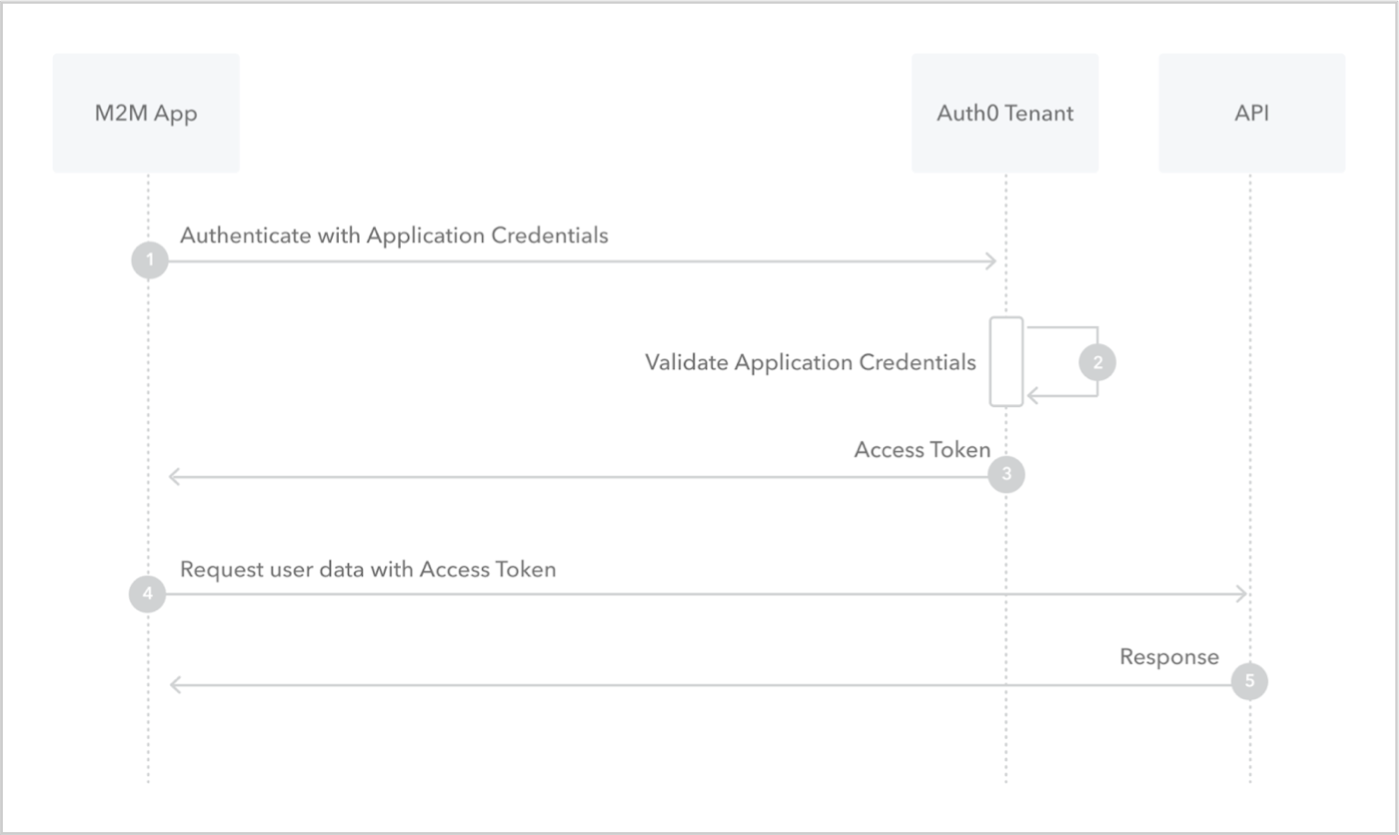
1. Application sends application's credentials to the Auth0 Authorization Server. To learn more about client authentication methods, read [Application Credentials](/docs/secure/application-credentials).
2. Auth0 Authorization Server validates application's credentials.
3. Auth0 Authorization Server responds with an access token.
4. Application can use the access token to call an API on behalf of itself. For more information on this process, see [Validate JSON Web Tokens](/docs/secure/tokens/json-web-tokens/validate-json-web-tokens).
5. API responds with requested data.
## How to implement it
The easiest way to implement the Client Credentials Flow is to follow our [Backend Quickstarts](/docs/quickstart/backend).
Alternatively, you can use the Auth0 Authentication API to implement the Client Credentials Flow. For more information, read [Call Your API Using the Client Credentials Flow](/docs/get-started/authentication-and-authorization-flow/client-credentials-flow/call-your-api-using-the-client-credentials-flow).
## Learn more
* [Auth0 Rules](/docs/customize/rules)
* [Auth0 Hooks](/docs/customize/hooks)
* [Tokens](/docs/secure/tokens)
* [Token Best Practices](/docs/secure/tokens/token-best-practices)
* [Which OAuth 2.0 Flow Should I Use?](/docs/get-started/authentication-and-authorization-flow/which-oauth-2-0-flow-should-i-use)
# Call Your API Using the Client Credentials Flow
Source: https://auth0.com/docs/get-started/authentication-and-authorization-flow/client-credentials-flow/call-your-api-using-the-client-credentials-flow
Learn how to call your API from a machine-to-machine (M2M) application using the Client Credentials Flow.
This tutorial will help you call your API from a machine-to-machine (M2M) application using the Client Credentials Flow. To learn how the flow works and why you should use it, read [Client Credentials Flow](/docs/get-started/authentication-and-authorization-flow/client-credentials-flow).
Auth0 makes it easy for your application to implement the Client Credentials Flow. Following successful authentication, the application will have access to an access token (Access Token: Authorization credential, in the form of an opaque string or JWT, used to access an API.), which can be used to call your protected APIs. To learn more about access tokens, read [Access Tokens](/docs/secure/tokens/access-tokens).
## Prerequisites
**Before beginning this tutorial:**
* [Register your API with Auth0](/docs/get-started/auth0-overview/set-up-apis)
* [Add appropriate API permissions](/docs/get-started/apis/add-api-permissions)
* [Register the M2M Application with Auth0](/docs/get-started/auth0-overview/create-applications/machine-to-machine-apps).
* Select an **Application Type** of **Machine to Machine Applications**.
* Choose your previously-registered API.
* Authorize the M2M Application to call your API.
## Steps
1. [Request tokens](#request-tokens):
From the authorized application, request an access token for your API.
2. [Call API](#call-api):
Use the retrieved access token to call your API.
Optional: [Explore sample use cases](#sample-use-cases)
### Request tokens
To access your API, you must request an access token for it. To do so, you will need to `POST` to the [token URL](/docs/api/authentication/client-credential-flow/get-token).
#### Example POST to token URL
##### Parameters
| Parameter Name | Description |
| - | - |
| `grant_type` | Set this to "client\_credentials". |
| `client_id` | Your application's Client ID. You can find this value on the [application's settings tab](https://manage.auth0.com/#/applications). |
| `client_secret` | Your application's Client Secret. You can find this value on the [application's settings tab](https://manage.auth0.com/#/applications). To learn more about available application authentication methods, read [Application Credentials](/docs/secure/application-credentials). |
| `audience` | The audience for the token, which is your API. You can find this in the **Identifier** field on your [API's settings tab](https://manage.auth0.com/#/apis). |
| `organization` | Optional. The organization name or identifier you want the request to be associated with. To learn more, read [Machine-to-Machine Access for Organizations](/docs/manage-users/organizations/organizations-for-m2m-applications). |
#### Response
If all goes well, you'll receive an `HTTP 200` response with a payload containing `access_token`, `token_type`, and `expires_in` values:
```json lines theme={null}
{
"access_token":"eyJz93a...k4laUWw",
"token_type":"Bearer",
"expires_in":86400
}
```
> [!WARNING]
>
> Validate your tokens before saving them. To learn how, read [Validate ID Tokens](/docs/secure/tokens/id-tokens/validate-id-tokens) and [Validate Access Tokens](/docs/secure/tokens/access-tokens/validate-access-tokens).
### Call API
To call your API from the M2M application, the application must pass the retrieved access token as a Bearer token in the Authorization header of your HTTP request.
### Sample use cases
#### Customize tokens
You can use [Actions](/docs/customize/actions) to deny access tokens based on custom logic and/or add claims to access tokens. Auth0 invokes Actions attached to the client credentials grant at runtime to execute your custom logic.
To learn more, read about the Actions [Machine to Machine Flow](/docs/customize/actions/explore-triggers/credentials-exchange).
#### View sample application: server client + API
For a sample implementation, read the [Server Client + API](/docs/get-started/architecture-scenarios/server-application-api) architecture scenario. This series of tutorials is accompanied by a [code sample that you can access in GitHub](https://github.com/auth0-samples/auth0-pnp-exampleco-timesheets).
Once your API receives a request with an access token, it will need to validate the token. To learn more, read [Validate Access Tokens](/docs/secure/tokens/access-tokens/validate-access-tokens).
## Learn more
* [Machine to Machine Triggers](/docs/customize/actions/explore-triggers/credentials-exchange)
* [OpenID Connect Protocol](/docs/authenticate/protocols/openid-connect-protocol)
* [Tokens](/docs/secure/tokens)
# Customize Tokens Using Hooks with Client Credentials Flow
Source: https://auth0.com/docs/get-started/authentication-and-authorization-flow/client-credentials-flow/customize-tokens-using-hooks-with-client-credentials-flow
Learn how to use Hooks to change scopes and add custom claims in the access token obtained using the Client Credentials Flow.
> [!WARNING]
>
> The End of Life (EOL) date of Rules and Hooks will be **November 18, 2026**, and they are no longer available to new tenants created as of **October 16, 2023**. Existing tenants with active Hooks will retain Hooks product access through end of life.
>
> We highly recommend that you use Actions to extend Auth0. With Actions, you have access to rich type information, inline documentation, and public `npm` packages, and can connect external integrations that enhance your overall extensibility experience. To learn more about what Actions offer, read [Understand How Auth0 Actions Work](/docs/customize/actions/actions-overview).
>
> To help with your migration, we offer guides that will help you [migrate from Rules to Actions](/docs/customize/actions/migrate/migrate-from-rules-to-actions) and [migrate from Hooks to Actions](/docs/customize/actions/migrate/migrate-from-hooks-to-actions). We also have a dedicated [Move to Actions](https://auth0.com/extensibility/movetoactions) page that highlights feature comparisons, [an Actions demo](https://www.youtube.com/watch?v=UesFSY1klrI), and other resources to help you on your migration journey.
>
> To read more about the Rules and Hooks deprecation, read our blog post: [Preparing for Rules and Hooks End of Life](https://auth0.com/blog/preparing-for-rules-and-hooks-end-of-life/).
> [!WARNING]
>
> Because we plan to remove Rules and Hooks functions in 2026, you should create new Rules or Hooks only in your Development environment and only to test migration to Actions.
>
> To learn how to migrate your Rules to Actions, read [Migrate from Rules to Actions](/docs/customize/actions/migrate/migrate-from-rules-to-actions). To learn how to migrate your Hooks to Actions, read [Migrate from Hooks to Actions](/docs/customize/actions/migrate/migrate-from-hooks-to-actions).
You can change scopes and add custom claims in the tokens issued through the [Client Credentials Flow](/docs/get-started/authentication-and-authorization-flow/client-credentials-flow) by adding [Hooks](/docs/customize/hooks).
Hooks allow you to customize the behavior of Auth0 using Node.js code. They are secure, self-contained functions associated with specific extensibility points of the Auth0 platform (like the Client Credentials flow). Auth0 invokes the Hooks at runtime to execute your custom logic.
You can manage Hooks using the Auth0 Dashboard (Auth0 Dashboard: Auth0's main product to configure your services.) or the Management API (Auth0 Dashboard: Auth0's main product to configure your services.).
> [!WARNING]
>
> Although you may create multiple hooks for any given extensibility point, each extensibility point may have only one enabled hook at a time. Any subsequent hooks you create for that extensibility point are automatically disabled, so you must explicitly enable them. The enabled hook will be executed for all applications and APIs.
## Prerequisites
Before beginning this tutorial, you must:
* [Register your API with Auth0](/docs/get-started/auth0-overview/set-up-apis)
* [Add appropriate API permissions](/docs/get-started/apis/add-api-permissions)
* [Register the M2M Application with Auth0](/docs/get-started/auth0-overview/create-applications/machine-to-machine-apps).
* Select an **Application Type** of **Machine to Machine Applications**.
* Choose your previously-registered API.
* Authorize the M2M Application to call your API.
## Steps
1. **Create Hook**: Create a hook that will customize your token.
2. **Test Hook**: Test your new hook by running a Client Credentials Flow and decoding the access token.
### Create a Hook
In this example, you will:
* add an arbitrary claim (`https://foo.com/claim`) to the [Access Token](/docs/secure/tokens/access-tokens)
* add an extra permission to your configured API
Create a Hook to customize your token. When asked to choose an extensibility point, select `Client Credentials Exchange`, and add the following code in the editor:
```js lines theme={null}
module.exports = function(client, scope, audience, context, cb) {
var access_token = {};
access_token['https://foo.com/claim'] = 'bar';
access_token.scope = scope;
access_token.scope.push('extra');
cb(null, access_token);
};
```
> [!WARNING]
>
> Auth0 returns profile information in a structured claim format as defined by the [OpenID Connect (OIDC) specification](https://openid.net/specs/openid-connect-core-1_0.html#StandardClaims). This means that custom claims added to ID tokens or access tokens must [conform to guidelines and restrictions](/docs/secure/tokens/json-web-tokens/create-custom-claims) to avoid possible collisions.
### Test your Hook
To test the hook you just created you need to run a Client Credentials exchange, get the Access Token (Access Token: Authorization credential, in the form of an opaque string or JWT, used to access an API.), decode it, and review its contents.
#### Get token
To get a token, make a `POST` call to the [Client Credentials Flow endpoint](/docs/api/authentication#client-credentials-flow). Be sure to replace CLIENT\_ID, CLIENT\_SECRET, and API\_IDENTIFIER placeholder values with your application's Client ID (Client ID: Identification value given to your registered resource from Auth0.), your application's Client Secret (Client Secret: Secret used by a client (application) to authenticate with the Authorization Server; it should be known to only the client and the Authorization Server and must be sufficiently random to not be guessable.), and your API's Identifier, respectively. You can find the Client ID and Client Secret in your [Application](https://manage.auth0.com/#/applications) settings and the API Identifier in your [API](https://manage.auth0.com/#/apis) settings.
A successful response will include:
* an `access_token`,
* its expiration time in seconds (`expires_in`),
* the token's type set as `Bearer` (`token_type`), and
* an `extra` permission (`scope`) (which was added by your Hook)
```json lines theme={null}
HTTP/1.1 200 OK
Content-Type: application/json
{
"access_token": "eyJ0eXAiOiJKV1QiLCJhbGciOiJSUzI1NiIsImtpZCI6Ik5ESTFNa05DTVRGQlJrVTRORVF6UXpFMk1qZEVNVVEzT1VORk5ESTVSVU5GUXpnM1FrRTFNdyJ9.eyJpc3MiOiJodHRwczovL2RlbW8tYWNjb3VudC5hdXRoMC3jb20vIiwic3ViIjoic0FRSlFpQmYxREw0c2lqSVZCb2pFRUZvcmRoa0o4WUNAY2xpZW50cyIsImF1ZCI6ImRlbW8tYWNjb3VudC5hcGkiLCJleHAiOjE0ODc3NjU8NjYsImlhdCI6MTQ4NzY3OTI2Niwic2NvcGUiOiJyZWFkOmRhdGEgZXh0cmEiLCJodHRwczovL2Zvby5jb20vY2xhaW0iOiKoPXIifQ.da-48mHY_7esfLZpvHWWL8sIH1j_2mUYAB49c-B472lCdsNFvpaLoq6OKQyhnqk9_aW_Xhfkusos3FECTrLFvf-qwQK70QtwbkbVye_IuPSTAYdQ2T-XTzGDm9Nmmy5Iwl9rNYLxVs2OoCdfpVMyda0OaI0AfHBgEdKWluTP67OOnV_dF3KpuwtK3dPKWTCo2j9VCa7X1I4h0CNuM79DHhY2wO7sL8WBej7BSNA3N2TUsp_YTWWfrvsr_vVhJf-32G7w_12ms_PNFUwj2C30ZZIPWc-uEkDztyMLdI-lu9q9TLrLdr0dOhfrtfkdeJx4pUSiHdJHf42kg7UAVK6JcA",
"expires_in": 86400,
"scope": "extra",
"token_type": "Bearer"
}
```
#### Decode token
The easiest way to decode the access token and review its contents is to use the [JWT.io Debugger](https://jwt.io/#debugger-io).
Copy your access token and paste it into the editor. The JWT (JSON Web Token (JWT): Standard ID Token format (and often Access Token format) used to represent claims securely between two parties.) is decoded automatically and its contents are displayed.
Note that the last two items of the **Payload** have both been set by your hook:
* `"scope": "extra"`
* `"https://foo.com/claim": "bar"`
## Learn more
* [Auth0 Hooks](/docs/customize/hooks)
* [Client Credentials Flow](/docs/get-started/authentication-and-authorization-flow/client-credentials-flow)
* [Call Your API Using the Client Credentials Flow](/docs/get-started/authentication-and-authorization-flow/client-credentials-flow/call-your-api-using-the-client-credentials-flow)
# Client-Initiated Backchannel Authentication Flow
Source: https://auth0.com/docs/get-started/authentication-and-authorization-flow/client-initiated-backchannel-authentication-flow
Learn how the CIBA flow lets a backend service initiate authentication on a separate device, such as a mobile app, without browser interaction.
To use Client-Initiated Backchannel Authentication (CIBA) features, you must have an Enterprise Plan or an appropriate add-on. Refer to [Auth0 Pricing](https://auth0.com/pricing/) for details.
The Client-Initiated Backchannel Authentication (CIBA) Flow is an OpenID (OpenID: Open standard for authentication that allows applications to verify users' identities without collecting and storing login information.) Foundation standard that enables decoupled authentication and authorization using secure backchannel requests. The CIBA flow is designed for use cases where the device initiating a request (the consumption device) is different from the device a user uses to authenticate (the authentication device).
In a CIBA flow, there are two actors:
* Initiating user: The entity that initiates authentication or authorization on the consumption device. This could be a backend application, a human user, such as a customer service agent on a customer service application, or an AI agent performing a task on the end user’s behalf.
* Authorizing user: The end user who receives the authentication or authorization request on the authentication device and provides consent.
By decoupling authentication and authorization from the consumption device, the client application can directly call the OpenID Provider using a backchannel request. This provides enhanced security, as you can use more secure methods for client authentication like [mTLS](/docs/get-started/authentication-and-authorization-flow/authenticate-with-mtls) and [Private Key JWT](/docs/get-started/authentication-and-authorization-flow/authenticate-with-private-key-jwt) with the CIBA flow.
## Use cases
Common use cases for CIBA flow include:
* An AI agent uses human-in-the-loop approvals to request the user’s permission to complete an action requested by the user.
* A user has telephoned a call center, and the agent handling the call would like to access the caller’s personal information on their computer. The caller can consent to this by, for example, approving a push notification on their phone.
* A user would like to access a device with limited input capabilities, such as a bicycle you might rent in a city or a kiosk in a retail setting.
* A user initiates a sensitive transaction on a relatively insecure device and would like to authorize the transaction on a more secure device. For example, they might authorize a payment or change in personal details following a push notification on a personal mobile phone.
## Notification channels
Auth0 supports the following notification channels with CIBA:
* [Auth0 Guardian mobile push notifications](/docs/get-started/authentication-and-authorization-flow/client-initiated-backchannel-authentication-flow/mobile-push-notifications-with-ciba): Available for all [Enterprise plans](https://auth0.com/pricing). The user receives a push notification on their enrolled mobile device to authenticate or confirm transaction details. Authentication and authorization happen on the authentication device that receives the push notification. You can enable mobile push notifications with CIBA through:
* The Auth0 Guardian app
* A Custom app integrated with the Auth0 Guardian SDK
* [Email notifications](/docs/get-started/authentication-and-authorization-flow/client-initiated-backchannel-authentication-flow/email-notifications-with-ciba): Available as an add-on for [paid plans](https://auth0.com/pricing). The user receives an email to their verified email address. The email contains a link, and authentication and authorization happens via the browser.
By default, Auth0 uses and recommends Guardian push notifications for CIBA flows. Guardian push notifications are more secure than other channels such as email, which can be vulnerable to phishing attacks. You have to explicitly enable email notifications for CIBA flows.
## How it works
The following diagram describes the end-to-end CIBA flow:
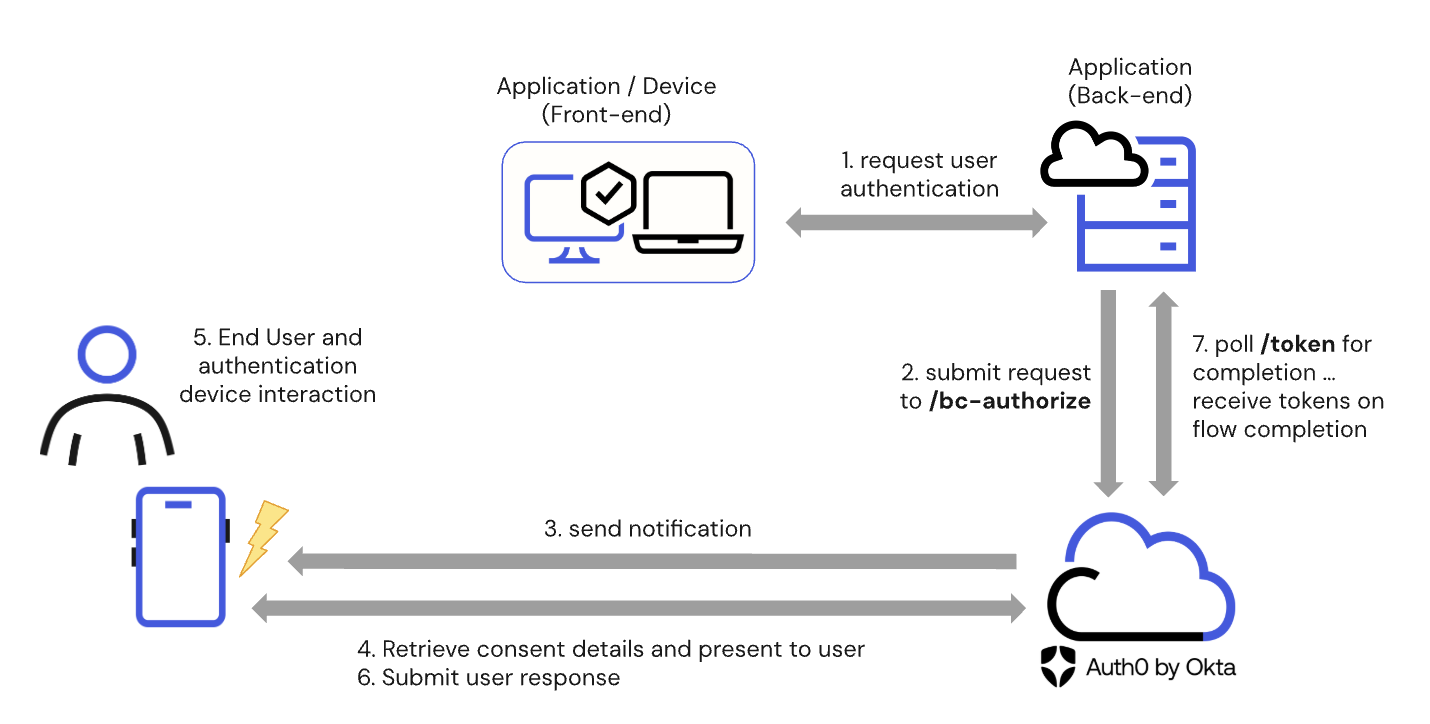
1. The client application or consumption device requests user authentication or authorization.
2. The client application’s backend submits a `POST` request to the `/bc-authorize` endpoint.
3. Auth0 receives the `POST` request and sends a notification to the authentication device.
4. The authentication device retrieves the authorization details from Auth0 and presents them to the end user.
5. The end user reviews the request, including any contextual authorization details regarding the request.
6. The end user provides their response on the authentication device, which submits the user response to Auth0.
7. The client application’s backend polls the `/token` endpoint and receives the appropriate tokens upon completing the CIBA flow.
Because the CIBA flow is used for one-time asynchronous user authentication and authorization, CIBA does not create or store a grant containing the user’s consent for an application to access an API’s resources. If the user later authenticates using a different authentication flow, and that flow requests the same scopes the user previously consented to using CIBA, Auth0 will not have a record of that consent. Therefore, it will prompt the user to consent again.
## Entity Limits
The CIBA flow has the following limits:
* Up to 500 CIBA requests may be created per minute per tenant.
* Up to 5000 pending CIBA requests per tenant at any one time. A pending CIBA request is a request that has been initiated but has not yet received a response from the user. If a CIBA request expires without receiving a response, it may continue to count towards the 5000 limit for up to 24 hours.
## Get started
| Read... | To Learn... |
| - | - |
| [Configure Client-Initiated Backchannel Authentication](/docs/get-started/applications/configure-client-initiated-backchannel-authentication) | How to configure the CIBA grant type and notification channel for your application. |
| [Mobile push notifications with CIBA](/docs/get-started/authentication-and-authorization-flow/client-initiated-backchannel-authentication-flow/mobile-push-notifications-with-ciba) | How to authenticate users using the CIBA flow with mobile push notifications. |
| [Email notifications with CIBA](/docs/get-started/authentication-and-authorization-flow/client-initiated-backchannel-authentication-flow/email-notifications-with-ciba) | How to authenticate users using the CIBA flow with email notifications. |
| [User Authorization with CIBA](/docs/get-started/authentication-and-authorization-flow/client-initiated-backchannel-authentication-flow/user-authorization-with-ciba) | How to authorize users using the CIBA with Rich Authorization Requests (RAR) flow. |
# Email Notifications with CIBA
Source: https://auth0.com/docs/get-started/authentication-and-authorization-flow/client-initiated-backchannel-authentication-flow/email-notifications-with-ciba
Learn how to authenticate users with the Client-Initiated Backchannel Authentication Flow using email notifications.
To use Client-Initiated Backchannel Authentication (CIBA) features, you must have an Enterprise Plan or an appropriate add-on. Refer to [Auth0 Pricing](https://auth0.com/pricing/) for details.
When you use email notifications with CIBA, the user receives an email with a link that redirects them to authenticate or authorize a request in the browser.
When using email notifications with CIBA, the user logs in on the consumption device but completes authentication by clicking a link sent to their verified email address. When the user clicks the verification link, they are redirected to their browser, creating a session that Auth0 uses to track the authentication process and confirm the user's identity. This session is necessary to bridge the gap between the authentication device, in this case, the browser, and the consumption device, such as a Smart TV.
The following diagram explains the end-to-end CIBA with email notifications flow:
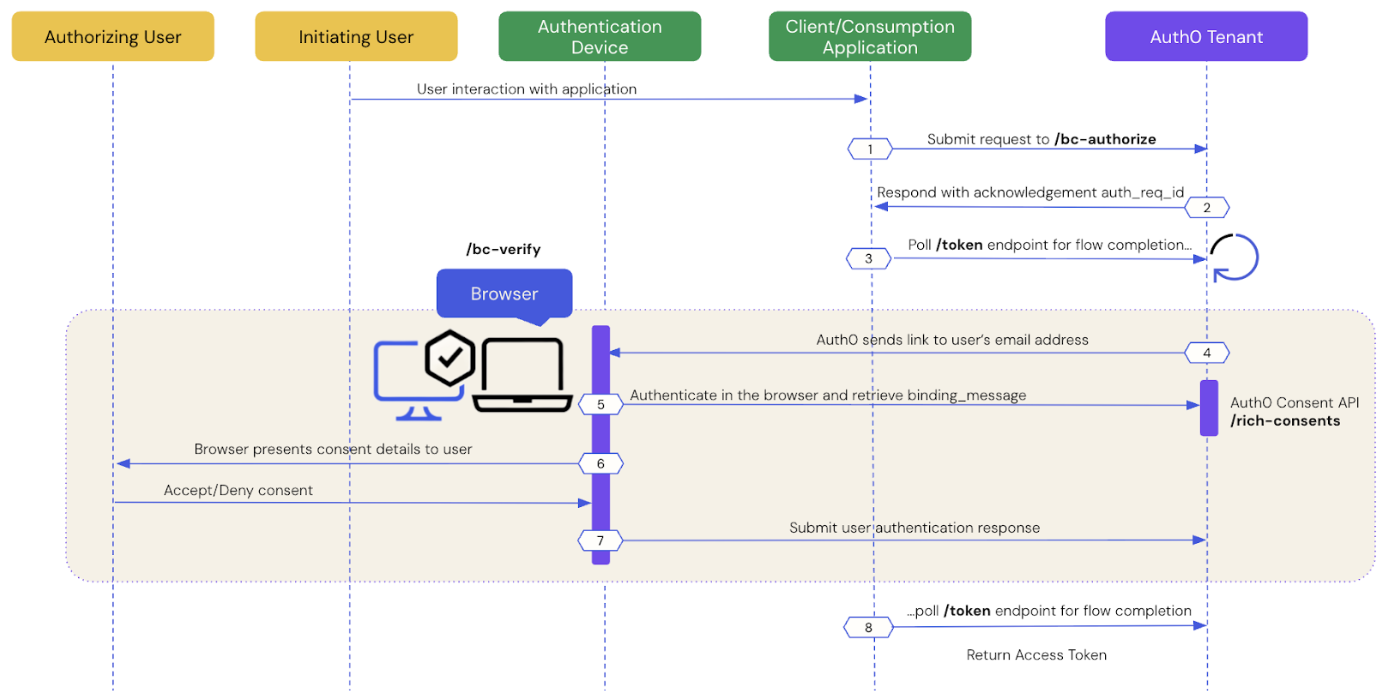
The following sections dive step-by-step into how user authentication works with CIBA using email notifications.
* [Prerequisites](#prerequisites)
* [Step 1: Client application initiates a CIBA request](#step-1%3A-client-application-initiates-a-ciba-request)
* [Step 2: Auth0 tenant acknowledges the CIBA request](#step-2%3A-auth0-tenant-acknowledges-the-ciba-request)
* [Step 3: Client application polls for a response](#step-3%3A-client-application-polls-for-a-response)
* [Step 4: Auth0 sends a link to the user's email address](#step-4%3A-auth0-sends-a-link-to-the-user’s-email-address)
* [Step 5: User authenticates in the browser](#step-5%3A-user-authenticates-in-the-browser)
* [Step 6: Browser presents consent details to the user](#step-6%3A-browser-sends-the-user-response-back-to-auth0)
* [Step 7: Auth0 receives user response after the flow completes](#step-7%3A-auth0-receives-user-response-after-the-flow-completes)
* [Step 8: Auth0 returns access token to client application](#step-8%3A-auth0-returns-access-token-to-client-application)
## Prerequisites
To initiate a CIBA email request using Auth0, you must:
* [Configure Client-Initiated Backchannel Authentication](/docs/get-started/applications/configure-client-initiated-backchannel-authentication) for your tenant and application, including [email notifications](/docs/get-started/applications/configure-client-initiated-backchannel-authentication/#configure-email-notifications).
* Set the `requested_expiry` parameter to a value between 301 to 259200 seconds (72 hours). To learn more, read [Configure notification channel](/docs/get-started/applications/configure-client-initiated-backchannel-authentication#configure-notification-channel).
* If using email notifications with CIBA and Rich Authorization Requests (RAR) for [user authorization](/docs/get-started/authentication-and-authorization-flow/client-initiated-backchannel-authentication-flow/user-authorization-with-ciba), [set the customized consent prompt](/docs/get-started/apis/configure-rich-authorization-requests#set-customized-consent-prompt).
## Step 1: Client application initiates a CIBA request
Use the [User Search APIs](/docs/manage-users/user-search) to find the authorizing user for whom you’d like to initiate a CIBA request and obtain their user ID.
Once you have a user ID for the authorizing user, use the Authentication API or our [SDKs](/docs/libraries) to send a CIBA request to the `/bc-authorize` endpoint:
**cURL**
```bash lines theme={null}
curl --location 'https://{YOUR_DOMAIN}.auth0.com/bc-authorize' \
--header 'Content-Type: application/x-www-form-urlencoded' \
--data-urlencode 'client_id={YOUR_CLIENT_ID}' \
--data-urlencode 'client_secret={YOUR_CLIENT_SECRET}' \
--data-urlencode 'login_hint={ "format": "iss_sub", "iss": "https://{YOUR_DOMAIN}.auth0.com/", "sub": "{USER_ID}" }' \
--data-urlencode 'scope={SCOPES}' \
--data-urlencode 'binding_message={BINDING_MESSAGE}'
```
**C#**
```csharp lines theme={null}
var response = await authenticationApiClient.ClientInitiatedBackchannelAuthorization(
new ClientInitiatedBackchannelAuthorizationRequest()
{
ClientId = "{YOUR_CLIENT_ID}",
Scope = "{SCOPES}",
ClientSecret = "{YOUR_CLIENT_SECRET}",
BindingMessage = "{BINDING_MESSAGE}",
LoginHint = new LoginHint()
{
Format = "iss_sub",
Issuer = "https://{YOUR_DOMAIN}.auth0.com/",
Subject = "{USER_ID}"
}
}
);
```
**Go**
```go lines theme={null}
resp, err := authAPI.CIBA.Initiate(context.Background(), ciba.Request{
ClientID: mgmtClientID,
ClientSecret: mgmtClientSecret,
Scope: "openid",
LoginHint: map[string]string{
"format": "iss_sub",
"iss": "https://{YOUR_DOMAIN}.auth0.com/",
"sub": "{USER_ID}",
},
BindingMessage: "{BINDING_MESSAGE}",
})
```
**Java**
```java lines theme={null}
//Creating AuthClient Instance
AuthAPI auth = AuthAPI.newBuilder(domain, clientId, clientSecret).build();
//Authorize
Map loginHint = new HashMap<>();
loginHint.put("format", "iss_sub");
loginHint.put("iss", "https://{YOUR_DOMAIN}.auth0.com/");
loginHint.put("sub", "{USER_ID}");
Request request = auth.authorizeBackChannel("openid", "{BINDING_MESSAGE}", loginHint);
BackChannelAuthorizeResponse resp = request.execute().getBody();
```
| Parameters | Description |
| - | - |
| `tenant` | Tenant name. It can also be a custom domain. If the `iss_sub` format is used, then the tenant name is passed within the `iss` claim. |
| `client_id` | Client application identifier. |
| `client_secret` | Client authentication method used for user authentication with CIBA, such as Client Secret, Private Key JWT, or mTLS Authentication. If you're using Private Key JWT or mTLS, you don't need to include the client secret. |
| `scope` | Must include `openid`. The scope can optionally include `offline_access` to request a refresh token. However, for one-time authorization of a transaction with the CIBA Flow, a refresh token is not needed and does not have any meaning in this context. |
| `user_id` | User ID for the authorizing user that is passed within the `login_hint` structure. If `iss_sub` format is used, then the user ID is passed within the `sub` claim. The user ID may have a different format depending on the external provider. |
| `requested_expiry` | The maximum duration, in seconds, for which the CIBA session should be valid. The CIBA flow's requested expiry is between 1 and 259200 seconds (72 hours), and it defaults to 300 seconds. Include the `requested_expiry` parameter to set a custom expiry for the CIBA flow. The `requested_expiry` parameter helps determine which notification channel CIBA uses:
If you set your `requested_expiry` to a value of 300 or lower in seconds, CIBA uses the mobile push notification channel if enabled. If you have not configured MFA for your tenant, the CIBA request fails.
If you set your `requested_expiry` to a value between 301 to 259200 seconds (72 hours), CIBA uses the email notification channel if enabled.
|
| `binding_message` | Human-readable message used to bind the CIBA flow across the authentication and consumption devices. The binding message is required and up to 64 characters. Use only alphanumeric and `+-_.,:#` characters. |
There is a user-specific rate limit where the authorizing user will not be sent more than 5 requests per minute.
## Step 2: Auth0 tenant acknowledges the CIBA request
If the Auth0 tenant successfully receives the `POST` request, you should receive a response containing an `auth-req-id` that references the request:
```json lines theme={null}
{
"auth_req_id": "eyJh...",
"expires_in": 300,
"interval": 5
}
```
The `auth_req_id` value is passed to the `/token` endpoint to poll for the completion of the CIBA flow.
## Step 3: Client application polls for a response
Use the Authentication API or our [SDKs](/docs/libraries) to call the `/token` endpoint using the `urn:openid:params:grant-type:ciba` grant type and the `auth_req_id` you received from the `/bc-authorize` endpoint:
**cURL**
```bash lines theme={null}
curl --location 'https://{YOUR_DOMAIN}.auth0.com/oauth/token' \
--header 'Content-Type: application/x-www-form-urlencoded' \
--data-urlencode 'client_id={YOUR_CLIENT_ID}' \
--data-urlencode 'client_secret={YOUR_CLIENT_SECRET}' \
--data-urlencode 'auth_req_id={AUTH_REQ_ID}' \
--data-urlencode 'grant_type=urn:openid:params:grant-type:ciba'
```
**C#**
```csharp lines theme={null}
var token = await authenticationApiClient.GetTokenAsync(
new ClientInitiatedBackchannelAuthorizationTokenRequest()
{
AuthRequestId = response.AuthRequestId,
ClientId = "{YOUR_CLIENT_ID}",
ClientSecret = "{YOUR_CLIENT_SECRET}"
}
);
```
**Go**
```go lines theme={null}
token, err := authAPI.OAuth.LoginWithGrant(context.Background(),
"urn:openid:params:grant-type:ciba",
url.Values{
"auth_req_id": []string{resp.AuthReqID},
"client_id": []string{clientID},
"client_secret": []string{clientSecret},
},
oauth.IDTokenValidationOptions{})
```
**Java**
```java lines theme={null}
Request tokenRequest = auth.getBackChannelLoginStatus(authReqId, "grant-type");
BackChannelTokenResponse tokenResponse = tokenRequest.execute().getBody();
```
Until the authorizing user approves the transaction, you should receive the following response:
```json lines theme={null}
{
"error": "authorization_pending",
"error_description": "The end-user authorization is pending"
}
```
There is approximately a five-second wait interval for polling. If you poll too frequently, you will receive the following response, where the description varies depending on the backoff interval:
```json lines theme={null}
{
"error": "slow_down",
"error_description": "You are polling faster than allowed. Try again in 10 seconds."
"interval": 10
}
```
To resolve the error, wait until the next interval (in seconds) to poll the `/token` endpoint.
## Step 4: Auth0 sends a link to the user’s email address
The Auth0 Authorization Server uses the `login_hint`, which contains the user ID for the authorizing user, to initiate user authentication on the authentication device:
* The Auth0 Authorization Server sends an email to the user's verified email address.
* The email contains a verification link that the user must click to authenticate. The `binding_message` shows up as the request code.
* The link directs the user to the browser through a request to the `/bc-verify` endpoint, where the `consent` query parameter references the CIBA request awaiting consent.
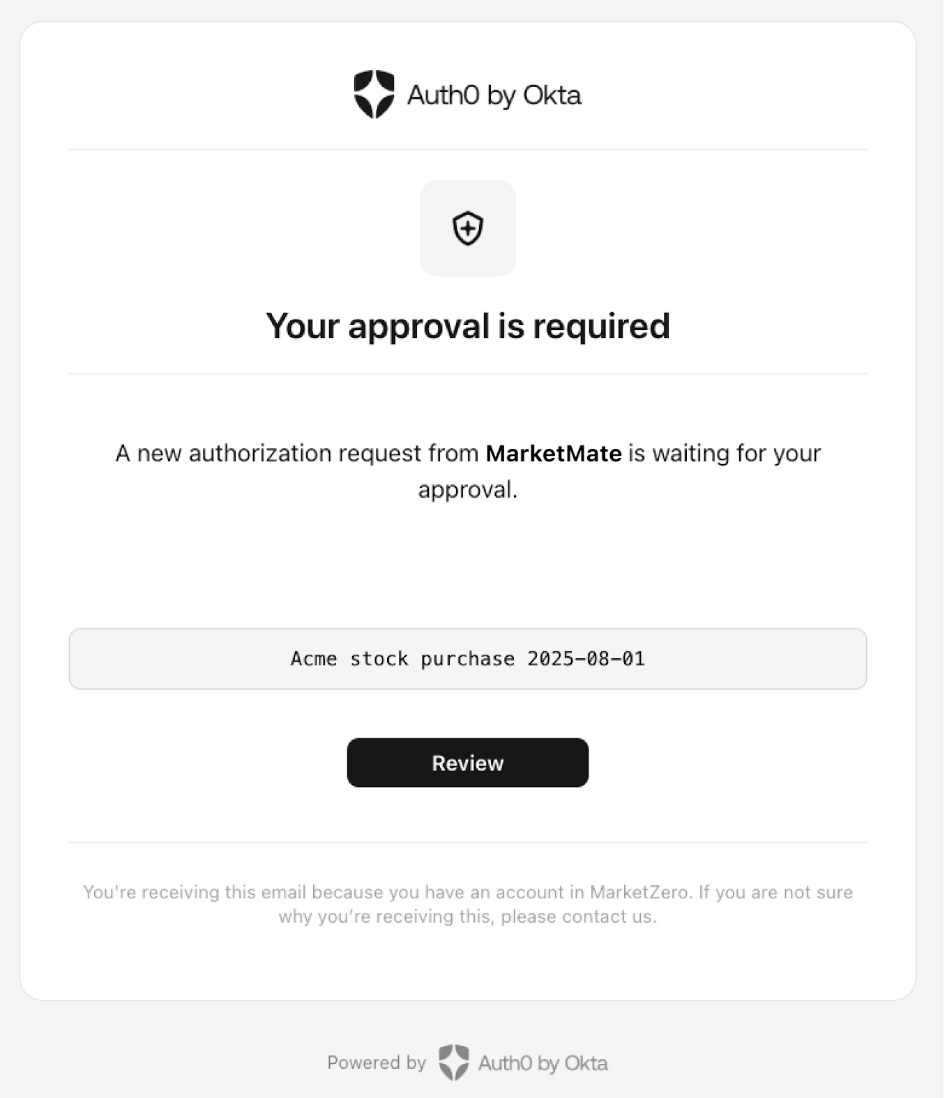
## Step 5: User authenticates in the browser
If no active session is found, the verification link will ask the user to authenticate. The user clicks the link to proceed with user authentication.
To authenticate, the user enters their verified email address and password. The user must use the credentials provided to the `login_hint` parameter sent to the `/bc-authorize` endpoint when the client application [initiates a CIBA request](#step-1%3A-client-application-initiates-a-ciba-request). Otherwise, the user is prompted with an error message and needs to log out and try again.
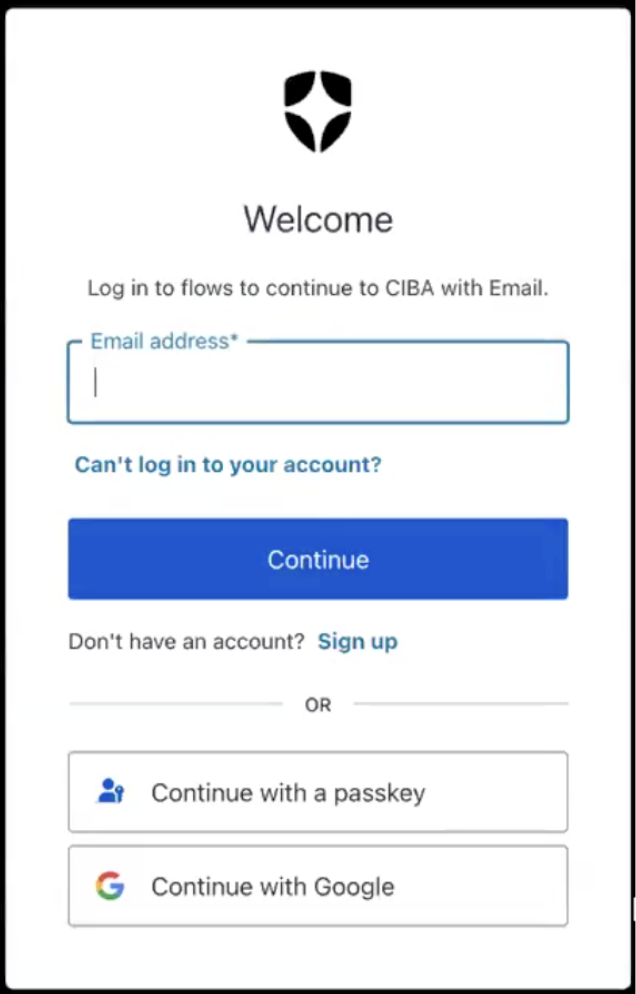
Similar to a standard login flow, the`post-login` Actions trigger runs in the CIBA with email flow, enabling customers to provide custom logic to apply access control policies or ask for additional MFA factors. When executed from a CIBA verification link, the `event.transaction.protocol` value is `oidc-ciba-web-link`, allowing you to apply custom rules to this specific type of login. To learn more, read [Login Trigger](/docs/customize/actions/explore-triggers/post-login).
Once authenticated, the browser presents the consent details to the user from the Auth0 Consent API, which includes the `binding_message`, `scope`, and `audience`. The scopes are filtered according to your RBAC policy. To learn more, read [Role-Based Access Control](/docs/manage-users/access-control/rbac).
The following code sample is an example response from the Auth0 Consent API:
```json lines theme={null}
{
"id": "cns_abc123",
"requested_details": {
"audience": "https://$tenant.auth0.com/userinfo",
"scope": ["openid"],
"binding_message": "21-49-38"
},
"created_at": 1746693720
"expires_at": 1746693750
}
```
The user can accept or decline the authentication request at this point.
## Step 6: Browser sends the user response back to Auth0
The browser sends the user response back to Auth0. Depending on whether the user accepts or rejects the authentication request, Auth0 displays the following consent screens, which you need to customize by [setting the consent prompts](/docs/get-started/apis/configure-rich-authorization-requests#set-customized-consent-prompt):
### User accepts the authentication request
### User rejects the authentication request
## Step 7: Auth0 receives user response after the flow completes
The client application completes the polling upon receiving a response from the `/token` endpoint. A CIBA flow always requires a response, either an approval or decline, from the authorizing user, and existing grants are not checked.
## Step 8: Auth0 returns access token to client application
If the user rejects the email request, Auth0 returns an error response like the following to the client application:
```json lines theme={null}
{
"error": "access_denied",
"error_description": "The end-user denied the authorization request or it has been expired"
}
```
If the user approves the email request, Auth0 returns an access token (Access Token: Authorization credential, in the form of an opaque string or JWT, used to access an API.) like the following to the client application:
```json lines theme={null}
{
"access_token": "eyJh...",
"id_token": "eyJh...",
"expires_in": 86400,
"scope": "openid",
"token_type": "Bearer"
}
```
The `refresh_token` will only be present if the `offline_access` scope was included in the initial `/bc-authorize` request.
## Learn more
* [Client-Initiated Backchannel Authentication Flow](/docs/get-started/authentication-and-authorization-flow/client-initiated-backchannel-authentication-flow)
* [Configure Client-Initiated Backchannel Authentication](/docs/get-started/applications/configure-client-initiated-backchannel-authentication)
# Mobile Push Notifications with CIBA
Source: https://auth0.com/docs/get-started/authentication-and-authorization-flow/client-initiated-backchannel-authentication-flow/mobile-push-notifications-with-ciba
Learn how to authenticate users with the Client-Initiated Backchannel Authentication Flow using mobile push notifications.
To use Client-Initiated Backchannel Authentication (CIBA) features, you must have an Enterprise Plan or an appropriate add-on. Refer to [Auth0 Pricing](https://auth0.com/pricing/) for details.
When you use mobile push notifications with CIBA, the user receives a push notification to authenticate or authorize a request on their enrolled mobile device. You can send mobile push notifications with CIBA using the Auth0 Guardian app or a custom app integrated with the Auth0 Guardian SDK.
The CIBA flow with mobile push notifications authenticates and authorizes users on their mobile device, bypassing the need for a browser. Because the consumption device doesn't require an active browser session, the user doesn't need to be logged in before a CIBA request is triggered. This also ensures that the CIBA flow won't impact any existing sessions the user may have.
The following diagram explains the end-to-end CIBA with mobile push notifications flow:
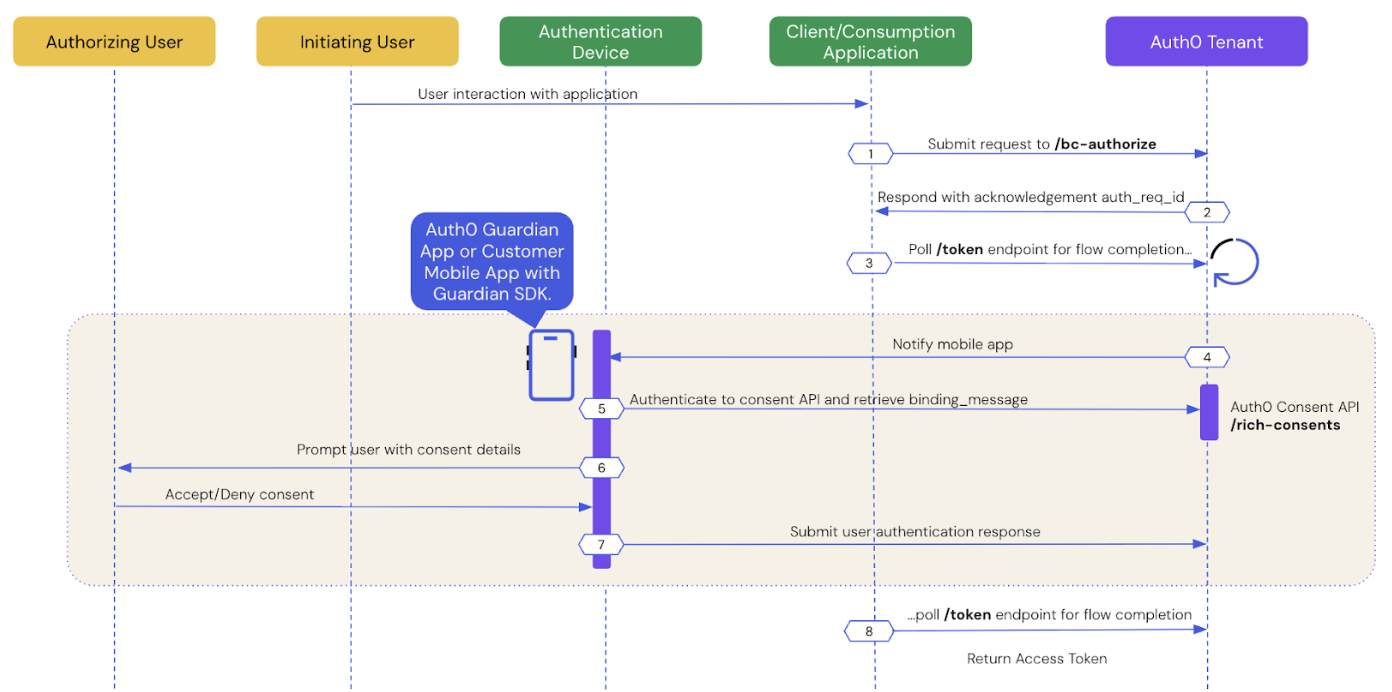
The following sections dive step-by-step into how user authentication works with CIBA using mobile push notifications.
* [Prerequisites](#prerequisites)
* [Step 1: Client application initiates a CIBA request](#step-1%3A-client-application-initiates-a-ciba-request)
* [Step 2: Auth0 tenant acknowledges the CIBA request](#step-2%3A-auth0-tenant-acknowledges-the-ciba-request)
* [Step 3: Client application polls for a response](#step-3%3A-client-application-polls-for-a-response)
* [Step 4: Mobile application receives the push notification](#step-4%3A-mobile-application-receives-the-push-notification)
* [Step 5: Mobile application retrieves the consent details](#step-5%3A-mobile-application-retrieves-the-consent-details)
* [Step 6: Mobile application presents the consent details to the user](#step-6%3A-mobile-application-presents-the-consent-details-to-the-user)
* [Step 7: Mobile application sends the user response back to Auth0](#step-7%3A-mobile-application-sends-the-user-response-back-to-auth0)
* [Step 8: Auth0 receives user response after the flow completes](#step-8%3A-auth0-receives-user-response-after-the-flow-completes)
* [Step 9: Auth0 returns access token to client application](#step-9%3A-auth0-returns-access-token-to-client-application)
## Prerequisites
To initiate a CIBA push request using Auth0, you must:
* [Configure Client-Initiated Backchannel Authentication](/docs/get-started/applications/configure-client-initiated-backchannel-authentication) for your tenant and application, including [mobile push notifications](/docs/get-started/applications/configure-client-initiated-backchannel-authentication/#configure-mobile-push-notifications).
* Set the `requested_expiry` parameter to a value of 300 or lower in seconds. To learn more, read [Configure notification channel](/docs/get-started/applications/configure-client-initiated-backchannel-authentication#configure-notification-channel).
## Step 1: Client application initiates a CIBA request
Use the [User Search APIs](/docs/manage-users/user-search) to find the authorizing user for whom you’d like to initiate a CIBA request and obtain their user ID.
Once you have a user ID for the authorizing user, use the Authentication API or our [SDKs](/docs/libraries) to send a CIBA request to the `/bc-authorize` endpoint:
**cURL**
```bash lines theme={null}
curl --location 'https://{YOUR_DOMAIN}.auth0.com/bc-authorize' \
--header 'Content-Type: application/x-www-form-urlencoded' \
--data-urlencode 'client_id={YOUR_CLIENT_ID}' \
--data-urlencode 'client_secret={YOUR_CLIENT_SECRET}' \
--data-urlencode 'login_hint={ "format": "iss_sub", "iss": "https://{YOUR_DOMAIN}.auth0.com/", "sub": "{USER_ID}" }' \
--data-urlencode 'scope={SCOPES}' \
--data-urlencode 'binding_message={BINDING_MESSAGE}'
```
**C#**
```csharp lines theme={null}
var response = await authenticationApiClient.ClientInitiatedBackchannelAuthorization(
new ClientInitiatedBackchannelAuthorizationRequest()
{
ClientId = "{YOUR_CLIENT_ID}",
Scope = "openid",
ClientSecret = "{YOUR_CLIENT_SECRET}",
BindingMessage = "{BINDING_MESSAGE}",
LoginHint = new LoginHint()
{
Format = "iss_sub",
Issuer = "https://{YOUR_DOMAIN}.auth0.com/",
Subject = "{USER_ID}"
}
}
);
```
**Go**
```go lines theme={null}
resp, err := authAPI.CIBA.Initiate(context.Background(), ciba.Request{
ClientID: mgmtClientID,
ClientSecret: mgmtClientSecret,
Scope: "openid",
LoginHint: map[string]string{
"format": "iss_sub",
"iss": "https://{YOUR_DOMAIN}.auth0.com/",
"sub": "{USER_ID}",
},
BindingMessage: "{BINDING_MESSAGE}",
})
```
**Java**
```java lines theme={null}
//Creating AuthClient Instance
AuthAPI auth = AuthAPI.newBuilder(domain, clientId, clientSecret).build();
//Authorize
Map loginHint = new HashMap<>();
loginHint.put("format", "iss_sub");
loginHint.put("iss", "https://{YOUR_DOMAIN}.auth0.com/");
loginHint.put("sub", "{USER_ID}");
Request request = auth.authorizeBackChannel("openid", "{BINDING_MESSAGE}", loginHint);
BackChannelAuthorizeResponse resp = request.execute().getBody();
```
| Parameters | Description |
| - | - |
| `tenant` | Tenant name. It can also be a custom domain. If the `iss_sub` format is used, then the tenant name is passed within the `iss` claim. |
| `client_id` | Client application identifier. |
| `client_secret` | Client authentication method used for user authentication with CIBA, such as Client Secret, Private Key JWT, or mTLS Authentication. If you're using Private Key JWT or mTLS, you don't need to include the client secret. |
| `scope` | Must include `openid`. The scope can optionally include `offline_access` to request a refresh token. However, for one-time authorization of a transaction with the CIBA Flow, a refresh token is not needed and does not have any meaning in this context. |
| `user_id` | User ID for the authorizing user that is passed within the `login_hint` structure. If `iss_sub` format is used, then the user ID is passed within the `sub` claim. The user ID may have a different format depending on the external provider. |
| `requested_expiry` | The maximum duration, in seconds, for which the CIBA session should be valid. The CIBA flow's requested expiry is between 1 and 259200 seconds (72 hours), and it defaults to 300 seconds. Include the `requested_expiry` parameter to set a custom expiry for the CIBA flow. The `requested_expiry` parameter helps determine which notification channel CIBA uses:
If you set your `requested_expiry` to a value of 300 or lower in seconds, CIBA uses the mobile push notification channel if enabled. If you have not configured MFA for your tenant, the CIBA request fails.
If you set your `requested_expiry` to a value between 301 to 259200 seconds (72 hours), CIBA uses the email notification channel if enabled.
|
| `binding_message` | Human-readable message used to bind the CIBA flow across the authentication and consumption devices. The binding message is required and up to 64 characters. Use only alphanumeric and `+-_.,:#` characters. |
There is a user-specific rate limit where the authorizing user will not be sent more than 5 requests per minute.
## Step 2: Auth0 tenant acknowledges the CIBA request
If the Auth0 tenant successfully receives the `POST` request, you should receive a response containing an `auth-req-id` that references the request:
```json lines theme={null}
{
"auth_req_id": "eyJh...",
"expires_in": 300,
"interval": 5
}
```
The `auth_req_id` value is passed to the `/token` endpoint to poll for the completion of the CIBA flow.
## Step 3: Client application polls for a response
Use the Authentication API or our [SDKs](/docs/libraries) to call the `/token` endpoint using the `urn:openid:params:grant-type:ciba` grant type and the `auth_req_id` you received from the `/bc-authorize` endpoint:
**cURL**
```bash lines theme={null}
curl --location 'https://$tenant.auth0.com/oauth/token' \
--header 'Content-Type: application/x-www-form-urlencoded' \
--data-urlencode 'client_id=' \
--data-urlencode 'client_secret=' \
--data-urlencode 'auth_req_id=' \
--data-urlencode 'grant_type=urn:openid:params:grant-type:ciba'
```
**C#**
```csharp lines theme={null}
var token = await authenticationApiClient.GetTokenAsync(
new ClientInitiatedBackchannelAuthorizationTokenRequest()
{
AuthRequestId = response.AuthRequestId,
ClientId = "",
ClientSecret = ""
}
);
```
**Go**
```go lines theme={null}
token, err := authAPI.OAuth.LoginWithGrant(context.Background(),
"urn:openid:params:grant-type:ciba",
url.Values{
"auth_req_id": []string{resp.AuthReqID},
"client_id": []string{clientID},
"client_secret": []string{clientSecret},
},
oauth.IDTokenValidationOptions{})
```
**Java**
```java lines theme={null}
Request tokenRequest = auth.getBackChannelLoginStatus(authReqId, "grant-type");
BackChannelTokenResponse tokenResponse = tokenRequest.execute().getBody();
```
Until the authorizing user approves the transaction, you should receive the following response:
```json lines theme={null}
{
"error": "authorization_pending",
"error_description": "The end-user authorization is pending"
}
```
There is approximately a five-second wait interval for polling. If you poll too frequently, you will receive the following response, where the description varies depending on the backoff interval:
```json lines theme={null}
{
"error": "slow_down",
"error_description": "You are polling faster than allowed. Try again in 10 seconds."
"interval": 10
}
```
To resolve the error, wait until the next interval (in seconds) to poll the `/token` endpoint.
## Step 4: Mobile application receives the push notification
Auth0 sends a push notification to the user's registered mobile app or device via the Auth0 Guardian app or a custom app integrated with the [Auth0 Guardian SDK](/docs/secure/multi-factor-authentication/auth0-guardian).
If you're using a custom app, the [Auth0 Guardian SDK](/docs/secure/multi-factor-authentication/auth0-guardian) provides methods to parse the data received from the push notification and return a ready-to-use `Notification` instance. The `Notification` instance includes a transaction linking ID, or `txlinkid`, that the mobile application uses to retrieve the consent details from Auth0.
The following code samples are example iOS and Android mobile push notification implementations using the Guardian SDK:
**iOS**
```swift lines theme={null}
//implementing UNUserNotificationCenterDelegate
func userNotificationCenter(_ center: UNUserNotificationCenter, willPresent notification: UNNotification, withCompletionHandler completionHandler: (UNNotificationPresentationOptions) -> Void) {
let userInfo = notification.request.content.userInfo
if let notification = Guardian.notification(from: userInfo) {
// Implement this function to display the prompt and handle user's consent/rejection.
handleGuardianNotification(notification: notification)
}
}
```
**Android**
```kotlin lines theme={null}
// at the FCM listener you receive a RemoteMessage
@Override
public void onMessageReceived(RemoteMessage message) {
Notification notification = Guardian.parseNotification(message.getData());
if (notification != null) {
// you received a Guardian notification, handle it
handleGuardianNotification(notification);
return;
}
/* handle other push notifications you might be using ... */
}
```
## Step 5: Mobile application retrieves the consent details
Your Auth0 Guardian app or custom app integrated with the Auth0 Guardian SDK retrieves the consent details i.e. the contents of the `binding_message` from the Auth0 Consent API.
If you're using a custom app, the following code samples are example iOS and Android implementations that retrieve data from the Auth0 Consent API:
**iOS**
```swift lines theme={null}
let device: AuthenticationDevice = // the object you obtained during the initial Guardian SDK enrollment process and stored locally
if let consentId = notification.transactionLinkingId {
Guardian
.consent(forDomain: {yourTenantDomain}, device: device)
.fetch(consentId: consentId, notificationToken: notification.transactionToken)
.start{result in
switch result {
case .success(let payload):
// present consent details to the user
case .failure(let cause):
// something went wrong
}
}
}
```
**Android**
```kotlin lines theme={null}
Enrollment enrollment = // the object you obtained during the initial Guardian SDK enrollment process and stored locally
if (notification.getTransactionLinkingId() != null) {
guardian
.fetchConsent(notification, enrollment)
.start(new Callback {
@Override
void onSuccess(RichConsent consentDetails) {
// present consent details to the user
}
@Override
void onFailure(Throwable exception) {
// something went wrong
}
});
}
```
## Step 6: Mobile application presents the consent details to the user
The Auth0 Consent API responds to the Auth0 Guardian app or your custom app integrated with the Auth0 Guardian SDK with the consent details, including the `binding_message`, `scope`, and `audience`. The scopes returned to the mobile application are filtered according to your RBAC policy. To learn more, read [Role-Based Access Control](/docs/manage-users/access-control/rbac).
The mobile application presents the authentication request and/or the consent details to the user.
The following code sample is an example response from the Auth0 Consent API:
```json lines theme={null}
{
"id": "cns_abc123",
"requested_details": {
"audience": "https://$tenant.auth0.com/userinfo",
"scope": ["openid"],
"binding_message": "21-49-38"
},
"created_at": 1746693720
"expires_at": 1746693750
}
```
The user can accept or decline the authentication request at this point.
## Step 7: Mobile application sends the user response back to Auth0
The Auth0 Guardian app or your custom app sends the user response back to Auth0.
If you're using a custom app integrated with the Auth0 Guardian SDK, the following code samples are example iOS and Android implementations that handle the user response:
### User accepts the authentication request
**iOS**
```swift lines theme={null}
Guardian
.authentication(forDomain: "{yourTenantDomain}", device: device)
.allow(notification: notification)
// or reject(notification: notification, withReason: "hacked")
.start { result in
switch result {
case .success:
// the auth request was successfully rejected
case .failure(let cause):
// something failed, check cause to see what went wrong
}
}
```
**Android**
```kotlin lines theme={null}
guardian
.allow(notification, enrollment)
.execute(); // or start(new Callback<> ...)
```
### User rejects the authentication request
**iOS**
```swift lines theme={null}
Guardian
.authentication(forDomain: "{yourTenantDomain}", device: device)
.reject(notification: notification)
// or reject(notification: notification, withReason: "hacked")
.start { result in
switch result {
case .success:
// the auth request was successfully rejected
case .failure(let cause):
// something failed, check cause to see what went wrong
}
}
```
**Android**
```kotlin lines theme={null}
guardian
.reject(notification, enrollment) // or reject(notification, enrollment, reason)
.execute(); // or start(new Callback<> ...)
```
## Step 8: Auth0 receives user response after the flow completes
The client application completes the polling upon receiving a response from the `/token` endpoint. A CIBA flow always requires a response, either an approval or decline, from the authorizing user, and existing grants are not checked.
## Step 9: Auth0 returns access token to client application
If the user rejects the push request, Auth0 returns an error response like the following to the client application:
```json lines theme={null}
{
"error": "access_denied",
"error_description": "The end-user denied the authorization request or it has been expired"
}
```
If the user approves the push request, Auth0 returns an access token (Access Token: Authorization credential, in the form of an opaque string or JWT, used to access an API.) like the following to the client application:
```json lines theme={null}
{
"access_token": "eyJh...",
"id_token": "eyJh...",
"expires_in": 86400,
"scope": "openid",
"token_type": "Bearer"
}
```
The `refresh_token` will only be present if the `offline_access` scope was included in the initial `/bc-authorize` request.
## Learn more
* [Client-Initiated Backchannel Authentication Flow](/docs/get-started/authentication-and-authorization-flow/client-initiated-backchannel-authentication-flow)
* [Configure Client-Initiated Backchannel Authentication](/docs/get-started/applications/configure-client-initiated-backchannel-authentication)
# User Authorization with CIBA
Source: https://auth0.com/docs/get-started/authentication-and-authorization-flow/client-initiated-backchannel-authentication-flow/user-authorization-with-ciba
Learn how to use Rich Authorization Requests with the Client-Initiated Backchannel Flow.
To use Client-Initiated Backchannel Authentication (CIBA) features, you must have an Enterprise Plan or an appropriate add-on. Refer to [Auth0 Pricing](https://auth0.com/pricing/) for details.
[Client-Initiated Backchannel Authentication (CIBA)](/docs/get-started/authentication-and-authorization-flow/client-initiated-backchannel-authentication-flow) is an OAuth 2.0 (OAuth 2.0: Authorization framework that defines authorization protocols and workflows.) specification that allows a client application to initiate an authentication and/or authorization flow (OAuth 2.0: Authorization framework that defines authorization protocols and workflows.) without requiring direct user interaction on the initiating application. [Rich Authorization Requests (RAR)](/docs/get-started/apis/configure-rich-authorization-requests) is an OAuth 2.0 extension that allows client applications to request for more complex permissions beyond standard OAuth 2.0 scopes in an authorization request.
You can use CIBA with RAR to pass fine-grained authorization (Fine-grained Authorization (FGA): Auth0 product allowing individual users access to specific objects or resources.) data to the authorization server (Fine-grained Authorization (FGA): Auth0 product allowing individual users access to specific objects or resources.) in a backchannel request. The `authorization_details` parameter contains details about the request that you can customize in a consent prompt to show the user.
You can authorize users with CIBA using the following notification channels:
* [Mobile push notifications](/docs/get-started/authentication-and-authorization-flow/client-initiated-backchannel-authentication-flow/mobile-push-notifications-with-ciba) using the Auth0 Guardian app and a custom app integrated with the Auth0 Guardian SDK.
* [Email notifications](/docs/get-started/authentication-and-authorization-flow/client-initiated-backchannel-authentication-flow/email-notifications-with-ciba), which require setting a customized consent prompt.
## Common use cases
Use RAR with the CIBA flow for use cases that require more fine-grained control over resource access. Common use cases include:
1. A payments app prompts the user to confirm a money transfer. The `authorization_details` can be customized to show the transaction details.
2. An AI agent prompts the user with details about a rescheduled doctor’s appointment. The `authorization_details` can be customized to show the new time and date.
## How it works
The User Authorization with CIBA flow is similar to the User Authentication with CIBA flow, where RAR support enables clients to pass the `authorization_details` to the authorization server via the `/bc-authorize` endpoint.
The following sequence diagram explains the end-to-end User Authorization with CIBA flow:
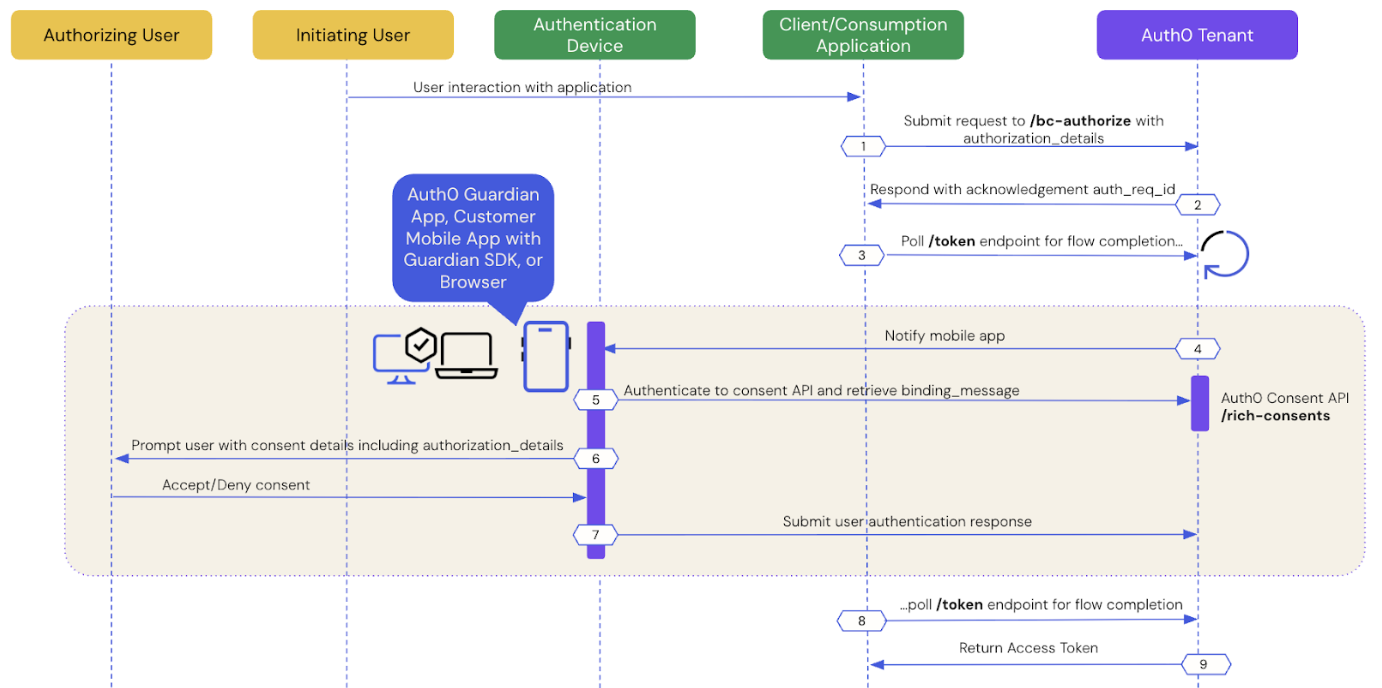
The following sections dive step-by-step into how user authorization works with CIBA.
* [Prerequisites](#prerequisites)
* [Step 1: Client application initiates a CIBA request](#step-1%3A-client-application-initiates-a-ciba-request)
* [Step 2: Auth0 tenant acknowledges the CIBA request](#step-2%3A-auth0-tenant-acknowledges-the-ciba-request)
* [Step 3: Client application polls for a response](#step-3%3A-client-application-polls-for-a-response)
* [Step 4: Authentication device receives the push notification](#step-4%3A-authentication-device-receives-the-notification)
* [Step 5: Authentication device retrieves the consent details](#step-5%3A-authentication-device-retrieves-the-consent-details)
* [Step 6: Authentication device presents the consent details to the user](#step-6%3A-authentication-device-presents-the-consent-details-to-the-user)
* [Step 7: Authentication device sends the user response back to Auth0](#step-7%3A-authentication-device-sends-the-user-response-back-to-auth0)
* [Step 8: Auth0 receives user response after the flow completes](#step-8%3A-auth0-receives-user-response-after-the-flow-completes)
* [Step 9: Auth0 returns access token to the client application](#step-9%3A-auth0-returns-access-token-to-client-application)
## Prerequisites
To initiate a CIBA request using Auth0, you must:
* [Configure Client-Initiated Backchannel Authentication](/docs/get-started/applications/configure-client-initiated-backchannel-authentication) for your tenant and application, including your [notification channel](/docs/get-started/applications/configure-client-initiated-backchannel-authentication#configure-notification-channel).
* [Configure Rich Authorization Requests](/docs/get-started/apis/configure-rich-authorization-requests) for your resource server (Resource Server: Server hosting protected resources. Resource servers accept and respond to protected resource requests.), which includes registering your `authorization_details` types.
* If you're using email notifications with CIBA with RAR, [set a customized consent prompt](/docs/get-started/apis/configure-rich-authorization-requests#set-customized-consent-prompt).
## Step 1: Client application initiates a CIBA request
Use the [User Search APIs](/docs/manage-users/user-search) to find the authorizing user for whom you’d like to initiate a CIBA request and obtain their user ID.
Once you have a user ID for the authorizing user, use the [Authentication API](/docs/api/authentication/login/start-back-channel-login) to send a CIBA request with the `authorization_details` to the `/bc-authorize` endpoint:
```bash lines theme={null}
curl --location 'https://{YOUR_DOMAIN}.auth0.com/bc-authorize' \
--request POST \
--header 'Content-Type: application/x-www-form-urlencoded' \
--data-urlencode 'client_id={YOUR_CLIENT_ID}' \
--data-urlencode 'client_secret={YOUR_CLIENT_SECRET}' \
--data-urlencode 'login_hint={ "format": "iss_sub", "iss": "https://{YOUR_DOMAIN}.auth0.com/", "sub":"{USER_ID}"}' \
--data-urlencode 'audience=https://api.example.com' \
--data-urlencode 'binding_message=Confirm payment of 2500' \
--data-urlencode 'authorization_details=[{
"type": "money_transfer",
"instructedAmount": {
"amount": 2500,
"currency": "USD"
},
"sourceAccount": "xxxxxxxxxxx1234",
"destinationAccount": "xxxxxxxxxxx9876",
"beneficiary": "Hanna Herwitz",
"subject": "A Lannister Always Pays His Debts"
}]'
```
| Parameters | Description |
| - | - |
| `tenant` | Tenant name that is passed within the `login_hint` structure. It can also be a custom domain. If the `iss_sub` format is used, then the tenant name is passed within the `iss` claim. **Example**: `login_hint={"format": "iss_sub", "iss": "https://{YOUR_DOMAIN}.auth0.com/", "sub":"{USER_ID"}` |
| `client_id` | Client application identifier. |
| `client_secret` | Client authentication method used for user authentication with CIBA, such as Client Secret, Private Key JWT, or mTLS Authentication. If you're using Private Key JWT or mTLS, you don't need to include the client secret. |
| `scope` | Must include `openid`. The scope can optionally include `offline_access` to request a refresh token. However, for one-time authorization of a transaction with the CIBA Flow, a refresh token is not needed and does not have any meaning in this context. |
| `user_id` | User ID for the authorizing user that is passed within the `login_hint` structure. If `iss_sub` format is used, then the user ID is passed within the `sub` claim. **Example**: `login_hint={"format": "iss_sub", "iss": "https://{YOUR_DOMAIN}.auth0.com/", "sub":"{USER_ID}"}` The user ID may have a different format depending on the external provider. |
| `requested_expiry` | The CIBA flow's requested expiry is between 1 and 259200 (72 hours) seconds, and it defaults to 300 seconds. Include the `requested_expiry` parameter to set a custom expiry for the CIBA flow. The `requested_expiry` parameter helps determine which notification channel CIBA uses:
If you set your `requested_expiry` to a value of 300 or lower in seconds, CIBA uses the mobile push notification channel if enabled. If you have not configured MFA for your tenant, the CIBA request fails.
If you set your `requested_expiry` to a value between 301 to 259200 seconds, CIBA uses the email notification channel if enabled.
|
| `binding_message` | Human-readable message used to bind the CIBA flow across the authentication and consumption devices. The binding message is required and up to 64 characters. Use only alphanumeric and `+-_.,:#` characters |
| `audience` | Unique identifier of the audience for the issued token. |
| `authorization_details` | An optional JSON array of objects that describes the permissions to be authorized. You should register each object’s `type` value on the resource server using the resource server’s `authorization_details` parameter. To learn more, read [Configure Rich Authorization Requests](/docs/get-started/apis/configure-rich-authorization-requests). |
## Step 2: Auth0 tenant acknowledges the CIBA request
If the Auth0 tenant successfully receives the `POST` request, you should receive a response containing an `auth-req-id` that references the request:
```json lines theme={null}
{
"auth_req_id": "eyJh...",
"expires_in": 300,
"interval": 5
}
```
The `auth_req_id` value is passed to the `/token` endpoint to poll for the completion of the CIBA flow.
## Step 3: Client application polls for a response
Use the [Authentication API](/docs/api/authentication/login/start-back-channel-login) to call the `/token` endpoint using the `urn:openid:params:grant-type:ciba` grant type and the `auth_req_id` you received from the `/bc-authorize` endpoint:
**cURL**
```bash lines theme={null}
curl --location 'https://{YOUR_DOMAIN}.auth0.com/oauth/token' \
--header 'Content-Type: application/x-www-form-urlencoded' \
--data-urlencode 'client_id={YOUR_CLIENT_ID}' \
--data-urlencode 'client_secret={YOUR_CLIENT_SECRET}' \
--data-urlencode 'auth_req_id={AUTH_REQ_ID}' \
--data-urlencode 'grant_type=urn:openid:params:grant-type:ciba'
```
**C#**
```csharp lines theme={null}
var token = await authenticationApiClient.GetTokenAsync(
new ClientInitiatedBackchannelAuthorizationTokenRequest()
{
AuthRequestId = response.AuthRequestId,
ClientId = "your-client-id",
ClientSecret = "your-client-secret"
}
);
```
**Go**
```go lines theme={null}
token, err := authAPI.OAuth.LoginWithGrant(context.Background(),
"urn:openid:params:grant-type:ciba",
url.Values{
"auth_req_id": []string{resp.AuthReqID},
"client_id": []string{clientID},
"client_secret": []string{clientSecret},
},
oauth.IDTokenValidationOptions{})
```
**Java**
```java lines theme={null}
Request tokenRequest = auth.getBackChannelLoginStatus(authReqId, "grant-type");
BackChannelTokenResponse tokenResponse = tokenRequest.execute().getBody();
```
Until the authorizing user approves the transaction, you should receive the following response:
```json lines theme={null}
{
"error": "authorization_pending",
"error_description": "The end-user authorization is pending"
}
```
There is approximately a five-second wait interval for polling. If you poll too frequently, you will receive the following response, where the description varies depending on the backoff interval:
```json lines theme={null}
{
"error": "slow_down",
"error_description": "You are polling faster than allowed. Try again in 10 seconds."
"interval": 10
}
```
To resolve the error, wait until the next interval (in seconds) to poll the `/token` endpoint.
## Step 4: Authentication device receives the notification
Depending on the notification channel, Auth0 sends a notification to the authentication device:
* [Mobile push notification](/docs/get-started/authentication-and-authorization-flow/client-initiated-backchannel-authentication-flow/mobile-push-notifications-with-ciba#step-4%3A-mobile-application-receives-the-push-notification): Auth0 sends it to the Auth0 Guardian app or a custom mobile app integrated with the Auth0 Guardian SDK.
* [Email notification](/docs/get-started/authentication-and-authorization-flow/client-initiated-backchannel-authentication-flow/email-notifications-with-ciba#step-4%3A-auth0-sends-a-link-to-the-user’s-email-address): Auth0 sends it to the user’s verified email address.
## Step 5: Authentication device retrieves the consent details
The authentication device retrieves the consent details i.e. the contents of the `binding_message` from the Auth0 Consent API:
* [Mobile push notification](/docs/get-started/authentication-and-authorization-flow/client-initiated-backchannel-authentication-flow/mobile-push-notifications-with-ciba#step-5%3A-mobile-application-retrieves-the-consent-details): The Auth0 Guardian app or a custom app integrated with the Auth0 Guardian SDK calls the Auth0 Consent API to retrieve the consent details.
* [Email notification](/docs/get-started/authentication-and-authorization-flow/client-initiated-backchannel-authentication-flow/email-notifications-with-ciba#step-5%3A-user-authenticates-in-the-browser): When the user clicks on the verification link, they are redirected to the browser, which retrieves the consent details from the Auth0 Consent API.
## Step 6: Authentication device presents the consent details to the user
The Auth0 Consent API responds to the authentication device with the consent details, including the `binding_message`, `scope`, `audience`, and `authorization_details` if configured. The scopes returned to the mobile application are filtered according to your RBAC policy. To learn more, read [Role-Based Access Control](/docs/manage-users/access-control/rbac).
The following code sample is an example response from the Auth0 Consent API:
```json lines theme={null}
{
"id": "cns_2309dsfsd098",
"requested_details": {
"audience": "https://api.example.com",
"scope": ["read:profile", "write:profile"],
"binding_message": "abc123",
"authorization_details": [
{
"type": "money_transfer",
"instructedAmount": {
"amount": 2500,
"currency": "USD"
},
"sourceAccount": "xxxxxxxxxxx1234",
"destinationAccount": "xxxxxxxxxxx9876",
"beneficiary": "Hanna Herwitz",
"subject": "A Lannister Always Pays His Debts"
}
]
},
"created_at": 1632739200,
"expires_at": 1632739200
}
```
The authentication device presents the consent details with the `authorization_details` to the user:
* [Mobile push notification](/docs/get-started/authentication-and-authorization-flow/client-initiated-backchannel-authentication-flow/mobile-push-notifications-with-ciba#step-6%3A-mobile-application-presents-the-consent-details-to-the-user): The Auth0 Guardian app renders the `authorization_details` in a consent screen using a push notification.
* [Email notification](/docs/get-started/authentication-and-authorization-flow/client-initiated-backchannel-authentication-flow/email-notifications-with-ciba#step-6%3A-browser-sends-the-user-response-back-to-auth0): The browser renders the `authorization_details` in a custom consent screen. To learn how to customize the consent screen, read [Set customized consent prompt](/docs/get-started/apis/configure-rich-authorization-requests#set-customized-consent-prompt).
The user can accept or decline the authorization request at this point.
## Step 7: Authentication device sends the user response back to Auth0
After the user accepts or declines the authorization request, the authentication device sends the user response back to Auth0:
* [Mobile push notification](/docs/get-started/authentication-and-authorization-flow/client-initiated-backchannel-authentication-flow/mobile-push-notifications-with-ciba#step-7%3A-mobile-application-sends-the-user-response-back-to-auth0): The Auth0 Guardian app or a custom app integrated with the Auth0 Guardian SDK sends the user response back to Auth0.
* [Email notification](/docs/get-started/authentication-and-authorization-flow/client-initiated-backchannel-authentication-flow/email-notifications-with-ciba#step-6%3A-browser-sends-the-user-response-back-to-auth0): The browser sends the user response back to Auth0.
## Step 8: Auth0 receives user response after the flow completes
The client application completes the polling upon receiving a response from the `/token` endpoint. A CIBA flow always requires a response, either an approval or decline, from the authorizing user, and existing grants are not checked. This means Auth0 treats every CIBA request as a fresh authorization for the authorizing user.
## Step 9: Auth0 returns access token to client application
If the user rejects the push request, Auth0 returns an error response like the following to the client application:
```json lines theme={null}
{
"error": "access_denied",
"error_description": "The end-user denied the authorization request or it has been expired"
}
```
If the user approves the push request, Auth0 returns an access token (Access Token: Authorization credential, in the form of an opaque string or JWT, used to access an API.) with the `authorization_details` like the following to the client application:
```json lines theme={null}
{
"id_token": "...",
"access_token": "...",
"expires_in": "...",
"scope": "{SCOPES}",
"authorization_details": [{
"type": "money_transfer",
"instructedAmount": {
"amount": 2500,
"currency": "USD"
},
"sourceAccount": "xxxxxxxxxxx1234",
"destinationAccount": "xxxxxxxxxxx9876",
"beneficiary": "Hanna Herwitz",
"subject": "A Lannister Always Pays His Debts"
}]
}
```
The `refresh_token` will only be present if the `offline_access` scope was included in the initial `/bc-authorize` request.
## Query authorization\_details
At compile time, you can query the type and objects of `authorization_details` from the consent details in a strongly typed manner as you would dynamically query JSON:
**iOS**
```swift lines theme={null}
let requestedDetails: ConsentRequestedDetails = payload.requestedDetails
let myAuthorizationDetailsTypes = requestedDetails.authorizationDetails[0].objectValue!;
let type = myAuthorizationDetailsTypes["type"]?.stringValue // Your pre-registered type value
let stringProperty = myAuthorizationDetailsTypes["string_property"]?.stringValue
let boolProperty = myAuthorizationDetailsTypes["bool_property"]?.boolValue
let numericProperty = myAuthorizationDetailsTypes["numeric_property"]?.doubleValue
let nestedObjectProperty = myAuthorizationDetailsTypes["nested_property"]?.objectValue
let nestedArrayProperty = myAuthorizationDetailsTypes["nested_array_property"]?.arrayValue
```
**Android**
```kotlin lines theme={null}
RichConsentRequestedDetails requestedDetails = consentDetails.getRequestedDetails();
Map authorizationDetails = requestedDetails.getAuthorizationDetails().get(0);
String type = (String) myAuthorizationDetailsTypes.get("type");
String stringProperty = (String) myAuthorizationDetailsTypes.get("string_property");
boolean booleanProperty = (boolean) myAuthorizationDetailsTypes.get("boolean_property");
int numericProperty = (int) myAuthorizationDetailsTypes.get("numeric_property");
Object nestedObjectProperty = myAuthorizationDetailsTypes.get("nested_property");
List