

Use cases
Universal Portals supports the following use cases:Consumer Portals
Give end users a page to manage their own account: update their profile, enroll multi-factor authentication (MFA) factors and passkeys, and review their security settings. A consumer Portal replaces the My Account page that you would otherwise build and host yourself, and uses the My Account API.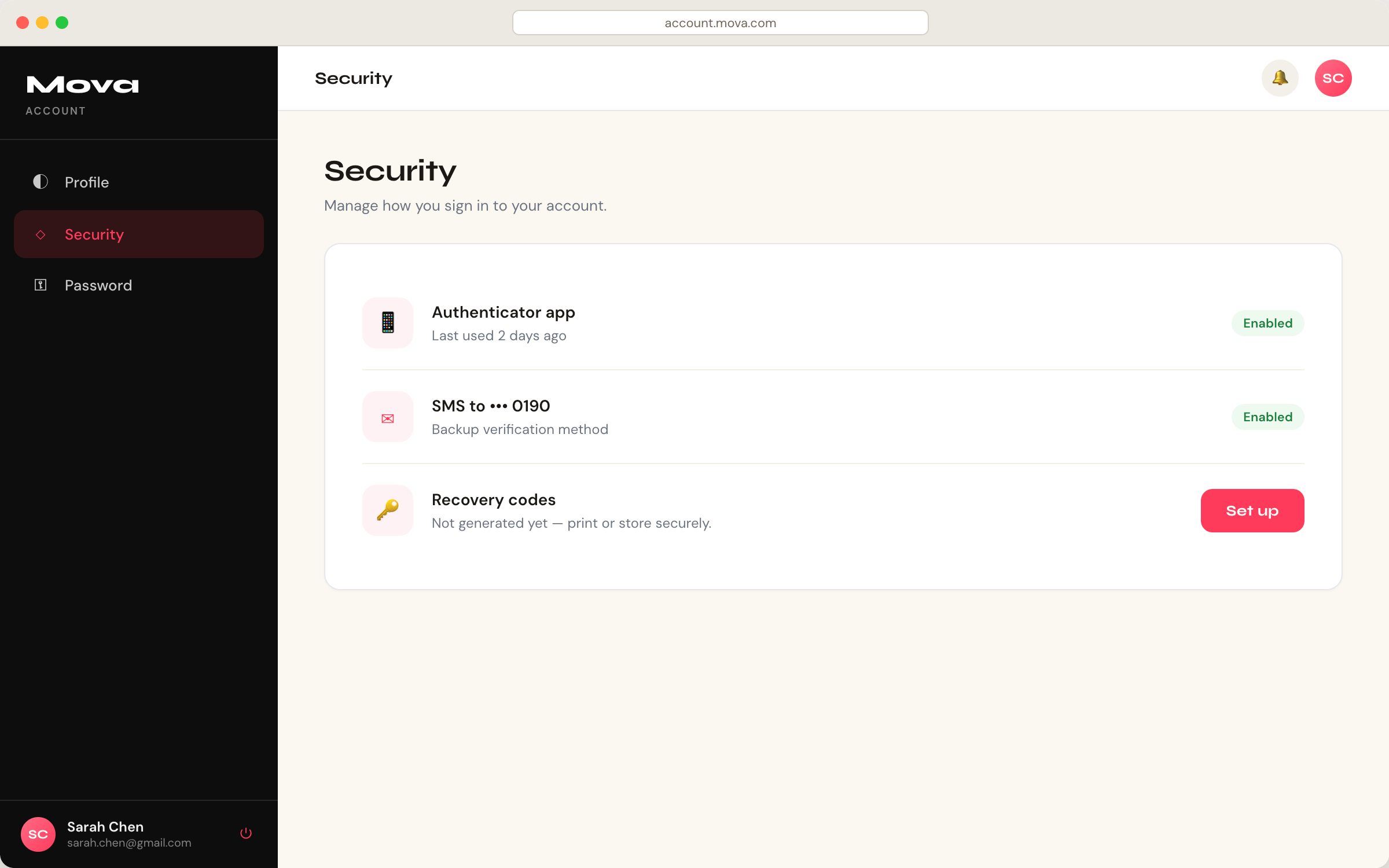
Business Portals
Give Organization administrators a page to manage their own Organization: edit Organization details and verify domains. A business Portal replaces the My Organization page that you would otherwise build and host yourself, and uses the My Organization API. To open a business Portal for a specific Organization, read Access Portals.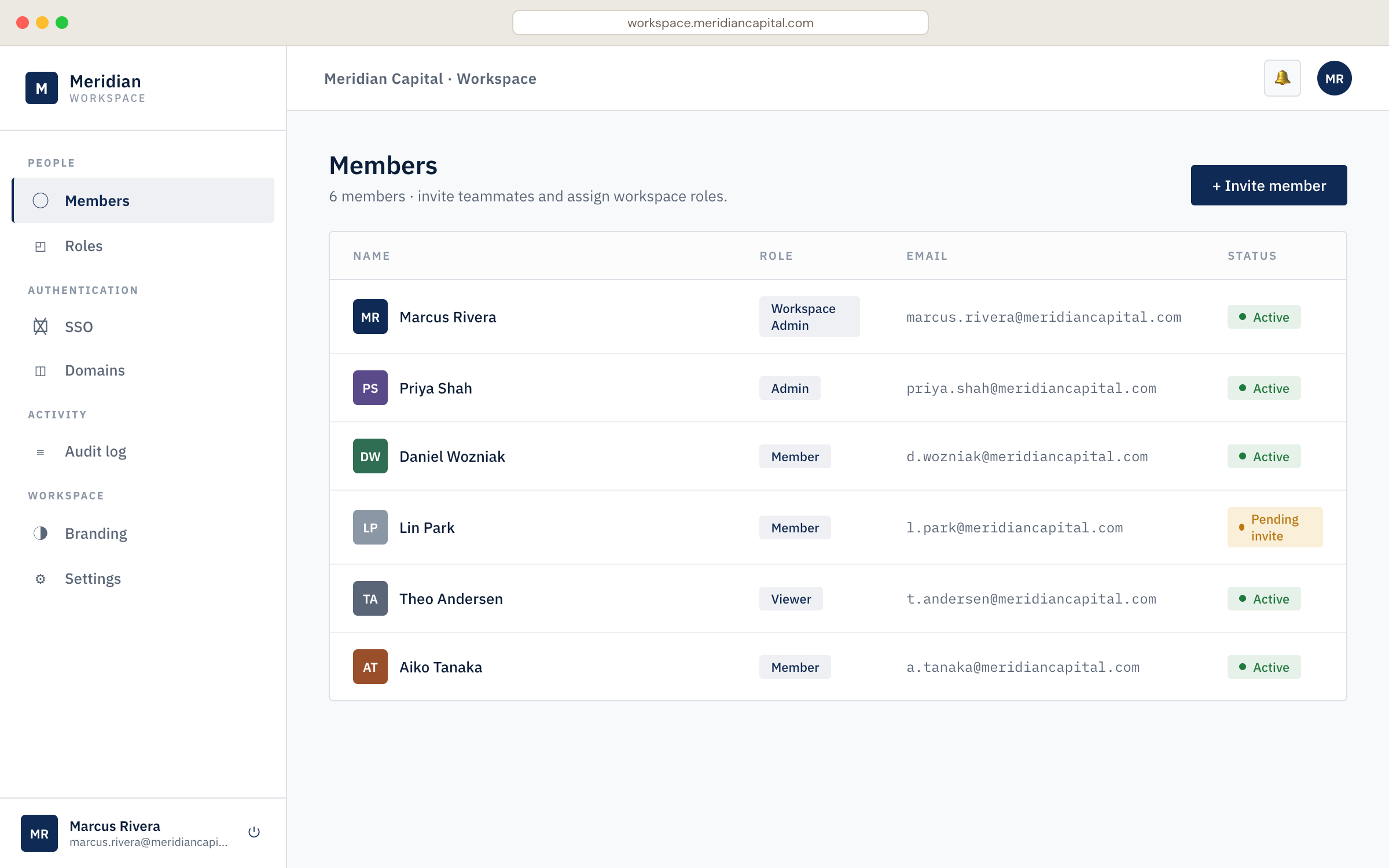
Combined Portals
A Portal can also provide a mix of both kinds of components. For example, one page can show MFA management next to Organization details. Add the components your users need, and give the portal application access to each resource server that they call.Key features
- Visual builder: arrange portal pages with pre-built components.
- Identity components: use Universal Components for profile management, MFA and passkey enrollment, Organization details, and verified domains.
- Auth0 Forms: collect information from end users, such as profile updates, policy acceptance, and communication preferences.
- Layout components: add headings, rich text, sections, separators, and images.
- One application per Portal: every Portal is backed by an Auth0 Regular Web Application. To learn more, read Configure an Application for Universal Portals.
- Branding inheritance: Portals use your tenant’s logo, colors, and fonts. In an Organization context, Portals use that Organization’s branding.
- Hosted by Auth0: there is nothing to deploy, scale, or maintain.
- Secure token handling: the portal server keeps access tokens and refresh tokens, and the browser holds only a secure session cookie.
- Automatic MFA step-up: when Auth0 requires MFA for an operation, based on your tenant’s policies and Actions, the Portal presents the challenge and retries the operation after the user completes it.
How it works
A user who is signed in to your application opens the portal URL. The portal server signs the user in with without a login prompt. Auth0 issues an and a , and the portal server stores them. When a component needs data, the portal server exchanges the refresh token for an access token for that API and makes the call on the user’s behalf. A portal session lasts up to 1 day and ends after 1 hour of inactivity. To learn more, read Universal Portals Architecture.Supported resources and limitations
Portals support the following:
Portals have the following limitations:
- Portals support a subset of Universal Components. To see which, read Portal Components Library Reference.
- Custom code requires a custom domain.
Universal Portals and Universal Components
Use Universal Portals to send users to a page that Auth0 hosts. Use Universal Components to embed user account and Organization management into your application.Next steps
Universal Portals Quickstart
Create your first Portal in minutes.
Universal Portals Architecture
Learn how Portals sign users in, call APIs on their behalf, and manage sessions.
Portal Components Library Reference
Review available components, their resource servers, and scopes.